
1. Einleitung
The Zerone K-1028E is a universal remote control designed for use with a wide range of air conditioning units. This remote offers comprehensive functionality, including temperature adjustment, mode selection, fan speed control, and timer settings, providing a convenient replacement for lost or damaged original air conditioner remotes. Its compact design and clear LCD screen ensure ease of use.
2. Sicherheitshinweise
- Mischen Sie keine alten und neuen Batterien.
- Mischen Sie keine Alkali-, Standard- (Kohle-Zink) oder wiederaufladbaren (Nickel-Cadmium) Batterien.
- Um ein Auslaufen zu verhindern, entfernen Sie die Batterien, wenn die Fernbedienung längere Zeit nicht benutzt wird.
- Die Fernbedienung sollte nicht direkter Sonneneinstrahlung, Wärmequellen oder Feuchtigkeit ausgesetzt werden.
- Vermeiden Sie es, die Fernbedienung fallen zu lassen oder starken Stößen auszusetzen.
3. Produktüberschreitungview
The K-1028E remote control features an ergonomic design with clearly labeled buttons and a large LCD display for easy readability. It includes essential functions such as power, mode, temperature control, fan speed, and a dedicated light button.

This image displays the front of the Zerone K-1028E universal air conditioner remote control, highlighting its compact size with approximate dimensions of 13.3 cm in length, 5 cm in width, and 2.3 cm in thickness. The LCD screen and primary control buttons are visible.

A hand is shown holding the remote control, with the LCD screen clearly visible. The display shows a temperature setting of 26°C, along with icons indicating various modes and functions, demonstrating the remote in active use.
4. Einrichtung
4.1 Einlegen der Batterie
- Öffnen Sie den Batteriefachdeckel auf der Rückseite der Fernbedienung.
- Legen Sie zwei AAA-Batterien ein und achten Sie dabei auf die richtige Polarität (+ und -).
- Schließen Sie den Batteriefachdeckel fest.
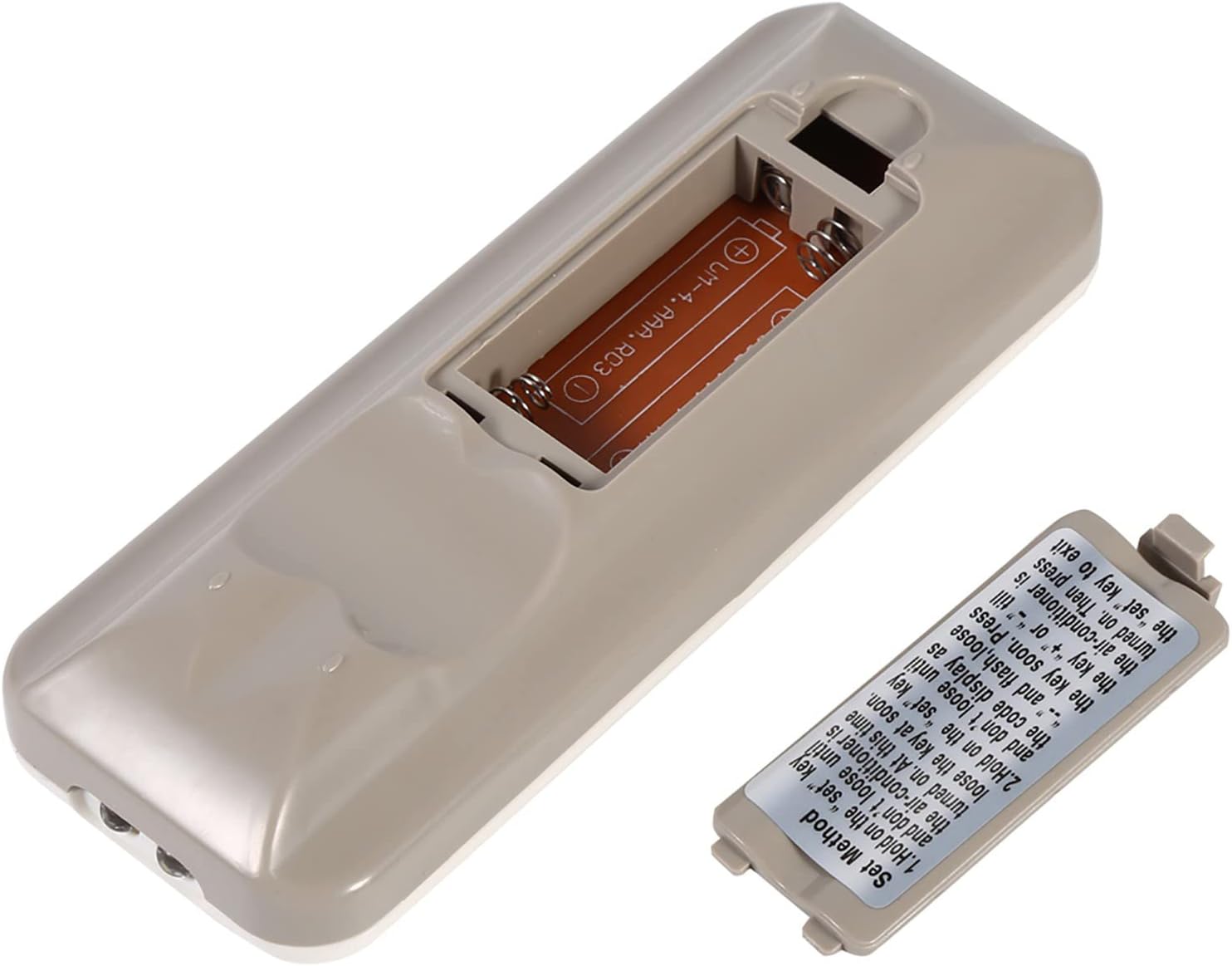
The back of the remote control is shown with the battery compartment cover removed, revealing the slot for two AAA batteries. This illustrates where to insert or replace the power source.
4.2 Programming the Remote (Automatic Search Method)
This method allows the remote to automatically search for the correct code for your air conditioner.
- Ensure your air conditioner unit is powered off.
- Halten Sie die SATZ button on the remote control. Continue holding until your air conditioner unit turns on. Once the air conditioner turns on, immediately release the SATZ Taste.
- Alternatively, if the above step does not work, press and hold the SATZ button until the code display on the remote's LCD screen shows "--" and begins to flash. Release the SATZ Taste.
- While the code is flashing, press the + or - buttons repeatedly until your air conditioner unit turns on.
- Once the air conditioner turns on, press the SATZ button again to confirm the code and exit the programming mode.
- Test all functions of the remote control to ensure proper operation. If some functions do not work, repeat the programming process to find a more compatible code.

Dieses Bild liefert eine detaillierte Ansicht. view of the 'Set Method' instructions sticker located on the back of the remote control. It outlines the steps for automatically programming the remote to an air conditioner unit.
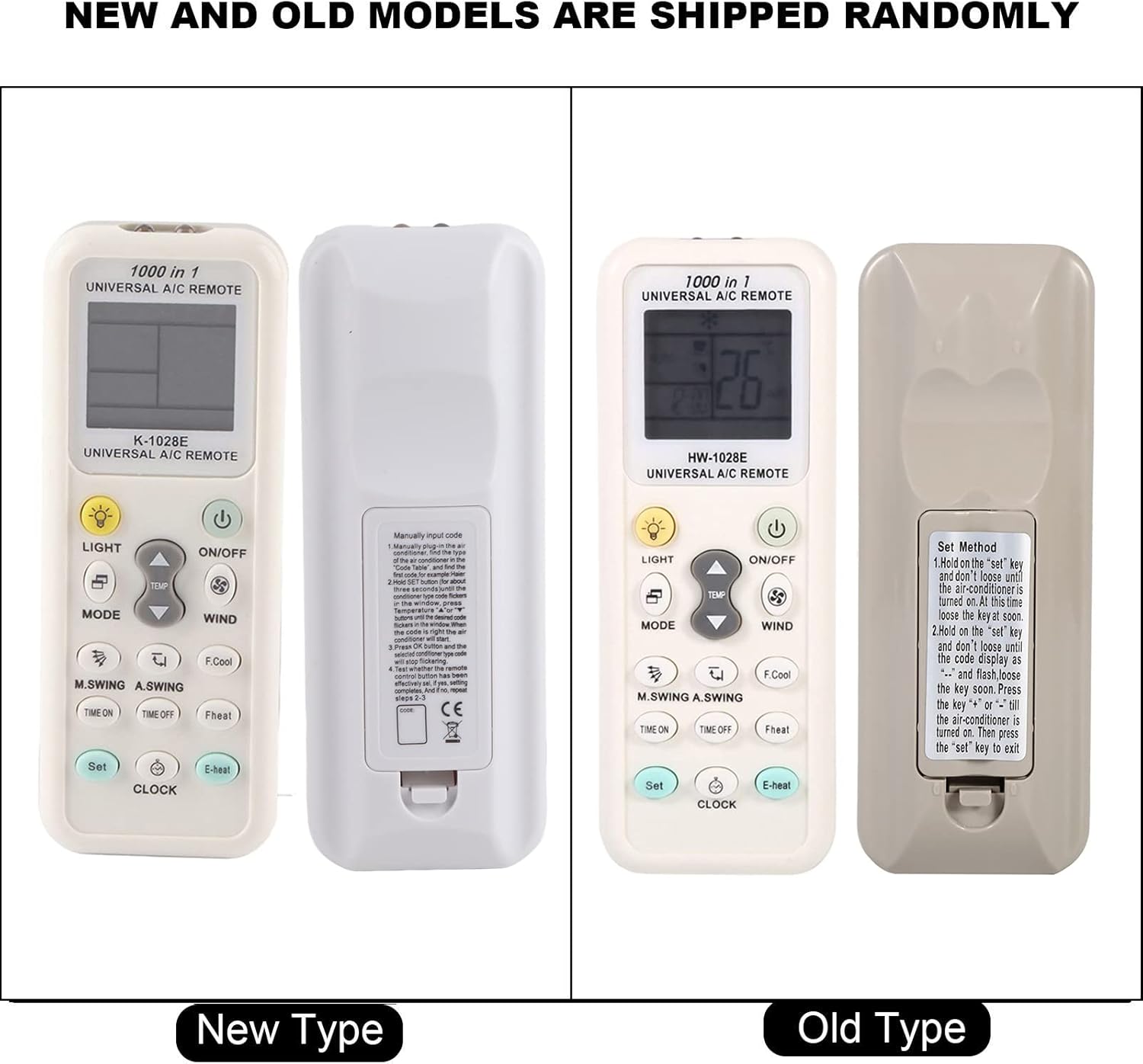
This image compares two versions of the K-1028E remote control, labeled 'New Type' and 'Old Type'. It illustrates slight variations in button arrangement and the instruction sticker on the back panel, indicating potential minor design updates over time. The programming method remains consistent.
5. Bedienungsanleitung
- EIN/AUS-Taste: Drücken Sie diese Taste, um die Klimaanlage ein- oder auszuschalten.
- MODE-Taste: Press to cycle through available operating modes: Auto, Cool, Dry, Fan, Heat.
- TEMP ▲/▼ Tasten: Drücken Sie, um die gewünschte Temperatureinstellung zu erhöhen oder zu verringern.
- WIND (Fan Speed) Button: Drücken Sie die Taste, um die Lüftergeschwindigkeit anzupassen (z. B. Auto, Niedrig, Mittel, Hoch).
- M.SWING/A.SWING Button: Controls the horizontal or vertical swing of the air conditioner's louvers.
- TIME ON/TIME OFF Buttons: Used to set a timer for the air conditioner to turn on or off automatically.
- LICHT-Taste: Activates or deactivates the backlight on the remote's LCD screen or the air conditioner's display light (if supported).
- Set-Taste: Used for programming the remote and confirming settings.
- UHR-Taste: Dient dazu, die aktuelle Uhrzeit auf dem Display der Fernbedienung einzustellen.
6. Wartung
- Reinigen Sie die Fernbedienung regelmäßig mit einem weichen, trockenen Tuch. Verwenden Sie keine flüssigen Reinigungsmittel oder Scheuermittel.
- If the remote control is not responding or the display is dim, replace the batteries.
- Bewahren Sie die Fernbedienung an einem kühlen, trockenen Ort auf, wenn sie längere Zeit nicht benutzt wird.
7. Fehlerbehebung
- Fernbedienung funktioniert nicht: Ensure batteries are inserted correctly and are not depleted. Reprogram the remote using the automatic search method. Ensure there are no obstructions between the remote and the air conditioner's receiver.
- Eingeschränkte Funktionalität: If some functions do not work after programming, it may indicate that the selected code is not fully compatible. Try repeating the automatic search method to find an alternative, more compatible code.
- Anzeigeprobleme: If the LCD display is dim or incomplete, replace the batteries.
8. Spezifikationen
| Marke | Zerone |
| Modellnummer | K-1028E |
| Artikelgewicht | 0.704 Unzen (ca. 20 Gramm) |
| Kompatible Geräte | Klimaanlage |
| Maximale Anzahl unterstützter Geräte | 1 (Universal for many AC brands) |
| Besonderheit | Universelle Kompatibilität |
9. Garantie und Support
Informationen zur Garantie und zum technischen Support finden Sie in der mitgelieferten Dokumentation oder wenden Sie sich an Ihren Händler. Bewahren Sie Ihren Kaufbeleg als Kaufnachweis auf.