
TP-Link Deco X20
TP-Link Deco X20 AX1800 Whole Home Mesh Wi-Fi System User Manual
Modell: Deco X20
Einführung
The TP-Link Deco X20 AX1800 Whole Home Mesh Wi-Fi System provides seamless Wi-Fi 6 coverage throughout your home. This system replaces traditional routers and Wi-Fi extenders, offering faster connections, increased capacity, and reduced latency for a superior online experience. It includes features like HomeCare for security and parental controls, and is compatible with Alexa for voice control.
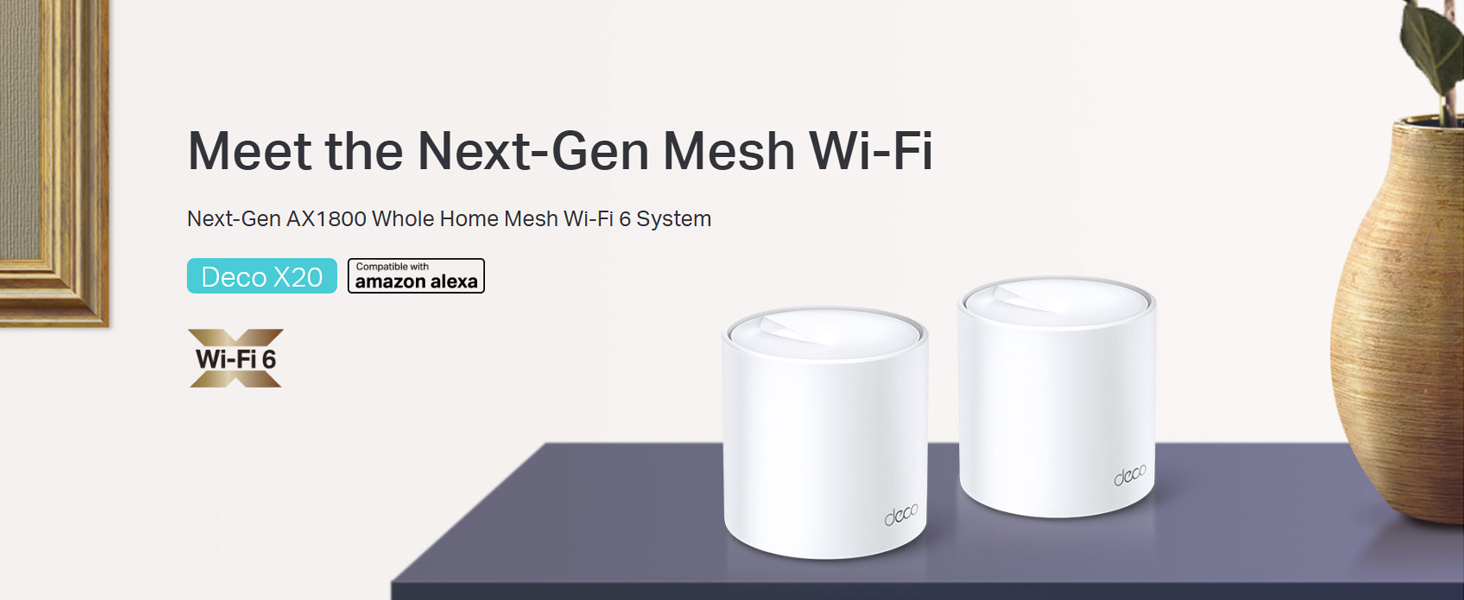
Image: Two TP-Link Deco X20 units on a table, showcasing das Produktdesign.
Lieferumfang
The Deco X20 (2-Pack) system typically includes the following components:
- 2 x Deco X20 Einheiten
- 1 x RJ45-Ethernetkabel
- 2 x-Netzteile
- 1 x Schnellinstallationsanleitung

Image: The TP-Link Deco X20 (2-Pack) retail box, displaying the included items.
Installationshandbuch
Setting up your TP-Link Deco X20 system is designed to be straightforward using the Deco app. Follow these steps for initial installation:
- Lade die Deco-App herunter: Suchen nach "TP-Link Deco" in the App Store (iOS) or Google Play Store (Android) and install the application on your smartphone or tablet.
- Schließen Sie die Haupt-Dekoeinheit an:
- Schalten Sie Ihr Modem aus.
- Verbinden Sie eine Deco-Einheit mit dem mitgelieferten Ethernet-Kabel mit Ihrem Modem.
- Schalten Sie Ihr Modem ein, dann das Deco-Gerät. Warten Sie, bis die LED am Deco-Gerät blau blinkt.
- Starte die Deco-App: Open the Deco app and follow the on-screen instructions to create a TP-Link ID and set up your main Deco unit.
- Weitere Dekorationselemente hinzufügen: Once the main unit is configured, the app will guide you through adding the remaining Deco units. Place them strategically around your home for optimal coverage.
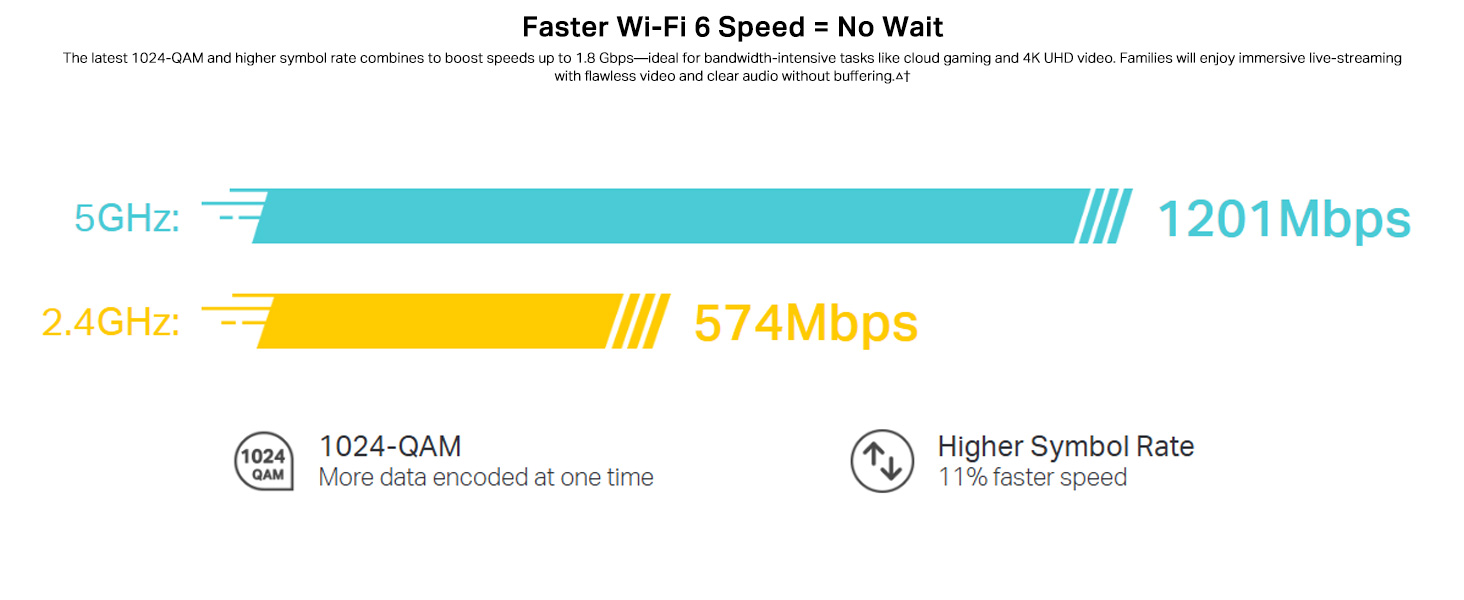
Image: Visual guide for setting up the Deco X20 system via the Deco mobile application.
Bedienungsanleitung
The TP-Link Deco X20 system operates as a unified network, providing seamless Wi-Fi coverage. Management is primarily done through the Deco mobile application.
Deco App Features:
- Netzwerkverwaltung: View connected devices, prioritize network traffic (QoS), and manage guest networks.
- Kindersicherung: Set time limits, block inappropriate content, and monitor online activity for family members.
- Antivirus (HomeCare/HomeShield): Protect your network and connected devices from malicious threats.
- Firmware-Updates: The app facilitates easy firmware updates to ensure your system has the latest features and security enhancements.
- Sprachsteuerung: Integrate with Amazon Alexa for convenient voice commands to manage your Wi-Fi.

Image: The Deco app interface, demonstrating various control and monitoring features.
Nahtloses Roaming:
The Deco system creates a single Wi-Fi network name (SSID) throughout your home. As you move, your devices automatically connect to the Deco unit with the strongest signal, ensuring an uninterrupted connection.

Image: Comparison of seamless roaming with Deco versus a traditional router and extender setup.
Hauptmerkmale
- Wi-Fi 6-Technologie (802.11ax): Provides faster speeds up to 1800 Mbps (1201 Mbps on 5GHz and 574 Mbps on 2.4GHz), increased capacity, and reduced network congestion.
- Whole Home Mesh Coverage: Eliminates Wi-Fi dead zones, covering up to 4000 sq ft with a 2-pack system.
- Verbinden Sie weitere Geräte: OFDMA and MU-MIMO technologies allow simultaneous data transmission to multiple devices, supporting over 150 connected devices without performance degradation.
- Extrem niedrige Latenz: Enhances responsiveness for gaming and video calls.
- TP-Link HomeCare/HomeShield: Offers comprehensive network security, robust parental controls, and Quality of Service (QoS) for a safer and optimized online experience.
- KI-gesteuertes Mesh: The system intelligently learns your network environment and user behavior to optimize Wi-Fi performance continuously.
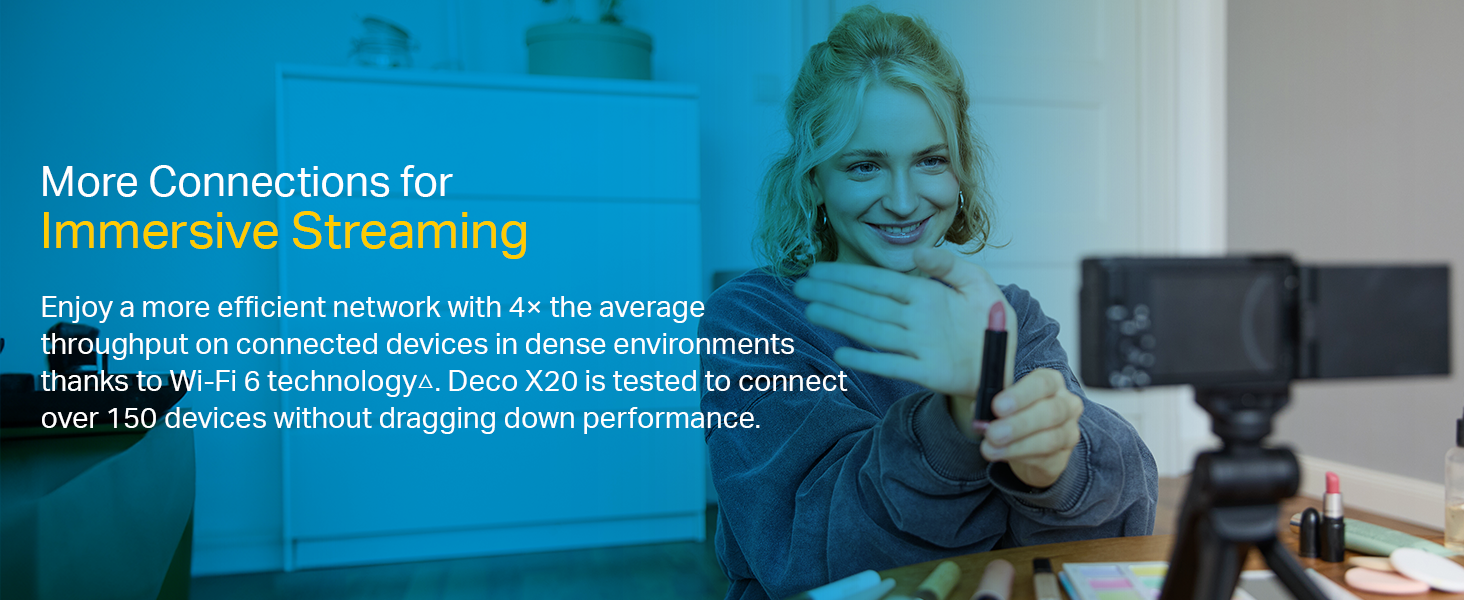
Abbildung: Infografik zur Hervorhebung der Vorteiletages of Wi-Fi 6, such as speed and efficiency.
Wartung
To ensure optimal performance and security of your Deco X20 system, consider the following maintenance practices:
- Regelmäßige Firmware-Updates: Check the Deco app periodically for available firmware updates. Installing updates ensures you have the latest security patches and performance improvements.
- Optimale Platzierung: Ensure Deco units are placed in open areas, away from obstructions like large metal objects, thick walls, and other electronic devices that may cause interference.
- Sauberkeit: Keep the Deco units clean and free from dust to prevent overheating and maintain proper airflow. Use a soft, dry cloth for cleaning.
- Netzwerküberwachung: Use the Deco app to monitor network activity and identify any unusual behavior or unauthorized devices.
Fehlerbehebung
Sollten Sie Probleme mit Ihrem Deco X20-System haben, versuchen Sie die folgenden Schritte zur Fehlerbehebung:
- Keine Internetverbindung:
- Prüfen Sie, ob Ihr Modem ordnungsgemäß funktioniert.
- Stellen Sie sicher, dass das Ethernet-Kabel zwischen der Deco-Haupteinheit und dem Modem fest angeschlossen ist.
- Starten Sie Ihr Modem und die Deco-Haupteinheit neu.
- Schwaches WLAN-Signal oder Funklöcher:
- Verlegen Sie die Deco-Einheiten näher zusammen oder in Bereiche mit schwachem Signal.
- Ensure there are no major physical obstructions (e.g., thick concrete walls) between Deco units.
- Consider adding another Deco unit if coverage is still insufficient.
- Deco Unit LED Status:
- Durchgängig grün: Deco is working normally.
- Pulsierendes Blau: Deco ist bereit zur Einrichtung.
- Durchgängig rot: Deco hat ein Problem (z. B. keine Internetverbindung).
- Rot pulsierend: Deco is disconnected from the main unit.
- Cannot Connect to Deco App:
- Stellen Sie sicher, dass Ihr Smartphone mit dem Deco-WLAN-Netzwerk verbunden ist.
- Restart the Deco app.
- Reinstall the Deco app if the issue persists.
Weitere Unterstützung finden Sie im TP-Link-Support. webWebsite oder wenden Sie sich an den Kundendienst.
Technische Daten
| Besonderheit | Detail |
|---|---|
| Marke | TP-Link |
| Modellname | Deko X20 |
| Wireless-Standard | 802.11ax (WLAN 6) |
| Frequenzbandklasse | Dualband (2.4 GHz & 5 GHz) |
| Datenübertragungsrate (max.) | 1800 Mbit/s (1201 Mbit/s im 5-GHz-Band, 574 Mbit/s im 2.4-GHz-Band) |
| Abdeckung | Up to 4000 sq ft (2-pack) |
| Anzahl der Ports | 2 Gigabit-Ethernet-Anschlüsse pro Deco-Einheit |
| Security Protocol | WPA-PSK, WPA2-PSK, WPA3 |
| Kontrollmethode | Deco App, Amazon Alexa |
| Abmessungen (L x B x H) | 11L x 11B x 11.4H Zentimeter |
| Betriebssystem | RouterOS (internal) |
| RAM-Speicher installiert | 16 GB (Note: This value is from the provided product data and may refer to flash storage or a specific component, as typical router RAM is lower.) |
Garantie und Support
Garantieinformationen:
The TP-Link Deco X20 comes with a 3 Jahr Garantie. For any product quality related issues, it is recommended to reach out to TP-Link's customer service support for resolution.
Kundendienst:
For technical support, warranty claims, or general inquiries, please contact TP-Link customer service:
- Gebührenfrei: 1800-209-4168
- E-Mail: support.in@tp-link.com
- Herstelleradresse: TP-Link Systems Inc. 10 Mauchly, Irvine, CA 92618, USA or TP-Link India Private Limited Office No.1, Tower 2, Level 2, Raiaskaran Tech Park, Andheri Kurla Road, M.V Road, Andheri East-400072
Please retain your proof of purchase for warranty services.
Wichtige Sicherheitsinformationen
- Das Gerät darf weder Wasser noch Feuchtigkeit ausgesetzt werden.
- Versuchen Sie nicht, das Gerät selbst zu zerlegen oder zu reparieren.
- Verwenden Sie ausschließlich die mitgelieferten Netzteile.
- Ensure proper ventilation around the Deco units to prevent overheating.
Zugehörige Dokumente - Deko X20
 |
TP-Link Produktleitfaden: Umfassende Wi-Fi 6- und Mesh-Netzwerklösungen Entdecken Sie den umfangreichen Produktleitfaden von TP-Link mit den neuesten Wi-Fi 6-, Mesh-Wi-Fi-Systemen, 5G-Konnektivität und Smart-Home-Technologien für nahtlose und zuverlässige Heim- und SOHO-Netzwerke. |
 |
TP-Link Deco X20 AX1800 Whole Home Mesh Wi-Fi 6 System – Benutzerhandbuch Ausführliche Bedienungsanleitung für das TP-Link Deco X20 AX1800 Whole Home Mesh Wi-Fi 6 System, die Einrichtung, Funktionen, Verwaltung und Fehlerbehebung für eine optimale Leistung des Heimnetzwerks abdeckt. |
 |
TP-Link Deco X20-DSL AX1800 VDSL Whole Home Mesh Wi-Fi 6 System – Benutzerhandbuch Ausführliche Bedienungsanleitung für das TP-Link Deco X20-DSL AX1800 VDSL Whole Home Mesh Wi-Fi 6 System, die Einrichtung, Konfiguration, Funktionen wie HomeShield und Fehlerbehebung abdeckt. |
 |
TP-Link Deco M5 AC1300 Benutzerhandbuch: Mesh-WLAN-System für das ganze Haus Ausführliche Bedienungsanleitung für das TP-Link Deco M5 AC1300 Mesh-WLAN-System für das ganze Haus. Erfahren Sie mehr über Einrichtung, Funktionen wie nahtloses Roaming, Kindersicherung, Virenschutz und Netzwerkoptimierung. |
 |
TP-Link Deco Schnellinstallationsanleitung – WLAN-Mesh-Einrichtung Diese Anleitung enthält Anweisungen zur Einrichtung Ihres TP-Link Deco Wi-Fi Mesh-Systems, einschließlich LED-Statusanzeigen, Sicherheitshinweisen und Garantieinformationen. Erfahren Sie, wie Sie Ihr Netzwerk verbinden und konfigurieren. |
 |
TP-Link Deco M9 Plus AC2200 Smart Home Mesh-WLAN-System – Benutzerhandbuch A comprehensive user guide for the TP-Link Deco M9 Plus AC2200 Smart Home Mesh Wi-Fi System, covering setup, app features, parental controls, antivirus, and regulatory information. |
Ask a question about this manual
Ask about setup, troubleshooting, compatibility, parts, safety, or missing instructions. Manuals+ will review the question and use this page’s manual context to help answer it.