
1. Einleitung
This manual provides detailed instructions for the proper use and installation of the Logilink MP0070 RJ-45 Cat6a STP Connector. Please read this manual carefully before attempting to install or use the product to ensure optimal performance and safety. Keep this manual for future reference.
2. Produktüberschreitungview
The Logilink MP0070 is a high-quality RJ-45 connector designed for Cat6a shielded twisted pair (STP) Ethernet cables. It features a robust design for reliable network connections and supports high-speed data transmission. This connector is ideal for creating custom-length Cat6a patch cables or for repairing existing network infrastructure.
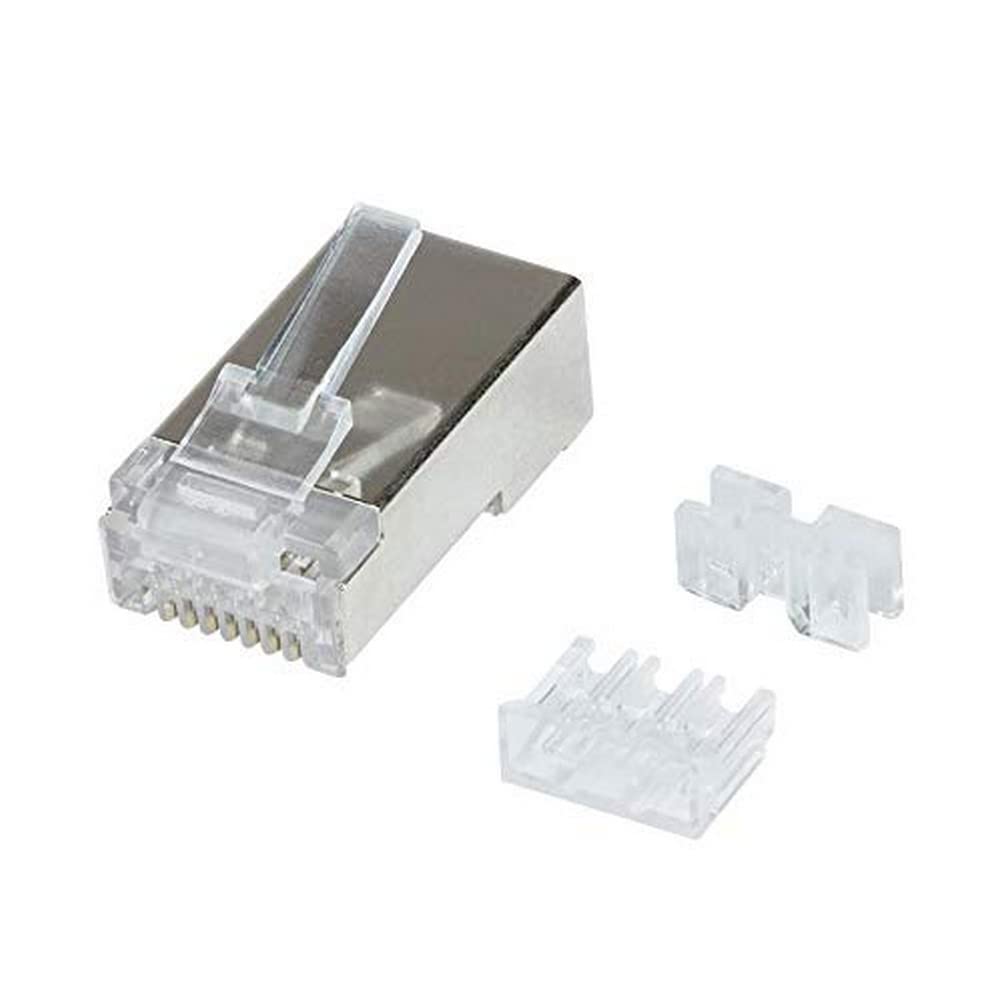
Figure 2.1: Logilink MP0070 RJ-45 Cat6a STP Connector with components.
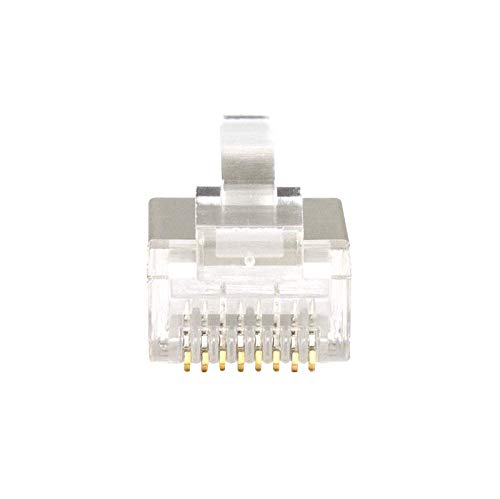
Abbildung 2.2: Vorderseite view of the connector, highlighting the gold-plated contact pins.
3. Spezifikationen
| Besonderheit | Beschreibung |
|---|---|
| Modellnummer | MP0070 |
| Steckertyp | RJ-45 |
| Kabelkategorie | Cat6a |
| Abschirmung | STP (Shielded Twisted Pair) |
| Produktabmessungen (L x B x H) | 60 x 60 x 85 cm; 120 Gramm |
| Hersteller | LogiLink |
| Datum der ersten Verfügbarkeit auf Amazon.com.be | 20. April 2022 |
| Verfügbarkeit von Ersatzteilen | Informationen zu Ersatzteilen sind nicht verfügbar. |
4. Einrichtung und Installation
Installing the Logilink MP0070 RJ-45 Cat6a STP Connector requires precision and specific tools. Ensure you have a crimping tool compatible with RJ-45 connectors, a wire stripper, and a cable tester.
4.1 Benötigtes Werkzeug
- RJ-45 Crimping Tool
- Abisolierzange
- Kabelschneider
- Cable Tester (optional, but highly recommended)
4.2 Installationsschritte
- Bereiten Sie das Kabel vor: Carefully strip approximately 2-3 cm (1 inch) of the outer jacket from the end of your Cat6a STP cable. Be careful not to cut or nick the inner wire insulation or the shielding.
- Expose and Untwist Wires: Untwist the four pairs of wires. For STP cables, ensure the foil shielding around each pair and the overall braid are managed correctly.
- Drähte anordnen: Arrange the wires according to either the T568A or T568B wiring standard. The T568B standard is most commonly used. Ensure the wires are straight and parallel.
- Insert into Load Bar (if applicable): Some Cat6a connectors, including this model, may use a load bar or wire guide to help maintain wire order and spacing. Insert the arranged wires into the load bar, ensuring they pass through the correct channels.
- Kabel trimmen: Once the wires are correctly seated in the load bar and aligned, trim the ends of the wires so they are flush and even, typically leaving about 1.2-1.5 cm (0.5-0.6 inches) exposed from the jacket.
- Insert into Connector: Carefully insert the wires (with the load bar, if used) into the RJ-45 connector housing. Ensure that the outer jacket of the cable is seated firmly inside the connector body, providing strain relief. The foil shield should make contact with the metal housing of the STP connector.
- Verpressen Sie den Stecker: Place the assembled connector into the RJ-45 crimping tool. Squeeze the handles firmly until the tool clicks, indicating that the pins have been properly seated and the strain relief tab has engaged.
- Testen Sie die Verbindung: Use a cable tester to verify that all eight wires are correctly connected and that there are no shorts or open circuits. This step is crucial for ensuring network integrity.
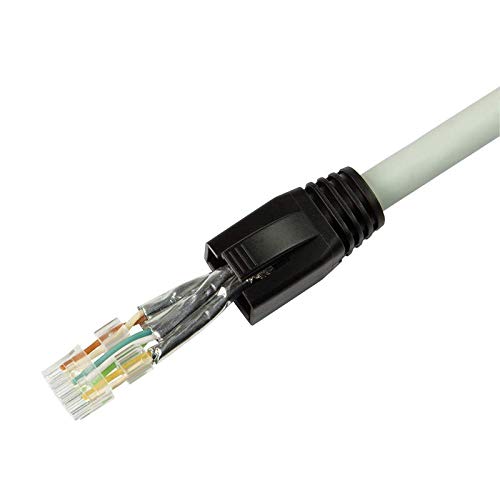
Figure 4.1: Prepared Cat6a cable with stripped jacket and untwisted, arranged wires.
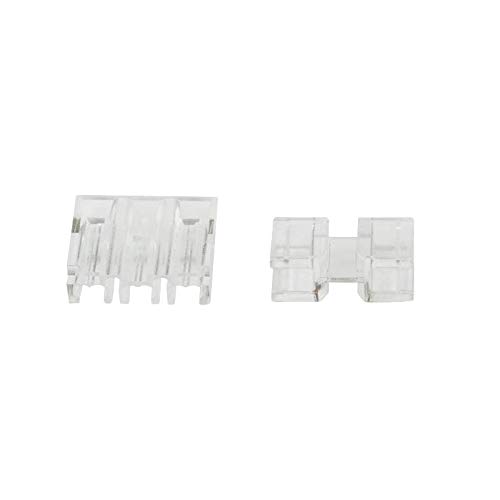
Figure 4.2: Load bar and wire guide components for precise wire placement.
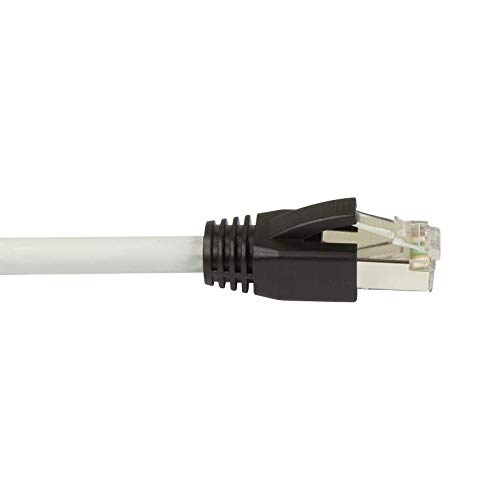
Figure 4.3: A fully terminated Cat6a cable with the Logilink MP0070 connector.
5. Bedienungsanleitung
Once the Logilink MP0070 RJ-45 Cat6a STP Connector is properly installed on an Ethernet cable, its operation is straightforward:
- Mit Gerät verbinden: Insert the terminated RJ-45 connector into a compatible RJ-45 port on a network device (e.g., computer, router, switch, network wall plate).
- Sichere Verbindung: Ensure the connector clicks into place, indicating a secure physical connection. The locking tab on the connector should engage with the port.
- Verify Link: Check the link/activity lights on your network device. A solid light typically indicates a successful physical connection, while a blinking light indicates data activity.
6. Wartung
The Logilink MP0070 RJ-45 Cat6a STP Connector is designed for durability and requires minimal maintenance. Follow these guidelines to ensure its longevity and performance:
- Sauber halten: Periodically inspect the connector for dust or debris. Use a can of compressed air to gently clean the contact pins if necessary. Avoid using liquid cleaners directly on the pins.
- Vermeiden Sie körperlichen Stress: Do not bend or pull the cable excessively at the connector point. This can damage the internal wiring or the connector itself.
- Richtige Lagerung: If not in use, store terminated cables in a clean, dry environment to prevent damage to the connectors.
- Auf Schäden prüfen: Regularly check the connector for any signs of physical damage, such as bent pins, cracks in the plastic housing, or corrosion. Replace damaged connectors immediately.
7. Fehlerbehebung
If you experience issues with your network connection after installing the Logilink MP0070 RJ-45 Cat6a STP Connector, consider the following troubleshooting steps:
- Keine Verbindungsleuchte:
- Check Crimp: Ensure the connector was properly crimped and all pins made contact with the wires. A faulty crimp is a common cause of no connection.
- Verify Wiring Standard: Double-check that the wires are arranged according to the T568A or T568B standard on both ends of the cable. Mismatched standards will prevent communication.
- Kabelintegrität: Inspect the cable for any visible damage (cuts, severe bends).
- Test mit Kabeltester: Use a cable tester to identify specific wire faults (open, short, cross).
- Intermittierende Verbindung:
- Wackelkontakt: Ensure the connector is fully seated in the port.
- Damaged Wires/Pins: Even slight damage to a wire or a bent pin can cause intermittent issues. Re-terminate the connector if suspect.
- EMI/RFI Interference: For STP cables, ensure proper grounding of the shield to minimize interference, especially in environments with high electromagnetic noise.
- Langsame Netzwerkgeschwindigkeit:
- Kabellänge: Ensure the cable length does not exceed the maximum recommended length for Cat6a (100 meters or 328 feet).
- Komponentenkompatibilität: Verify that all network components (router, switch, network card) are rated for Cat6a or higher speeds.
8. Garantie und Support
For warranty information, please refer to the documentation provided at the time of purchase or visit the official Logilink website. For technical support or further assistance, please contact Logilink customer service through their official channels.
Notiz: Für die Aufnahme in dieses Handbuch standen keine offiziellen Produktvideos zur Verfügung.