
Einführung
Thank you for choosing Groov-e Bluetooth DJ Style Wireless On-Ear Headphones. These headphones are designed for young users, offering wireless freedom, comfortable wear, and an audio-sharing feature. This manual provides essential information for setting up, operating, maintaining, and troubleshooting your new headphones to ensure a safe and enjoyable listening experience.
Packungsinhalt
Bitte kreuzen Sie das Kästchen für die folgenden Elemente an:
- 1 x Groov-e Bluetooth Kids Headphones with Audio Sharing Port
- 1 x 3.5-mm-Audio-Klinkenkabel
- 1 x Micro-USB-Ladekabel.
- 1 x Benutzerhandbuch (dieses Dokument)
Produkt überview
Familiarize yourself with the various parts and controls of your Groov-e headphones.
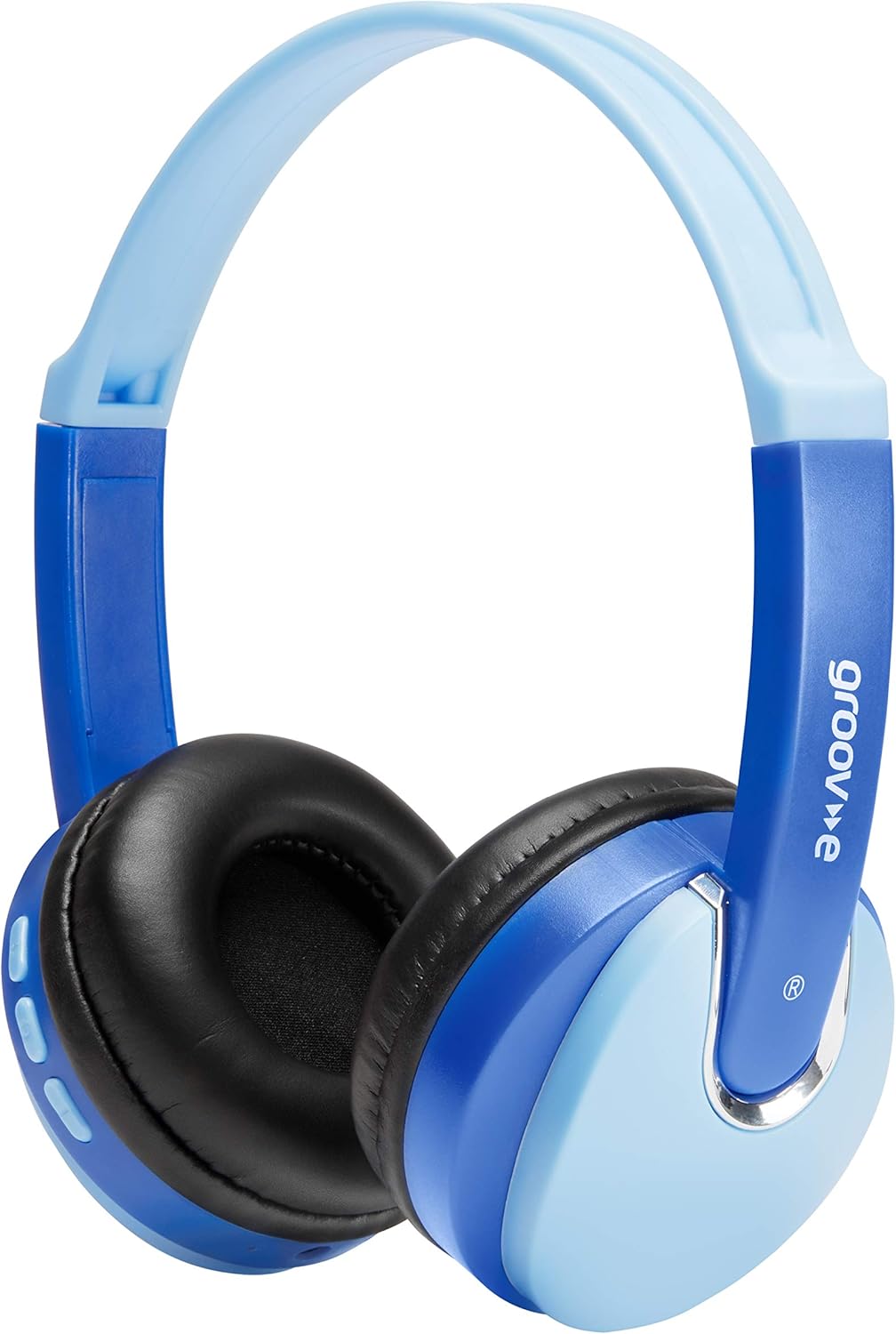
Front view of the Groov-e Bluetooth DJ Style Wireless On-Ear Headphones in blue.

Seite view of the right earcup, displaying the volume and track control buttons.
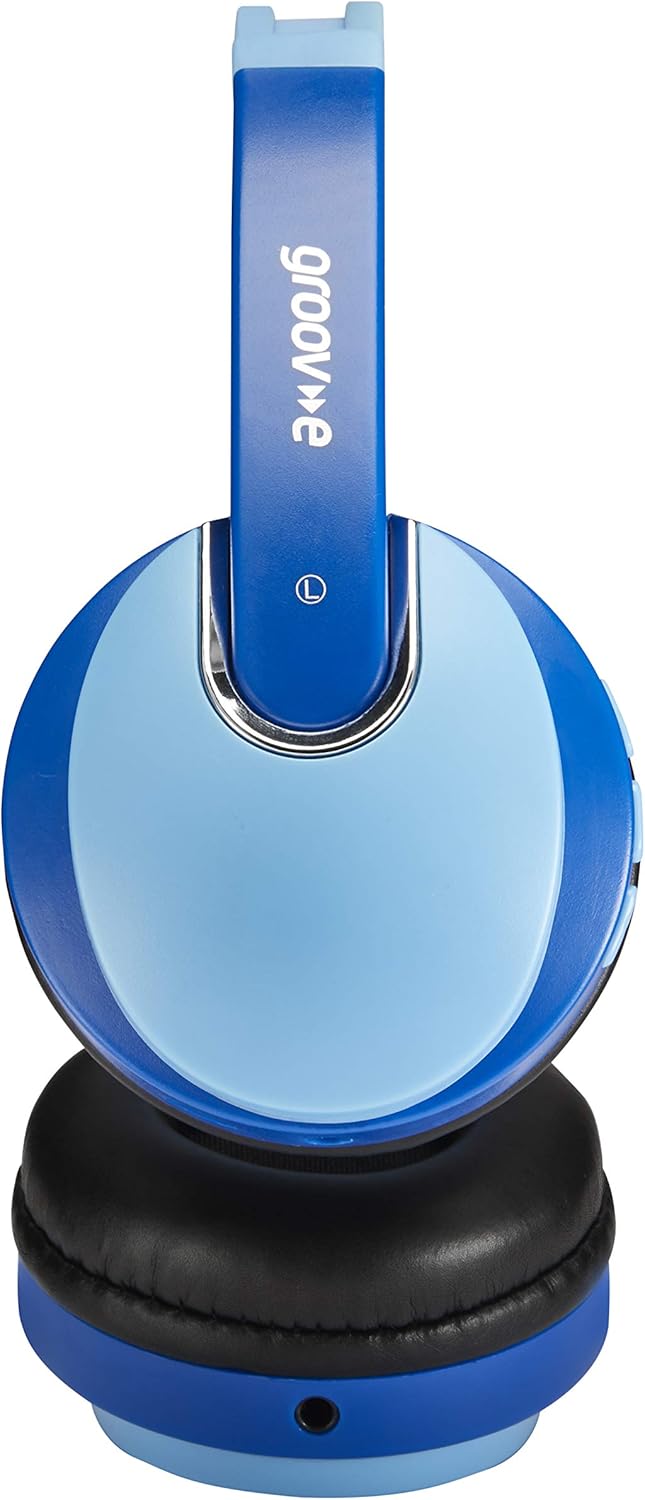
Seite view of the left earcup, showing the 3.5mm audio input and the audio sharing port.
- Verstellbares Kopfband: Für einen bequemen und sicheren Sitz.
- Weiche Ohrpolster: Für hohen Tragekomfort über längere Zeit entwickelt.
- Bedientasten: Located on the earcup for power, volume, and track control.
- Mikrofon: Mit integrierter Freisprechfunktion.
- 3.5-mm-Audiobuchse: Für kabelgebundene Verbindungen zu Geräten.
- Micro-USB-Ladeanschluss: Zum Aufladen des internen Akkus.
- Audio Sharing Port: Allows another pair of headphones to connect and share audio.
Aufstellen
Aufladen der Kopfhörer
Before first use, fully charge the headphones. Connect the Micro USB charging cable to the charging port on the headphones and the other end to a USB power source (e.g., computer USB port, USB wall adapter). The LED indicator will show charging status (typically red while charging, turning off or blue when fully charged). A full charge provides up to 7.5 hours of wireless playback.
Bluetooth-Kopplung
- Stellen Sie sicher, dass die Kopfhörer ausgeschaltet sind.
- Halten Sie die Ein-/Aus-Taste gedrückt, bis die LED-Anzeige abwechselnd blau und rot blinkt. Dies signalisiert den Kopplungsmodus.
- Aktivieren Sie auf Ihrem Gerät (Smartphone, Tablet, Laptop) Bluetooth und suchen Sie nach neuen Geräten.
- Select "Groov-e Kidz DJ" (or similar name) from the list of available devices.
- Nach dem Anschließen blinkt die LED-Anzeige normalerweise langsam blau oder leuchtet dauerhaft blau.
Kabelverbindung
If Bluetooth is not available or the battery is depleted, you can use the included 3.5mm audio cable. Simply plug one end into the 3.5mm audio jack on the headphones and the other end into the audio output of your device.
Bedienungsanleitung
Ein-/Ausschalten
- Einschalten: Halten Sie den Ein-/Ausschalter etwa 3 Sekunden lang gedrückt, bis die LED-Anzeige aufleuchtet.
- Ausschalten: Halten Sie den Netzschalter etwa 3 Sekunden lang gedrückt, bis die LED-Anzeige erlischt.
Musikwiedergabe
- Abspielen/Pause: Drücken Sie kurz die Play/Pause-Taste.
- Lautstärke erhöhen: Drücken Sie kurz die "+"-Taste.
- Lautstärke runter: Drücken Sie kurz die "-"-Taste.
- Nächster Titel: Die "+"-Taste lange drücken.
- Vorheriges Lied: Die "-"-Taste lange drücken.
Freisprechen
- Anruf annehmen/beenden: Drücken Sie kurz die Play/Pause-Taste.
- Anruf ablehnen: Drücken Sie lange auf die Wiedergabe-/Pause-Taste.
- Wahlwiederholung letzte Nummer: Drücken Sie die Play/Pause-Taste zweimal.
Audio Sharing (Daisy Chain)
The headphones feature a 'daisy chain' audio-sharing port. To share audio with another pair of headphones:
- Connect your Groov-e headphones to your audio source (via Bluetooth or 3.5mm cable).
- Plug a 3.5mm audio cable into the Audio Sharing Port on your Groov-e headphones.
- Connect the other end of the 3.5mm audio cable to the audio input of a second pair of headphones.
- Both pairs of headphones will now play the same audio.
Wartung
Reinigung
Wipe the headphones with a soft, dry cloth. Do not use abrasive cleaners or solvents. Avoid getting moisture into any openings.
Lagerung
Bewahren Sie die Kopfhörer an einem kühlen, trockenen Ort, geschützt vor direkter Sonneneinstrahlung und extremen Temperaturen, auf. Vermeiden Sie es, schwere Gegenstände darauf zu stellen.
Batteriepflege
To prolong battery life, avoid fully discharging the battery frequently. If storing for a long period, charge the headphones at least once every three months.
Fehlerbehebung
| Problem | Mögliche Ursache | Lösung |
|---|---|---|
| Die Kopfhörer lassen sich nicht einschalten. | Der Akku ist schwach oder leer. | Laden Sie die Kopfhörer vollständig auf. |
| Kopplung via Bluetooth nicht möglich. | Kopfhörer nicht im Kopplungsmodus; Bluetooth am Gerät ausgeschaltet; zu weit vom Gerät entfernt. | Stellen Sie sicher, dass sich die Kopfhörer im Kopplungsmodus befinden (rot/blau blinkend). Aktivieren Sie Bluetooth auf Ihrem Gerät. Bringen Sie die Kopfhörer näher an Ihr Gerät heran (innerhalb von 10 Metern). |
| Kein Ton. | Lautstärke zu niedrig; falsche Audioquelle; Kopfhörer nicht angeschlossen. | Increase volume on headphones and device. Ensure headphones are properly connected (Bluetooth or wired). Check if the correct audio output is selected on your device. |
| Klangverzerrung. | Zu weit vom Gerät entfernt; Störungen. | Gehen Sie näher an das Bluetooth-Gerät heran. Vermeiden Sie starke elektromagnetische Störungen. |
Technische Daten
| Besonderheit | Detail |
|---|---|
| Modellname | GV590 KIDS DJ |
| Modellnummer | GVBT590BE |
| Konnektivitätstechnologie | Bluetooth, Wired (3.5mm Jack), USB (Charging) |
| Drahtlose Kommunikation | Bluetooth |
| Wiedergabezeit | Bis zu 7.5 Stunden (kabellos) |
| Treibergröße | 40 mm |
| Altersspanne (Beschreibung) | Kid (Suitable for children aged 3+) |
| Material | Plastik |
| Kompatible Geräte | All Bluetooth devices, devices with 3.5mm jacks (MP3, smartphone, tablet, PC, laptop, portable DVD) |
| Artikelgewicht | 298 Gramm (0.3 Kilogramm) |
| Technische Daten | 7.7 x 18.2 x 24 cm |
| Akku-Typ | 1 Lithium-Ionen-Akku (im Lieferumfang enthalten) |
| Farbe | Bluetooth Blau |
| Formfaktor | Am Ohr |
Garantieinformationen
Groov-e products are manufactured to high standards. For specific warranty details, please refer to the warranty card included with your purchase or visit the official Groov-e webBewahren Sie Ihren Kaufbeleg für eventuelle Garantieansprüche auf.
Kundenservice
If you encounter any issues not covered in this manual or require further assistance, please contact Groov-e customer support. Contact details can typically be found on the product packaging, the official Groov-e webWebsite oder über Ihren Händler.