
Zerone H980
Zerone Mini Portable LED Projector User Manual
Modell: H980
Einführung
Vielen Dank für Ihren Einkauf.asing the Zerone Mini Portable LED Projector. This compact and versatile projector is designed to provide an immersive home theater experience, allowing you to enjoy movies, videos, and games in a dark environment, whether at home or outdoors. With its multiple input interfaces and long-life LED light source, it offers a convenient and environmentally friendly solution for your entertainment needs.
This manual provides essential information on setting up, operating, and maintaining your projector to ensure optimal performance and longevity. Please read it thoroughly before use and keep it for future reference.
Packungsinhalt
Bitte überprüfen Sie nach dem Öffnen des Pakets, ob alle unten aufgeführten Artikel vorhanden und in einwandfreiem Zustand sind:
- 1 x Zerone Mini Portable LED Projector
- 1 x Fernbedienung (batteries not included)
- 1 x Netzteil (US-Stecker)
- 1 x AV-Kabel
- 1 x Benutzerhandbuch (dieses Dokument)

Figure 1: Zerone Mini Portable LED Projector and its accessories. The image shows the compact white and yellow projector, a black remote control, a black power adapter with a US plug, and a black AV cable with red, white, and yellow connectors.
Produkt überview
The Zerone Mini Portable LED Projector is designed for ease of use and portability. It features a compact form factor, making it suitable for various environments. Below is an overview seiner wichtigsten Komponenten und Merkmale.

Abbildung 2: Draufsicht view of the projector's input and control panel. Visible ports include MicroSD, AV, and a 3.5mm earphone port. Control buttons are also visible on the top surface.
Hauptmerkmale:
- 1500lm High Brightness: Liefert klare und lebendige Bilder.
- Native Auflösung: 320 x 240P, supporting up to 1080P HD input.
- Langlebige LED-Lichtquelle: 30,000 hours of operation, environmentally friendly.
- Mehrere Eingangsschnittstellen: HDMI, USB, AV, VGA, Micro Secure Digital, 3.5mm Earphone Port.
- Tragbares Design: Klein und leicht für einfachen Transport.

Figure 3: Connectivity options for the projector. This diagram illustrates how various devices such as laptops, desktop PCs, U disks/TF cards, DVD/VCD players, game consoles, TV boxes, and HDMI players can connect to the projector via its HDMI, AV, USB, VGA, and Micro SD inputs.
Aufstellen
1. Stromanschluss:
- Connect the provided power adapter to the "DC IN" port on the projector.
- Stecken Sie das Netzteil in eine normale Steckdose.
- Die Betriebsanzeigeleuchte am Projektor leuchtet auf.
2. Positioning the Projector:
Place the projector on a stable, flat surface. Ensure there is adequate ventilation around the unit to prevent overheating. The ideal projection distance ranges from 1.0 to 2.8 meters (approximately 3.3 to 9.2 feet) to achieve a screen size of 24 to 60 inches.
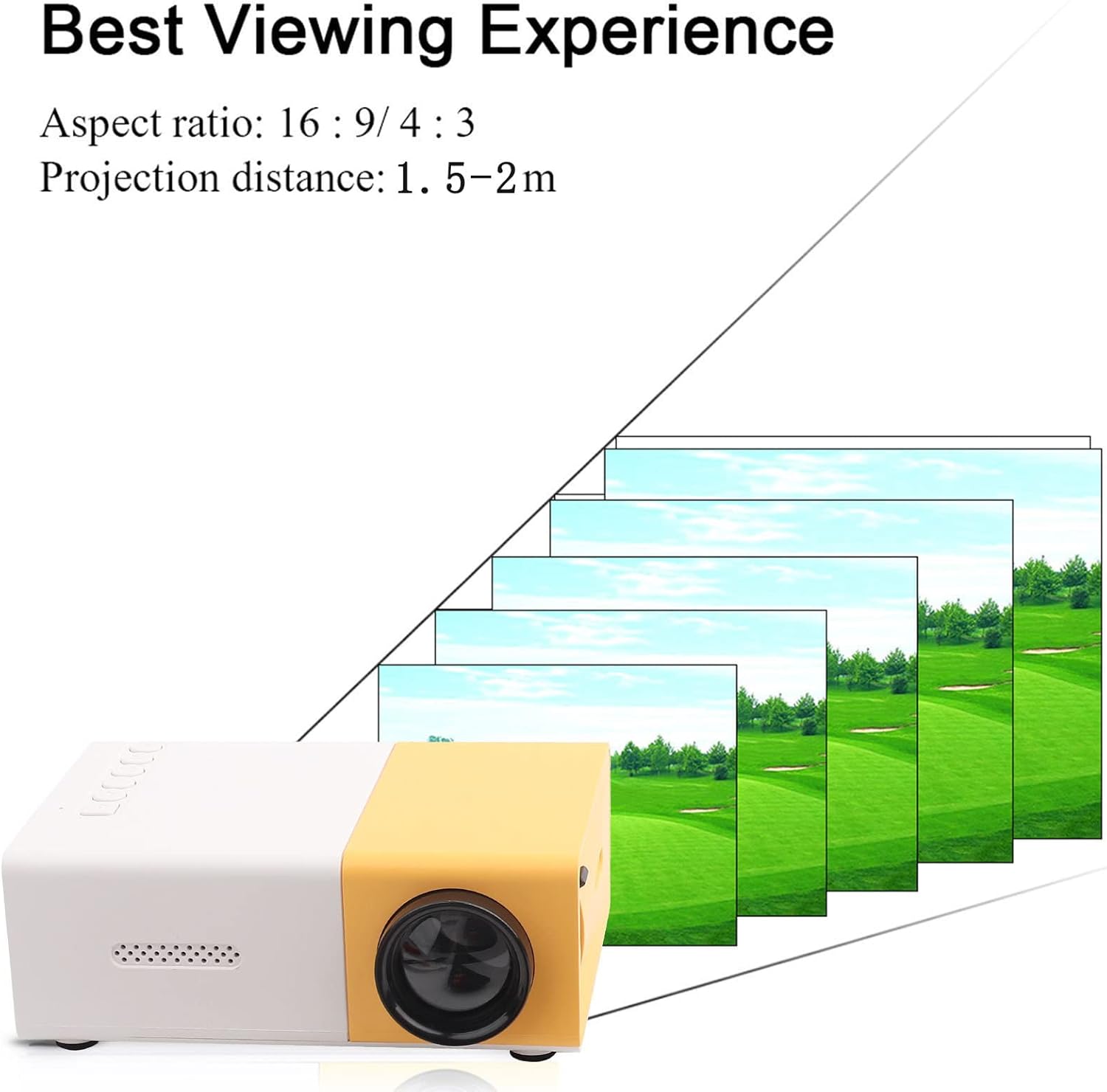
Abbildung 4: Beste Viewing Experience. This image shows the projector projecting onto a screen, with text indicating an aspect ratio of 16:9/4:3 and a projection distance of 1.0-2.8m. It visually represents how the image size changes with distance.
3. Eingabegeräte anschließen:
Connect your desired media device (e.g., laptop, TV box, game console, USB drive) to the appropriate port on the projector:
- HDMI: Für hochauflösendes Video und Audio.
- USB: Zum Abspielen von Medien files direkt von einem USB-Stick.
- EIN V: For connecting devices using the included AV cable (e.g., older DVD players).
- VGA: Zum Verbinden von Computern.
- Micro Secure Digital (MicroSD): Zum Abspielen von Medien files direkt von einer MicroSD-Karte.
- 3.5-mm-Kopfhöreranschluss: Zum Anschluss externer Kopfhörer oder Lautsprecher.
Bedienungsanleitung
1. Ein-/Ausschalten:
Drücken Sie den Netzschalter am Projektor oder auf der Fernbedienung, um das Gerät ein- oder auszuschalten.
2. Focusing the Image:
The projector features manual focusing. Rotate the focus ring on the lens until the projected image appears clear and sharp on the screen.
3. Eingangsquelle auswählen:
Use the "Source" button on the projector or remote control to cycle through the available input sources (HDMI, USB, AV, VGA, MicroSD) until your connected device's content is displayed.
4. Adjusting Aspect Ratio:
The projector supports aspect ratios of 16:9 and 4:3. You can adjust this setting via the projector's menu or remote control to best suit your content.
5. Medienwiedergabe:
When playing media from USB or MicroSD, navigate through files using the remote control's directional buttons and "OK" button. The projector supports a wide range of formats:
- Audio Files: MP3, WMA, OGG, AAG, FLAC, APE, WAV
- Bild Files: JPEG, BMP, PNG
- Video Files: Supports Full Format Files
- Text Files: TXT
Wartung
1. Reinigen der Linse:
Verwenden Sie ein weiches, fusselfreies Tuch, das speziell für optische Linsen entwickelt wurde, um die Projektorlinse vorsichtig abzuwischen. Vermeiden Sie die Verwendung von Scheuermitteln oder übermäßigen Druck, da dies die Linse zerkratzen kann.
2. Reinigung des Projektorgehäuses:
Reinigen Sie die Außenseite des Projektors mit einem weichen, trockenen Tuch. Verwenden Sie keine flüssigen Reinigungs- oder Lösungsmittel.
3. Belüftung:
Ensure that the ventilation vents on the projector are not blocked. Proper airflow is crucial to prevent overheating and maintain the lifespan of the LED light source.
4. Lagerung:
Bei längerer Nichtbenutzung sollte der Projektor an einem kühlen, trockenen Ort, geschützt vor direkter Sonneneinstrahlung und Staub, aufbewahrt werden. Es wird empfohlen, die Originalverpackung oder eine Schutzhülle zu verwenden.
Fehlerbehebung
| Problem | Mögliche Ursache | Lösung |
|---|---|---|
| Es wird kein Bild projiziert. |
|
|
| Das Bild ist unscharf. |
|
|
| Kein Ton. |
|
|
| Der Projektor überhitzt oder schaltet sich ab. |
|
|
Technische Daten
| Besonderheit | Detail |
|---|---|
| Lichtquelle | LED, 30,000 hours lifespan |
| Native Auflösung | 320 x 240P |
| Helligkeit | 1500lm |
| Kontrastverhältnis | 800:1 |
| Fokussiermodus | Manuelle Fokussierung |
| Darstellbare Farben | 1.67 Mio. |
| Seitenverhältnis | 16:9 / 4:3 |
| Projektionsabstand | 1.0 - 2.8 m |
| Größe der Projektionsfläche | 24 - 60 Zoll |
| Eingangsleistung | DC 12 V-2 A |
| Maße | Ca. 127 x 81.5 x 48.5 mm (5 x 3.2 x 1.9 Zoll) |
| Gewicht | Ca. 500 g (1.1 Pfund) |
| Schnittstellen | 1 x HDMI, 1 x USB, 1 x AV, 1 x VGA, 1 x Micro Secure Digital, 1 x 3.5mm Earphone Port |
Garantie und Support
Informationen zur Garantie und technische Unterstützung finden Sie in den Kaufunterlagen oder wenden Sie sich an Ihren Händler. Bewahren Sie Ihren Kaufbeleg für eventuelle Garantieansprüche auf.
For further assistance, you may also visit the official Zerone store on Amazon: Zerone Store.
Ask a question about this manual
Ask about setup, troubleshooting, compatibility, parts, safety, or missing instructions. Manuals+ will review the question and use this page’s manual context to help answer it.