
1. Produktüberschreitungview
The Elecom M-FBL01DBXSBK is a 5-button wireless mouse designed for comfortable and quiet operation. It features a Blue LED sensor for versatile surface compatibility and a compact USB receiver.

Image 1.1: Elecom M-FBL01DBXSBK Wireless Mouse with its compact USB receiver.
2. Packungsinhalt
- Elecom M-FBL01DBXSBK Wireless Mouse
- USB-Funkempfänger
- AA Alkaline Battery (for operation confirmation)
- Benutzerhandbuch (dieses Dokument)
3. Einrichtungsanweisungen
3.1. Einlegen der Batterie
- Suchen Sie die Abdeckung des Batteriefachs an der Unterseite der Maus.
- Schieben oder heben Sie den Deckel an, um das Fach zu öffnen.
- Insert one AA alkaline battery, ensuring the positive (+) and negative (-) terminals align correctly with the markings inside the compartment.
- Schließen Sie den Batteriefachdeckel fest.

Image 3.1: The underside of the mouse, indicating the battery compartment and power switch.
3.2. Anschließen des USB-Empfängers
- Remove the compact USB receiver from its storage slot on the underside of the mouse.
- Stecken Sie den USB-Empfänger in einen freien USB-A-Anschluss Ihres Computers.
- Ihr Computer sollte die benötigten Treiber automatisch erkennen und installieren. Dies kann einige Augenblicke dauern.
3.3. Einschalten der Maus
After installing the battery and connecting the receiver, locate the power switch on the underside of the mouse and slide it to the 'ON' position. The mouse is now ready for use.
3.4. OS Compatibility
The Elecom M-FBL01DBXSBK Wireless Mouse is compatible with:
- Windows 11, Windows 10, Windows RT8.1, Windows 8.1, Windows 7, Windows Vista
- macOS High Sierra 10.13 und höher
Ensure your operating system is updated to the latest version and any service packs are installed for optimal performance.
4. Bedienung der Maus
4.1. Grundfunktionen
The mouse features five buttons and a scroll wheel:
- Linke Taste: Primäre Klickfunktion.
- Rechter Knopf: Sekundärklickfunktion (Kontextmenü).
- Scrollrad: Schriftrollen und web pages vertically. Can also be pressed for a middle-click function.
- Vorwärts-Taste: Navigiert vorwärts in web Browser bzw file Entdecker.
- Zurück-Schaltfläche: Navigiert rückwärts in web Browser bzw file Entdecker.

Image 4.1: The five buttons of the Elecom M-FBL01DBXSBK mouse, including the scroll wheel.
4.2. Leise Klickfunktion
All five buttons incorporate a silent switch mechanism, significantly reducing clicking noise. This allows for quiet operation in various environments.

Image 4.2: The silent switch design minimizes operational noise.
4.3. Blue LED Sensor
The mouse is equipped with a Blue LED optical sensor, which provides accurate tracking on a variety of surfaces, including those with slight unevenness or dust. This enhances usability in diverse settings.

Image 4.3: The Blue LED sensor allows for comfortable use on various surfaces.
4.4. Drahtlose Konnektivität
The mouse utilizes a 2.4 GHz wireless band for stable communication. The effective radio distance is approximately 3 meters (9.8 feet) on magnetic surfaces (e.g., steel desks) and up to 10 meters (32.8 feet) on non-magnetic surfaces (e.g., wooden desks).
4.5. Batterieanzeige
An integrated battery indicator light notifies you when the battery level is low, signaling that a replacement is needed.
4.6. Elecom Mouse Assistant Software
Button functions can be customized using the free downloadable Elecom Mouse Assistant software. This allows users to reassign functions to the mouse buttons for improved workflow efficiency.
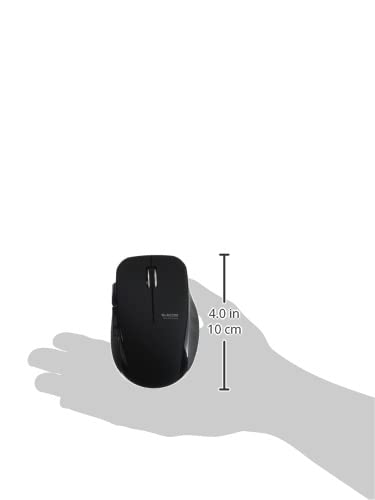
Image 4.4: The Elecom Mouse Assistant software enables button customization.
5. Wartung
5.1. Batteriewechsel
When the battery indicator signals low power, replace the AA battery with a new AA alkaline, manganese, or NiMH battery. Follow the battery installation steps outlined in Section 3.1.
5.2. Reinigung
To clean the mouse, gently wipe its surface with a soft, dry cloth. Avoid using harsh chemicals or abrasive materials, as these can damage the finish. Ensure no liquid enters the mouse.
5.3. Receiver Storage
The USB receiver can be stored inside the mouse body when not in use or during transport. This helps prevent loss of the receiver.
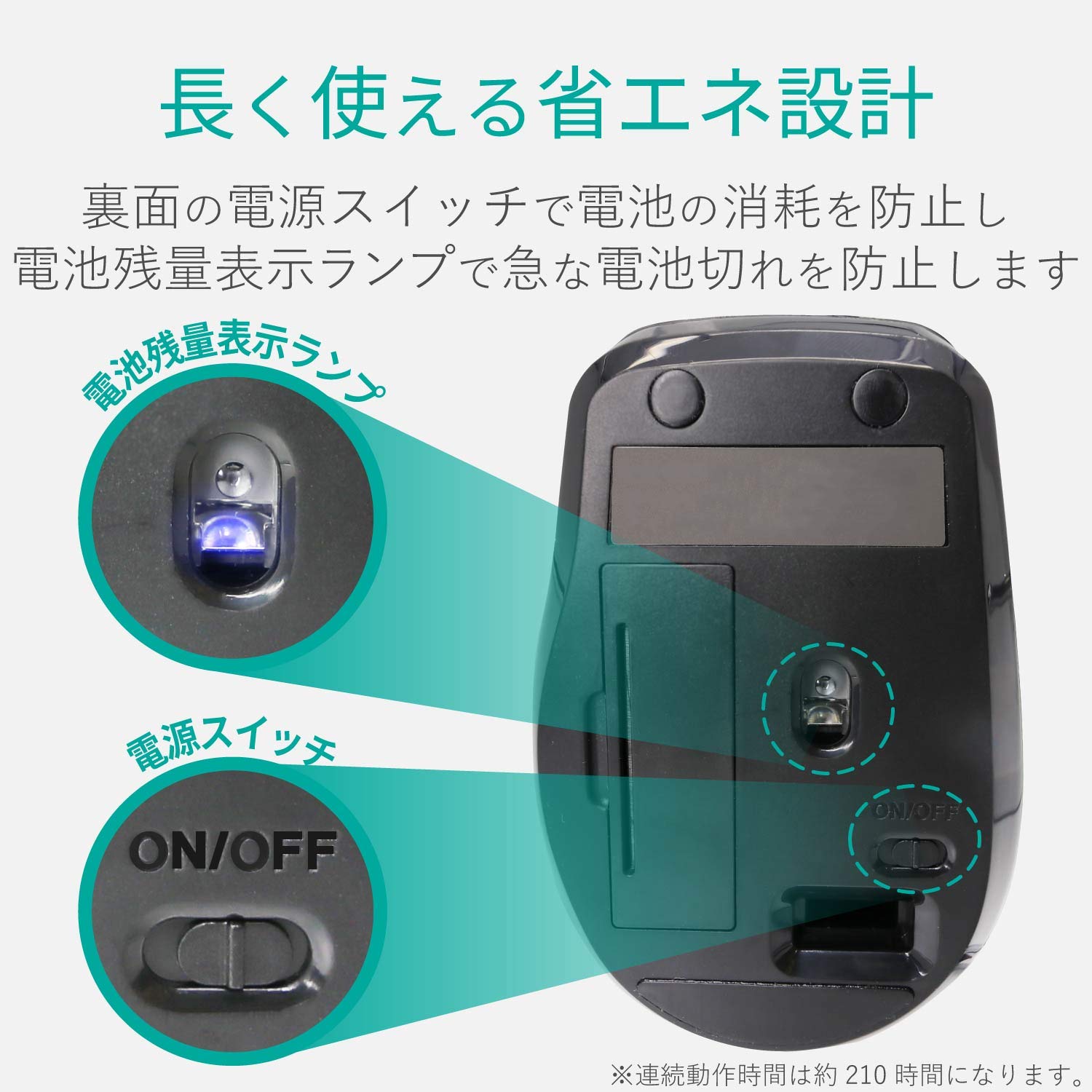
Image 5.1: The compact receiver can be stored within the mouse for convenience.
6. Fehlerbehebung
- Maus reagiert nicht:
- Check if the mouse is powered on (power switch on the underside).
- Stellen Sie sicher, dass die Batterie korrekt eingesetzt und nicht entladen ist. Tauschen Sie sie gegebenenfalls aus.
- Vergewissern Sie sich, dass der USB-Empfänger fest an einen funktionierenden USB-Anschluss Ihres Computers angeschlossen ist. Versuchen Sie es mit einem anderen USB-Anschluss.
- Starten Sie Ihren Computer neu.
- Unregelmäßige Cursorbewegung:
- Reinigen Sie den Bereich des optischen Sensors an der Unterseite der Maus.
- Achten Sie darauf, dass Sie die Maus auf einer geeigneten Oberfläche verwenden. Vermeiden Sie stark reflektierende oder transparente Oberflächen.
- Prüfen Sie, ob Störungen durch andere drahtlose Geräte vorliegen. Bewegen Sie die Maus näher an den Empfänger heran.
- Tasten funktionieren nicht richtig:
- If using Elecom Mouse Assistant, ensure button assignments are correct.
- Reinstall the Elecom Mouse Assistant software if issues persist.
7. Spezifikationen
| Schnittstelle | USB |
| Form des Anschlusssteckers | USB-A-Stecker |
| Kompatibles Betriebssystem | Windows 11, 10, RT8.1, 8.1, 7, Vista; macOS High Sierra 10.13+ |
| Auflösung | 1600 Anzahl |
| Kommunikationsmethode | GFSK-Methode |
| Radiofrequenz | 2.4-GHz-Band |
| Radio Distance | Magnetic objects: 3m (9.8 ft); Non-magnetic objects: 10m (32.8 ft) |
| Lesemethode | Optisches Sensorsystem (Blaue LED) |
| Anzahl der Tasten | 5 (including wheel button) |
| Anzahl der Räder | 1 |
| Empfängerspeicher | Ja |
| Kontinuierliche Betriebszeit | Ca. 210 Stunden |
| Standby-Zeit | Ca. 1666 Tage |
| Geschätzte Akkulaufzeit | Ca. 478 Tage |
| Stromversorgung (Haupteinheit) | 1 AA alkaline, manganese, or NiMH battery |
| Nennvolumentage (Body) | 1.5 V |
| Farbe | Schwarz |
| Gewicht (Maus) | Ca. 62g (ohne Batterie) |
| External Dimensions (Receiver) | 14.5 x 18.0 x 6.3 mm |
| Gewicht (Empfänger) | Ca. 2g |
8. Garantie und Support
8.1. Garantiezeit
Für dieses Produkt gilt eine Garantie von 6 Monaten ab Kaufdatum.
8.2. Product Inquiries
For product inquiries or technical support, please contact the Elecom General Information Center:
- TEL: 0570-084-465
- FAX: 0570-050-012
- Empfangszeit: 10:00 - 19:00 (24/7)