
1. Einleitung
The Audio-Technica ATH-SPORT7TW SonicSport Wireless In-Ear Headphones are designed for active lifestyles, offering a secure fit, high-quality audio, and water-resistant durability. This manual provides essential information for setting up, operating, and maintaining your headphones.
2. Lieferumfang
Carefully unpack your new headphones and ensure all items are present:
- ATH-SPORT7TW Headphones (Left and Right)
- Ladeetui
- Standard Eartips (XS, S, M, L)
- Comply Foam Eartips (M) with SweatGuard Technology
- Ear Fins (XS, S, M, L)
- USB Charging Cable (30 cm / 1.0')

Image: The product packaging displaying the headphones, charging case, and included accessories such as different sized eartips and ear fins.
3. Produktüberschreitungview
The ATH-SPORT7TW headphones feature 5.8 mm drivers for clear sound reproduction. They are designed with ergonomic Freebit ear fins for maximum stability and comfort during physical activity. The headphones are rated IPX5 waterproof, allowing them to be washed under running water after use. Touch sensors on the earpieces provide control over calls, music playback, and volume.

Image: A pair of gray Audio-Technica ATH-SPORT7TW wireless in-ear headphones resting in their open black charging case, showing the L and R indicators.
4. Einrichtung
4.1 Aufladen der Kopfhörer und des Ladecase
Before first use, fully charge the headphones and charging case. The headphones provide approximately 3.5 hours of continuous use per charge, and the charging case extends total usage to 17.5 hours. A 10-minute quick charge provides 45 minutes of playback.
- Place the headphones into the charging case. Ensure they are seated correctly.
- Connect the USB charging cable to the charging case and a USB power source.
- Die Kontrollleuchten am Gehäuse zeigen den Ladestatus an.
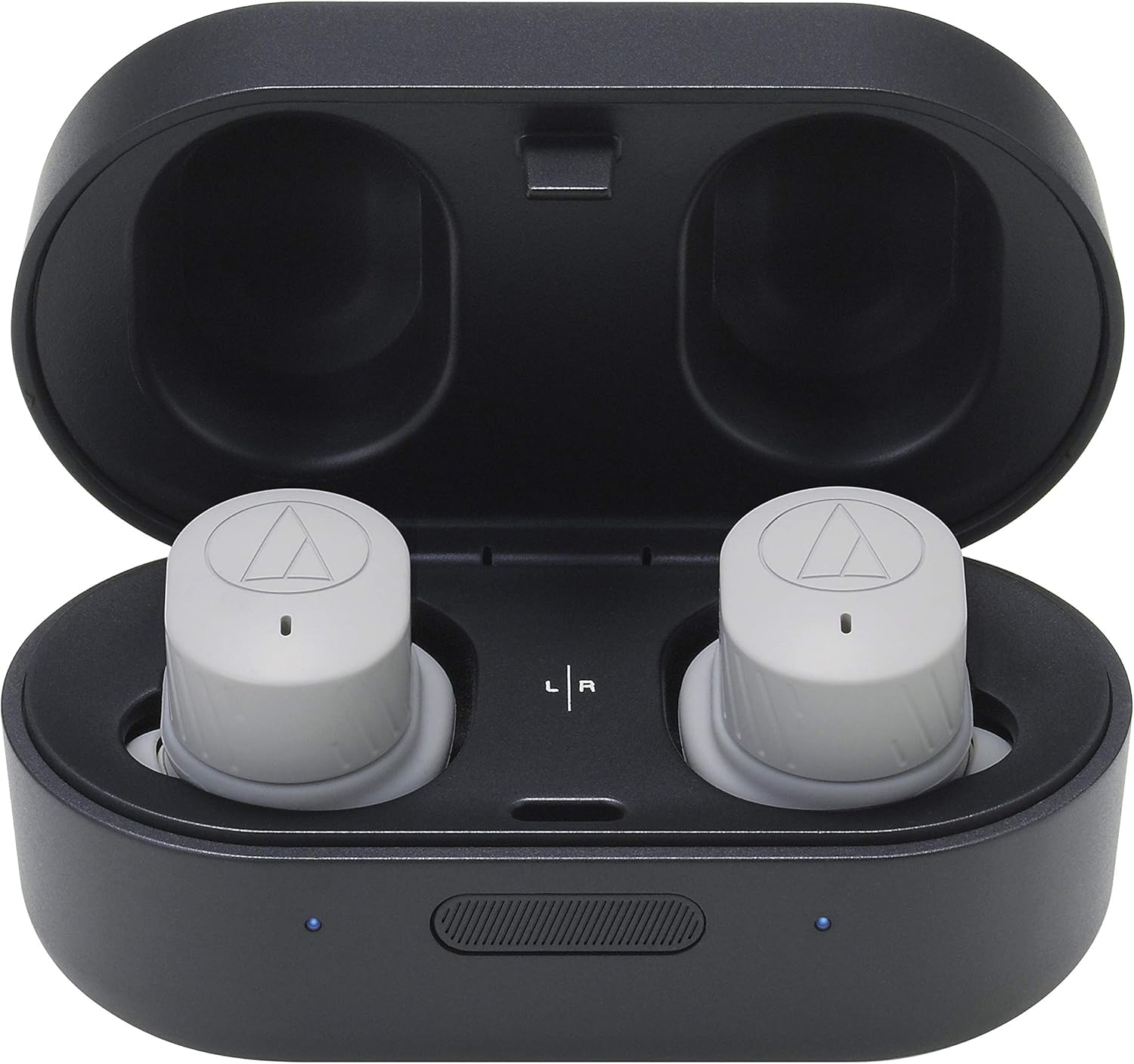
Image: Close-up of the gray wireless earbuds inside the black charging case, highlighting the charging contacts and LED indicators.
4.2 Koppeln mit einem Bluetooth-Gerät
The ATH-SPORT7TW headphones use Bluetooth 5.0 for wireless connectivity.
- Remove the headphones from the charging case. They will automatically enter pairing mode.
- Aktivieren Sie auf Ihrem Gerät (z. B. Smartphone) Bluetooth und suchen Sie nach verfügbaren Geräten.
- Select "ATH-SPORT7TW" from the list of devices to pair.
- Once paired, the headphones will connect automatically to your device when removed from the case.
4.3 Using the Audio-Technica Connect App
For enhanced features and settings, download the Audio-Technica Connect app on your smartphone. The app allows you to customize headphone settings, including the hear-through function.
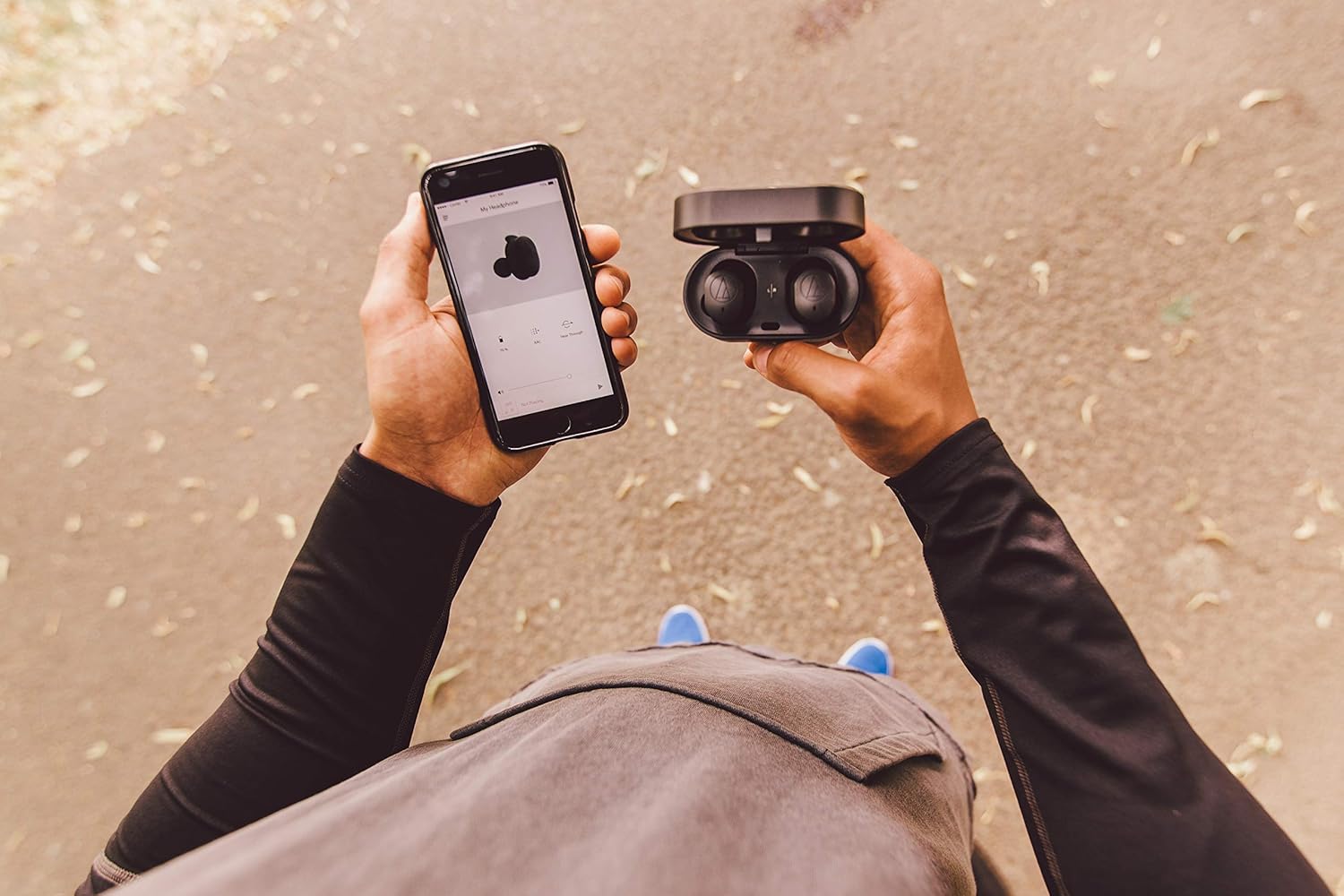
Abbildung: Draufsicht view of a person holding a smartphone with the Audio-Technica Connect app open, next to the open charging case of the ATH-SPORT7TW headphones.
5. Bedienungsanleitung
5.1 Tragen der Kopfhörer
Select the appropriate size of eartips and ear fins for a secure and comfortable fit. The ergonomic Freebit ear fins are designed to keep the headphones in place during physical activity.

Image: A person jogging outdoors, wearing the gray Audio-Technica ATH-SPORT7TW wireless headphones, demonstrating their secure fit during exercise.
5.2 Berührungssensor-Bedienelemente
The earpieces feature touch sensors for various functions:
- Abspielen/Pause: Tap the touch sensor once.
- Nächster Titel: Double-tap the right touch sensor.
- Vorheriges Lied: Double-tap the left touch sensor.
- Anruf annehmen/beenden: Tap the touch sensor once during an incoming call or active call.
- Anruf ablehnen: Press and hold the touch sensor for 2 seconds during an incoming call.
- Lautstärkeregelung: Swipe up or down on the touch sensor.
5.3 Hear-Through Function
The hear-through function allows you to hear ambient noise for increased safety, especially when using the headphones outdoors. This function can be activated or adjusted via the touch sensors or the Audio-Technica Connect app.
6. Wartung
6.1 Reinigung
Due to their IPX5 waterproof rating, the headphones can be washed under running water. Ensure the charging contacts are dry before placing them back in the charging case.
- Remove eartips and ear fins before washing.
- Rinse the headphones gently under running water. Do not submerge.
- Allow the headphones to air dry completely before reattaching accessories or charging.
Clean the charging case with a soft, dry cloth. Do not expose the charging case to water.
6.2 Speicherung
Bewahren Sie die Kopfhörer bei Nichtgebrauch im Ladecase auf, um sie zu schützen und geladen zu halten.
7. Fehlerbehebung
If you encounter issues with your ATH-SPORT7TW headphones, refer to the following common solutions:
| Problem | Lösung |
|---|---|
| Kopfhörer werden nicht aufgeladen |
|
| Kopplung mit dem Gerät nicht möglich |
|
| Sound is low or unbalanced |
|
| Touch controls are unresponsive or laggy |
|
8. Spezifikationen
- Modellnummer: ATH-SPORT7TWGY
- Farbe: Grau
- Ohrplatzierung: Im Ohr
- Formfaktor: Im Ohr
- Impedanz: 14 Ohm
- Artikelgewicht: 6.4 Gramm
- Geräuschpegelkontrolle: Schallisolierung
- Frequenzbereich: 20 Hz – 20,000 Hz
- Audiotreibertyp: Dynamischer Treiber
- Wasserbeständigkeit: IPX5 (wasserdicht)
- Konnektivitätstechnologie: Bluetooth
- Drahtlose Technologie: Bluetooth
- Bluetooth-Version: 5.0
- Kontrollmethode: Berühren
- Durchschnittliche Batterielebensdauer: 3.5 Hours (headphones), 17.5 Hours (with charging case)
- Akkuladezeit: Ungefähr 3.5 Stunden
9. Offizielles Produktvideo
Video: Ein offizielles Produktvideo präsentiertasing the Audio-Technica ATH-SPORT7TW Wireless Earphones, highlighting their features and design.
10. Garantie und Support
The Audio-Technica ATH-SPORT7TW headphones come with a 1-Year Warranty. For detailed warranty information, product support, or to explore other Audio-Technica products, please visit the official Audio-Technica store or contact customer service.
Offizieller Shop: Visit the Audio-Technica Store