
JoyGeek BS01
JoyGeek Duschradio Bluetooth-Lautsprecher 5.0 – Benutzerhandbuch
Modell: BS01
Brand: JoyGeek
Einführung
Vielen Dank für Ihren Einkauf.asing the JoyGeek Shower Radio Bluetooth Speaker 5.0. This manual provides detailed instructions for the setup, operation, and maintenance of your new device. Please read this manual thoroughly before use to ensure proper functionality and to maximize your user experience. Keep this manual for future reference.
Packungsinhalt
Bitte überprüfen Sie nach dem Öffnen den Packungsinhalt, um sicherzustellen, dass alle Artikel vorhanden sind:
- JoyGeek Shower Radio Bluetooth Speaker 5.0 (Model: BS01)
- USB Charging Cable (AC wall charger not included)
- Bedienungsanleitung
Sicherheitshinweise
- This speaker features an automatic power-saving function. If the device is in Bluetooth mode and remains unused for 5 minutes, it will automatically power off to conserve battery life.
- The speaker has an IPX4 water-resistant rating, protecting it from splashes. Do not immerse the speaker in water or install it directly under a shower head.
- Before attaching the speaker, ensure the surface (e.g., ceramic, glass, or other smooth surface) is clean and dry.
- Remove the protective film from the LCD screen before first use.
Produkteigenschaften
- Bluetooth 5.0-Technologie: Provides faster pairing, more stable connection, and efficient signal transmission.
- Erweiterte Spielzeit: Built-in 1000mAh rechargeable lithium-ion battery offers up to 10 hours of music playback.
- Überlegene Klangqualität: Equipped with 3-watt output power and dual acoustic drivers for rich bass, clear mid-range, and smooth treble.

Image: The JoyGeek Shower Speaker mounted on a shower wall, with musical notes emanating, demonstrating its 3W strong driver for rich, immersive sound in a bathroom setting.
- LCD-Bildschirm: Conveniently shows time, volume level, battery status, and FM radio frequency.
- IPX4 Wasserbeständigkeit: Designed to withstand splashes, making it suitable for bathroom and outdoor use.
- FM-Radiofunktion: Tune into FM radio stations within the 87.5MHz to 108.0MHz band.
- Starker Saugnapf: Allows for easy attachment to smooth surfaces like shower walls, glass, or countertops.
- Freisprechen: Built-in microphone enables hands-free phone calls.
- Unterstützung für Micro-SD-Karten: Play music directly from a Micro SD card.
- Tragbares Design: Kompakt und leicht für einfachen Transport.
Aufstellen
Aufladen des Lautsprechers
Before first use, fully charge the speaker. Connect the supplied USB charging cable to the speaker's charging port and the other end to a USB power source (e.g., computer USB port, USB wall adapter - not included). The LCD display will indicate charging status. A full charge typically takes a few hours.
Lautsprecher montieren
The speaker comes with a strong suction cup for easy mounting.
- Ensure the desired surface (e.g., ceramic tiles, glass, smooth countertop) is clean and dry.
- Press the suction cup firmly against the surface until it adheres securely.

Image: Dimensions of the speaker (95mm diameter, 55mm depth) and its suction cup, highlighting features like 10 meters wireless range, rechargeable Li-battery, FM radio, HD mic, and hands-free call capability.
Bedienungsanleitung
Tastenfunktionen Überview

Image: A detailed diagram illustrating the function of each button on the speaker's face. Buttons include ON/OFF, FM radio, Pick up/hang up call, Short press for next song/long press for volume up, Play/Pause, and Short press for previous song/long press for volume down.
- EIN/AUS-Taste: Short press to switch the speaker on or off.
- FM Radio Button (M/FM): Short press to switch between modes (Bluetooth/FM/SD Card). Long press to activate FM radio auto-scan.
- Call Button (Phone Icon): Short press to pick up or hang up a phone call.
- Next Song / Volume Up Button (>| / +): Short press for the next song (in Bluetooth/SD mode). Long press for volume up.
- Wiedergabe-/Pause-Taste (>||): Kurz drücken, um Musik abzuspielen oder anzuhalten.
- Previous Song / Volume Down Button (|< / -): Short press for the previous song (in Bluetooth/SD mode). Long press for volume down.
Bluetooth-Kopplung
- Ensure the speaker is powered on. It will automatically enter Bluetooth pairing mode, indicated by a flashing Bluetooth icon on the LCD.
- Aktivieren Sie auf Ihrem Gerät (Smartphone, Tablet usw.) Bluetooth und suchen Sie nach verfügbaren Geräten.
- Select "JoyGeek BS01" (or similar name) from the list of devices.
- Once paired, the Bluetooth icon on the speaker's LCD will stop flashing and remain solid. You can now play audio from your device through the speaker.
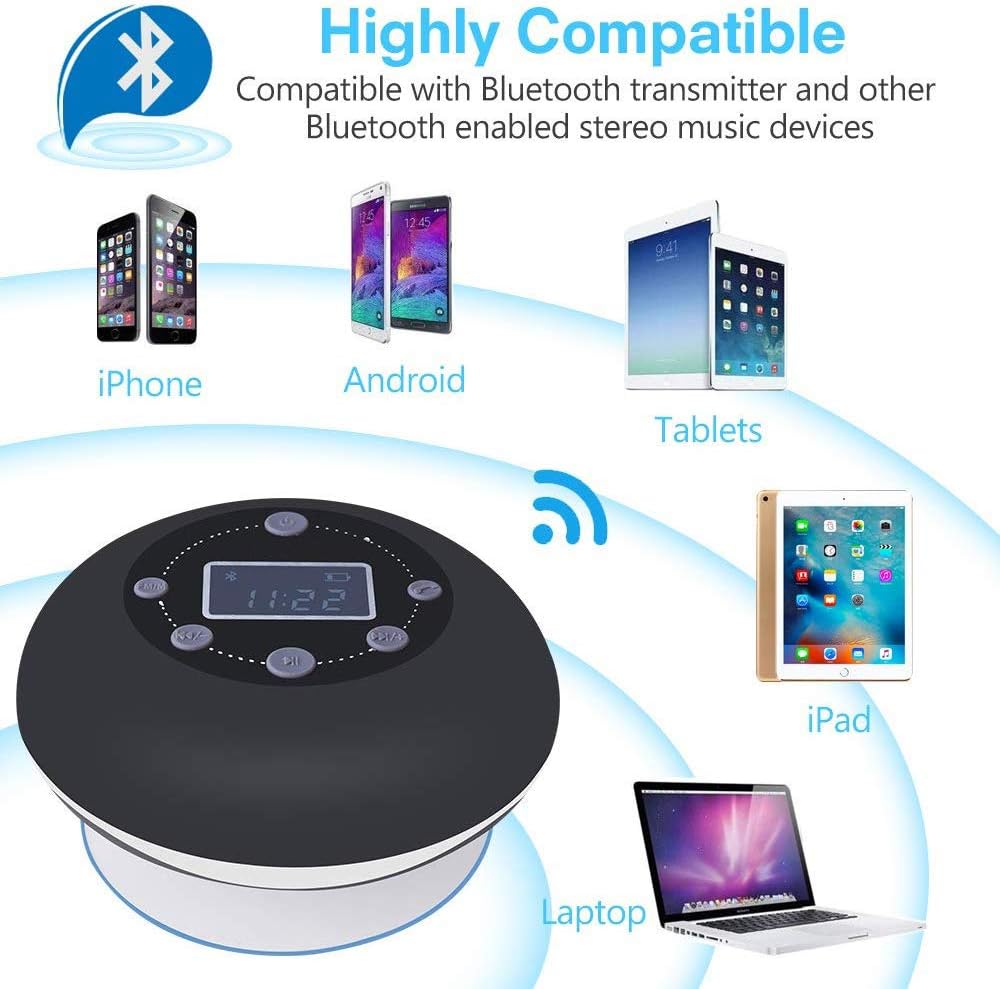
Image: The speaker demonstrating compatibility with various Bluetooth-enabled devices, including iPhones, Android phones, tablets, iPads, and laptops, indicating easy and fast connection from up to 33 feet away.
FM-Radiobetrieb
- Press the "M/FM" button to switch to FM Radio mode. The LCD will display the FM frequency.
- Long press the "M/FM" button to initiate an automatic scan for FM stations. The speaker will scan and save available stations.
- Use the "Previous Song" (|<) and "Next Song" (>|) buttons to navigate through the saved FM stations.
SD-Karten-Wiedergabe
Legen Sie eine Micro-SD-Karte mit Audiodateien ein. files into the designated slot. The speaker will automatically switch to SD card mode and begin playing music. Use the "Previous Song" (|<), "Next Song" (>|), and "Play/Pause" (>||) buttons to control playback.
Freisprechen
When connected via Bluetooth to your phone, incoming calls will be routed through the speaker. Press the "Call" button (phone icon) to answer an incoming call. Press it again to end the call.
Wartung
- Clean the speaker's surface with a soft, damp Tuch. Verwenden Sie keine Scheuermittel und tauchen Sie das Gerät nicht in Wasser.
- Stellen Sie sicher, dass der Ladeanschluss trocken ist, bevor Sie das USB-Kabel anschließen.
- Bei längerer Nichtbenutzung sollte der Lautsprecher an einem kühlen, trockenen Ort aufbewahrt werden.
Fehlerbehebung
| Problem | Mögliche Ursache | Lösung |
|---|---|---|
| Der Lautsprecher lässt sich nicht einschalten. | Batterie ist leer. | Laden Sie den Lautsprecher mit dem mitgelieferten USB-Kabel auf. |
| Kopplung mit Bluetooth-Gerät nicht möglich. | Der Lautsprecher befindet sich nicht im Kopplungsmodus oder ist zu weit vom Gerät entfernt. | Ensure speaker is on and Bluetooth icon is flashing. Move device closer to speaker (within 33 feet). Restart both devices. |
| Kein Ton oder geringe Lautstärke. | Die Lautstärke am Lautsprecher oder am angeschlossenen Gerät ist zu niedrig. | Erhöhen Sie die Lautstärke sowohl am Lautsprecher als auch an Ihrem angeschlossenen Gerät. |
| Schlechter FM-Radioempfang. | Schwaches Signal oder Störungen. | Reposition the speaker to find a better signal. Perform an auto-scan again. |
| Der Lautsprecher schaltet sich automatisch aus. | Auto power-saving feature activated. | This is normal behavior if the speaker is in Bluetooth mode and unused for 5 minutes. |
Technische Daten
- Modell: BS01
- Bluetooth-Version: 5.0
- Batterie: 1000 mAh Lithium-Ionen-Akku (wiederaufladbar)
- Spielzeit: Bis zu 10 Stunden
- Ausgangsleistung: 3 Watt
- Wasserbeständigkeit: IPX4
- FM-Frequenzbereich: 87.5 MHz – 108.0 MHz
- Drahtlose Reichweite: Bis zu 33 Fuß (10 Meter)
- Konnektivität: Bluetooth, Micro-SD-Karte
- Anzeige: LCD
- Abmessungen: Approximately 95mm (diameter) x 55mm (depth)
- Gewicht: Ca. 240g
Garantie und Support
JoyGeek products are manufactured under strict quality inspection. For any technical support or warranty inquiries, please refer to the contact information provided with your purchase or visit the official JoyGeek webBitte bewahren Sie Ihren Kaufbeleg für Garantieansprüche auf.
Ask a question about this manual
Ask about setup, troubleshooting, compatibility, parts, safety, or missing instructions. Manuals+ will review the question and use this page’s manual context to help answer it.