
Einführung
This manual provides detailed instructions for the installation, operation, and maintenance of your NEC SL2100 IP7WW-12TXH-B1 12-Button Display Speaker Telephone. Please read this manual thoroughly before using the telephone to ensure proper functionality and to prevent damage.
Sicherheitshinweise
Beachten Sie bei der Verwendung dieses Produkts stets die grundlegenden Sicherheitsvorkehrungen, um das Risiko von Bränden, Stromschlägen und Verletzungen zu verringern.
- Benutzen Sie das Produkt nicht in der Nähe von Wasser, z.B.ampl, in der Nähe einer Badewanne, eines Waschbeckens, einer Küchenspüle oder eines Waschzubers, in einem feuchten Keller oder in der Nähe eines Schwimmbeckens.
- Avoid using the telephone during an electrical storm. There may be a remote risk of electric shock from lightning.
- Benutzen Sie zur Meldung eines Gaslecks nicht das Telefon, wenn Sie sich in der Nähe der Leckstelle befinden.
- Use only the power source specified in this manual or marked on the product. This telephone is powered by the phone system.
- Ziehen Sie vor dem Reinigen den Netzstecker aus der Steckdose. Verwenden Sie keine Flüssigreiniger oder Sprühreiniger. Verwenden Sieamp Tuch zum Reinigen.
Packungsinhalt
Überprüfen Sie, ob alle Artikel im Paket vorhanden sind:
- NEC SL2100 IP7WW-12TXH-B1 12-Button Display Speaker Telephone (Black)
- Mobilteil
- Hörerkabel
- Base Stand (for desk or wall mounting)
- Ethernet Cable (if applicable for IP connection)
Produkt überview
The NEC SL2100 IP7WW-12TXH-B1 is a corded 12-button display speaker telephone designed for use with NEC SL2100 systems. It features a clear display for call information and menu navigation, a built-in speakerphone for hands-free communication, and 12 programmable function keys.
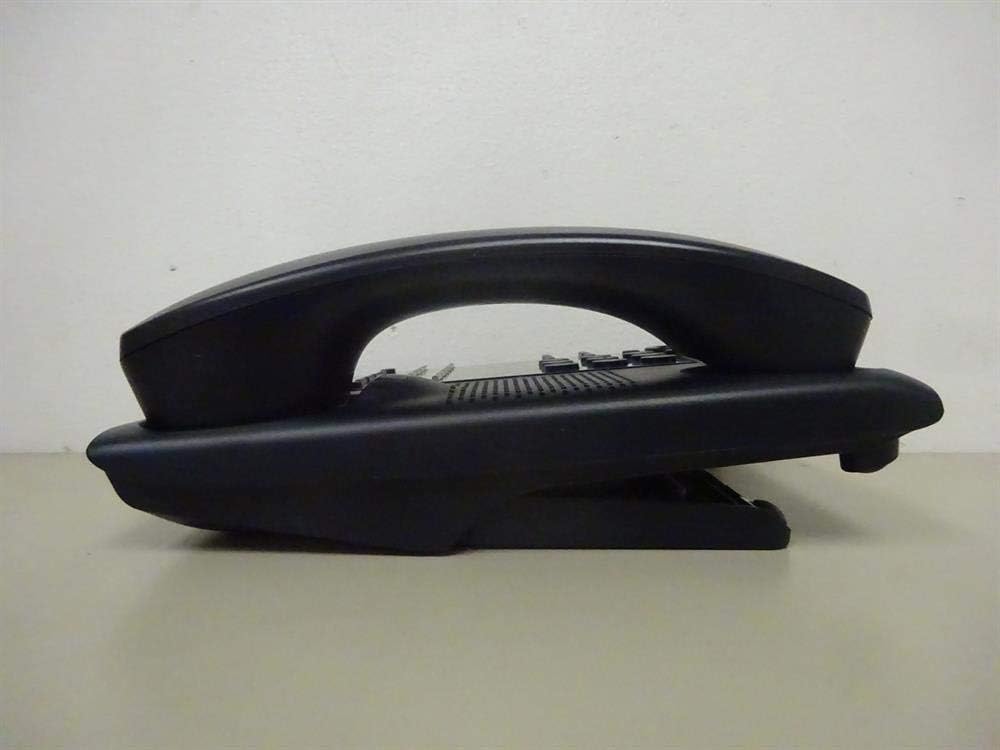
Abbildung 1: Seite view of the NEC SL2100 IP7WW-12TXH-B1 telephone, showing the ergonomic design of the handset and base unit.

Abbildung 2: Hinteren view of the telephone, illustrating the various connection ports for the handset and network, as well as the integrated wall-mounting slots.
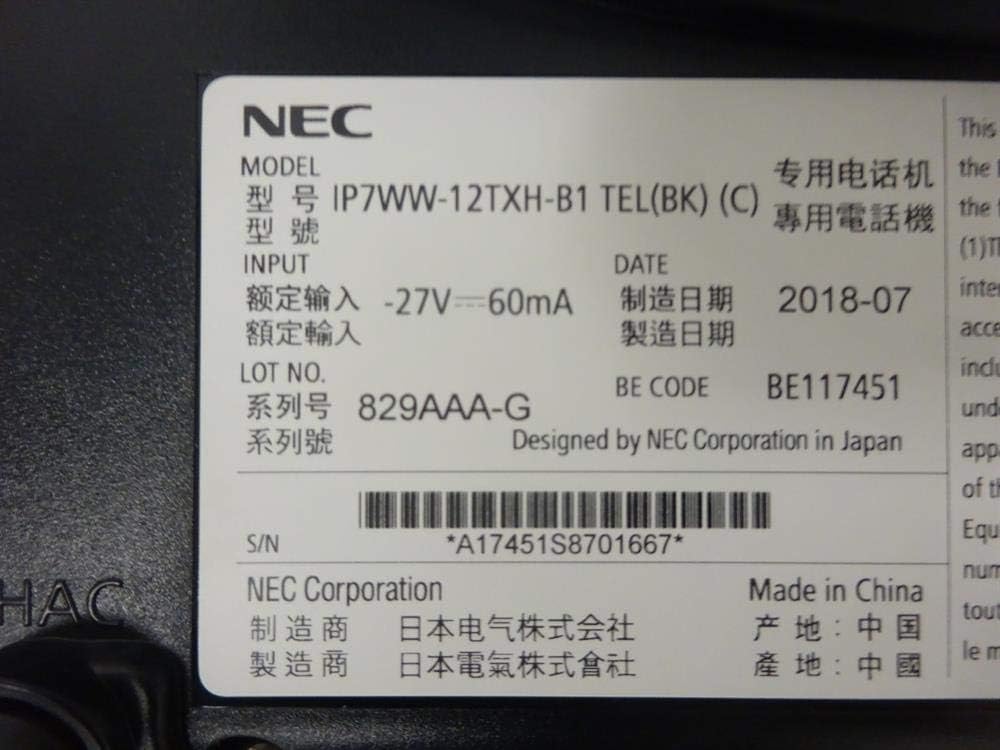
Abbildung 3: Close-up of the product label, displaying model number IP7WW-12TXH-B1, input specifications, and manufacturer details.
Aufstellen
1. Assembling the Telephone
- Befestigen Sie den Basisständer: Align the base stand with the slots on the bottom of the telephone. Slide it into place until it clicks securely. The stand can be adjusted for different viewing angles or reversed for wall mounting.
- Anschließen des Mobilteils: Stecken Sie ein Ende des Spiralkabels in den Hörer und das andere Ende in die dafür vorgesehene Buchse an der Seite der Telefonbasis.
2. Verbindung zum System herstellen
This telephone is designed to connect to an NEC SL2100 system. Ensure your SL2100 system is properly installed and configured.
- Schließen Sie das Netzwerkkabel an: Plug one end of an Ethernet cable into the LAN port on the back of the telephone. Plug the other end into an available port on your NEC SL2100 system or a network switch connected to the system.
- Einschalten: The telephone receives power directly from the NEC SL2100 system (Power over Ethernet - PoE) or via a separate power adapter (not included, if PoE is not available). Once connected, the telephone should power on automatically.
- Anfangskonfiguration: The telephone will typically register with the SL2100 system automatically. If prompted, follow the on-screen instructions or consult your system administrator for specific extension number assignment or network settings.
Bedienungsanleitung
Anrufen
- Hörer abheben: Heben Sie den Hörer ab und achten Sie auf den Wählton.
- Rufnummer: Wählen Sie die gewünschte Telefonnummer über die Tastatur.
- Freisprecheinrichtung: Drücken Sie die LAUTSPRECHER button to activate the speakerphone, then dial the number.
Anrufe entgegennehmen
- Hörer abheben: When the telephone rings, lift the handset to answer.
- Freisprecheinrichtung: Drücken Sie die LAUTSPRECHER button to answer the call hands-free.
Verwenden des Displays
The display shows call information, menu options, and system status. Use the navigation buttons (usually arrow keys) to scroll through menus and the EINGEBEN or WÄHLEN Taste, um die Auswahl zu bestätigen.
Programmable Function Keys (12 Buttons)
The 12 buttons on the telephone can be programmed for various functions such as speed dial, line access, feature activation, or direct station selection. Consult your system administrator for the specific programming of these keys.
Telefonkonferenzen
The telephone supports 3-way conference calls. To initiate a conference call:
- Stellen Sie eine Verbindung zum ersten Gesprächspartner her.
- Drücken Sie die CONF (Conference) button or the designated programmable key. The first party will be put on hold.
- Wählt die Nummer des zweiten Gesprächspartners.
- Sobald die Verbindung zum zweiten Teilnehmer hergestellt ist, drücken Sie die Taste CONF Drücken Sie erneut die Taste, um allen drei Parteien beizutreten.
Anrufer-ID
When an incoming call is received, the caller's information (name and number, if available) will be displayed on the screen.
Mehrlinienbetrieb
This telephone supports multi-line operation, allowing you to manage multiple calls simultaneously. Use the designated line keys or programmable keys to switch between active lines or place calls on hold.
Wartung
Reinigung
To clean the telephone, unplug it from the network connection. Use a soft, slightly damp cloth. Do not use harsh chemicals, abrasive cleaners, or excessive moisture. Avoid spraying cleaners directly onto the telephone.
Lagerung
If storing the telephone for an extended period, ensure it is clean and dry. Store it in a cool, dry place away from direct sunlight and extreme temperatures.
Fehlerbehebung
- Kein Wählton:
- Check all cable connections, especially the network cable to the SL2100 system.
- Ensure the SL2100 system is powered on and functioning correctly.
- If using a separate power adapter (not PoE), ensure it is properly connected and receiving power.
- Anzeige funktioniert nicht:
- Verify the telephone is receiving power.
- Try disconnecting and reconnecting the network cable.
- Kann keine Anrufe tätigen/empfangen:
- Überprüfen Sie den Wählton.
- Ensure the telephone is properly registered with the SL2100 system.
- Contact your system administrator to verify line assignments and system status.
- Schlechte Audioqualität:
- Check handset and network cable connections.
- Stellen Sie sicher, dass keine Störungen durch andere elektronische Geräte auftreten.
- Test with another telephone if possible to isolate the issue.
Technische Daten
| Besonderheit | Spezifikation |
|---|---|
| Marke | NEC |
| Modellnummer | IP7WW-12TXH-B1 (Mfr Part Number: BE117451) |
| Farbe | Schwarz |
| Telefontyp | Kabelgebunden |
| Material | Plastik |
| Stromquelle | Phone System (PoE compatible) |
| Dialer-Typ | Einzelne Tastatur |
| Artikelabmessungen (L x B x H) | 15 x 12 x 6 Zoll |
| Typ des Anrufbeantworters | Digital (System Dependent) |
| Kompatible Geräte | NEC SL2100 Systems, NEC SL2100 IP7WW-082U-B1 8 Port Digital Station Card |
| Konferenzschaltungsfunktion | 3-Wege |
| Mehrlinienbetrieb | Ja |
| Anrufer-ID | Ja |
Garantie und Support
For warranty information, please refer to the documentation provided with your NEC SL2100 system or contact your NEC authorized dealer. For technical support, please contact your system administrator or NEC customer service.
NEC Corporation
For further assistance, please visit the official NEC website or contact your local support representative.