
1. Einleitung
Vielen Dank für Ihren Einkauf.asing the FiiO K3 Type-C USB DAC Headphone Amp. This manual provides detailed instructions for setting up, operating, and maintaining your device to ensure optimal performance and longevity. The FiiO K3 is a high-performance digital-to-analog converter and headphone amplifier designed to enhance your audio experience with various devices, including computers and other audio sources.

Figure 1: FiiO K3 Type-C USB DAC Headphone Amp
2. Einrichtung
Follow these steps to set up your FiiO K3 for the first time.
2.1 Packungsinhalt
Bevor Sie fortfahren, vergewissern Sie sich, dass alle Artikel im Paket vorhanden sind:
- FiiO K3 Einheit
- USB-Typ-C-Datenkabel
- Anti-slip Tape (4 pieces)
- Kurzanleitung
- Garantiekarte

Figure 2: FiiO K3 and included accessories
2.2 Anschließen an einen Computer
Connect the FiiO K3 to your computer using the provided USB Type-C cable. The K3 draws power directly from the USB port.
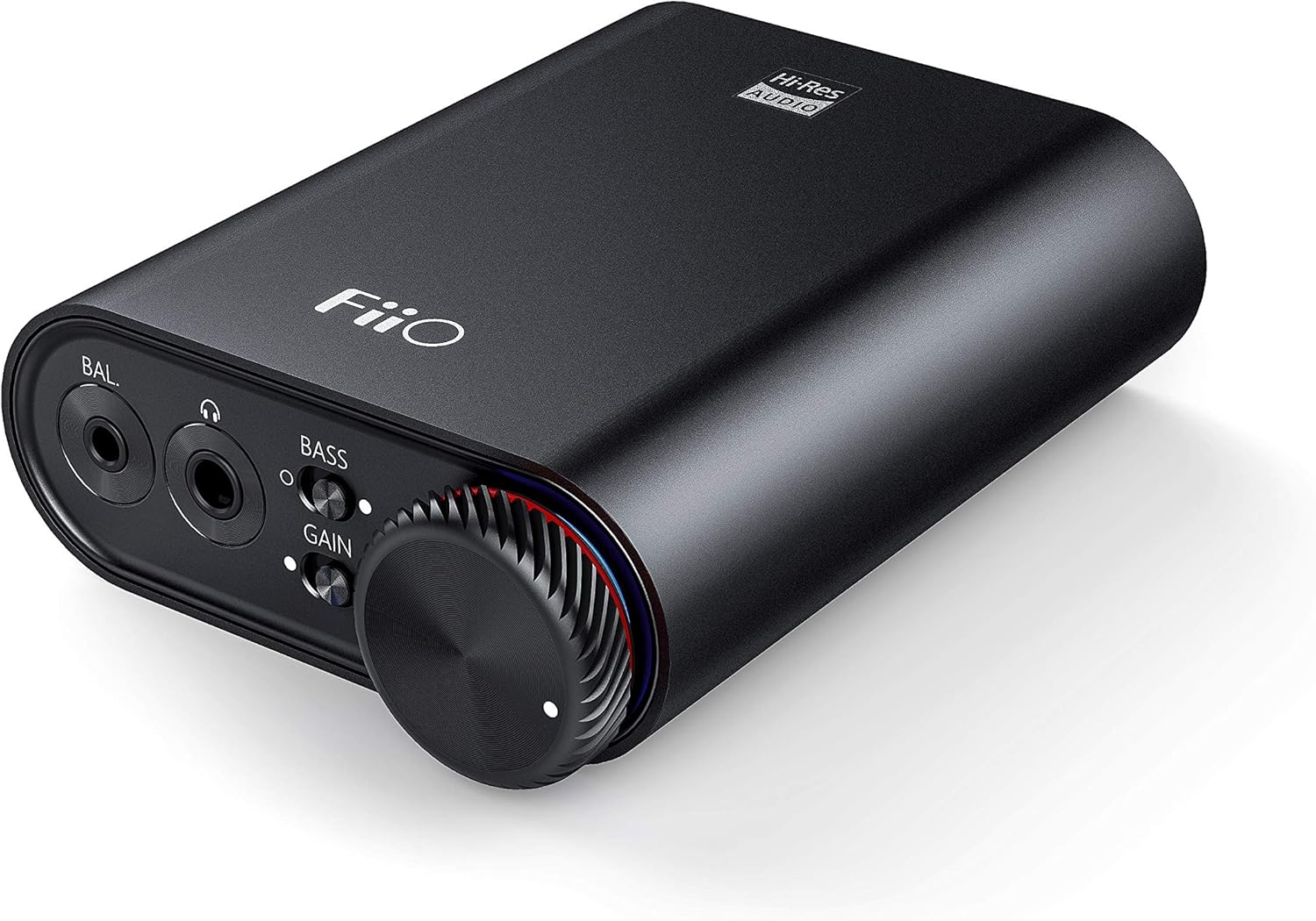
Figure 3: Front panel of FiiO K3 with headphone outputs and controls.
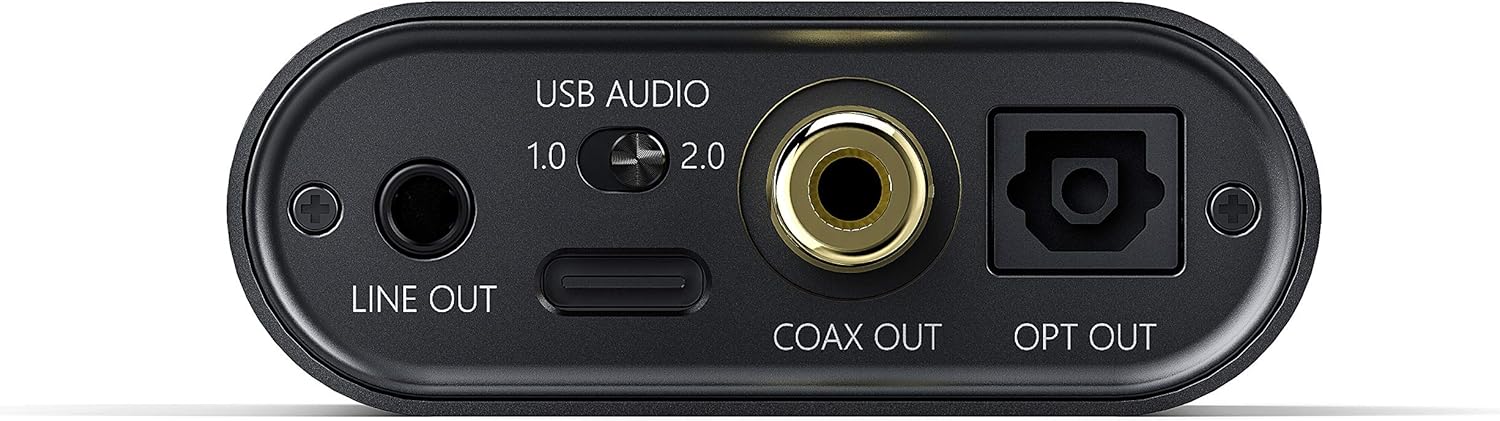
Figure 4: Rear panel of FiiO K3 with USB-C, Line Out, Coaxial Out, and Optical Out ports.
USB-Audiomodi
The FiiO K3 supports two USB Audio modes, selectable via a switch on the rear panel:
- USB Audio 1.0 (Driver-Free): This mode is plug-and-play and does not require driver installation. It supports up to 96kHz/24-bit PCM audio. Compatible with Windows, macOS, and Linux.
- USB Audio 2.0 (Requires Driver): This mode offers higher performance, supporting up to 384kHz/32-bit PCM and DSD256. For Windows operating systems, a specific driver must be installed. For macOS and Linux, it is typically driver-free.
To download the Windows USB 2.0 driver, visit the official FiiO support webWebsite: www.fiio.com/supports.
2.3 Kopfhörer anschließen
The FiiO K3 features two headphone output jacks on the front panel:
- 3.5-mm-Single-Ended-Ausgang: Für Standardkopfhörer.
- 2.5 mm symmetrischer Ausgang: Für Kopfhörer mit symmetrischem Anschluss, die eine verbesserte Klangtrennung und höhere Leistung bieten.
Plug your headphones into the appropriate jack. Ensure the connection is secure.
2.4 Connecting to External Audio Devices
The FiiO K3 provides multiple output options for connecting to external speakers, amplifiers, or other DACs:
- 3.5mm Line Out: Connects to the analog input of an amplifier or active speakers. The volume of the Line Out is controlled by the K3's volume knob.
- Koaxialausgang: Provides a digital coaxial output for connecting to an external DAC or amplifier with a coaxial input.
- Optischer Ausgang: Provides a digital optical output for connecting to an external DAC or ampVerstärker mit optischem Eingang.
When using the Line Out, Coaxial Out, or Optical Out, ensure that the connected device is set to the correct input source.
Video 1: FiiO K3 User Guides. This video demonstrates the unboxing, connection to a computer, and various input/output options of the FiiO K3, including USB Audio modes, headphone outputs, and digital/analog line outs.
3. Bedienungsanleitung
3.1 Ein-/Ausschalter und Lautstärkeregelung
The large knob on the front panel serves as both the power switch and volume control. Rotate it clockwise to power on the device and increase the volume. Rotate counter-clockwise to decrease the volume and power off the device when turned fully to the left.
3.2 Verstärkungsschalter
The K3 features a gain switch (labeled "GAIN") on the front panel. This switch allows you to adjust the output level to match the impedance and sensitivity of your headphones:
- Geringe Verstärkung: Suitable for sensitive headphones or earphones.
- Hoher Gewinn: Provides more power for high-impedance or less sensitive headphones.
Adjust the gain setting to achieve a comfortable listening volume without distortion.
3.3 Bass Boost Switch
The bass boost switch (labeled "BASS") on the front panel allows you to enhance the low-frequency response of your audio. Toggle it on or off according to your preference.
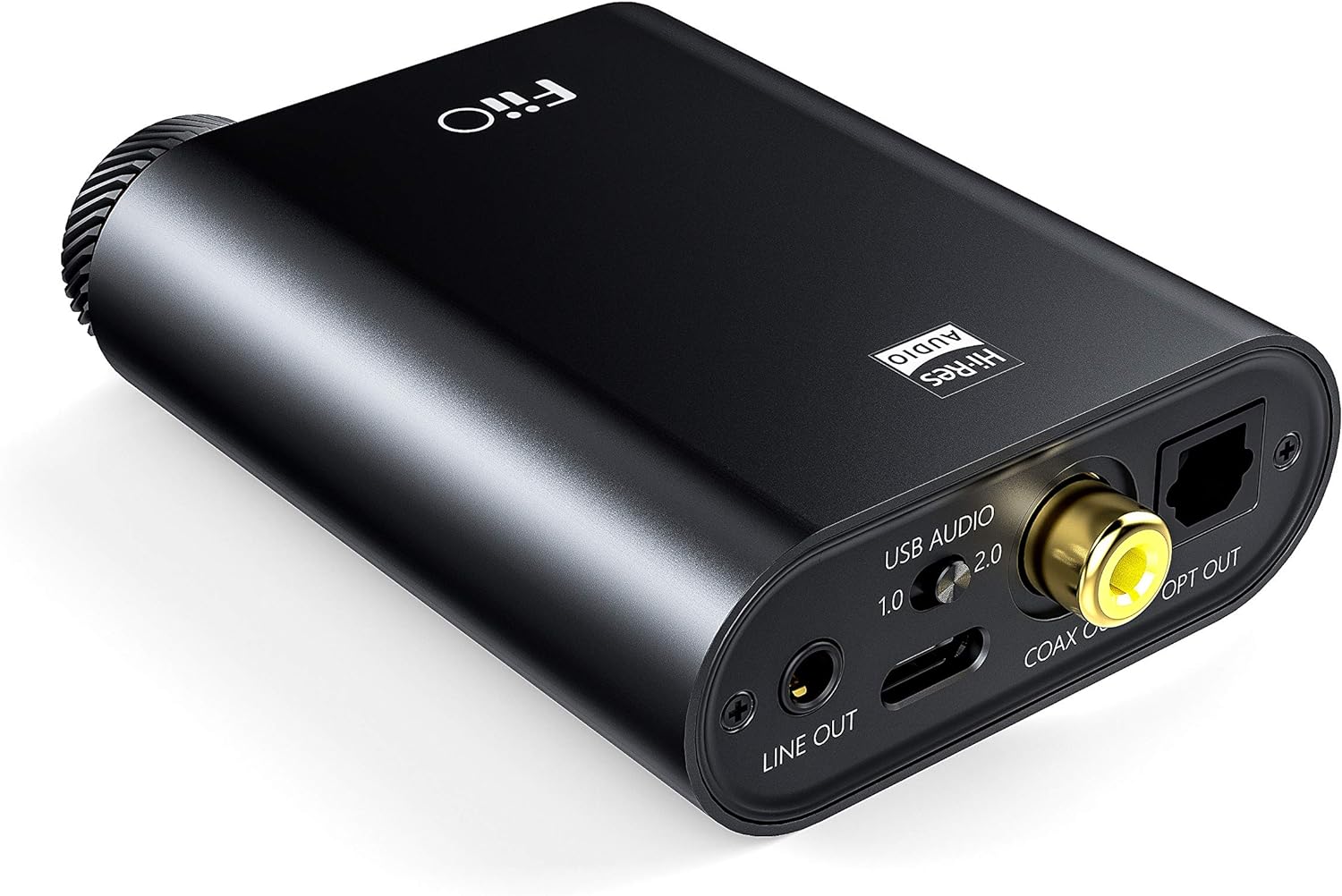
Figure 5: Close-up of the FiiO K3 front panel showing volume knob, bass switch, and gain switch.
3.4 RGB Indicator
The RGB indicator light located near the volume knob displays the current sampWiedergabegeschwindigkeit des Audiosignals:
- Blau: 44.1 kHz oder 48 kHzampling-Rate.
- Gelb: Sampling rate greater than 48kHz.
- Grün: DSD audio.
- Rot: Kein Signal.
4. Wartung
Durch sachgemäße Wartung wird die Langlebigkeit und optimale Leistung Ihres FiiO K3 sichergestellt.
- Reinigung: Verwenden Sie ein weiches, trockenes Tuch, um das Gerät abzuwischen. Vermeiden Sie die Verwendung von scharfen Chemikalien oder scheuernden Materialien.
- Handhabung: Behandeln Sie das Gerät mit Sorgfalt. Vermeiden Sie es, es fallen zu lassen oder übermäßiger Krafteinwirkung auszusetzen.
- Umfeld: Keep the device away from extreme temperatures, direct sunlight, moisture, and dust.
- Anti-slip Tape: Apply the provided anti-slip tape to the bottom of the unit to prevent it from sliding on surfaces.
5. Fehlerbehebung
Sollten Sie Probleme mit Ihrem FiiO K3 haben, beachten Sie bitte die folgenden häufig auftretenden Probleme und Lösungen:
5.1 Keine Tonausgabe
- Verbindungen prüfen: Ensure all cables (USB, headphones, line out) are securely connected.
- Lautstärke: Verify that the volume knob on the K3 is turned up and not at its minimum setting. Also check the volume level on your computer or connected audio device.
- Eingangs-/Ausgangsauswahl: Confirm that your computer's audio output is set to the FiiO K3. If using Line Out, ensure your external ampVerstärker/Lautsprecher sind an den richtigen Eingang angeschlossen.
- RGB-Anzeige: If the RGB indicator is red, there is no signal. Check your source device and connections.
5.2 Verzerrter Ton
- Verstärkungseinstellung: If the sound is distorted, try switching the GAIN to "Low" for sensitive headphones.
- Lautstärke: Reduce the volume on both the K3 and your source device to prevent clipping.
- Quellqualität: Stellen Sie sicher, dass die Audioquelle file ist nicht beschädigt oder von geringer Qualität.
- Kabelintegrität: Check if the cables are damaged or faulty.
5.3 USB 2.0 Driver Issues (Windows)
- Treiberinstallation: Ensure the correct FiiO USB 2.0 driver is installed from the official FiiO webWebsite.
- USB-Anschluss: Versuchen Sie, eine Verbindung zu einem anderen USB-Anschluss an Ihrem Computer herzustellen.
- Neustart: Starten Sie Ihren Computer nach der Treiberinstallation neu.
6. Spezifikationen
| Besonderheit | Wert |
|---|---|
| Marke | FiiO |
| Modell | K3 |
| USB-DAC-Unterstützung | Up to 384kHz/32bit PCM, DSD256 |
| Stromversorgung | USB Typ C |
| Kopfhörerausgänge | 3.5 mm Single-Ended, 2.5 mm Symmetrisch |
| Line-Ausgang | 3.5-mm-Line-Out |
| Digitale Ausgänge | Coaxial Out, Optical Out |
| Artikelgewicht | 82 Gramm |
7. Garantie und Support
The FiiO K3 comes with a standard manufacturer's warranty. Please refer to the included Warranty Card for specific terms and conditions. For technical support, driver downloads, firmware updates, and frequently asked questions, please visit the official FiiO webWebsite:
You may also contact FiiO customer service directly through their webWebsite für weitere Unterstützung.