
Einführung
This manual provides essential information for the safe and efficient operation of your lightmaXX Vega Silent PAR I 14x 10W RGBWA LED PAR Spot. This LED PAR spot features 14x 10 Watt LEDs, RGBWA color mixing capabilities, and is designed for silent operation, making it suitable for various stage and event lighting applications. Please read this manual thoroughly before use and keep it for future reference.
Aufstellen
1. Auspacken
Carefully unpack the device and ensure all components are present and undamaged. Retain the original packaging for future transport or storage.
2. Montage
The Vega Silent PAR I is equipped with a mounting bracket for flexible positioning. Ensure the fixture is securely mounted to a truss, stand, or other stable surface using appropriate clamps and safety cables. Always use a safety cable as a secondary attachment.

Bild: Vorderseite view of the lightmaXX Vega Silent PAR I LED PAR spot, showing the 14 LED lenses and the adjustable mounting bracket.

Abbildung: Seite view of the lightmaXX Vega Silent PAR I, highlighting the robust heat sink design and the side adjustment knob for the mounting bracket.
3. Stromanschluss
Connect the included power cable to the "POWER IN" socket on the rear panel of the fixture and then to a suitable power outlet. The fixture supports power linking via the "POWER OUT" socket for connecting multiple units.

Image: The included power cable, featuring an EU plug on one end and an IEC C13 connector for the fixture's power input.
4. DMX-Anschluss (optional)
For DMX control, connect a DMX controller to the "DMX IN" port using a 3-pin DMX cable. To daisy-chain multiple fixtures, connect the "DMX OUT" of the first fixture to the "DMX IN" of the next. Ensure the last fixture in the chain has a DMX terminator connected to its "DMX OUT" port.

Image: Rear panel of the lightmaXX Vega Silent PAR I, displaying the power input/output, DMX input/output, and the digital control display with navigation buttons.
Bedienungsanleitung
1. Systemsteuerung überview
The rear panel features a digital display and four control buttons: MENU, UP, DOWN, and ENTER. These buttons allow you to navigate through the fixture's settings and modes.

Bild: Nahaufnahme view of the digital display and control buttons (MENU, UP, DOWN, ENTER) on the rear panel, used for configuring the PAR spot.
2. DMX-Steuerungsmodus
To operate the fixture via DMX, set the DMX address using the control panel. Refer to the DMX channel chart (not provided in this manual, typically found in a separate DMX protocol document) for specific functions of each channel, including RGBWA color mixing, dimming, strobe, and built-in programs.
3. Standalone-Modi
The fixture offers several standalone modes for operation without a DMX controller:
- Automatikmodus: Cycles through pre-programmed light shows. Use the UP/DOWN buttons to select different auto programs or adjust speed.
- Musikaktiver Modus: The fixture reacts to sound via its built-in microphone. Adjust sensitivity using the control panel.
- Statischer Farbmodus: Select a fixed color by adjusting the intensity of Red, Green, Blue, White, and Amber LEDs.

Image: The lightmaXX Vega Silent PAR I projecting a vibrant red light beam, demonstrating its color output capabilities.
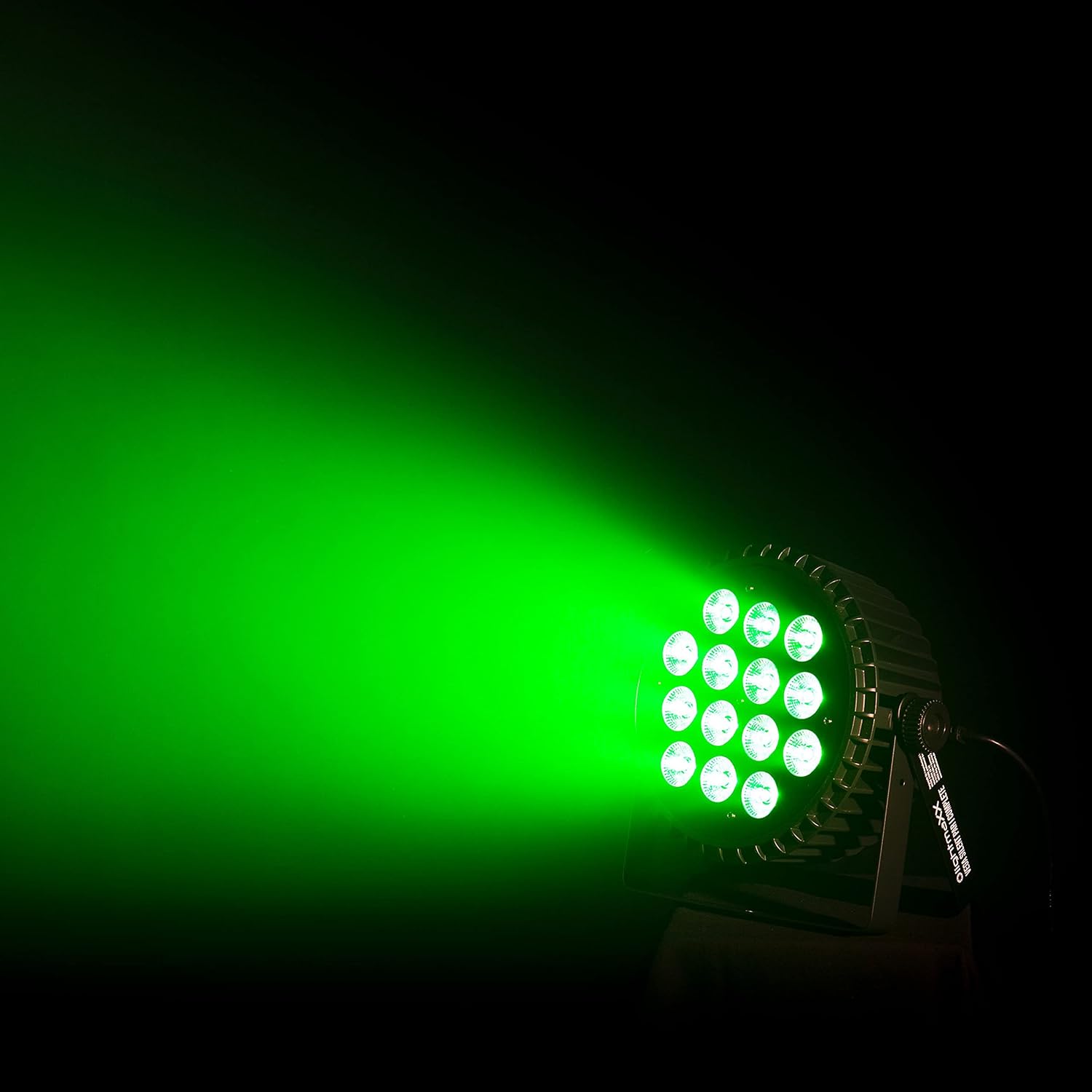
Image: The lightmaXX Vega Silent PAR I projecting a bright green light beam, showcasing another aspect of its RGBWA color mixing.
Wartung
1. Reinigung
Regular cleaning of the lens and housing is recommended to ensure optimal light output and prevent overheating. Use a soft, lint-free cloth and a mild cleaning solution. Do not use abrasive cleaners or solvents.
2. Speicherung
When not in use, store the fixture in its original packaging or a suitable flight case in a dry, dust-free environment.
3. Sicherheitskontrollen
Überprüfen Sie regelmäßig Stromkabel, DMX-Kabel und Befestigungsmaterial auf Verschleiß oder Beschädigungen. Beschädigte Komponenten müssen umgehend ausgetauscht werden.
Fehlerbehebung
| Problem | Mögliche Ursache | Lösung |
|---|---|---|
| Das Gerät lässt sich nicht einschalten. | Keine Stromversorgung; defektes Kabel; durchgebrannte Sicherung. | Check power connection; test cable; replace fuse (if accessible and safe). |
| Keine Lichtleistung. | Dimmer at zero; incorrect mode; DMX signal issue. | Increase dimmer level; select appropriate mode; check DMX connections and address. |
| Fixture not responding to DMX. | Falsche DMX-Adresse; defektes DMX-Kabel; kein DMX-Signal. | Verify DMX address; test/replace DMX cable; ensure DMX controller is sending signal. |
| Unexpected behavior. | Interference; software glitch. | Restart the fixture; ensure proper grounding; consult support if issue persists. |
Technische Daten
| Besonderheit | Detail |
|---|---|
| Marke | lightmaXX |
| Modell | Vega Silent PAR I 14x 10W RGBWA |
| Lichtquellentyp | LED (14x 10W RGBWA) |
| Technische Daten | 30 x 30 x 25.5 cm |
| Artikelgewicht | 3.22 Kilogramm |
| Hersteller | lightmaXX |
| Herstellerreferenz | LIG0015757-000 |
| ASIN | B07KXRFX2H |
| Erstes verfügbares Datum | 28. November 2018 |
| Ursprungsland | Deutschland |
| EU-Energielabel | G |
| Garantierte Software-Updates bis | Unbekannt |
Garantie und Support
Informationen zur Garantie und zum technischen Support finden Sie in der mitgelieferten Dokumentation oder wenden Sie sich an Ihren Händler. Bewahren Sie Ihren Kaufbeleg für Garantieansprüche auf.