
Einführung
This manual provides essential information for the safe and efficient use of your ASUS ZenBook UX333FA-DH51 laptop. Please read this guide thoroughly before operating your device to ensure proper setup, operation, and maintenance.

Image: The ASUS ZenBook UX333FA-DH51 laptop in its royal blue finish, showcasing sein schlankes, geschlossenes Design.
Lieferumfang
Verify that all items are present in your product packaging. If any item is missing or damaged, contact your retailer or ASUS support.
- ASUS ZenBook UX333FA-DH51 Notebook
- Netzteil
- Netzkabel
- Dokumentation (Schnellstartanleitung, Garantiekarte)
Aufstellen
1. Anschließen des Netzteils
Before first use, or if the battery is low, connect the power adapter to the laptop and a power outlet.
- Plug the AC adapter into the power connector on the side of your ZenBook.
- Stecken Sie das Netzkabel in den Netzadapter.
- Plug the other end of the power cord into a wall power outlet.

Abbildung: Seite view of the laptop, highlighting the various ports including the power input, USB ports, and HDMI.
2. Erstes Einschalten und Windows-Einrichtung
Once connected to power, open the laptop lid and press the power button. Follow the on-screen instructions to complete the Windows 10 setup process. This includes selecting your region, language, accepting terms, and setting up user accounts.
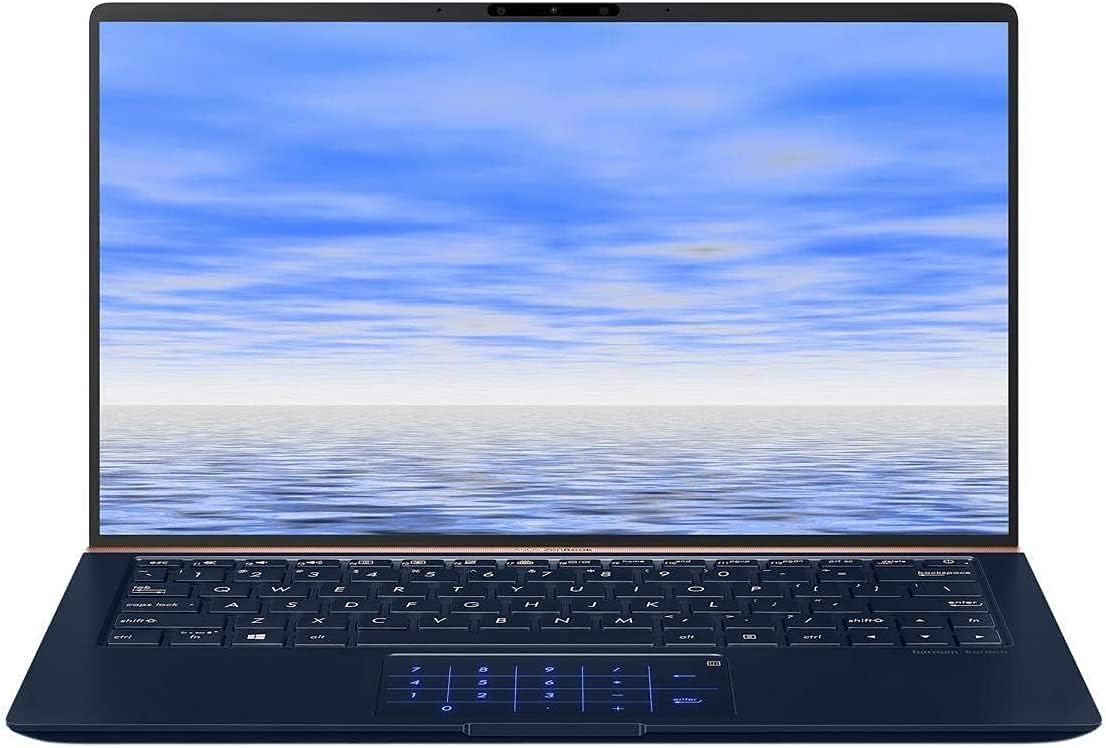
Image: The ASUS ZenBook UX333FA-DH51 with its display open, ready for initial setup or use.
Bedienung des Laptops
Tastatur und Touchpad
Your ZenBook features a full-sized keyboard and a precision touchpad. The unique ErgoLift hinge automatically tilts the keyboard for a more comfortable typing experience when the lid is opened.

Bild: Eine Nahaufnahme view of the laptop's keyboard and the innovative NumberPad integrated into the touchpad.
- Funktionstasten: Verwenden Sie die Fn key in combination with the F1-F12 keys for quick access to system functions like volume control, brightness adjustment, and Wi-Fi toggle.
- Ziffernblock: The touchpad can transform into an LED-illuminated numeric keypad for data entry. Refer to the on-screen instructions or the ASUS utility for activation and usage.
Anzeigefunktionen
The ZenBook UX333FA-DH51 features a 13.3-inch Full HD (1920x1080) NanoEdge display with ultra-slim bezels, providing an immersive visual experience.

Image: The laptop open, emphasizing the expansive, near-borderless NanoEdge display.
Energieverwaltung
Manage your laptop's power settings through Windows 10 to optimize battery life or performance.
- Schlafmodus: Schließen Sie den Deckel oder drücken Sie kurz den Netzschalter, um in den Schlafmodus zu wechseln.
- Abschalten: Gehe zu Start > Ein/Aus > Herunterfahren to completely turn off the laptop.
- Neustart: Gehe zu Start > Ein/Aus > Neustart um das System neu zu starten.
Wartung
Laptop reinigen
- Verwenden Sie ein weiches, fusselfreies Tuch dampmit Wasser oder einem speziellen Bildschirmreiniger für das Display abspülen.
- Reinigen Sie Tastatur und Gehäuse mit einem weichen, trockenen Tuch. Vermeiden Sie aggressive Chemikalien und Scheuermittel.
- Vor der Reinigung unbedingt sicherstellen, dass der Laptop ausgeschaltet und vom Stromnetz getrennt ist.
Batteriepflege
- Vermeiden Sie häufiges vollständiges Entladen des Akkus.
- Bewahren Sie den Laptop an einem kühlen, trockenen Ort auf, wenn er längere Zeit nicht benutzt wird.
- Periodically calibrate the battery by fully discharging and recharging it.
Software-Updates
Aktualisieren Sie regelmäßig Ihr Windows-Betriebssystem und Ihre ASUS-Treiber, um optimale Leistung und Sicherheit zu gewährleisten.
- Windows-Updates: Gehe zu Einstellungen > Update und Sicherheit > Windows Update.
- ASUS Driver Updates: Besuchen Sie den offiziellen ASUS-Support webAuf dieser Website können Sie die neuesten Treiber und Dienstprogramme für Ihr Modell herunterladen.
Fehlerbehebung
Dieser Abschnitt behandelt häufig auftretende Probleme. Bei komplexeren Problemen wenden Sie sich bitte an den ASUS-Support. webWebsite oder wenden Sie sich an den Kundendienst.
| Problem | Mögliche Lösung |
|---|---|
| Der Laptop lässt sich nicht einschalten. |
|
| Der Bildschirm ist leer oder schwarz. |
|
| Das Touchpad reagiert nicht oder unregelmäßig. |
|
| Der Akku entlädt sich schnell. |
|
Technische Daten
Key technical specifications for the ASUS ZenBook UX333FA-DH51.
| Besonderheit | Detail |
|---|---|
| Modellname | ZenBook UX333FA-DH51 |
| Anzeige | 13.3-Zoll Full HD (1920x1080) |
| Prozessor | Intel Core i5-8265U (1.6GHz, Turbo up to 3.9GHz) |
| RAM | 8GB LPDDR3 (On Board) |
| Lagerung | 256GB PCIe G3x2 SSD + TPM |
| Grafik | Intel HD-Grafik (integriert) |
| Betriebssystem | Windows-10 (64bit) |
| Kabellose Konnektivität | 802.11g |
| USB-Anschlüsse | 1x USB 2.0, 1x USB 3.0 (Note: Specific port types may vary, refer to physical device) |
| Artikelgewicht | 2.6 Pfund |
| Abmessungen (LxBxH) | 15 x 1 x 10 Zoll |
| Farbe | Königsblau |
Garantieinformationen
Your ASUS ZenBook UX333FA-DH51 comes with a limited manufacturer's warranty. The specific terms and duration of the warranty may vary by region and retailer. Please refer to the warranty card included in your product packaging or visit the official ASUS webAuf der Website finden Sie detaillierte Garantieinformationen. Bewahren Sie Ihren Kaufbeleg für Garantieansprüche auf.
Unterstützung
For technical assistance, driver downloads, or further information regarding your ASUS ZenBook UX333FA-DH51, please visit the official ASUS support webWebsite:
Offizieller ASUS-Support WebWebsite
You may also find helpful resources and contact information for customer service on the webWebsite.