
1. Einleitung
Thank you for choosing the DreamSky DS312 Small Digital Alarm Clock. This manual provides detailed instructions for setting up and operating your new alarm clock. Designed for clarity and ease of use, it features a large display, adjustable brightness, and convenient USB charging capabilities. Please read this manual thoroughly before use and retain it for future reference.
2. Packungsinhalt
- DreamSky DS312 Digitaler Wecker
- USB-C-Netzteil
- Bedienungsanleitung
3. Produktüberschreitungview
The DreamSky DS312 features a sleek design with a large LED display for easy readability. Key controls are located on the back panel for intuitive operation.

Abbildung 1: Front view of the DreamSky DS312 Digital Alarm Clock showing the large green time display.
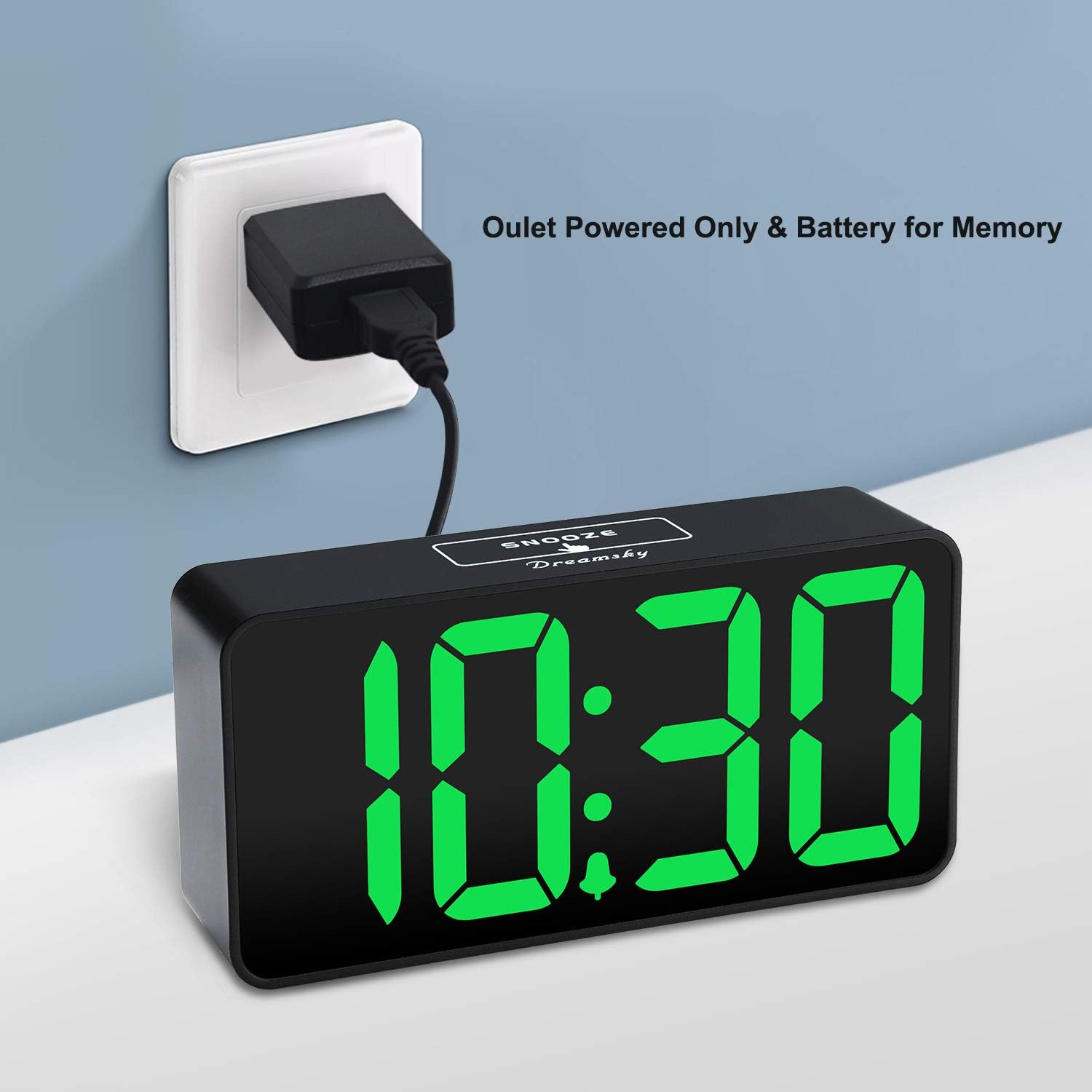
Abbildung 2: Hinteren view of the alarm clock, highlighting the control buttons for time, alarm, volume, and dimmer settings, along with the USB power input and an additional USB charging port.
Bedienelemente und Anschlüsse:
- Schlummertaste: Befindet sich oben, zur vorübergehenden Alarmunterbrechung.
- ZEIT EINSTELLEN-Taste: Halten Sie gedrückt, um in den Zeiteinstellungsmodus zu gelangen.
- ALARM SET-Taste: Halten Sie gedrückt, um in den Alarmeinstellungsmodus zu gelangen.
- EIN/AUS-Taste: Schaltet die Alarmfunktion ein/aus.
- +/- Tasten: Adjust time, alarm, volume, and brightness settings.
- 12/24-Stunden-Taste: Schaltet zwischen 12-Stunden- und 24-Stunden-Zeitanzeige um.
- LOW VOLUME/HIGH VOLUME Slider: Adjusts alarm sound level.
- LOW DIMMER/HIGH DIMMER Slider: Passt die Displayhelligkeit an.
- USB-IN-Anschluss: Zum Anschluss des Netzteils.
- USB-Ausgang: Zum Laden externer Geräte.
- Batteriefach: For 2 x AAA backup batteries (not included).
4. Einrichtung
4.1 Stromversorgung der Uhr
The DreamSky DS312 is primarily powered by the included USB-C adapter. Connect the USB-C cable to the USB IN port on the back of the clock and plug the adapter into a standard electrical outlet.

Abbildung 3: The alarm clock receiving power via its USB-C adapter plugged into a wall socket.
4.2 Batterie-Backup (optional)
For memorizing time and alarm settings during a power outage, insert 2 x AAA batteries (not included) into the battery compartment on the back of the clock. Note that with battery power only, the screen will go blank and the alarm will not sound; batteries only retain settings until power is restored.
5. Bedienungsanleitung
5.1 Uhrzeit einstellen
- Halten Sie die ZEITEINSTELLUNG Die Taste 2 Sekunden lang gedrückt halten, bis die Stundenziffern blinken.
- Verwenden Sie die + or - Tasten zum Einstellen der Stunde.
- Drücken ZEITEINSTELLUNG Um die Stunde erneut zu bestätigen, wechseln Sie zur Minuteneinstellung.
- Verwenden Sie die + or - Tasten zum Einstellen der Minuten.
- Drücken ZEITEINSTELLUNG one more time to save the settings and exit.
5.2 Wecker stellen
- Halten Sie die WECKER GESTELLT Die Taste 2 Sekunden lang gedrückt halten, bis die Ziffern der Alarmstunde blinken.
- Verwenden Sie die + or - Tasten, um die Weckstunde einzustellen.
- Drücken WECKER GESTELLT again to confirm the alarm hour and move to alarm minute setting.
- Verwenden Sie die + or - Tasten zum Einstellen der Alarmminuten.
- Drücken WECKER GESTELLT one more time to save the alarm settings and exit.
5.3 Alarm ein-/ausschalten
Drücken Sie die EIN/AUS button to activate or deactivate the alarm. An alarm icon will appear on the display when the alarm is active.
5.4 Einstellen der Displayhelligkeit
Verwenden Sie die LOW DIMMER/HIGH DIMMER slider on the back of the clock to adjust the brightness of the LED display to your preference. This allows for optimal visibility during the day and minimal disturbance at night.

Abbildung 4: Illustration of the alarm clock's adjustable brightness dimmer, showing various display intensities from bright to completely off.
5.5 Einstellen der Alarmlautstärke
Verwenden Sie die LOW VOLUME/HIGH VOLUME slider on the back of the clock to set the desired alarm sound level (30-90 dB). This ensures the alarm is neither too soft to wake you nor too loud to startle you.

Abbildung 5: The alarm clock displaying time with a graphic indicating adjustable alarm volume levels.
5.6 Schlummerfunktion verwenden
Wenn der Alarm ertönt, drücken Sie die große Taste. SCHLAFEN button on the top of the clock to temporarily pause the alarm for 9 minutes. The alarm will sound again after the snooze period.
5.7 12/24-Stunden-Format
Drücken Sie die 12 / 24HR button to switch between 12-hour (with AM/PM indicator) and 24-hour time display formats.
5.8 USB-Ladeanschluss
The clock includes a convenient USB OUT port on the back, allowing you to charge your smartphone or other small electronic devices directly from the clock, reducing the need for additional wall adapters.

Abbildung 6: A smartphone connected to the alarm clock's USB charging port, illustrating its charging capability.
6. Funktionen
- Großes Display: 2-inch jumbo illuminated LED digits for easy visibility.
- Helligkeitsdimmer: Adjustable display brightness to suit day or night viewing-Präferenzen.
- Einstellbarer Alarmton: Alarm volume can be set from 30-90 dB.
- Schlummerfunktion: 9-minute snooze duration.
- USB Ladeanschluss: Laden Sie Ihr Smartphone oder andere Geräte bequem auf.
- Einfache Bedienung: Intuitive buttons for straightforward time and alarm setting.
- Batterie-Backup: Behält Zeit- und Alarmeinstellungen bei Stromausfall beitages (benötigt 2 x AAA-Batterien, nicht im Lieferumfang enthalten).
7. Fehlerbehebung
Q: Can this digital clock run on batteries alone?
A: No. Battery function only works to store the clock time and settings in the case of a main power outage. The adapter is required as the main power source for this alarm clock.
Q: How do you turn off the alarm once it wakes you up?
A: When the alarm goes off, you can press any button at the back of the clock to turn off the alarm.
Q: How long does the alarm stay on?
A: The alarm will last for 2 minutes then shut off automatically if not manually turned off or snoozed.
8. Spezifikationen
| Attribut | Detail |
|---|---|
| Marke | Traumhimmel |
| Modellnummer | DS312 |
| Anzeigetyp | Digitale LED |
| Technische Daten | 5.3 Zoll B x 2.6 Zoll H |
| Stromquelle | Corded Electric (USB-C Adapter) |
| Batterie-Backup | 2 x AAA-Batterien (nicht im Lieferumfang enthalten) |
| Material | Plastik |
| Besondere Merkmale | Large display, brightness dimmer, adjustable alarm volume, USB charging port |
9. Garantie und Support
9.1 Garantieinformationen
This DreamSky DS312 Digital Alarm Clock comes with a Limited Warranty. Please refer to the product packaging or contact customer support for specific warranty terms and conditions.
9.2 Kundendienst
For any questions, technical assistance, or warranty inquiries, please contact DreamSky Customer Support at: info@dreamsky4u.com