
1. Einleitung
Welcome to the user manual for your Genius Manticore Gaming Keyboard. This guide provides essential information for setting up, operating, maintaining, and troubleshooting your new gaming keyboard. Please read these instructions carefully to ensure optimal performance and longevity of your device.
2. Produktüberschreitungview
The Genius Manticore Gaming Keyboard is designed for an enhanced gaming experience, featuring a durable build and responsive keys. It connects via USB and is compatible with a wide range of devices. The keyboard includes 104 keys with a standard QWERTY layout, complemented by additional gaming-specific features.
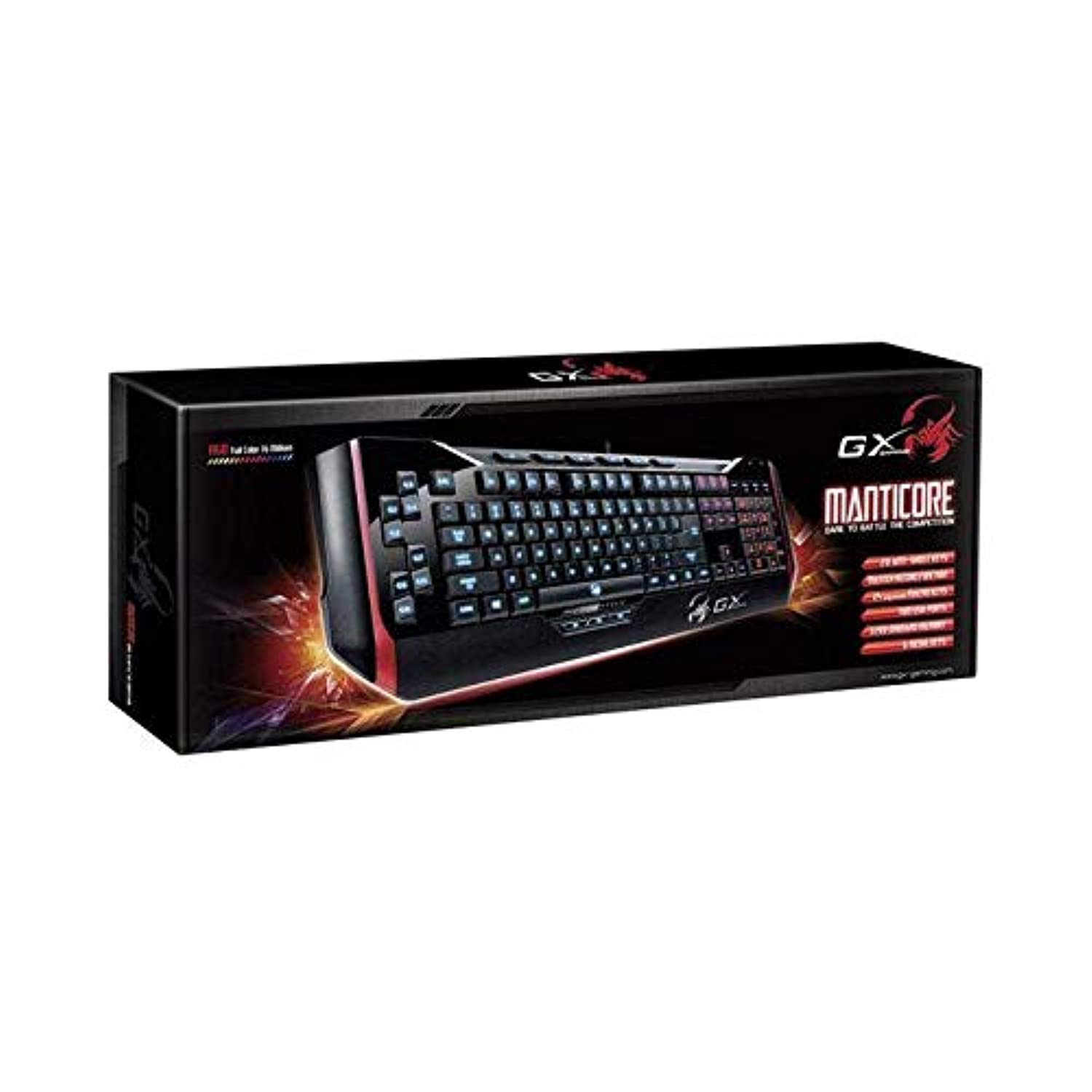
Abbildung 1: Genius Manticore Gaming Keyboard. This image displays the Genius Manticore Gaming Keyboard, featuring a black body with red accents on the sides. The keys are illuminated, indicating its gaming functionality. The keyboard has a standard QWERTY layout with additional keys on the left side, likely for macros, and a numeric keypad on the right.
3. Einrichtung
- Auspacken der Tastatur: Carefully remove the Genius Manticore Gaming Keyboard from its packaging. Ensure all components are present.
- Verbinden Sie sich mit Ihrem Gerät: Suchen Sie einen freien USB-Anschluss an Ihrem Computer oder einem kompatiblen Gerät. Stecken Sie den USB-Stecker der Tastatur fest in den USB-Anschluss.
- Treiberinstallation (falls erforderlich): For most modern operating systems, the keyboard will be recognized automatically, and standard drivers will be installed. If prompted, follow the on-screen instructions to complete any driver installation.
- Testfunktionalität: Öffnen Sie einen Texteditor oder einen web browser and test the keys to ensure they are responding correctly.
4. Bedienungsanleitung
The Genius Manticore Gaming Keyboard offers a standard QWERTY layout for general typing and dedicated features for gaming.
- Standard Key Functions: All standard alphanumeric, symbol, and function keys operate as expected on a typical QWERTY keyboard.
- Spielfunktionen: The keyboard is designed for gaming. Specific gaming features, such as customizable backlighting or programmable macro keys (if available on your model), can typically be configured through dedicated software provided by Genius or through specific key combinations. Refer to the Genius website for any available software downloads or advanced feature guides.
- Energiequelle: The keyboard is powered directly via the USB connection to your device. No external power supply or batteries are required.
5. Wartung
Durch sachgemäße Wartung wird die Langlebigkeit und Leistungsfähigkeit Ihrer Tastatur sichergestellt.
- Reinigung: Wischen Sie die Tastaturoberfläche mit einem weichen, trockenen Tuch ab. Staub und Schmutz zwischen den Tasten entfernen Sie mit Druckluft. Vermeiden Sie die Verwendung von scharfen Chemikalien oder Scheuermitteln.
- Flüssigkeitsexposition: This keyboard is nicht wasserbeständig. Avoid spilling liquids on the keyboard, as this can cause permanent damage. If liquid exposure occurs, immediately disconnect the keyboard from your device and allow it to dry completely before attempting to use it again.
- Lagerung: Bewahren Sie die Tastatur bei Nichtgebrauch in einer sauberen, trockenen Umgebung fern von extremen Temperaturen und direkter Sonneneinstrahlung auf.
6. Fehlerbehebung
Sollten Sie Probleme mit Ihrer Tastatur haben, versuchen Sie folgende Lösungen:
- Tastatur reagiert nicht:
- Stellen Sie sicher, dass das USB-Kabel sowohl mit der Tastatur als auch mit dem Computer fest verbunden ist.
- Versuchen Sie, die Tastatur an einen anderen USB-Anschluss Ihres Computers anzuschließen.
- Testen Sie die Tastatur an einem anderen Computer, um festzustellen, ob das Problem an der Tastatur oder am ursprünglichen Computer liegt.
- Starten Sie Ihren Computer neu.
- Bestimmte Tasten funktionieren nicht:
- Check for any physical obstructions under the non-functional keys.
- Reinigen Sie die Tastatur wie im Abschnitt Wartung beschrieben.
- Ensure no software conflicts are present (e.g., macro software interfering with standard key functions).
- Probleme mit der Hintergrundbeleuchtung:
- If your model features adjustable backlighting, ensure it is not turned off or set to the lowest brightness level. Consult the Genius website for specific key combinations to control backlighting.
If these steps do not resolve the issue, please contact Genius customer support for further assistance.
7. Spezifikationen
| Besonderheit | Detail |
|---|---|
| Markenname | Genius |
| Modellnummer | GE31310058108 |
| Kompatible Geräte | Alle |
| Konnektivitätstechnologie | USB |
| Tastaturbeschreibung | Spiele |
| Besondere Merkmale | Spiele |
| Farbe | Multi-color (Black and Red) |
| Stil | Modern |
| Material | Mehrere Materialien |
| Thema | Spiele |
| Stromquelle | USB-Stromversorgung |
| Anzahl der Schlüssel | 104 |
| Tastaturlayout | QWERTY Tastatur |
| Handausrichtung | Beidhändig |
| Anzahl der Tasten | 104 |
| Wasserbeständigkeit | Nicht wasserfest |
| Hersteller | Genius |
| ASIN | B07MQMXJS9 |
8. Garantie und Support
Your Genius Manticore Gaming Keyboard is covered by a standard manufacturer's warranty. For detailed information regarding warranty terms, registration, or to access technical support, please visit the official Genius webBesuchen Sie die Website oder kontaktieren Sie den Kundendienst. Bewahren Sie Ihren Kaufbeleg als Kaufnachweis auf.
Weitere Unterstützung finden Sie unter Genius Official WebWebsite.