
Einführung
Thank you for choosing SIMOLIO JH-711 Wireless Kids Headphones. These headphones are designed with children's safety and comfort in mind, featuring 3-level volume limiting for hearing protection, Bluetooth connectivity, and a durable, foldable design. This manual will guide you through the setup, operation, and maintenance of your new headphones.
Produkteigenschaften
- 3-stufige Lautstärkebegrenzung: Protects children's hearing with selectable limits of 75dB (toddlers), 85dB (kids), and 94dB (adults).
- Wireless & Wired Modes: Connect via Bluetooth for wireless freedom or use the included 3.5mm audio cable when the battery is low or with non-Bluetooth devices.
- Eingebautes Mikrofon: Enables hands-free calling for convenience.
- Audio Sharing Port: Allows another headphone to connect and share audio from the same device.
- Robustes und flexibles Design: Constructed with memory stainless steel strips in the headband to withstand bending and twisting.
- Faltbar und kompakt: Easy to fold and store in the included EVA hard carrying case, perfect for travel and school.
- Lange Akkulaufzeit: Bietet bis zu 15 Stunden Spielzeit mit einer einzigen Akkuladung.

Image: Diagram illustrating the 3-level volume limiting feature (75dB, 85dB, 94dB) for different age groups.

Image: Hands bending the headphone headband, showcasing its flexible and durable construction.

Image: The headphones folded compactly, ready to be stored in their EVA hard carrying case.
Lieferumfang
- SIMOLIO JH-711 Wireless Kids Headphones (2 Count)
- USB-Ladekabel
- 3.5-mm-AUX-Audiokabel
- Benutzerhandbuch (dieses Dokument)
- EVA-Hartschalenkoffer
Aufstellen
1. Aufladen der Kopfhörer
- Locate the Micro USB charging port on the headphone earcup.
- Schließen Sie das mitgelieferte USB-Ladekabel an den Ladeanschluss des Kopfhörers an.
- Stecken Sie das andere Ende des USB-Kabels in eine kompatible USB-Stromquelle (z. B. Computer, USB-Netzteil).
- Die LED-Anzeige leuchtet während des Ladevorgangs und erlischt, sobald der Akku vollständig geladen ist. Eine vollständige Ladung dauert etwa 3 Stunden.

Image: The SIMOLIO JH-711 headphones with the charging cable inserted into the Micro USB port.
2. Bluetooth-Kopplung
- Stellen Sie sicher, dass die Kopfhörer vollständig aufgeladen sind.
- Press and hold the Power button (MFB) on the headphone earcup until the LED indicator flashes blue and red, indicating pairing mode.
- Aktivieren Sie auf Ihrem Gerät (Smartphone, Tablet usw.) Bluetooth und suchen Sie nach verfügbaren Geräten.
- Wählen Sie "SIMOLIO JH-711" aus der Geräteliste aus.
- Sobald die Verbindung hergestellt ist, blinkt die LED-Anzeige langsam blau.
3. Kabelverbindung (AUX-Modus)
- Locate the 3.5mm AUX port on the headphone earcup.
- Connect one end of the provided 3.5mm AUX audio cable to the headphone's AUX port.
- Connect the other end of the AUX cable to the 3.5mm audio jack of your device.
- Die Kopfhörer schalten automatisch in den Kabelmodus. Dieser Modus funktioniert auch dann, wenn der Akku der Kopfhörer leer ist.
4. Adjusting Volume Limiter
The headphones feature a 3-level volume limiter switch (75dB, 85dB, 94dB) located on the earcup. Slide the switch to select the desired maximum volume level appropriate for the user's age and environment.

Image: Detail of the headphone earcup highlighting the 3-level volume limiter switch.
5. Einstellung des Kopfbandes
The headband is adjustable to fit various head sizes. Gently slide the earcups up or down along the headband to achieve a comfortable and secure fit. The flexible design allows for minor reshaping.

Image: A person demonstrating how to adjust the headband for a proper fit.
Bedienungsanleitung
1. Ein-/Ausschalten
- Einschalten: Press and hold the Multi-Function Button (MFB) for approximately 3 seconds until the LED indicator lights up.
- Ausschalten: Halten Sie den Multifunktionsknopf etwa 3 Sekunden lang gedrückt, bis die LED-Anzeige erlischt.
2. Musikwiedergabe
- Abspielen/Pause: Drücken Sie kurz die MFB.
- Nächster Titel: Die Taste „Lautstärke erhöhen“ lange gedrückt halten.
- Vorheriges Lied: Die Taste „Lautstärke leiser“ lange gedrückt halten.
- Lautstärke erhöhen: Drücken Sie kurz die Taste „Lautstärke erhöhen“.
- Lautstärke runter: Drücken Sie kurz die Taste „Lautstärke leiser“.
3. Anrufverwaltung
- Anruf annehmen/beenden: Drücken Sie kurz die MFB.
- Anruf ablehnen: Die Multifunktionstaste lange drücken.
4. Audio-Sharing
To share audio with another pair of headphones, connect a 3.5mm audio cable from the sharing jack on the right earcup of the SIMOLIO headphones to the audio input of another headphone. This allows two users to listen to the same audio source simultaneously.
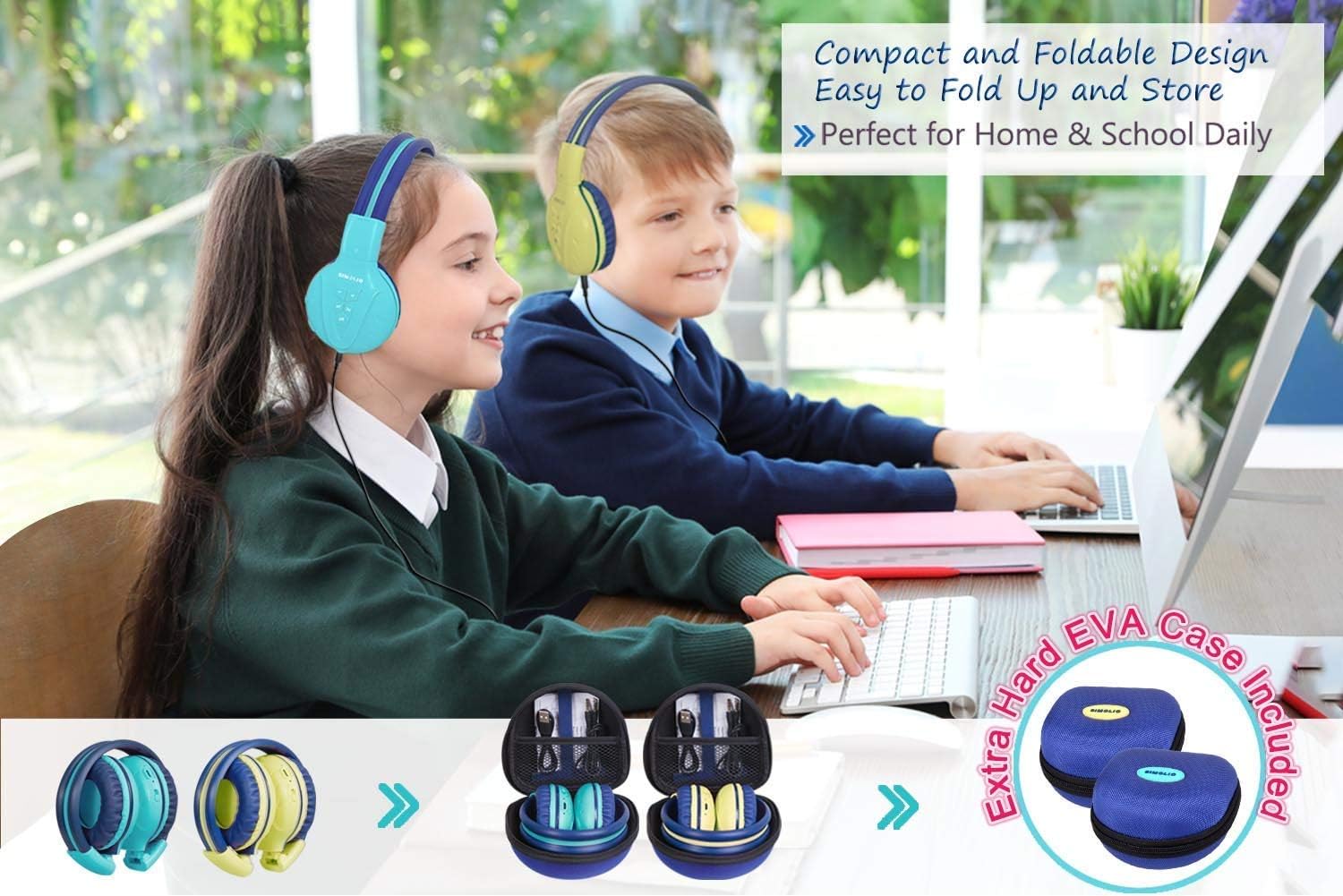
Image: Two pairs of headphones connected using the audio sharing feature, allowing simultaneous listening.
Wartung
- Reinigung: Reinigen Sie die Kopfhörer mit einem weichen, trockenen Tuch. Verwenden Sie keine flüssigen Reiniger oder Sprays.
- Lagerung: When not in use, fold the headphones and store them in the provided EVA hard carrying case to protect them from dust and damage.
- Batteriepflege: Um die Akkulaufzeit zu verlängern, sollten Sie die Kopfhörer nicht häufig vollständig entladen. Laden Sie sie regelmäßig auf, auch wenn Sie sie nicht ständig benutzen.
Fehlerbehebung
| Problem | Lösung |
|---|---|
| Die Kopfhörer lassen sich nicht einschalten. | Stellen Sie sicher, dass die Kopfhörer aufgeladen sind. Verbinden Sie sie mithilfe des USB-Kabels mit einer Stromquelle. |
| Kopplung via Bluetooth nicht möglich. | Make sure the headphones are in pairing mode (flashing blue/red LED). Ensure your device's Bluetooth is on and within range. Forget previous pairings on your device and try again. |
| Kein Ton im Kabelmodus. | Check that the 3.5mm AUX cable is securely connected to both the headphones and the audio source. Ensure the audio source's volume is not muted or too low. |
| Der Ton ist zu leise/zu laut. | Adjust the volume using the +/- buttons on the headphones and on your connected device. Check the 3-level volume limiter switch setting. |
Technische Daten
- Modellname: Kids Bluetooth Headphones JH-711MY
- Konnektivitätstechnologie: Kabellos (Bluetooth), Kabelgebunden (3.5-mm-AUX-Anschluss)
- Drahtlose Kommunikationstechnologie: Bluetooth 4.0
- Bluetooth-Reichweite: 30 Fuß
- Akkulaufzeit: Bis zu 15 Stunden
- Ladezeit: Ungefähr 3 Stunden
- Audiotreibertyp: Dynamischer Treiber
- Ohrplatzierung: Über dem Ohr
- Geräuschpegelkontrolle: Schallisolierung
- Besondere Merkmale: 3 Adjustable Volume Limited, Built-in Microphone, Durable and Flexible, Foldable, Audio Share Port, EVA Case
- Produktabmessungen: 5.51 x 3.15 x 5.31 Zoll
- Artikelgewicht: 1.8 Pfund (0.82 Kilogramm)
- Material: Nylon, Stainless Steel (headband), EVA (carrying case)
Offizielles Produktvideo
Video: An official product video from Simolio Direct showcasing the features and usage of the SIMOLIO Bluetooth Headphones for Kids with Case JH-711.
Garantie und Support
For warranty information or technical support, please refer to the contact details provided on the product packaging or visit the official SIMOLIO webWebsite.