
1. Einleitung
The TP-Link Archer T2U Plus is an AC600 High Gain Wireless Dual Band USB Adapter designed to provide high-speed Wi-Fi connectivity for desktop PCs and laptops. It supports both 2.4 GHz and 5 GHz bands, offering flexible connectivity options and enhanced range with its 5dBi high-gain antenna. This manual provides instructions for setting up, operating, and maintaining your adapter.

Image: The TP-Link Archer T2U Plus AC600 High Gain Wireless Dual Band USB Adapter.
2. Packungsinhalt
Überprüfen Sie, ob Ihr Paket die folgenden Artikel enthält:
- AC600 High Gain Wireless Dual Band USB Adapter (Archer T2U Plus)
- Kurzanleitung zur Installation
- Ressourcen-CD (für Treiber und Dienstprogramme)

Image: The retail packaging for the Archer T2U Plus, showing the adapter and its key features.
3. Systemanforderungen
Vor der Installation stellen Sie bitte sicher, dass Ihr System die folgenden Anforderungen erfüllt:
- An available USB port (USB 2.0 or higher recommended).
- Operating System: Windows 11/10/8.1/8/7/XP or Mac OS 10.15 and earlier.
- CD-ROM drive (for driver installation from Resource CD) or internet access (for driver download).

Image: Icons representing compatible operating systems: Windows 10, Windows 8.1, Windows 8, Windows 7, Windows XP, and Mac OS.
4. Einrichtung und Treiberinstallation
4.1 Hardware-Installation
- Setzen Sie den Adapter ein: Plug the Archer T2U Plus USB adapter into an available USB port on your computer. Ensure it is securely seated.
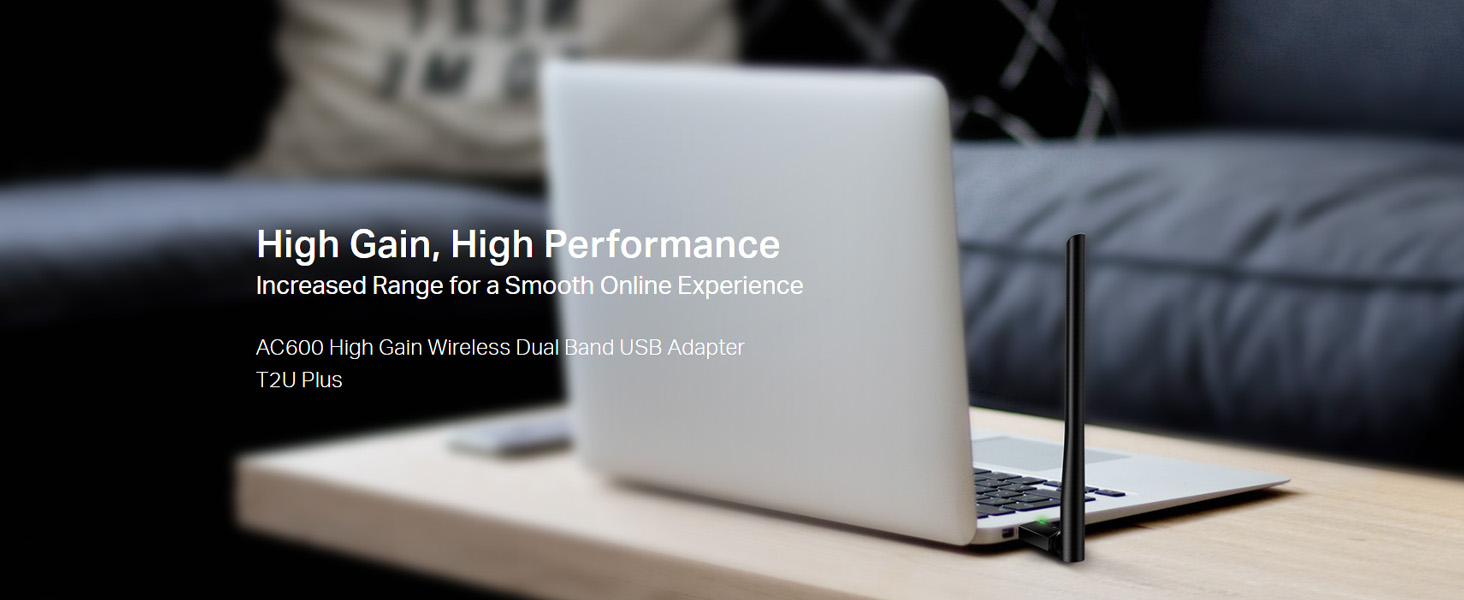
Image: The Archer T2U Plus adapter connected to a laptop's USB port, demonstrating its compact form factor.
4.2 Treiberinstallation
The adapter requires a driver to function correctly. You can install it using the provided Resource CD or by downloading it from the TP-Link webWebsite.
Option A: Using the Resource CD
- Legen Sie die Ressourcen-CD in das CD-ROM-Laufwerk Ihres Computers ein.
- Follow the on-screen instructions to run the setup wizard.
- Select the Archer T2U Plus model and proceed with the driver installation.
- Starten Sie Ihren Computer neu, wenn Sie dazu aufgefordert werden.
Option B: Downloading Drivers Online
- Besuchen Sie den offiziellen TP-Link-Support. webSeite? ˅ (www.tp-link.com/support/download/).
- Suchen nach "Archer T2U Plus" and download the latest driver compatible with your operating system.
- Extrahieren Sie die heruntergeladenen file (if compressed) and run the setup executable.
- Follow the installation wizard and restart your computer if required.
5. Bedienungsanleitung
5.1 Mit einem Wi-Fi-Netzwerk verbinden
- After successful driver installation, the adapter will be detected by your operating system.
- Click the Wi-Fi icon in your system tray (Windows) or menu bar (Mac OS).
- Wählen Sie das gewünschte WLAN-Netzwerk (SSID) aus der Liste der verfügbaren Netzwerke aus.
- Enter the network password (security key) if prompted and click Verbinden.
- The adapter will establish a connection to the Wi-Fi network.
5.2 Dualband-Funktionalität
The Archer T2U Plus supports both 2.4 GHz and 5 GHz Wi-Fi bands. The 5 GHz band offers faster speeds and less interference, ideal for streaming and gaming, while the 2.4 GHz band provides wider coverage.
- 2.4-GHz-Band: Up to 200 Mbps data rate, suitable for general web Surfen und E-Mail.
- 5-GHz-Band: Up to 433 Mbps data rate, ideal for HD video streaming and online gaming.
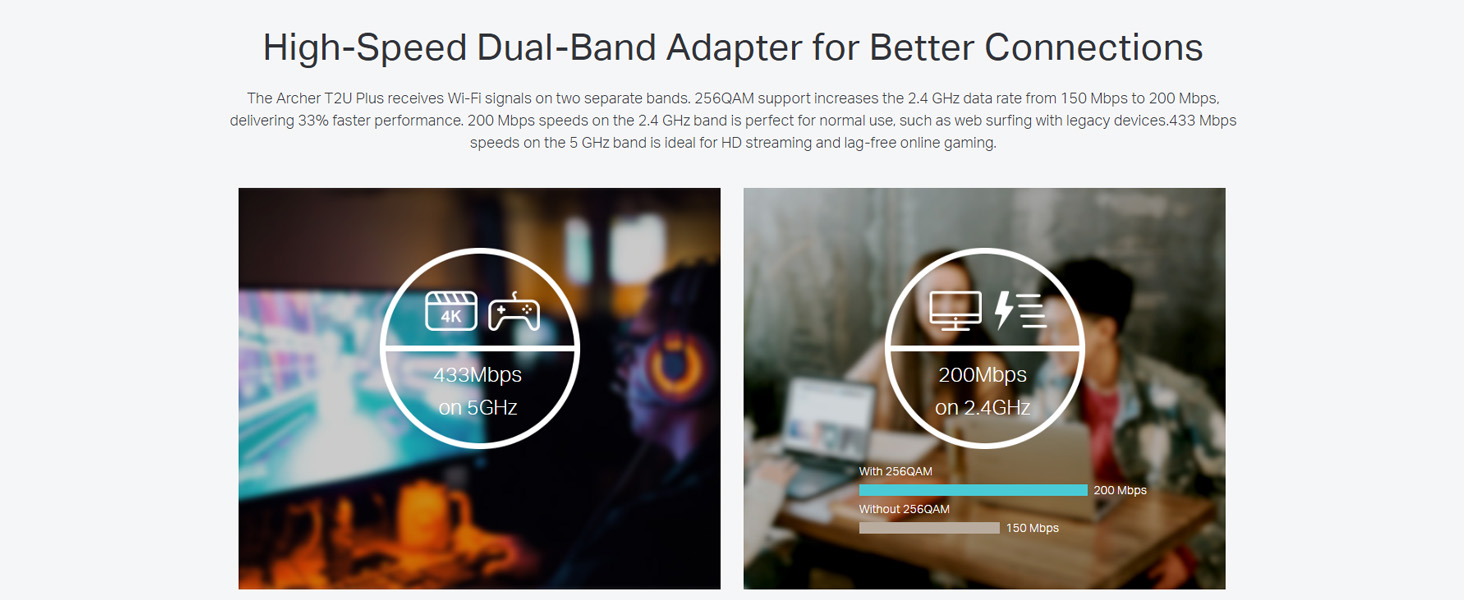
Image: A visual representation comparing the data rates and typical uses for the 2.4 GHz (200 Mbps) and 5 GHz (433 Mbps) bands.
5.3 Antenneneinstellung
The adapter features an adjustable, multi-directional 5dBi high-gain antenna to optimize signal reception and transmission.
- Rotate and adjust the antenna in various directions to find the optimal position for signal strength and performance in your environment.
- Experiment with different angles to achieve the best possible Wi-Fi range and stability.

Image: The Archer T2U Plus adapter illustrating its adjustable antenna, capable of rotating up to 180 degrees and tilting 90 degrees for optimal signal.
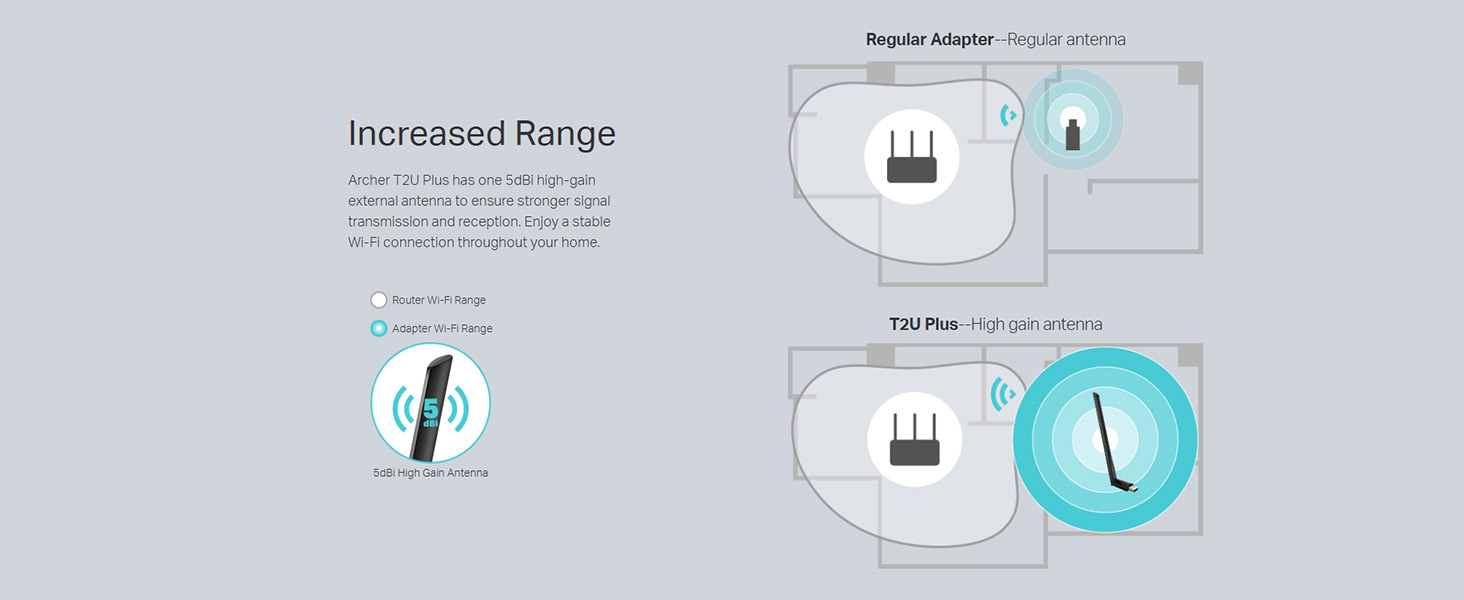
Image: A diagram comparing the Wi-Fi coverage area of a regular adapter with a standard antenna versus the extended range provided by the Archer T2U Plus's high-gain antenna.
6. Wartung
6.1 Treiberaktualisierungen
Überprüfen Sie regelmäßig den TP-Link-Support. website for updated drivers. Keeping your drivers current ensures optimal performance, compatibility, and security.
6.2 Reinigung
To maintain the adapter's performance, keep it clean and free from dust. Use a soft, dry cloth to wipe the device. Avoid using liquid cleaners or solvents.
7. Fehlerbehebung
If you encounter issues with your Archer T2U Plus adapter, refer to the following common troubleshooting steps:
- Keine Wi-Fi-Verbindung:
- Stellen Sie sicher, dass der Adapter fest an einen USB-Anschluss angeschlossen ist.
- Überprüfen Sie, ob die Treiber korrekt installiert sind. Installieren Sie sie gegebenenfalls neu.
- Prüfen Sie, ob Ihr Router eingeschaltet ist und ein WLAN-Signal aussendet.
- Versuchen Sie, eine Verbindung zu einem anderen USB-Anschluss herzustellen.
- Langsame WLAN-Geschwindigkeit:
- Ensure you are connected to the 5 GHz band if your router supports it, for faster speeds.
- Passen Sie die Antennenposition an, um einen besseren Signalempfang zu erzielen.
- Um Störungen zu vermeiden, sollte der Adapter von anderen elektronischen Geräten entfernt aufgestellt werden.
- Aktualisieren Sie die Treiber Ihres Adapters auf die neueste Version.
- Adapter nicht erkannt:
- Try plugging the adapter into another USB port.
- Starten Sie Ihren Computer neu.
- Installieren Sie die Treiber manuell von der Ressourcen-CD oder vom TP-Link-Gerät. webWebsite.
8. Spezifikationen
| Marke | TP-Link |
| Modell | Archer T2U Plus |
| Hardware-Schnittstelle | USB, USB 2.0 |
| Datenübertragungsrate | 600 Megabits Per Second (200 Mbps on 2.4 GHz, 433 Mbps on 5 GHz) |
| Antennentyp | 5dBi High-Gain External Antenna |
| Kompatible Betriebssysteme | Windows 11/10/8.1/8/7/XP, Mac OS 10.15 and earlier |
| Produktabmessungen (L x B x H) | 5.8L x 1.8B x 17.3H Zentimeter |
| Artikelgewicht | 12 Gramm |
| Farbe | Schwarz |
9. Garantie und Support
9.1 Garantieinformationen
Dieses Produkt wird mit einem 3 Jahr Garantie Ab Kaufdatum. Bitte bewahren Sie Ihren Kaufbeleg für Garantieansprüche auf. Die Garantie deckt Herstellungsfehler und Funktionsstörungen bei normalem Gebrauch ab.
9.2 Technischer Support
For technical assistance, driver downloads, or further inquiries, please contact TP-Link support:
- Gebührenfreier Support: 1800-209-4168
- E-Mail-Support: support.in@tp-link.com
- WebWebsite: www.tp-link.com/in/support/