
1. Einrichtung
1.1 Auspacken und erste Platzierung
Carefully remove the television from its packaging. It is recommended that two or more people handle the television due to its size and weight. Ensure the television is placed on a stable, flat surface or securely mounted to a wall.
Video: LG TV Unboxing. This video demonstrates the process of safely unboxing the LG TV and preparing it for setup.
1.2 Montage des Ständers (falls zutreffend)
If using the included stand, attach it to the television following the instructions provided in the separate quick setup guide. Ensure all screws are tightened securely to prevent instability.

Bild: Abgewinkelt view of the LG 65SM9000PUA TV with its crescent-shaped stand attached. This image illustrates the television's appearance when placed on a surface using the provided stand.
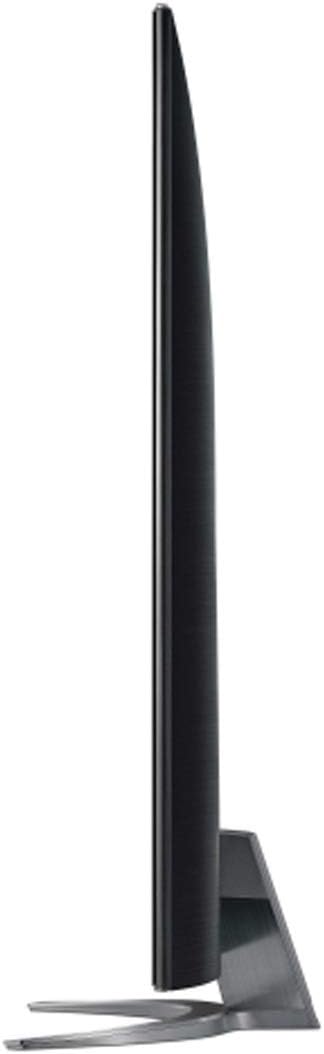
Bild: Von oben nach unten view of the LG 65SM9000PUA TV's crescent-shaped stand. This image highlights the design of the stand base.
1.3 Anschließen von Peripheriegeräten
Connect your external devices such as cable boxes, Blu-ray players, gaming consoles, and sound systems to the television's input ports. The LG 65SM9000PUA features 4 HDMI ports, 1 Ethernet port, 3 USB 2.0 ports, 1 Digital Audio Output (Optical), 1 Composite Input (AV), and 1 RS-232C Input (Mini Jack).

Bild: Hinteren view of the LG 65SM9000PUA TV, showing various input and output ports. This image helps users identify where to connect their devices.
1.4 Einschalten und Ersteinrichtung
Plug the power cable into the television and a wall outlet. Press the power button on the remote control or the television itself. Follow the on-screen instructions to complete the initial setup, including language selection, network connection, and channel scanning.
2. Bedienung des Fernsehers
2.1 Grundfunktionen
Use the remote control to navigate the TV's interface. The power button turns the TV on/off, volume buttons adjust sound, and input buttons switch between connected devices.
2.2 Bildeinstellungen
Optimieren Sie Ihre viewing experience by adjusting picture settings. Access the Picture Mode settings to select options like 'Technicolor Expert' for accurate colors. Adjust backlight, contrast, brightness, and sharpness as desired. The TV features Nano Color technology for vibrant images and an α7 Gen 2 Intelligent Processor for enhanced picture quality.
Video: LG TV Picture Setting. This video guides users through adjusting various picture settings on their LG TV for optimal viewing.
2.3 Toneinstellungen
The TV supports Dolby Atmos for immersive audio. For enhanced wireless audio, the TV is WiSA Speaker Compatible (transmitter dongle sold separately, supports 5.1 and 2.0 Channel). Adjust sound modes and equalizer settings in the audio menu.
Video: LG TV Sound Bar. This video provides information on connecting and optimizing sound with an LG TV and sound bar.
2.4 Intelligente Funktionen (webOS & AI ThinQ)
The LG 65SM9000PUA runs on webOS and integrates LG ThinQ AI. It has built-in Google Assistant and Alexa for voice control. Use the Magic Remote to navigate smart features and access streaming apps.
Video: LG AI TV Alexa Education. This video explains how to use Alexa voice commands with your LG AI TV.
2.5 Konnektivitätsfunktionen
The TV supports Wi-Fi and Bluetooth for wireless connections. AirPlay 2 is built-in, allowing you to effortlessly cast content from Apple devices to your LG AI TV.
Video: LG TV AirPlay. This video demonstrates the AirPlay 2 functionality on LG TVs, allowing seamless content casting from Apple devices.
3. Wartung
3.1 Reinigung des Fernsehers
Um den Bildschirm zu reinigen, wischen Sie ihn vorsichtig mit einem weichen, trockenen Mikrofasertuch ab. Bei hartnäckigen Flecken leicht andrücken.ampen the cloth with water. Avoid using harsh chemicals, abrasive cleaners, or alcohol-based solutions. Clean the exterior of the TV with a soft, dry cloth.
3.2 Softwareaktualisierungen
Periodically check for software updates to ensure your TV has the latest features and performance improvements. Navigate to the TV's settings menu, then to 'General' and 'About This TV' to find the software update option. Follow the on-screen prompts to download and install any available updates. Ensure the TV remains connected to the internet and power during the update process.
4. Fehlerbehebung
4.1 Häufige Probleme
- Kein Strom: Prüfen Sie, ob das Netzkabel fest mit dem Fernseher und der Steckdose verbunden ist. Stellen Sie sicher, dass die Steckdose funktioniert.
- Kein Bild/Ton: Vergewissern Sie sich, dass die richtige Eingangsquelle ausgewählt ist. Überprüfen Sie alle Kabelverbindungen zwischen dem Fernseher und den externen Geräten.
- Netzwerkverbindungsprobleme: Stellen Sie sicher, dass Ihr WLAN-Router eingeschaltet und funktionsfähig ist. Stellen Sie die Verbindung zum WLAN-Netzwerk wieder her oder versuchen Sie es mit einer kabelgebundenen Ethernet-Verbindung.
- Fernbedienung funktioniert nicht: Replace the batteries in the remote control (requires 2 AAA batteries). Ensure there are no obstructions between the remote and the TV.
4.2 Werksreset
If you encounter persistent issues, performing a factory reset may resolve them. This will erase all personalized settings and return the TV to its original factory state. To perform a factory reset, navigate to the TV's settings menu, then to 'General' and 'Reset to Initial Settings'. Confirm your selection when prompted.
5. Spezifikationen
| Besonderheit | Detail |
|---|---|
| Bildschirmgröße | 65 Zoll |
| Display-Technologie | LED-Nanozelle |
| Auflösung | 4K Ultra HD (3840 x 2160) |
| Bildwiederholrate | 120 Hz |
| Prozessor | α7 Intelligenter Prozessor der 2. Generation |
| HDR-Format unterstützt | Dolby Vision, HDR10, HLG |
| Betriebssystem | webOS |
| KI-Funktionen | LG ThinQ AI, Google Assistant, Alexa Built-in |
| Konnektivität | Wi-Fi, Bluetooth, Ethernet, HDMI (4 ports), USB (3 ports) |
| Audioausgabemodus | Stereo, 2.2 Channel Speaker System, Dolby Atmos (Possibly) |
| Bildschirmspiegelung | AirPlay 2 |
| Abmessungen mit Ständer (BxHxT) | 57.3" x 35.7" x 12.8" |
| Gewicht mit Ständer | 61.9 Pfund |
| VESA-Halterungsstandard | 300 x 300 mm |
| Im Lieferumfang enthaltene Komponenten | Power Cable, Remote Control, Remote Control Batteries, User Manual |
6. Garantie und Support
6.1 Produktgarantie
This LG television comes with a 1 Jahr auf Teile und Arbeit limited warranty. Please refer to the warranty card included in your product packaging for full terms and conditions.
6.2 Kundendienst
For technical assistance, troubleshooting, or warranty claims, please contact LG Customer Support. You can find contact information on the official LG website or through the 'Customer Support' option in your TV's menu.