
Einführung
The La Crosse Technology LTV-POOL-INT Wireless Digital Pool Thermometer is designed to monitor your pool's water temperature. This floating thermometer features a clear 1-inch LCD display for easy temperature readings in Fahrenheit. It is battery-operated and includes a low battery indicator. This device can also be added to a compatible La Crosse View weather station for remote monitoring.
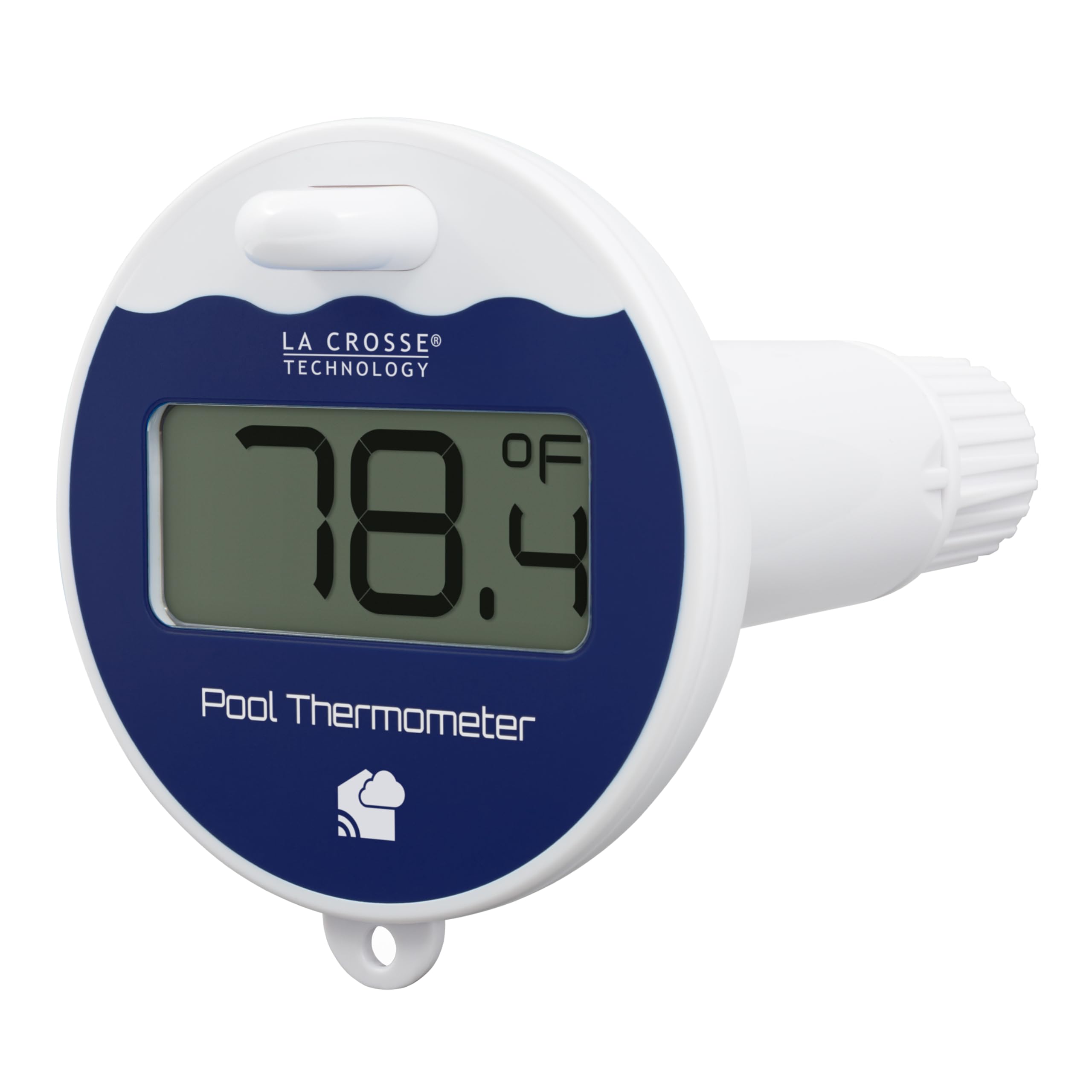
Image: The LTV-POOL-INT thermometer floating in a clear blue swimming pool, displaying the water temperature.
Hauptmerkmale
- Easy-to-read digital display for current pool temperature.
- Underwater sensor with a twist-on battery cover designed to prevent water intrusion.
- Integrated keyhole for attaching a tether string (string not included) to secure the thermometer.
- Displays temperature in Fahrenheit.
- Low battery indicator for timely battery replacement.
- Compatible with La Crosse View weather stations for remote monitoring.
Aufstellen
1. Einlegen der Batterie
- Locate the twist-on battery cover at the bottom of the thermometer.
- Twist the cover counter-clockwise to remove it.
- Insert two (2) new AA alkaline batteries (not included) into the battery compartment, ensuring correct polarity (+/-).
- Replace the battery cover by twisting it clockwise until the alignment indicators on the cover and sensor meet, ensuring a tight, waterproof seal.

Bild: Detailliert view of the thermometer's secure twist-on battery compartment, illustrating how to insert the two AA batteries.
2. Platzierung im Becken
Place the thermometer directly into your pool. For secure placement, you can attach a string or cord (not included) through the integrated keyhole on the thermometer and tie it to a fixed point, such as a pool ladder or edge.
3. Pairing with La Crosse View Wetterstation (optional)
If you have a compatible La Crosse View weather station, the LTV-POOL-INT can be added as an external sensor. Refer to your weather station's manual for specific pairing instructions. Typically, this involves initiating a sensor search on your weather station and ensuring the pool thermometer is within range (up to 330 feet / 100 meters, unobstructed).

Image: The LTV-POOL-INT thermometer in a pool, wirelessly transmitting temperature data to a compatible indoor display unit.
Bedienungsanleitung
Reading Temperature Directly
The current pool temperature will be displayed on the 1-inch LCD screen of the floating thermometer. The large digits ensure readability without needing to remove the thermometer from the water.
Remote Monitoring via La Crosse View App (with compatible weather station)
Once paired with a compatible La Crosse View weather station, you can monitor your pool's temperature remotely using the La Crosse View mobile application. The app provides real-time temperature data, historical insights, and allows you to set custom alerts for temperature changes.

Image: An illustration showing the wireless connection between the pool thermometer, a La Crosse View weather station, and a smartphone app for remote temperature monitoring.

Image: A smartphone screen showing the La Crosse View app with historical temperature data and graphs for the pool thermometer, providing insights into daily high and low temperatures.
Wartung
- Batteriewechsel: When the low battery indicator appears on the display, replace the two AA batteries following the installation steps in the Setup section. Ensure the battery compartment is securely sealed after replacement to maintain water resistance.
- Reinigung: The thermometer can be hand washed with mild soap and water. Avoid abrasive cleaners or solvents that may damage the unit.
- Wasserdichter Verschluss: Regularly inspect the battery compartment seal for any signs of wear or damage. A proper seal is crucial to prevent water from entering the unit.
Fehlerbehebung
- Blank Screen or Incorrect Readings:
- Check for low or weak batteries. Replace with fresh AA alkaline batteries.
- Inspect metal contacts in the battery compartment for leakage or corrosion. Clean if necessary.
- Perform a full power cycle: Remove all batteries from the pool sensor. While batteries are out, press any button on the display to discharge any remaining electrical current. Install fresh, new batteries into the pool sensor. Allow the unit to sit within 3-5 feet of a compatible display (if applicable) with no objects between them for at least 15 minutes to properly connect. Temperatures should then display correctly.
- Pool Temperature Comes and Goes on Display (Connectivity Issues):
- Ensure the pool thermometer is within the transmission range (up to 330 feet / 100 meters) of your compatible La Crosse View weather station or indoor display.
- Minimize obstructions between the sensor and the receiver, such as thick walls, glass windows, or large metal objects, as these can reduce the wireless range.
- Avoid placing the indoor display near electrical devices that may cause frequency interference (e.g., TVs, computers, microwaves). Maintain at least 6 feet distance.
- If using with a La Crosse View weather station, hold the '+' or 'SENSOR' icon button on the display to initiate a manual search for the pool sensor. The POOL icon should display when the sensor is detected.
Technische Daten
| Besonderheit | Detail |
|---|---|
| Modellnummer | LTV-POOL-INT |
| Marke | La Crosse-Technologie |
| Anzeigetyp | LCD |
| Temperatureinheit | Fahrenheit |
| Temperaturbereich | 50°F bis 122°F |
| Stromquelle | Batteriebetrieben |
| Batterien erforderlich | 2 AA-Alkalibatterien (nicht im Lieferumfang enthalten) |
| Konnektivitätstechnologie | Bluetooth (for La Crosse View app integration) |
| Drahtlose Übertragungsreichweite | Bis zu 100 m (330 Fuß) im Freien |
| Ansprechzeit | 60 Sekunden |
| Material | Plastik |
| Artikelgewicht | 0.4 Pfund |
| Abmessungen (ca.) | 4.18" H x 3.87" W x 6.67" D (overall) |
Garantie
The La Crosse Technology LTV-POOL-INT Wireless Digital Pool Thermometer comes with a 1 Jahr eingeschränkte Garantie Die Kosten für Teile und Arbeitsleistung sind abgedeckt. Bitte bewahren Sie Ihren Kaufbeleg für Garantieansprüche auf.
Unterstützung
For additional assistance, troubleshooting tips, or to access video tutorials, please visit the official La Crosse Technology website or contact their USA-based support team. Contact information can typically be found on the product packaging or the official webWebsite.
Video: An official promotional video from La Crosse Technology, Ltd. showcasing the features and benefits of the LTV-POOL-INT Wireless Digital Pool Thermometer.