
Einführung
Thank you for choosing Obbug True Wireless Earbuds. These earbuds are designed for comfort, durability, and high-quality audio, featuring an ergonomic design, IPX7 waterproof rating, and advanced Bluetooth 5.1 technology for stable connections and long battery life. This manual provides essential information for setup, operation, maintenance, and troubleshooting to ensure you get the best experience from your new earbuds.
Lieferumfang
- 1 Paar kabellose Ohrhörer
- 1 x tragbarer Ladekoffer
- 1 x Typ-C-Kabel
- 4 x Ohrstöpsel (verschiedene Größen)
- 1 x Benutzerhandbuch
Produkt überview

The Obbug True Wireless Earbuds come with a sleek, portable charging case. The earbuds feature a compact design for a comfortable and secure fit.

The earbuds are designed for one-step pairing, automatically connecting to your device once removed from the charging case.

Weighing only 4g each, these earbuds offer a super lightweight design for hassle-free listening and extended comfort.
Aufstellen
Aufladen der Ohrhörer
Before first use, fully charge the earbuds and the charging case. Place the earbuds into their respective slots in the charging case. The indicator lights on the case will show the charging status. Connect the Type-C cable to the charging case and a USB power source.

The charging case provides up to 120 hours of standby time and can fully recharge the earbuds 2-3 times, offering up to 5 hours of talk/play time per charge.
Official product video demonstrating the charging case and earbuds. This video highlights the design and charging functionality of the pink wireless earbuds.
Offizielles Produktvideo präsentiertasing the Mini Wireless Earbuds and their TWS Bluetooth Headset Charging Case. This video provides a visual guide to the product's features and charging capabilities.
Koppeln mit Ihrem Gerät
- Öffnen Sie das Ladecase. Die Ohrhörer schalten sich automatisch ein und wechseln in den Kopplungsmodus.
- Aktivieren Sie Bluetooth auf Ihrem Gerät (Smartphone, Tablet usw.).
- Suchen nach "Q13S TWS" in the list of available Bluetooth devices and select it to connect.
- Sobald die Verbindung hergestellt ist, hören Sie eine Bestätigungsansage und die Kontrollleuchten der Ohrhörer ändern sich.
The earbuds offer one-step pairing, compatible with iOS, Android, and Windows devices for seamless connection.
Selecting the Right Ear Tips
The earbuds come with three different sizes of ear tips to ensure a comfortable and secure fit. Experiment with the different sizes to find the best fit for your ears. A proper fit enhances sound quality and noise isolation.
The ergonomic design and lightweight nature of the earbuds ensure a snug and comfortable fit for various activities, including sports and exercise.
Bedienungsanleitung
Grundlegende Bedienelemente
The Obbug True Wireless Earbuds feature intuitive touch controls for easy management of your audio and calls.

Control your music and calls with simple finger taps on the earbuds.
| Funktion | Aktion |
|---|---|
| Abspielen/Pause | Tippen Sie einmal auf einen der Ohrhörer |
| Volume + | Rechten Ohrhörer antippen und gedrückt halten |
| Lautstärke - | Linken Ohrhörer antippen und gedrückt halten |
| Nächster Titel | Doppeltippen Sie auf den rechten Ohrhörer |
| Vorheriger Titel | Doppeltippen Sie auf den linken Ohrhörer |
| Anruf annehmen/beenden | Tippen Sie einmal auf einen der Ohrhörer |
| Anruf auflegen | Tippen und halten Sie einen der Ohrhörer gedrückt. |
| Sprachassistent | Dreimaliges Tippen auf einen der Ohrhörer |
Einzelner Ohrhörer-Modus
Both earbuds can be used independently. Simply take one earbud out of the charging case, and it will automatically connect to your device. This allows for flexible usage, such as sharing one earbud with a friend or using one while the other charges.

Each earbud can be used independently, offering flexibility for various listening scenarios.
Wartung
Reinigung
To maintain optimal performance and hygiene, regularly clean your earbuds and charging case. Use a soft, dry, lint-free cloth to wipe down the surfaces. For ear tips, remove them and clean with a mild soap solution, then rinse thoroughly and dry completely before reattaching. Avoid using harsh chemicals or abrasive materials.
Wasserbeständigkeit
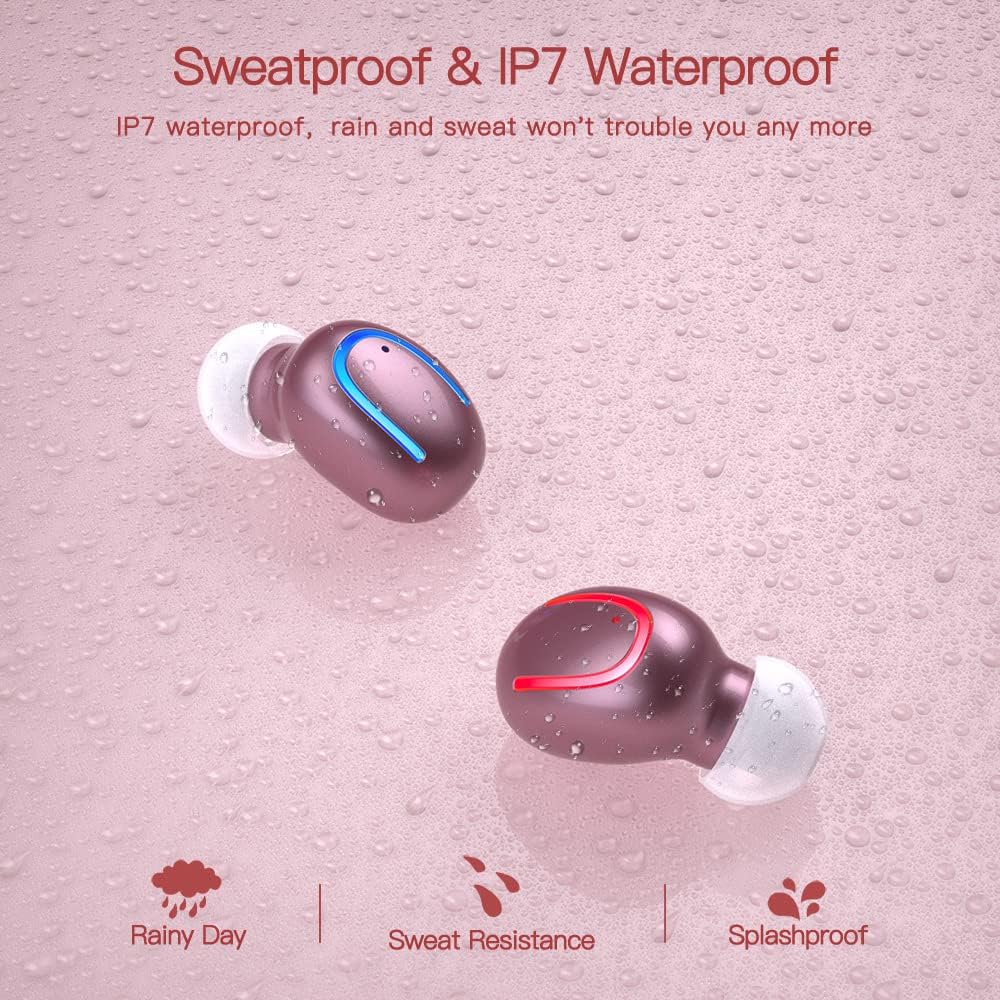
The earbuds are IPX7 waterproof, meaning they can withstand heavy rain and sweat during intense workouts. This protection is ideal for sports and all-weather conditions. Hinweis: Das Ladecase ist nicht wasserdicht. Avoid submerging the charging case in water.

IPX7 water and sweat resistant nano-coating protects the earbuds from heavy rain or sweat during intense workouts.
Fehlerbehebung
- Ohrhörer lassen sich nicht koppeln: Ensure both earbuds are charged and removed from the case. Turn off and on your device's Bluetooth. If issues persist, try resetting the earbuds (refer to the full manual for specific reset instructions if available).
- Kein Ton oder geringe Lautstärke: Check the volume levels on both your device and the earbuds. Ensure the earbuds are properly seated in your ears and that the ear tips are clean and correctly sized.
- Verbindungsprobleme: Stellen Sie sicher, dass sich Ihr Gerät innerhalb der Bluetooth-Reichweite von 12 Metern befindet. Vermeiden Sie Hindernisse, die das Signal stören könnten.
- Probleme beim Aufladen: Verify the Type-C cable is securely connected to both the case and the power source. Check if the charging indicators on the case are active.
- Mikrofon funktioniert nicht: Stellen Sie sicher, dass die Ohrhörer ordnungsgemäß angeschlossen und während Anrufen als Audioeingabegerät auf Ihrem Telefon ausgewählt sind.
For further assistance, please consult the customer service for 24-hour after-sales support.
Technische Daten
| Besonderheit | Detail |
|---|---|
| Marke | Obbug |
| Modellname | Obbq13 / Q13S TWS |
| Konnektivitätstechnologie | Kabellos (Bluetooth 5.1) |
| Wasserbeständigkeit | IPX7 Wasserdicht |
| Akkulaufzeit (Ohrhörer) | Up to 5 hours talk/play time |
| Akkulaufzeit (mit Hülle) | Bis zu 20 Stunden Gesamtspielzeit |
| Ladezeit | Ungefähr 1-2 Stunden |
| Kapazität des Ladegehäuses | 600 mAh |
| Steuerungstyp | Touch-Steuerung |
| Platzierung des Ohrs | Im Ohr |
| Artikelgewicht | 0.64 Unzen |
| Material | Plastik |
| Kompatible Geräte | Android, iPhone, iPad, Samsung Galaxy, iPod Nano, Laptops & Tablets, etc. |
Garantie und Support
Obbug products are manufactured with high-quality standards. For any product-related inquiries, technical support, or warranty claims, please contact Obbug customer service. Refer to your purchase documentation for specific warranty terms and contact information.
Customer service is available for 24 hours after-sales support to assist you with any concerns or issues you may encounter.