
Einführung
This manual provides instructions for the VINABTY MKJ36998126 Replacement Remote Control. This remote is designed as a direct replacement for various LG TV models, including the 32LV2400, 42LV4400, 47LV4400, and 55LV4400 series. It is pre-programmed and requires no additional setup beyond battery installation.
The remote control offers a comfortable, ergonomic design and provides full functionality for your compatible LG television, allowing you to control power, volume, channels, input, and other essential TV functions.
Aufstellen
1. Einlegen der Batterie
The VINABTY MKJ36998126 remote control requires two (2) AAA batteries (not included) for operation. Follow these steps to install the batteries:
- Suchen Sie das Batteriefach auf der Rückseite der Fernbedienung.
- Drücken Sie auf den Riegel und schieben Sie die Batterieabdeckung nach unten, um sie zu öffnen.
- Legen Sie zwei AAA-Batterien ein und achten Sie darauf, dass die Plus- (+) und Minus- (-) Anschlüsse mit den Markierungen im Inneren des Batteriefachs übereinstimmen.
- Schieben Sie die Batterieabdeckung wieder an ihren Platz, bis sie sicher einrastet.
Notiz: Tauschen Sie immer beide Batterien gleichzeitig gegen neue aus. Verwenden Sie keine alten und neuen Batterien zusammen, und auch keine Batterien unterschiedlicher Typen.
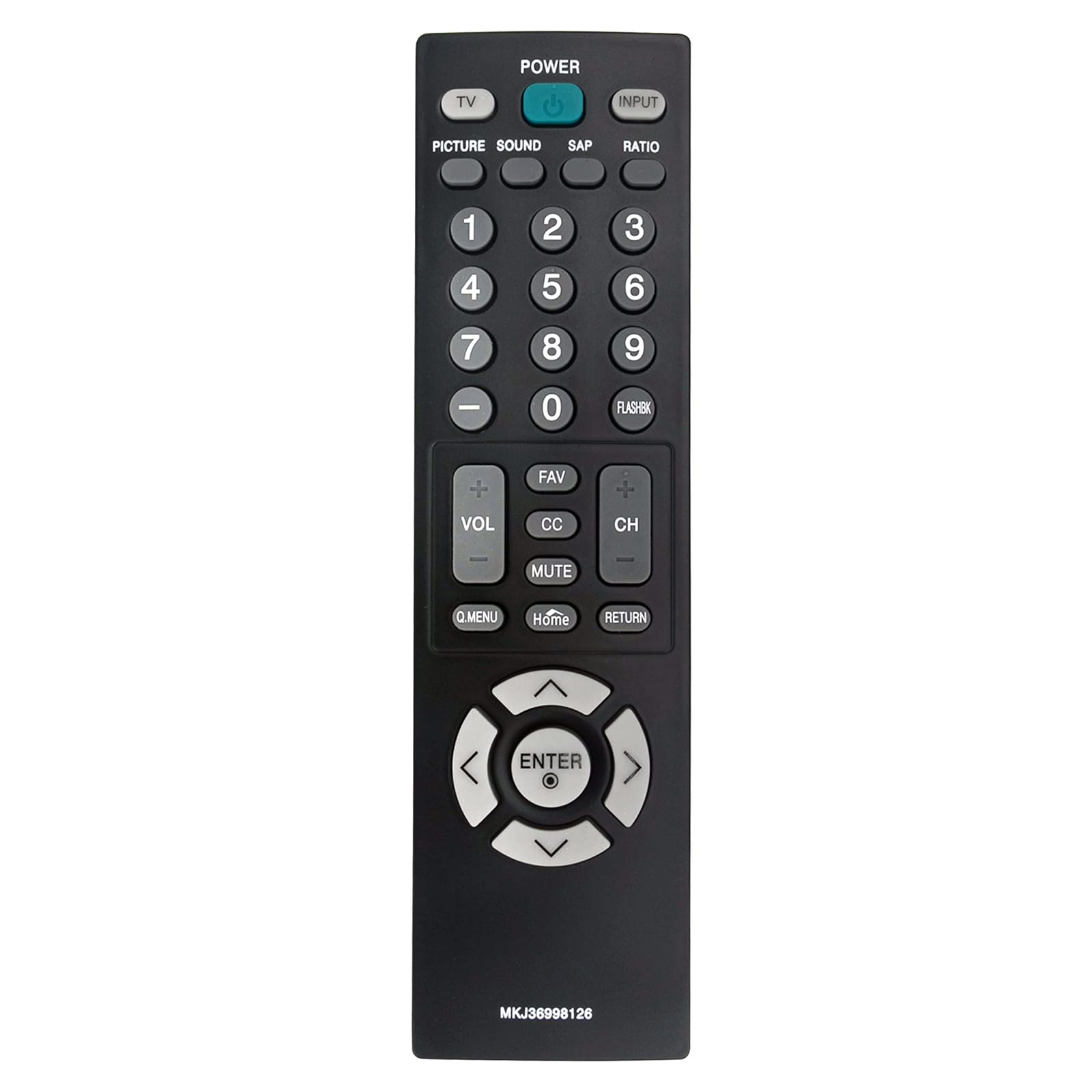
Bild: Vorderseite view of the VINJABTY MKJ36998126 remote control, showing the button layout. The battery compartment is on the reverse side.
2. Erstgebrauch
This remote control is pre-programmed for compatible LG TV models. Once batteries are installed, it is ready for immediate use. No additional programming or pairing is required.
Bedienungsanleitung
The VINABTY MKJ36998126 remote control provides intuitive access to your LG TV's functions. Below is a general overview der Haupttasten und ihrer Funktionen:

Abbildung: Eine detaillierte Frontansicht view of the VINABTY MKJ36998126 remote control, highlighting the various buttons and their labels for easy identification.
- LEISTUNG: Schaltet den Fernseher ein oder aus.
- FERNSEHER: Schaltet in den TV-Modus.
- EINGANG: Wählt die Eingangsquelle aus (HDMI, AV, Komponente usw.).
- BILD: Passt die Bildeinstellungen an.
- KLANG: Passt die Soundeinstellungen an.
- SAP: Selects Secondary Audio Program (if available).
- VERHÄLTNIS: Ändert das Bildschirmseitenverhältnis.
- Zifferntasten (0-9): Wählt Kanäle direkt aus oder gibt numerische Werte ein.
- FLASHBK: Erinnert an das vorherige viewed-Kanal.
- LAUTSTÄRKE (+/-): Erhöht oder verringert die Lautstärke.
- CH (+/-): Ändert den Kanal nach oben oder unten.
- Favorit: Zugriff auf Lieblingssender.
- CC: Toggles Closed Captions on or off.
- STUMM: Schaltet den Fernsehton stumm oder hebt die Stummschaltung auf.
- Q.MENÜ: Ermöglicht den Zugriff auf das Schnellmenü für häufig verwendete Einstellungen.
- Heim: Returns to the TV's home screen or main menu.
- ZURÜCKKEHREN: Kehrt zum vorherigen Bildschirm oder Menü zurück.
- Navigationsfeld (Oben, Unten, Links, Rechts, EINGABE): Navigiert durch Menüs und bestätigt Auswahlen.

Image: The VINABTY MKJ36998126 remote control shown next to a compatible LG television, illustrating its intended use.
Wartung
Batteriewechsel
When the remote control's performance degrades or it stops responding, it is likely time to replace the batteries. Follow the battery installation steps outlined in the 'Setup' section.
Reinigung
Reinigen Sie die Fernbedienung mit einem weichen, trockenen Tuch. Bei hartnäckigem Schmutz leicht andrücken.ampReinigen Sie das Tuch mit Wasser oder einem milden, nicht scheuernden Reinigungsmittel. Verwenden Sie keine scharfen Chemikalien und tauchen Sie die Fernbedienung nicht in Wasser.
Lagerung
Store the remote control in a dry place, away from direct sunlight and extreme temperatures. If the remote will not be used for an extended period, it is recommended to remove the batteries to prevent leakage.
Fehlerbehebung
- Fernbedienung reagiert nicht:
- Stellen Sie sicher, dass die Batterien korrekt und mit der richtigen Polarität eingelegt sind.
- Ersetzen Sie die alten Batterien durch neue AAA-Batterien.
- Prüfen Sie, ob sich Hindernisse zwischen der Fernbedienung und dem Infrarotsensor des Fernsehers befinden.
- Ensure you are within the maximum operating range (approximately 33 feet) and pointing the remote directly at the TV.
- Bestimmte Tasten funktionieren nicht:
- Clean the remote control, especially around the affected buttons, to remove any debris that might be causing sticking.
- If cleaning does not resolve the issue, the button may be worn or damaged.
- TV not listed as compatible:
- This remote is specifically designed for the listed LG TV models. If your TV model is not listed, full compatibility cannot be guaranteed.
Technische Daten
| Besonderheit | Detail |
|---|---|
| Marke | VINABTY |
| Modellname | MKJ36998126 |
| Kompatible Geräte | LG Television (32LV2400, 42LV4400, 47LV4400, 55LV4400 series) |
| Konnektivitätstechnologie | Infrarot |
| Anzahl der benötigten Batterien | 2 |
| Akku-Typ | AAA (Alkaline empfohlen) |
| Maximale Reichweite | 33 Fuß |
| Anzahl der Tasten | 30 |
| Artikelabmessungen (L x B x H) | 5 Zoll L x 1.9 Zoll B x 0.5 Zoll H |
| Besonderheit | Ergonomisch |

Image: The VINABTY MKJ36998126 remote control with its length (7.28 inches) and width (1.97 inches) clearly marked.
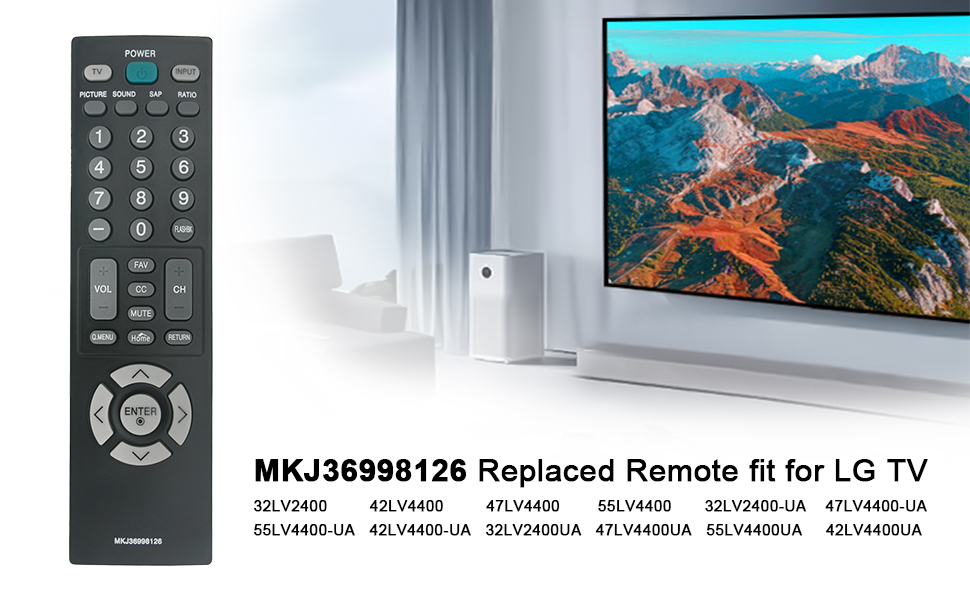
Image: The VINABTY MKJ36998126 remote control displayed alongside a list of compatible LG TV models, including 32LV2400, 42LV4400, 47LV4400, and 55LV4400 series.
Garantieinformationen
Specific warranty details for the VINABTY MKJ36998126 remote control may vary. Please refer to the retailer's return policy or contact the manufacturer directly for comprehensive warranty information.
Unterstützung
For further assistance, troubleshooting, or inquiries regarding your VINABTY MKJ36998126 remote control, please contact your point of purchase or the product manufacturer. Ensure you have your product model number (MKJ36998126) available when seeking support.