
TENMIYA A200
TENMIYA A200 Tragbarer Bluetooth-Lautsprecher – Benutzerhandbuch
Modell: A200
Einführung
The TENMIYA A200 Portable Bluetooth Speaker is designed to provide high-quality audio with versatile connectivity options. Featuring Bluetooth 5.0, FM radio, TF card, USB, and AUX input, this speaker offers a comprehensive audio experience for various environments, from home to outdoor gatherings. Its compact design and remote control functionality ensure ease of use and portability.

Image: The TENMIYA A200 speaker in beech color, showcasing its front panel with a large speaker grille, digital display, control buttons, and a remote control placed in front.
Lieferumfang
Bitte überprüfen Sie den Packungsinhalt, um sicherzustellen, dass alle Artikel vorhanden und in einwandfreiem Zustand sind:
- 1 x TENMIYA A200 Bluetooth Speaker
- 1 x Fernbedienung
- 1 x AUX-Kabel (3.5 mm)
- 1 x USB-Ladekabel
- 1 x Benutzerhandbuch (dieses Dokument)
Aufstellen
1. Laden Sie den Lautsprecher auf
Before first use, fully charge the speaker. Connect the provided USB charging cable to the speaker's DC 5V input port and the other end to a USB power adapter (not included) or a computer USB port. The charging indicator will show the charging status. A full charge typically takes about 3-4 hours.
2. Ein-/Ausschalten
Locate the power switch on the side of the speaker. Slide it to the "ON" position to power on the speaker. Slide it to the "OFF" position to power off.
3. Bluetooth-Verbindung
- Power on the speaker. It will automatically enter Bluetooth pairing mode, indicated by a flashing Bluetooth icon on the digital display.
- Aktivieren Sie auf Ihrem Gerät (Smartphone, Tablet, Laptop) Bluetooth und suchen Sie nach verfügbaren Geräten.
- Wählen Sie "TENMIYA A200" aus der Geräteliste aus.
- Once connected, the speaker will emit a confirmation sound, and the Bluetooth icon on the display will stop flashing.

Image: The TENMIYA A200 speaker displaying "Bluetooth 4.1" (note: product specs state 5.0, this image might be older) and a smartphone screen showing music playback, illustrating Bluetooth connectivity.
4. AUX-Eingangsanschluss
For devices without Bluetooth, use the provided 3.5mm AUX cable. Connect one end to the speaker's AUX input port and the other end to the audio output jack of your device (e.g., MP3 player, computer, TV). The speaker will automatically switch to AUX mode.
5. Wiedergabe von TF-Karte und USB
Insert a TF (MicroSD) card or a USB flash drive containing MP3 music files into the respective slots on the side of the speaker. The speaker will automatically detect the storage device and begin playing music.
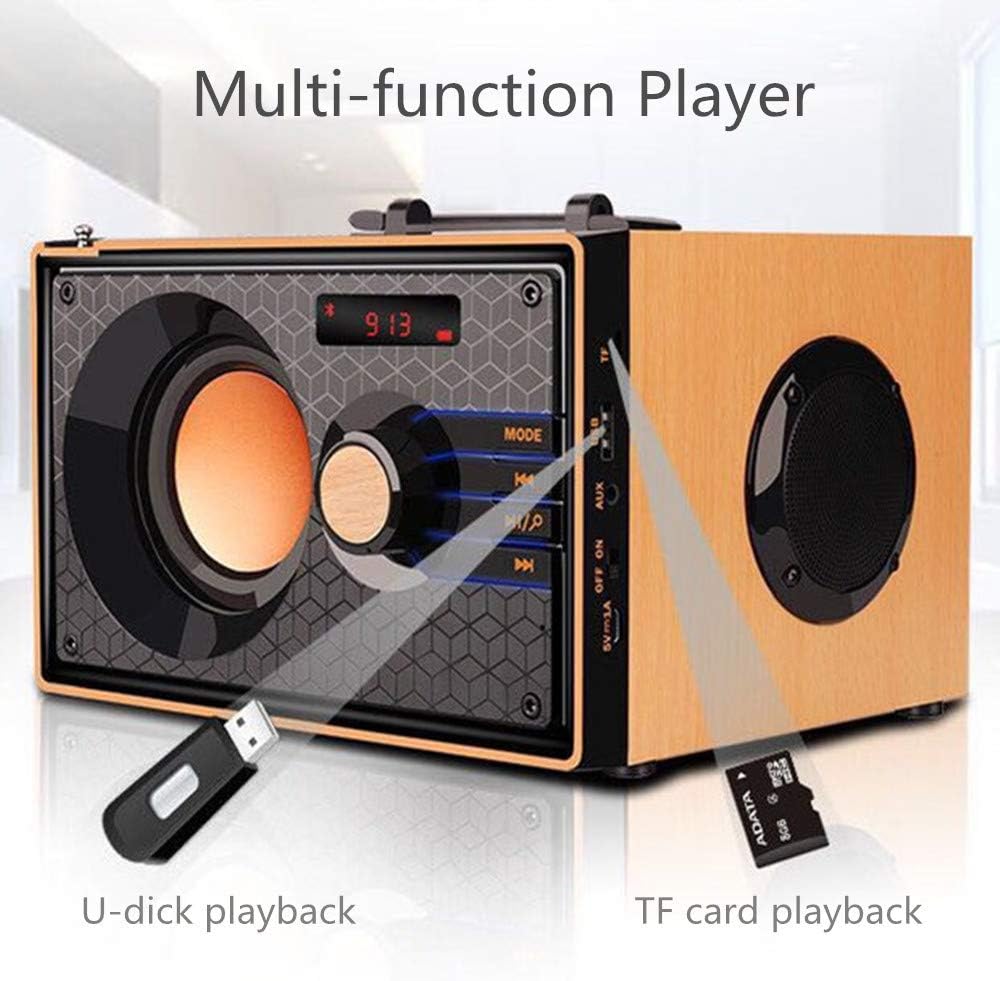
Image: A close-up of the side panel of the TENMIYA A200 speaker, highlighting the USB and TF card input slots with a USB drive and TF card inserted, demonstrating multi-function playback.
Bedienungsanleitung
1. Modusauswahl
Drücken Sie die MODUS button on the speaker's front panel or the remote control to cycle through available modes: Bluetooth, FM Radio, AUX, TF Card, and USB.
2. Lautstärkeregelung
Rotate the large knob on the front panel clockwise to increase volume and counter-clockwise to decrease volume. Alternatively, use the Lautstärke+ Und vol- Tasten auf der Fernbedienung.
3. Playback Control (Bluetooth, TF Card, USB)
- Drücken Sie die Abspielen/Pause Taste (▶▶) to play or pause the current track.
- Drücken Sie die Vorheriger Titel Taste (◀◀) to go to the beginning of the current track or the previous track.
- Drücken Sie die Nächster Titel Taste (▶▶), um zum nächsten Titel zu springen.
4. FM-Radiobetrieb
- Wechseln Sie mit dem MODUS Taste.
- Zum automatischen Scannen und Speichern verfügbarer Stationen die Taste gedrückt halten Abspielen/Pause button. The speaker will scan and store stations with strong signals.
- To manually tune or navigate through saved stations, use the Vorheriger Titel Und Nächster Titel Schaltflächen.
- Extend the telescopic antenna on the back of the speaker for improved FM reception.

Image: A man relaxing on a couch, listening to the TENMIYA A200 speaker which has its telescopic antenna extended, indicating FM radio functionality.
5. Verwendung der Fernbedienung
The included remote control provides convenient access to all speaker functions from a distance of up to 10 feet. Functions include power on/off, mode selection, volume control, track navigation, play/pause, and direct station input for FM radio (if supported by the remote's number pad).
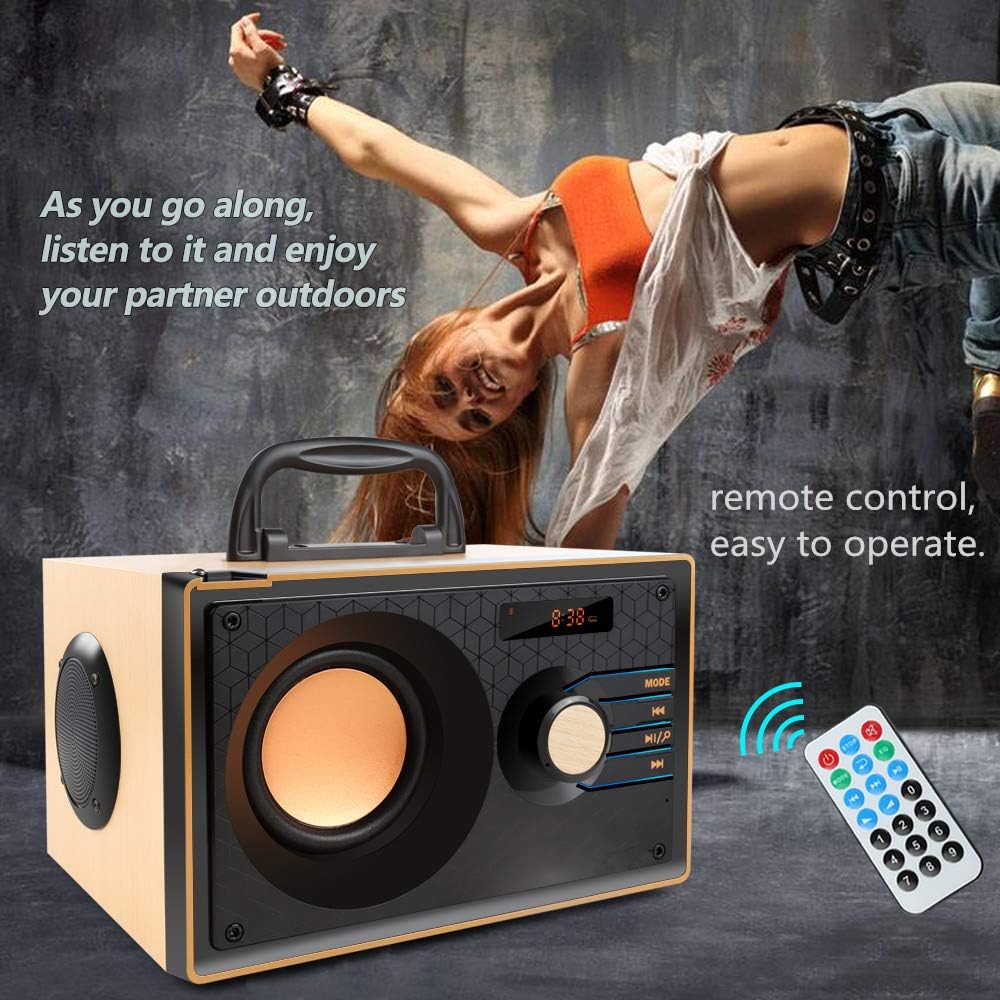
Image: The TENMIYA A200 speaker with its remote control, emphasizing the ease of operation from a distance.
Wartung
- Halten Sie den Lautsprecher von Wasser, Feuchtigkeit und direkter Sonneneinstrahlung fern.
- Reinigen Sie den Lautsprecher mit einem weichen, trockenen Tuch. Verwenden Sie keine Scheuermittel oder Lösungsmittel.
- Vermeiden Sie es, den Lautsprecher fallen zu lassen oder starken Stößen auszusetzen.
- Bewahren Sie den Lautsprecher an einem kühlen, trockenen Ort auf, wenn er längere Zeit nicht benutzt wird.
Fehlerbehebung
| Problem | Mögliche Ursache | Lösung |
|---|---|---|
| Der Lautsprecher lässt sich nicht einschalten. | Niedriger Batteriestand; Netzschalter ist ausgeschaltet. | Laden Sie den Lautsprecher auf; Stellen Sie sicher, dass sich der Netzschalter in der Position „EIN“ befindet. |
| Kein Ton. | Lautstärke zu niedrig; Falscher Modus ausgewählt; Gerät nicht richtig angeschlossen. | Lautstärke erhöhen; MODE-Taste drücken, um den richtigen Eingang auszuwählen; Gerät erneut anschließen. |
| Die Bluetooth-Verbindung schlägt fehl. | Lautsprecher nicht im Kopplungsmodus; Bluetooth-Gerät ausgeschaltet; Zu weit vom Lautsprecher entfernt. | Ensure speaker is in Bluetooth mode and flashing; Turn on device Bluetooth; Move device closer (within 10 meters/33 feet). |
| Schlechter FM-Radioempfang. | Antenne nicht ausgefahren; Gebiet mit schwachem Signal. | Fully extend the telescopic antenna; Try repositioning the speaker for better signal. |
| Fernbedienung funktioniert nicht. | Battery depleted; Obstruction between remote and speaker; Too far from speaker. | Replace remote battery; Remove obstructions; Move closer to speaker (within 10 feet). |
Technische Daten
| Besonderheit | Detail |
|---|---|
| Marke | TENMIYA |
| Modell | A200 |
| Lautsprecherausgangsleistung | 10W (5W + 2.5W x 2) |
| Lautsprechereinheit | 3" + 2" x 2 |
| Frequenzgang | 60Hz - 20KHz |
| Bluetooth-Version | 5.0 |
| Bluetooth-Reichweite | Bis zu 10 Meter (33 Fuß) |
| Batteriekapazität | 2200 mAh |
| Ladezeit | Ca. 3-4 Stunden |
| Spielzeit | Ca. 8 Stunden (bei 40 % Lautstärke) |
| Eingangsleistung | Gleichstrom 5 V |
| Abmessungen (L x B x H) | 7.5 x 6.1 x 4.7 Zoll (190 x 155 x 120 mm) |
| Artikelgewicht | 2.91 Pfund |
| Unterstützte Funktionen | Bluetooth, FM Radio, TF Card, USB, AUX Input |
| Kontrollmethode | Manuelle Tasten, Fernbedienung |

Image: The TENMIYA A200 speaker with its dimensions labeled (190mm length, 155mm depth, 120mm height), illustrating its compact size.
Garantie und Support
The TENMIYA A200 Portable Bluetooth Speaker comes with a worry-free 12-month warranty. If you encounter any issues or have questions regarding your product, please contact our customer service team. We are committed to providing the best customer service and will respond to your inquiries within 24 hours.
For support, please refer to the contact information provided on the product packaging or the seller's page where you purchased the item.
Ask a question about this manual
Ask about setup, troubleshooting, compatibility, parts, safety, or missing instructions. Manuals+ will review the question and use this page’s manual context to help answer it.