
PELONIS FZ10-19JR
PELONIS FZ10-19JR Leiser oszillierender Turmventilator – Benutzerhandbuch
Model: FZ10-19JR | Brand: PELONIS
Einführung
Der PELONIS Turmventilator mit 3 Geschwindigkeitsstufen, Timer und Fernbedienung bietet maximalen Komfort auf kleinstem Raum. Mit seinem hohen, schmalen Design ist er besonders platzsparend.file, this fan is ideal for smaller rooms or areas with limited floor space. It features three speeds, multiple modes, and a timer for automatic shutoff. A convenient remote control allows for easy operation from a distance.
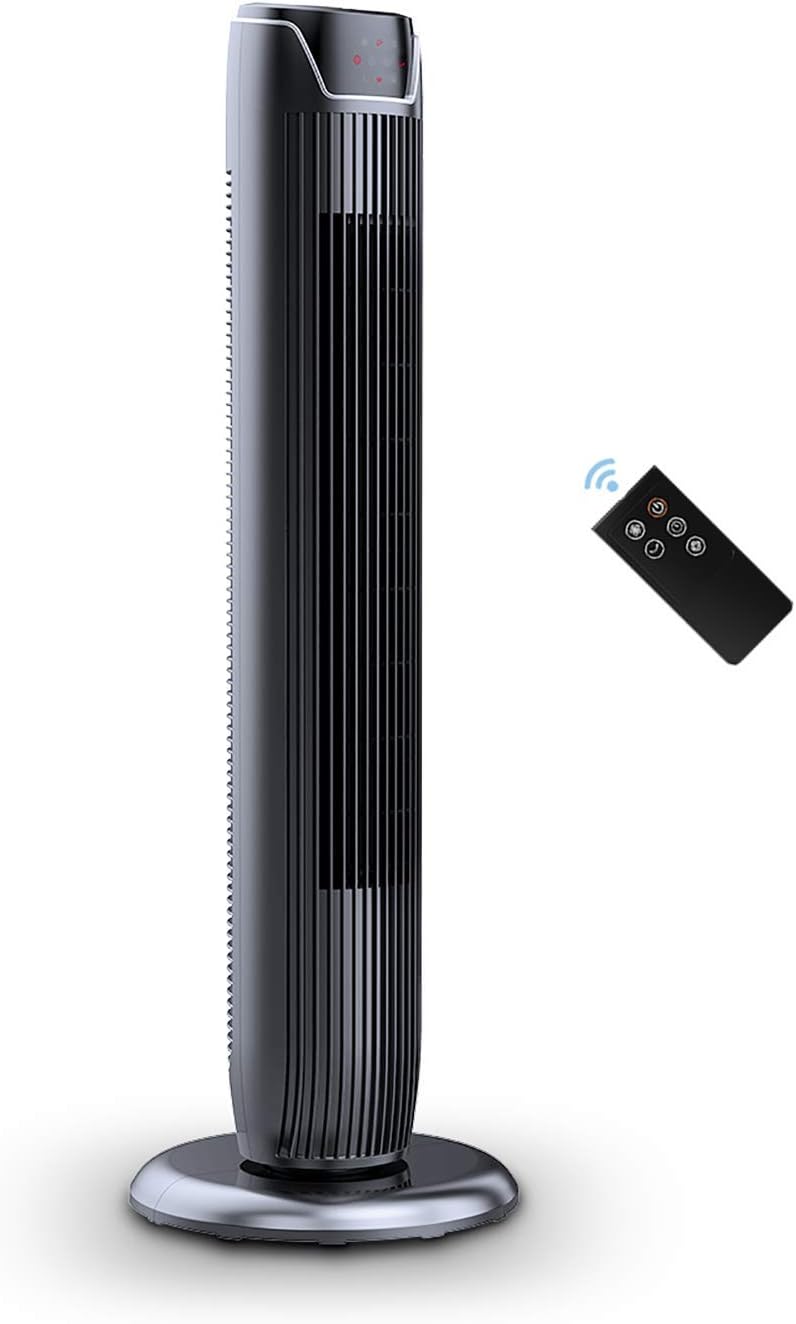
Figure 1: PELONIS FZ10-19JR Quiet Oscillating Tower Fan and Remote Control.
Sicherheitshinweise
Always read and follow all safety instructions before using this appliance to prevent injury or damage. Keep this manual for future reference.
- Überhitzungsschutz: The motor has built-in overheat protection for peace of mind, automatically shutting off the fan if it overheats.
- Kindersicherheit: The compact design on the fan grid ensures the safety of children by preventing finger penetration.
- Warnung zu Proposition 65: Dieses Produkt kann Chemikalien enthalten, von denen bekannt ist, dass sie Krebs, Geburtsfehler oder andere reproduktive Schäden verursachen.
- Stellen Sie sicher, dass der Ventilator auf einer stabilen, ebenen Fläche steht, um ein Umkippen zu verhindern.
- Finger oder Fremdkörper dürfen nicht in das Lüftergitter eingeführt werden.
- Ziehen Sie vor der Reinigung oder Wartung den Netzstecker des Ventilators.
Packungsinhalt
Prüfen Sie beim Öffnen der Verpackung, ob alle Komponenten vorhanden sind:
- PELONIS FZ10-19JR Tower Fan Unit
- Fernbedienung
- Base Parts (multiple pieces for assembly)
- Benutzerhandbuch (PDF online verfügbar)
Aufstellen
The PELONIS FZ10-19JR Tower Fan requires minimal assembly. Follow these steps to set up your fan:
- Zusammenbau der Basis: The base comes in multiple pieces. Snap the base pieces together securely.
- Attach Fan Unit to Base: Carefully align the fan unit with the assembled base. Ensure the power cord is routed through the designated opening in the base.
- Sichern Sie die Basis: Locate the screw underneath the base and tighten it to firmly attach the fan unit to the base.
- Platzierung: Stellen Sie den zusammengebauten Ventilator auf eine stabile, ebene Fläche.
- Stromanschluss: Plug the fan into a standard 120V/60HZ power outlet.
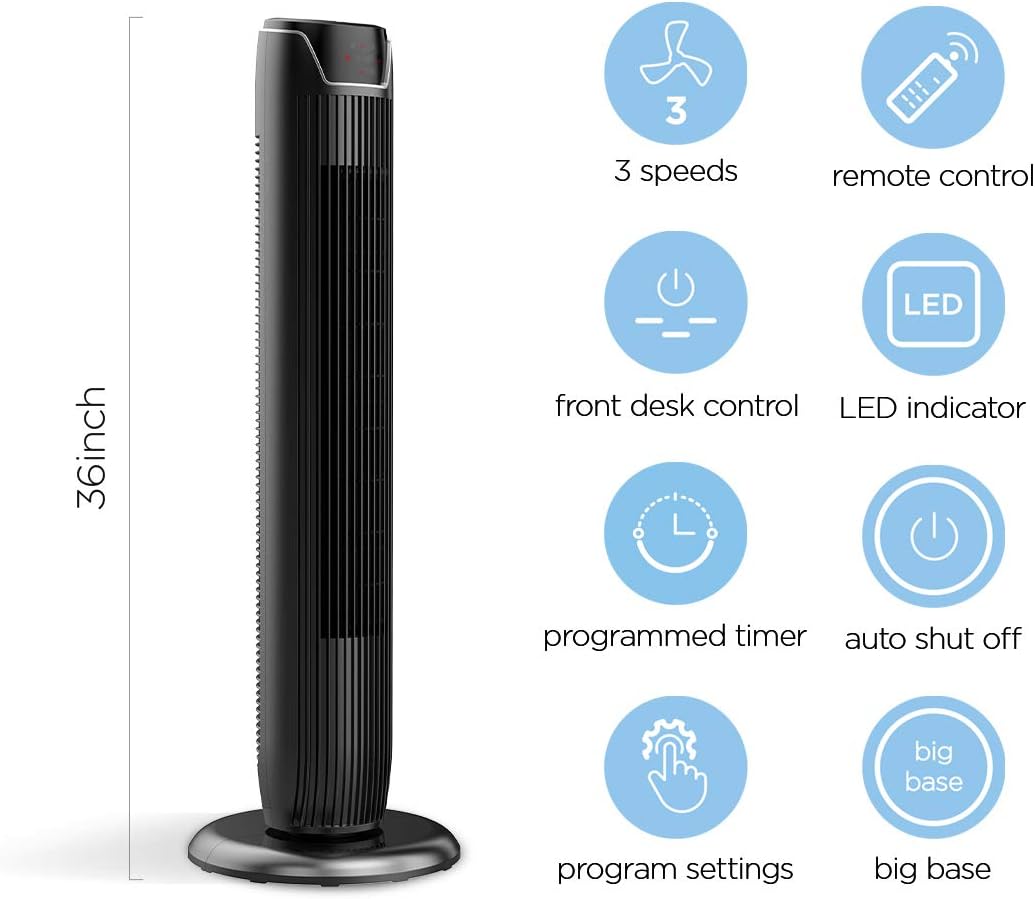
Figure 2: The 36-inch height of the tower fan, highlighting its compact design and various features.

Figure 3: Key features of the PELONIS tower fan, including silent operation, wide-angle airflow, timer, and auto shut-off.
Video 1: Ein überview of the 36-inch PELONIS FZ10-19JR Oscillating Tower Fan, demonstrating its compact size and features.
Bedienungsanleitung
Your PELONIS tower fan can be operated using the multi-functional control panel on top of the unit or the included remote control.
Bedienfeld und Fernbedienung
Both the control panel and the remote offer identical functions for convenience. The control panel is located on the top of the fan for easy access without bending.

Figure 4: Close-up of the overhead control panel, highlighting the tight fence design for safety and the internal gale wheel for air volume.
- Ein-/Ausschalter (EIN/AUS): Schaltet den Lüfter ein oder aus.
- Modus-Taste: Cycles through different wind modes (Normal, Natural, Sleep).
- Geschwindigkeitstaste: Regelt die Lüftergeschwindigkeit (Niedrig, Mittel, Hoch).
- Oscillation Button (Osc): Activates or deactivates the 60° wide-angle oscillation function.
- Timer-Taste: Sets the automatic shutoff timer (up to 7 hours).
Lüftermodi
- Normaler Wind: Provides a constant airflow.
- Natürlicher Wind: Simulates natural breezes with alternating strong and weak airflows.
- Schlafmodus: Operates at a low noise level (as low as 48 dB) for undisturbed sleep. The LED display auto-off after 30 seconds to minimize light disturbance.
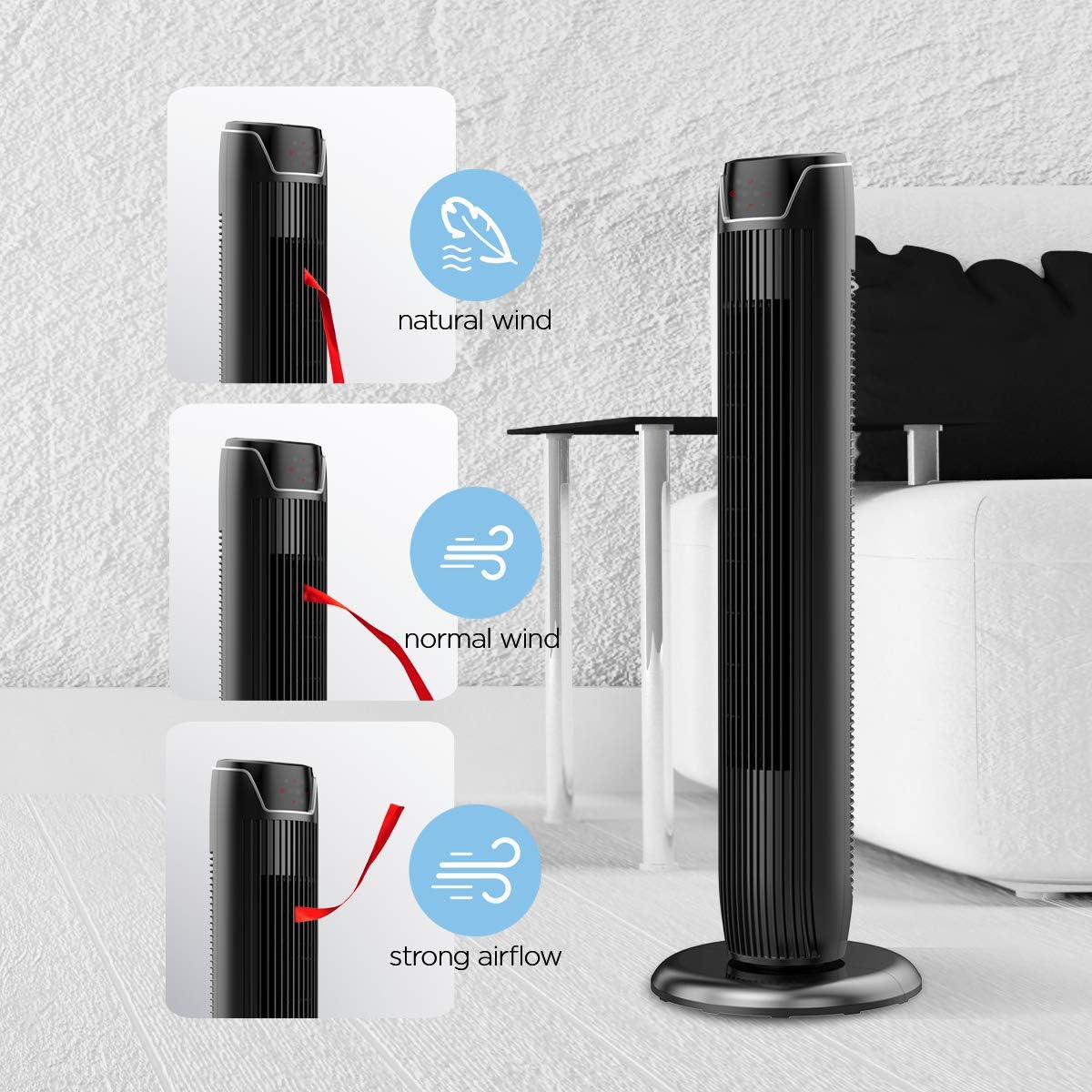
Figure 5: Visual representation of the fan's different wind modes: Natural Wind, Normal Wind, and Strong Airflow.

Figure 6: The fan's quiet operation in sleep mode, ideal for bedrooms and nurseries.

Figure 7: Illustration of the fan's ultra-silence feature (below 48dB on low speed), perfect for quiet environments.
Fernbedienungsspeicher
The fan features a built-in cubby at the back for convenient storage of the remote control, ensuring it is always within reach and not easily misplaced.
Video 2: Demonstration of the remote control storage slot on the back of the Pelonis Tower Fan.
Wartung
Regelmäßige Reinigung trägt dazu bei, die Leistung des Ventilators aufrechtzuerhalten und seine Lebensdauer zu verlängern.
- Außenreinigung: Verwenden Sie ein weiches,amp Verwenden Sie ein Tuch, um die Außenflächen des Ventilators abzuwischen. Verwenden Sie keine Scheuermittel oder Lösungsmittel.
- Gitterreinigung: Use a vacuum cleaner with a brush attachment to remove dust from the fan grilles. For deeper cleaning, a compressed air can may be used to dislodge dust from hard-to-reach areas.
- Innenreinigung: The fan is not designed for easy disassembly for internal cleaning. Regular external cleaning and compressed air use are recommended to minimize dust accumulation inside.
- Stellen Sie sicher, dass der Ventilator vollständig trocken ist, bevor Sie ihn wieder anschließen.
Fehlerbehebung
If you encounter issues with your PELONIS tower fan, try the following troubleshooting steps:
- Lüfter schaltet sich nicht ein:
- Stellen Sie sicher, dass das Netzkabel fest in eine funktionierende Steckdose eingesteckt ist.
- Prüfen Sie die Funktionsfähigkeit der Steckdose, indem Sie ein anderes Gerät anschließen.
- Verify the fan's power button is pressed.
- Lüfter oszilliert nicht:
- Drücken Sie die Oszillationstaste am Bedienfeld oder an der Fernbedienung.
- Ensure there are no obstructions preventing the fan from rotating.
- Schwacher Luftstrom:
- Erhöhen Sie die Lüftergeschwindigkeit.
- Clean the fan grilles to remove any dust or debris that may be obstructing airflow.
- Ungewöhnliches Geräusch:
- Stellen Sie sicher, dass der Ventilator auf einer stabilen, ebenen Fläche steht.
- Check for any loose parts or foreign objects within the fan grilles.
- If the noise is a creaking sound during oscillation, ensure the base is not overtightened. Loosen it slightly if necessary.
- Fernbedienung funktioniert nicht:
- Ensure the remote control's batteries are correctly installed and not depleted.
- Point the remote directly at the fan's control panel.
- Stellen Sie sicher, dass sich zwischen der Fernbedienung und dem Ventilator keine Hindernisse befinden.
Technische Daten
| Besonderheit | Detail |
|---|---|
| Marke | Pelonis |
| Modellname | FZ10-19JR |
| Farbe | Glänzend Schwarz |
| Elektrisches Ventilatordesign | Bodenventilator |
| Stromquelle | Kabelgebundene Elektrik |
| Stil | Modern |
| Technische Daten | 11.8"T x 11.8"B x 36.14"H |
| Zimmertyp | Schlafzimmer |
| Besonderheit | Oszillierend |
| Empfohlene Verwendung | Office, Air Circulation, Bedroom, Living Room, Home |
| Geräuschpegel | 48 dB |
| Ausführung | Glänzend |
| Bandtage | 120 Volt |
| Im Lieferumfang enthaltene Komponenten | Fernbedienung |
| Verwendung im Innen- und Außenbereich | Innenbereich |
| Spezifikation erfüllt | ETL |
| Kontrollmethode | Fernbedienung |
| Klingenmaterial | Plastik |
| Anzahl der Leistungsstufen | 3 |
| Hersteller | Pelonis |
| UPC | 750545105431 |
| Artikelgewicht | 9.13 Pfund |
Garantie und Support
PELONIS bietet ein 1 Jahr Herstellergarantie with the purchase of this product, demonstrating confidence in its quality.
For detailed information, refer to the official User Manual (PDF) available online:
Benutzerhandbuch herunterladen (PDF)
For further assistance or inquiries, please visit the official PELONIS Store on Amazon: PELONIS Store
Ask a question about this manual
Ask about setup, troubleshooting, compatibility, parts, safety, or missing instructions. Manuals+ will review the question and use this page’s manual context to help answer it.