
Produkt überview
The Barkan ND400.B is a fixed TV wall mount designed for installation on drywall, plasterboard, wallboard, sheet rock, or gypsum panels without the need for drilling into studs. It supports flat and curved screens from 29 to 75 inches and can hold up to 95 lbs (43 kg). This mount features a very low profile, positioning the TV only 1.1 inches (2.8 cm) from the wall.
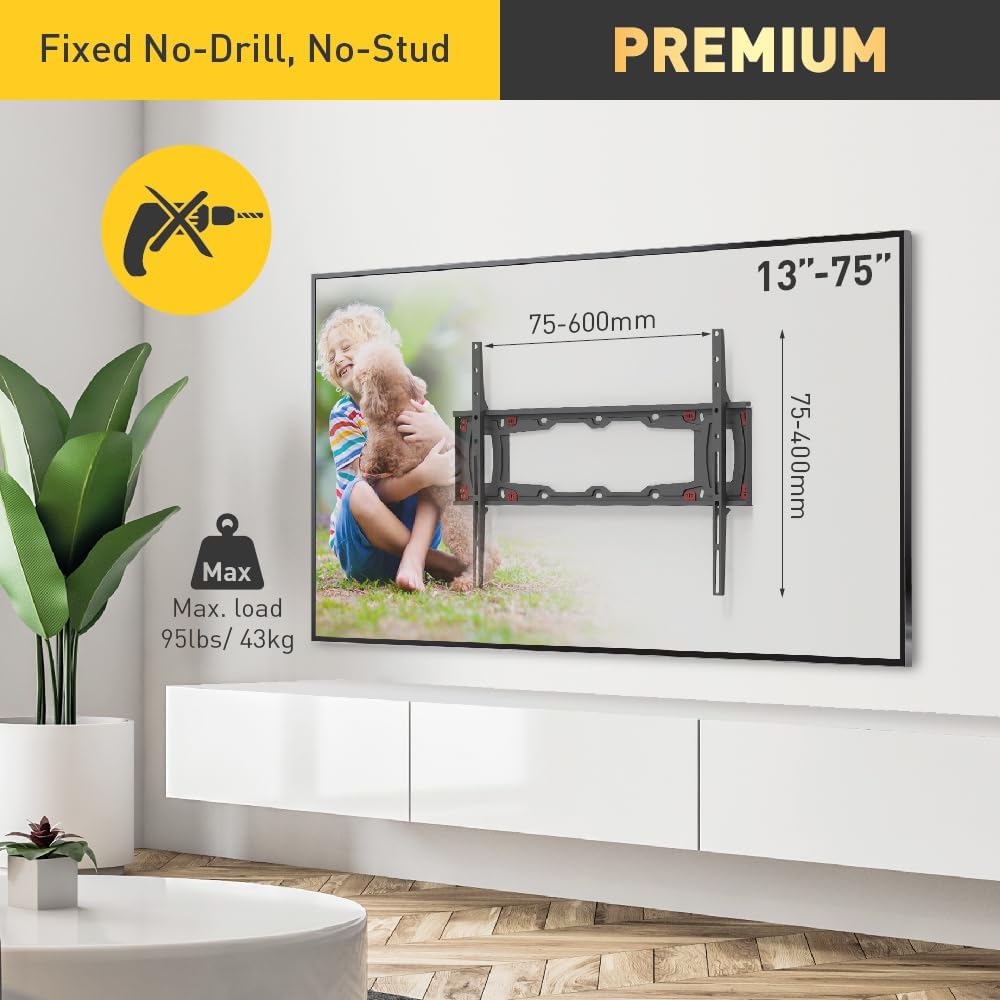
Bild: Überview of the Barkan ND400.B TV Wall Mount, illustrating its key features including no-drill installation, maximum load capacity, and compatible TV sizes.
Sicherheitshinweise
This TV mount incorporates a patented auto-locking safety mechanism to prevent accidental disengagement of the screen from the wall. It utilizes two hanging points on each side for enhanced security, unlike systems with single hanging points. The design avoids wires or moving parts that could fail or break.
For child safety, all Barkan TV mounts include a Fall Proof system to prevent TV tip-overs.

Image: Detailed diagram explaining the Auto Locking Safety Mechanism, highlighting its secure design and patented status.
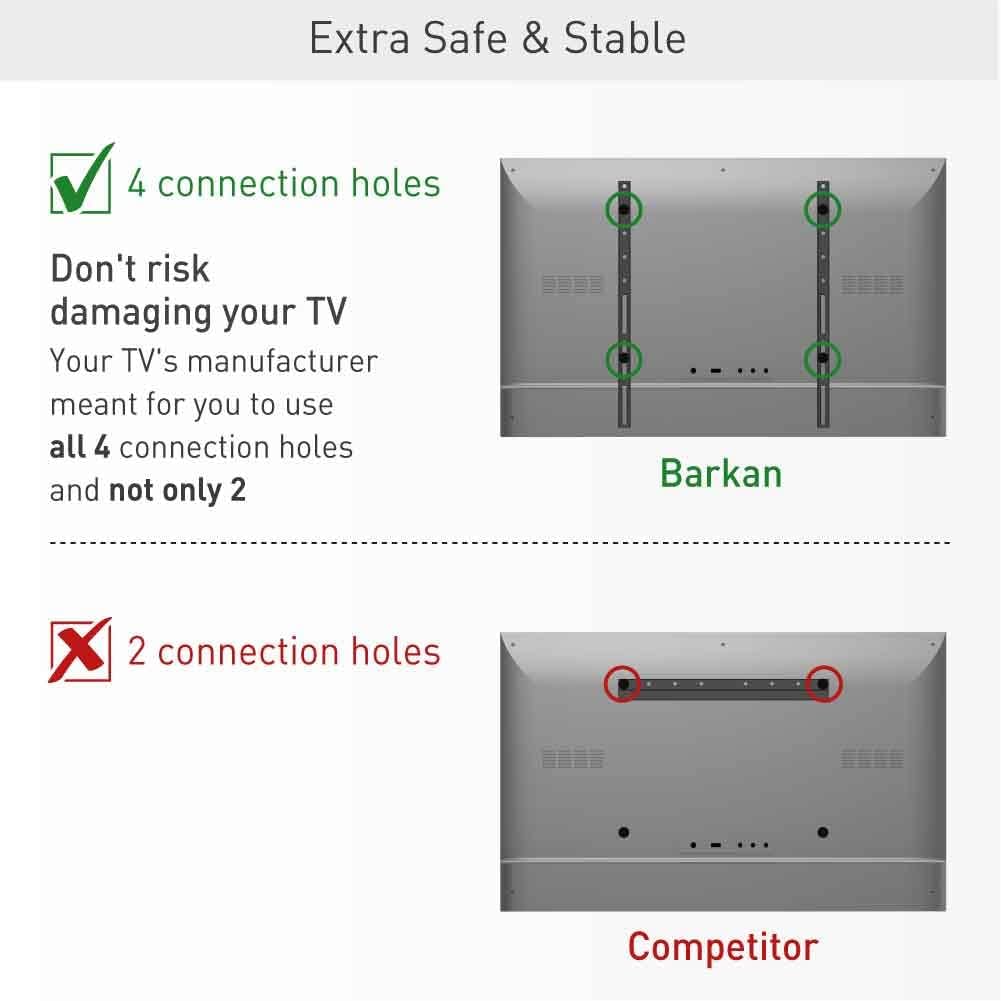
Image: Illustration demonstrating the enhanced stability provided by Barkan's four connection points compared to typical two-point systems.
Lieferumfang
Das Paket beinhaltet:
- TV Berg
- Hardware Kit (including nails, drywall arrow anchors, TV screws, and a multi-tool)
- Bedienungsanleitung

Image: Contents of the hardware kit, including the multi-tool with integrated bubble level and finger-saving nail holder.
Technische Daten
| Besonderheit | Detail |
|---|---|
| Modellnummer | ND400.B |
| Kompatibilität mit TV-Größen | 29 - 75 Zoll |
| Maximale Gewichtskapazität | 95 kg |
| VESA-Kompatibilität | 100x100, 100x200, 200x100, 200x200, 300x300, 300x400, 400x200, 400x300, 400x400, 600x400 mm (and non-VESA up to 600x400 mm) |
| Abstand von der Wand | 1.1 Zoll (2.8 cm) |
| Montagetyp | Behoben |
| Wandkompatibilität | Drywall, Gypsum, Plaster (0.5" / 1.3cm and up) |
| Material | Metall |
| Farbe | Schwarz |
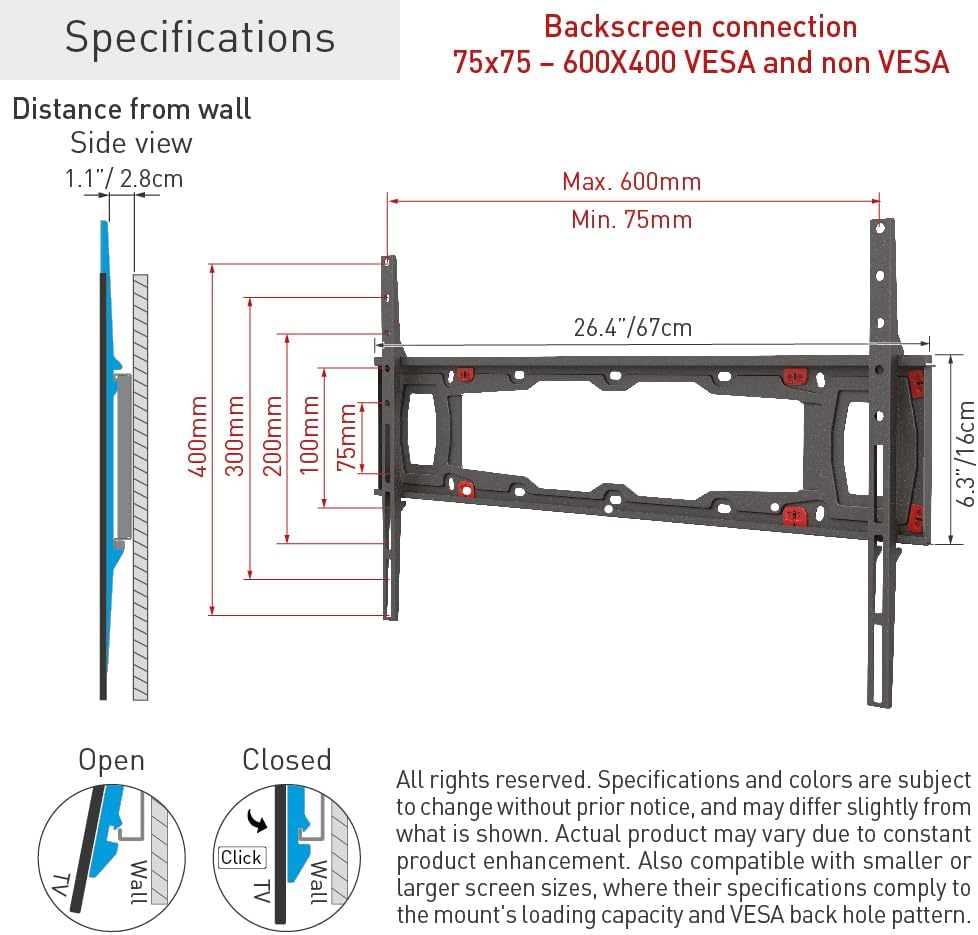
Image: Detailed specifications and dimensions as printed on the product packaging.
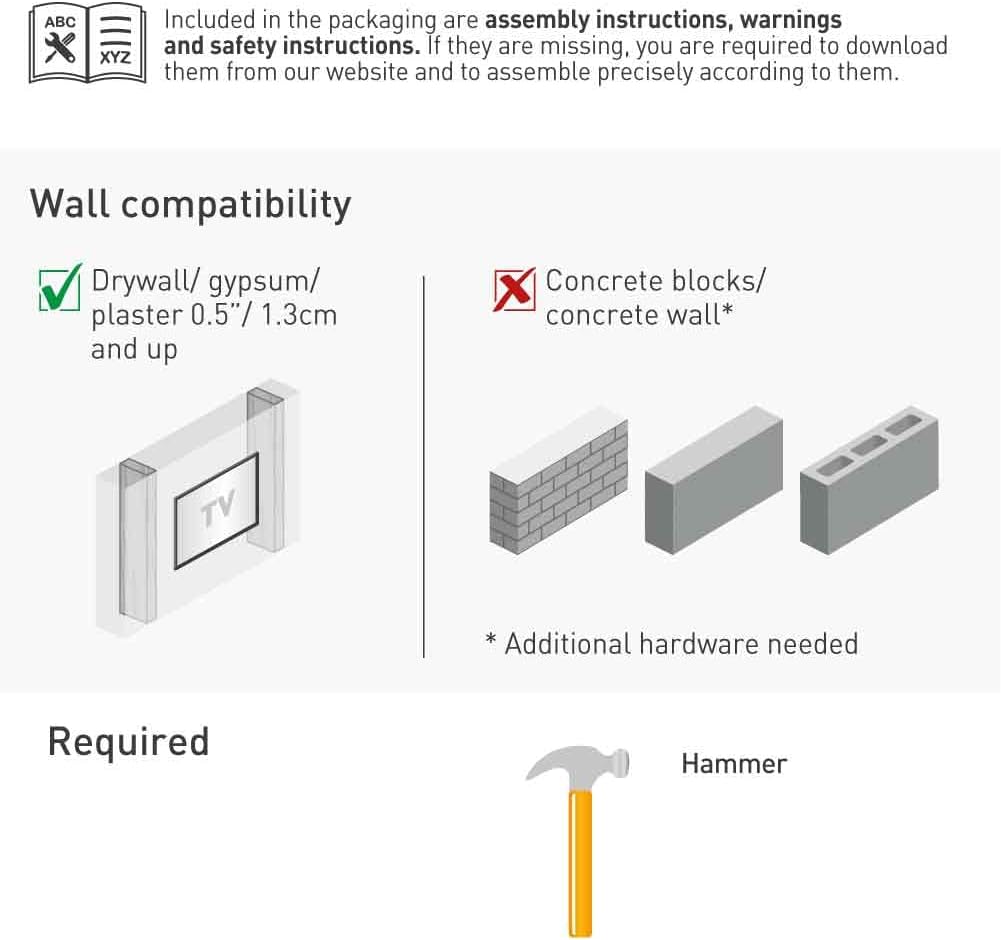
Image: Wall compatibility guide, indicating suitable wall types and requirements for concrete walls.
Setup und Installation
The Barkan ND400.B TV wall mount is designed for easy and fast assembly without the need for drilling into wall studs. A hammer is the only additional tool required.
Installationsschritte:
- Attach the adapters to the rear side of your television using the appropriate screws from the hardware kit. Ensure all four connection holes on the TV are utilized for maximum stability.
- Install the wall plate on the desired location on your drywall. Use the included drywall arrow anchors and hammer them into the wall to increase stability.
- Insert the screws into the anchors and level the wall plate using the built-in bubble level on the finger-saving tool.
- Hammer the remaining nails into the wall plate using the finger-saving tool for secure attachment.
- Carefully snap the TV onto the wall plate. The auto-locking mechanism will engage to prevent disengagement.
- Adjust the TV laterally on the wall plate as needed to achieve the desired positioning.

Image: Step-by-step visual instructions for installing the TV wall mount.

Image: Various VESA backscreen connection options for proper TV attachment.
Installationsvideo:
Video: Official Barkan installation guide for the Fixed No-Stud, No-Drill Drywall TV Wall Mount, demonstrating the setup process.
Bedienungsanleitung
Once installed, the Barkan ND400.B is a fixed mount, meaning the TV position is set. Lateral adjustment is possible after installation to fine-tune the screen's horizontal placement. No further operational adjustments are typically required.
Wartung
Regularly inspect the mount and TV for any signs of loosening or damage. Ensure all connections remain secure. Clean the mount with a soft, dry cloth. Avoid using abrasive cleaners or solvents.
Fehlerbehebung
If you encounter any issues during installation or use, please refer to the detailed instructions provided in this manual. Ensure all steps are followed correctly and that your TV and wall type are compatible with the mount's specifications.
Für weitere Unterstützung wenden Sie sich bitte an den Barkan-Kundendienst.
Garantie und Support
The Barkan ND400.B TV Wall Mount comes with a 5 Jahr Garantie.
Barkan customer service experts are available every day of the week to provide assistance. For more information, FAQs, video demonstrations, and other helpful tools, please visit the official Barkan webWebsite: www.barkanmounts.com/support.