
Gigaset E290A
Gigaset E290A Cordless Phone with Answering Machine User Manual
Model: E290A | Brand: Gigaset
Einführung
The Gigaset E290A is a cordless telephone designed for ease of use, featuring an integrated answering machine. It combines a modern design with functions specifically developed for users with visual, auditory, or tactile needs. The large keys, highly readable backlit display, and ergonomic handset shape ensure comfortable operation for all ages. This manual provides essential information for setting up, operating, and maintaining your Gigaset E290A.
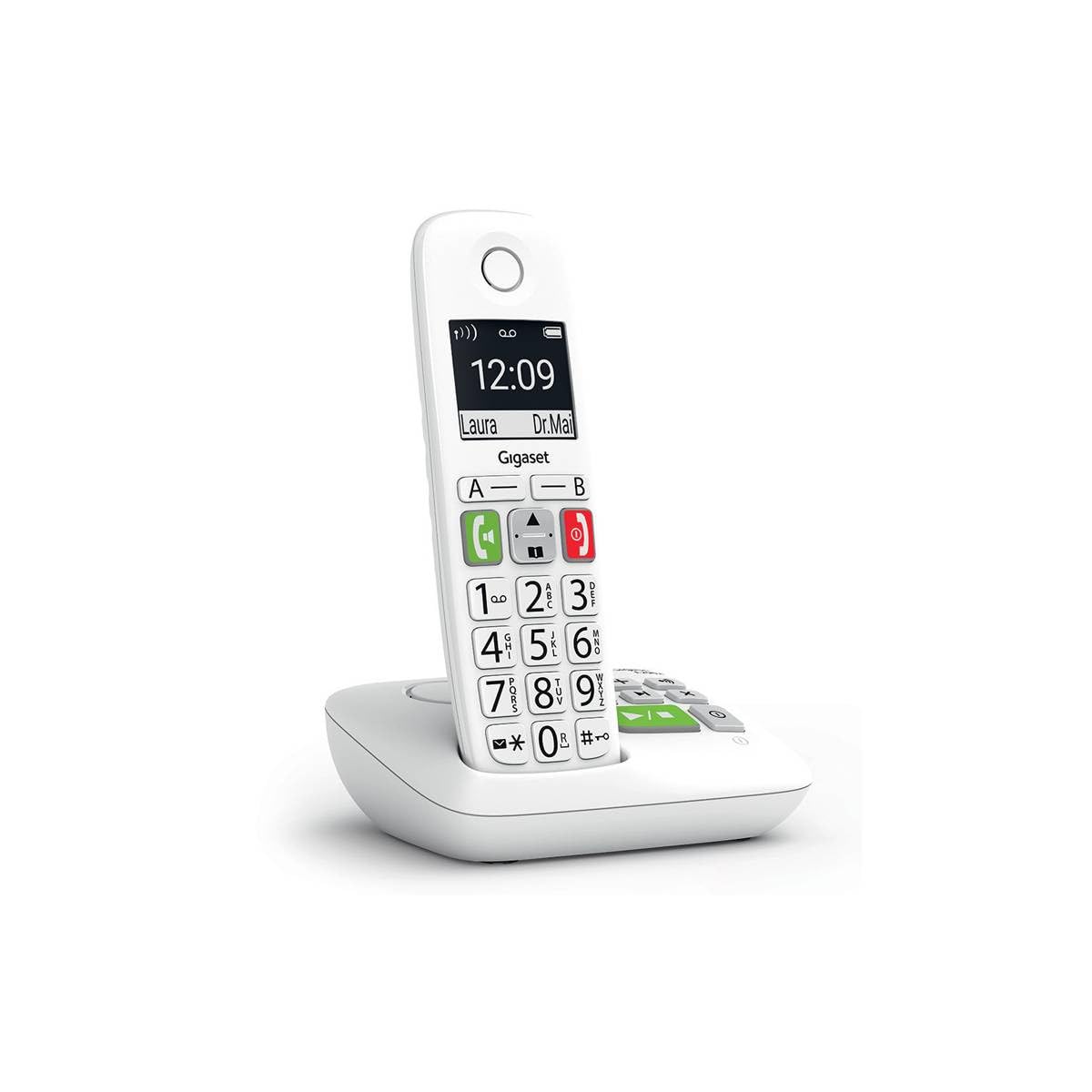
Image: The Gigaset E290A cordless phone, showing the handset and base station.
Sicherheitshinweise
- Use only the power adapter and telephone cord supplied with the device.
- Setzen Sie das Telefon keinen extremen Temperaturen, direkter Sonneneinstrahlung oder hoher Luftfeuchtigkeit aus.
- Avoid placing the phone near heat sources or in areas with strong electromagnetic fields.
- Use only approved rechargeable batteries. Do not dispose of batteries in fire.
- Öffnen Sie das Gerät nicht.asing. Reparaturen dürfen nur von autorisiertem Servicepersonal durchgeführt werden.
- Bewahren Sie das Telefon außerhalb der Reichweite von Kindern auf.
Packungsinhalt
Überprüfen Sie, ob Ihr Paket die folgenden Artikel enthält:
- 1 Gigaset E290A Mobilteil
- 1 Gigaset E290A Base Station with integrated answering machine
- 1 Power Adapter for the base station
- 1 Telefonkabel
- 2 wiederaufladbare AAA-Batterien
- 1 Batteriefachdeckel
- Dieses Benutzerhandbuch
Aufstellen
1. Anschließen der Basisstation
- Schließen Sie den Netzadapter an die Basisstation an und stecken Sie ihn in eine Steckdose.
- Connect the telephone line cord to the base station and plug the other end into your telephone wall socket.
- Place the base station on a flat, stable surface, away from other electronic devices that might cause interference.

Image: The Gigaset E290A base station, illustrating the connection points for power and telephone line.
2. Inserting Batteries into the Handset
- Öffnen Sie die Abdeckung des Batteriefachs auf der Rückseite des Mobilteils.
- Insert the two supplied AAA rechargeable batteries, ensuring correct polarity (+/-).
- Schließen Sie den Batteriefachdeckel.
- Place the handset on the base station to charge. The display will indicate charging status. Allow at least 8 hours for the initial charge.
3. Registrieren des Mobilteils
The handset is usually pre-registered to the base station. If not, or if you are adding an additional handset:
- On the base station, press and hold the registration/paging key for approximately 3 seconds. The base station will enter registration mode.
- On the handset, navigate to the menu, select Einstellungen, Dann Anmeldung, and follow the on-screen prompts. You may need to enter a PIN (default is 0000).
- Once registered, the handset display will show the internal number (e.g., "HS 1").
Bedienungsanleitung
Anrufe tätigen und empfangen
- Einen Anruf tätigen: Enter the phone number using the large keypad and press the green call key (📞).
- Empfangen eines Anrufs: When the phone rings, press the green call key (📞) zu antworten.
- Anruf beenden: Drücken Sie die rote Auflegen-Taste (⛔).
- Freisprechen: During a call, press the hands-free key (🔊) um die Freisprechfunktion zu aktivieren.

Image: Close-up of the Gigaset E290A handset, highlighting the large, easy-to-read keys for dialing.
Nutzung des Anrufbeantworters
The Gigaset E290A features an integrated digital answering machine with up to 30 minutes of recording time.
- Aktivieren/Deaktivieren: Access the answering machine menu on the handset or press the dedicated key on the base station.
- Nachrichten werden abgespielt: Press the play key on the base station or navigate through the handset menu.
- Aufnahme einer Ansage: Follow the menu prompts to record your personal greeting.
Telefonbuch
Store up to 150 contacts in the phonebook.
- Einen Kontakt hinzufügen: Go to the phonebook menu, select "New Entry," and enter the name and number.
- Quick Dial Keys: The phone has two direct access keys (A and B) for quickly calling two pre-stored numbers. Assign these numbers via the phonebook settings.
Anrufsperre
Block unwanted calls by adding up to 32 numbers to a blacklist. You can also block anonymous calls.
- Zur Blacklist hinzufügen: From the call list or phonebook, select a number and choose the "Block" option.
- Blocking Anonymous Calls: Enable this feature in the call blocking settings to automatically reject calls from hidden numbers.

Image: Illustration of the call blocking feature on the Gigaset E290A, showing how to manage unwanted calls.
Audioeinstellungen
- Audio Boost Mode: Activate this mode for an even louder volume, facilitating high-definition listening.
- Kompatibilität mit Hörgeräten: The phone is compatible with hearing aids. You can also adjust the frequency range to suit personal hearing capabilities.
Anzeigeeinstellungen
- Jumbo Mode: In Jumbo mode, all dialed digits appear in large characters on the 34 x 37 mm backlit black and white display, which has increased contrast for optimal readability.
- Menüführung: Menu navigation is also simplified with an adapted character size.

Image: The Gigaset E290A display showing large characters in Jumbo Mode for enhanced readability.
Wartung
- Reinigung: Reinigen Sie Mobilteil und Basisstation mit einem weichen, fusselfreien Tuch.amp Tuch. Keine Scheuer- oder Lösungsmittel verwenden.
- Batteriepflege: To maintain battery life, fully discharge and recharge the handset batteries periodically. If the phone will not be used for an extended period, remove the batteries.
- Lagerung: Bewahren Sie das Telefon an einem kühlen, trockenen Ort auf, wenn Sie es nicht benutzen.
Fehlerbehebung
| Problem | Mögliche Ursache | Lösung |
|---|---|---|
| Kein Display am Mobilteil | Die Batterien sind leer oder falsch eingelegt. | Charge batteries for at least 8 hours. Check battery polarity. |
| Kein Wählton | Das Telefonkabel ist nicht angeschlossen oder defekt. | Check telephone line connection to base and wall socket. Try a different cord. |
| Das Mobiltelefon kann sich nicht registrieren | Base station not in registration mode or incorrect PIN. | Ensure base is in registration mode. Re-enter default PIN (0000). |
| Schlechte Tonqualität | Mobilteil zu weit von der Basisstation entfernt, Störungen oder schwacher Akku. | Move closer to the base. Avoid other electronic devices. Charge handset. |
| Difficulty programming features | Complex menu navigation or unfamiliarity with settings. | Refer to the specific section in this manual for detailed steps. Contact support if issues persist. |
Technische Daten
| Marke | Gigaset |
| Modellnummer | E290A |
| Farbe | Weiß |
| Telefontyp | Kabellos |
| Typ des Anrufbeantworters | Digitales |
| Kompatible Geräte | Telephone networks (PSTN, ISDN), external communication devices |
| Batterien erforderlich | 2 AAA (Alkaline) |
| Material | Plastik |
| Stromquelle | Elektrische Kabel |
| Artikelabmessungen (LxBxH) | 22.4 x 16.6 x 8.8 cm |
| Artikelgewicht | 169 Gramm |
Garantie und Support
For warranty information, please refer to the warranty card included with your product or visit the official Gigaset webInformationen zur Verfügbarkeit von Ersatzteilen und Software-Updates sind in diesem Handbuch nicht enthalten.
For technical support, frequently asked questions, or to download the full detailed manual, please visit the Gigaset Communication Store or the official Gigaset support webWebsite.