
Einführung
This manual provides detailed instructions for the safe and efficient use of your NANAMI Upgraded Fast Wireless Charger. Please read this manual thoroughly before using the product and retain it for future reference.
Lieferumfang
- Drahtloser Ladeständer
- 3.3-Fuß-Ladekabel
- Bedienungsanleitung
Produktspezifikationen
| Besonderheit | Detail |
|---|---|
| Technische Daten | 5.7 x 2.7 x 4.3 Zoll |
| Artikelgewicht | 7.4 Unzen |
| Modellnummer | A800-Weiß |
| Marke | NANAMI |
| Steckertyp | USB Typ C |
| Kompatible Geräte | iPhone 16/16 Plus/16 Pro/16 Pro Max/iPhone 15/15 Plus/15 Pro/15 Pro Max/iPhone 14/14 Pro/14 Pro Max/iPhone 13/13 Mini/13 Pro/13 Pro Max/iPhone 12/12 Mini/12 Pro/12 Pro Max/iPhone X/ iPhone XS/ iPhone XS Max /iPhone XR /iPhone 8 Plus/ iPhone 8/Samsung Galaxy S24/S24+/S23/S23+/S22/S22+/S21/S21+/S20/S20+/S20 Ultra/Note10/10 Plus/S10/S10 Plus/S10E/S9/S9 Plus/Note9/Samsung Galaxy S8/S8 Plus/Note8/Galaxy S7 Edge/Galaxy S7/Galaxy S6 Edge plus/Galaxy Note 5/Google Pixel 3/3 XL/Nexus7/6/5/4/Microsoft Lumia 950/Lumia 950 Dual Slim/Lumia 950 XL/Lumia 950 XL Dual Slim/KDDI TORQUE G03/TORQUE G02/HUAWEI PORSCHE Mate RS/MI/MIX 2S/Nokia 8 Sirocco/ SONY Xperia XZ2/ ZTE T85/ Moto Droid Maxx/Droid Mini/MOTO Droid turbo/Lucid 2 / Lucid 3 / Optimus F5 / Optimus G Pro / Optimus it L-05E / Spectrum 2 / Vu 2 / Vu 3 / V30 / V30 Plus and more. |
| Besonderheit | Charging Stand, Fast Charging, Short Circuit Protection, Wireless Charging |
| Farbe | Weiß |
| Eingangslautstärketage | 9 Volt |
| AmpAlter | 1.11 Amps |
| Anzahl USB-Anschlüsse | 1 |
Installationsanweisungen
- Connect the provided 3.3ft USB Type-C charging cable to the USB-C port on the back of the wireless charger stand.
- Plug the other end of the USB cable into a compatible power adapter (QC 2.0 or above, higher than 10W, NOT INCLUDED).
- Place the wireless charger stand on a stable, flat surface.

Image: The NANAMI wireless charger stand, ready for use.
Bedienungsanleitung
Aufladen Ihres Geräts
To charge your Qi-enabled smartphone, simply place it on the charging stand. The charger is designed to support both vertical and horizontal charging orientations.
The LED indicator light on the base of the charger will illuminate to confirm that charging has begun. For sleep-friendly operation, the LED indicator will automatically shut off after approximately 10 seconds.
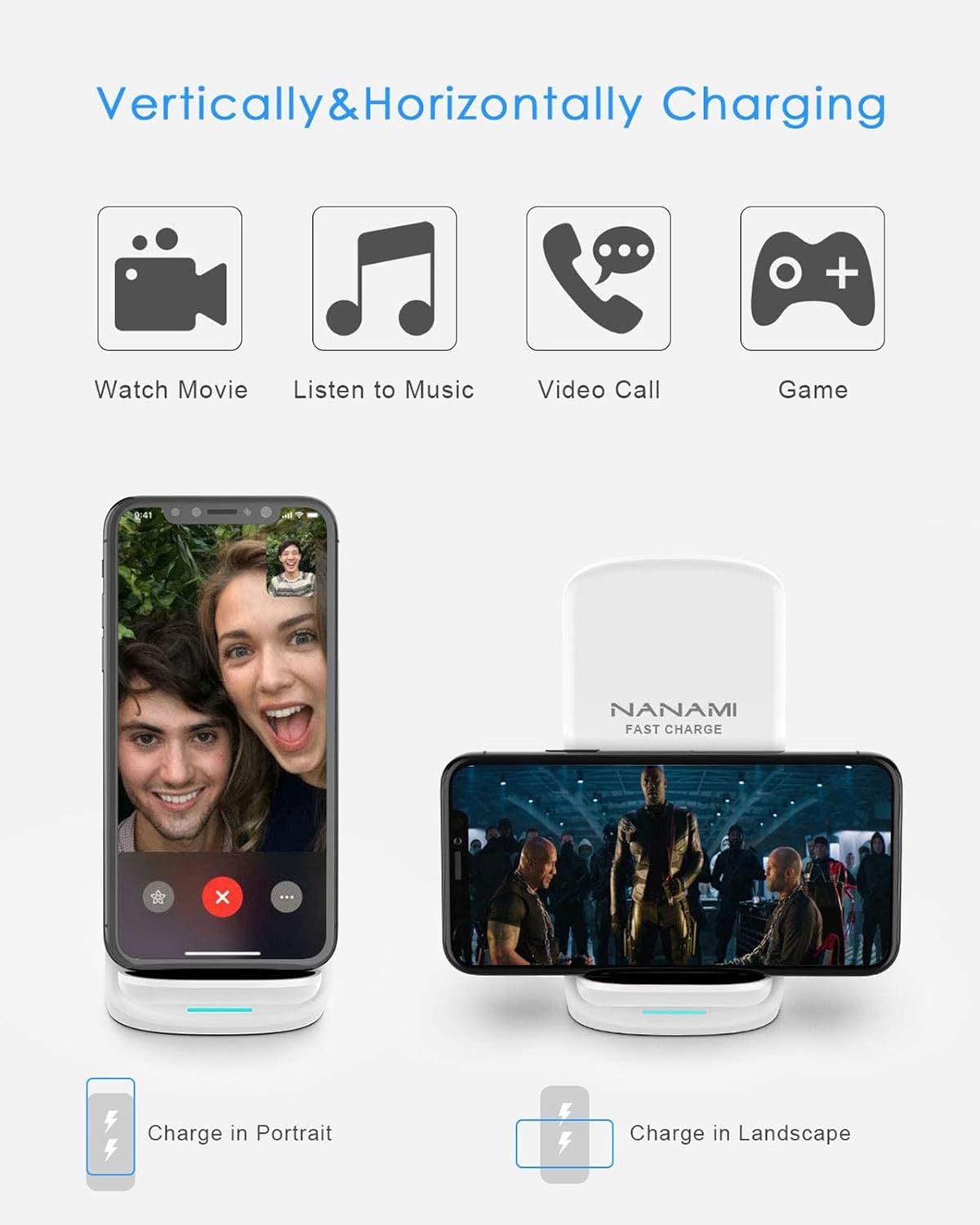
Image: Demonstrates vertical and horizontal charging capabilities.
Video: Official product video demonstrating the NANAMI Upgraded Fast Wireless Charger (Model A800-White) in use.
Video: Offizielles Produktvideoasing the NANAMI Upgraded Fast Wireless Charger and its Qi-Certified functionality.
Gehäusekompatibilität
The charger is designed to work with most phone cases up to 0.2 inches (5mm) thick.
Important: Metal phone cases or cases thicker than 0.2 inches (5mm) may interfere with wireless charging. Please remove such cases for optimal charging performance.

Image: Illustration of case thickness compatibility.
Sicherheitshinweise
Your NANAMI wireless charger features internal safeguards to protect against:
- Overcharge Protection (OCP)
- Übervolumentage-Schutz (OVP)
- Übertemperaturschutz (OTP)
- Kurzschlussschutz (SCP)
These features ensure ultimate safety for your smartphone and the charging device. The anti-slip bottom silicone rim and raised support provide extra stability on any desk surface.

Image: Visual representation of the charger's superior safety protections.
Wartung
- Halten Sie das Ladegerät sauber, indem Sie es mit einem weichen, trockenen Tuch abwischen.
- Vermeiden Sie es, das Ladegerät extremen Temperaturen, hoher Luftfeuchtigkeit oder Flüssigkeiten auszusetzen.
- Das Ladegerät darf nicht auseinandergenommen oder selbst repariert werden.
Fehlerbehebung
Gerät lädt nicht
- Ensure the charging cable is securely connected to both the charger stand and the power adapter.
- Vergewissern Sie sich, dass das Netzteil an eine funktionierende Steckdose angeschlossen ist.
- Check if your phone case is too thick or contains metal. Remove the case and try again.
- Reposition your phone on the charging stand to ensure proper alignment with the charging coils.
- Confirm your device is Qi-enabled.
Langsames Laden
- Use a QC 2.0 or above (higher than 10W) power adapter for fast charging. Standard 5W adapters will result in slower charging speeds.
- Ensure your phone is properly aligned on the charging stand.
- Remove any thick or metal cases.
Verhalten der LED-Anzeige
- The LED indicator will light up when charging begins and automatically turn off after approximately 10 seconds to avoid disturbing sleep. This is normal operation.
Garantie und Support
NANAMI is committed to maintaining the highest quality standards. For any questions or problems during use, please feel free to send us an email via Amazon. We will provide prompt assistance.
For more information, visit the official NANAMI Store: NANAMI Store.