
Einführung
This manual provides comprehensive instructions for the proper use and maintenance of your ELECTROPRIME 8GB Rechargeable USB LCD Digital Voice Recorder, Model ASH20BEBUBEB26998. Please read this manual thoroughly before operating the device to ensure optimal performance and longevity. Keep this manual for future reference.
Produkt überview
The ELECTROPRIME Digital Voice Recorder is a compact and versatile device designed for high-quality audio recording and MP3 playback. It features an LCD screen for easy navigation, 8GB of internal storage, and a rechargeable battery.
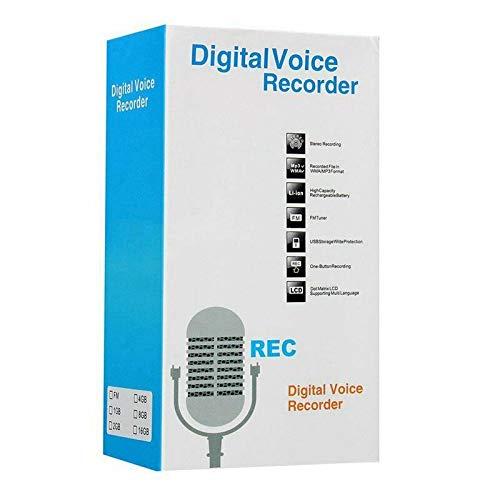
Figure 1: ELECTROPRIME Digital Voice Recorder with included accessories, including earphones, USB cable, and telephone adapter.
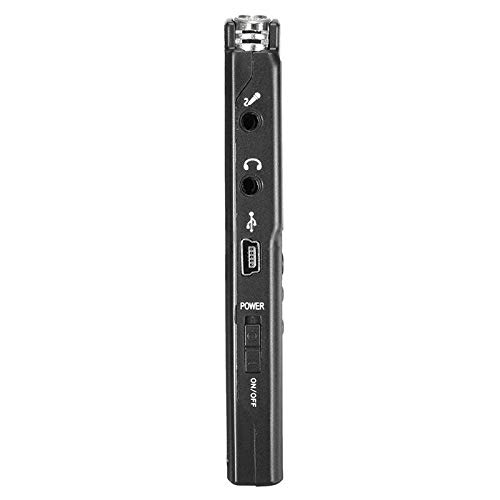
Abbildung 2: Seite view of the recorder, highlighting the USB port, headphone jack, microphone input, and power switch.
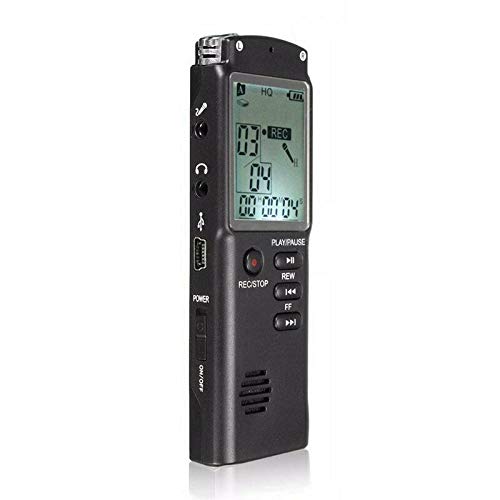
Abbildung 3: Vorderseite view of the recorder, displaying the LCD screen with recording information and control buttons.
Aufstellen
- Aufladen des Geräts: Connect the recorder to a computer's USB port or a USB wall adapter using the provided USB cable. The LCD screen will indicate charging status. A full charge typically takes 2-3 hours.
- Ein-/Ausschalten: Locate the ON/OFF switch on the side of the device. Slide it to the "ON" position to power on and to the "OFF" position to power off.
- Ersteinrichtung: Upon first power-on, you may need to set the date and time. Use the navigation buttons (REW, FF) and Play/Pause button to adjust and confirm settings.
Bedienungsanleitung
Audio aufnehmen
- Aufnahme starten: Drücken Sie bei eingeschaltetem Gerät die Taste AUFNAHME/STOP button once. The LCD will display "REC" and a timer, indicating that recording has started.
- Aufnahme pausieren: Drücken Sie während der Aufnahme die WIEDERGABE/PAUSE button to pause. Press it again to resume.
- Aufnahme beenden: Drücken Sie die AUFNAHME/STOP button again to stop recording. The recording will be saved automatically.
Aufnahmen wiedergeben
- Zugriff auf Aufzeichnungen: In standby mode, use the REW or FF buttons to navigate through your saved recordings.
- Abspielen/Pause: Drücken Sie die WIEDERGABE/PAUSE button to start playback of the selected recording. Press again to pause.
- Lautstärke anpassen: Use the volume control buttons (if present, typically on the side or via menu) to adjust playback volume.
Übertragen Files an einen Computer
- Verbinden: Connect the recorder to your computer using the USB cable.
- Access Device: Der Rekorder wird auf Ihrem Computer als Wechseldatenträger angezeigt.
- Übertragung: Open the drive, locate your audio files (usually in a folder like "RECORD" or "VOICE"), and copy them to your computer.
Using as an MP3 Player
Das Gerät unterstützt die MP3-Audiowiedergabe. MP3 übertragen files to the device's internal storage via USB connection. Use the REW Und FF buttons to select tracks and WIEDERGABE/PAUSE zur Steuerung der Wiedergabe.
Wartung
- Reinigung: Reinigen Sie die Außenseite des Geräts mit einem weichen, trockenen Tuch. Verwenden Sie keine flüssigen Reiniger oder Lösungsmittel.
- Batteriepflege: Um die Akkulaufzeit zu verlängern, vermeiden Sie häufiges vollständiges Entladen des Geräts. Laden Sie das Gerät regelmäßig auf, auch wenn es längere Zeit nicht benutzt wird.
- Lagerung: Lagern Sie das Gerät an einem kühlen, trockenen Ort, geschützt vor direkter Sonneneinstrahlung, extremen Temperaturen und hoher Luftfeuchtigkeit.
- Auswirkungen vermeiden: Schützen Sie das Gerät vor Stürzen und Stößen, da diese die internen Komponenten beschädigen können.
Fehlerbehebung
| Problem | Mögliche Lösung |
|---|---|
| Gerät lässt sich nicht einschalten. | Ensure the battery is charged. Connect to a USB power source and try again. Check the ON/OFF switch position. |
| Cannot record audio. | Check if the device has sufficient memory. Delete old files if necessary. Ensure the microphone is not obstructed. |
| Gerät wird vom Computer nicht erkannt. | Try a different USB port or cable. Ensure the device is powered on when connected. Restart your computer. |
| Schlechte Audioqualität. | Ensure the recording environment is quiet. Keep the device close to the audio source. Check recording settings (if adjustable). |
Technische Daten
- Marke: ELEKTROPRIME
- Modellnummer: ASH20BEBUBEB26998
- Speicherkapazität: 8 GB
- Audioformat: MP3
- Hardware-Schnittstelle: USB
- Kompatible Geräte: MP3 Spieler
- Energiequelle: Wiederaufladbarer Akku (USB-Aufladung)
Garantie und Support
Specific warranty information for this product is not provided in the available documentation. For warranty claims or technical support, please contact your retailer or the manufacturer, ELECTROPRIME, directly. Retain your proof of purchase for any warranty-related inquiries.
For further assistance, please refer to the official ELECTROPRIME webWebsite oder wenden Sie sich an die Kundendienstabteilung.