
COROS WAPXs-BLK-2
COROS APEX Premium Multisport GPS Watch - User Manual
Model: WAPXs-BLK-2
1. Einleitung
This manual provides essential information for the setup, operation, and maintenance of your COROS APEX Premium Multisport GPS Watch. Please read this guide thoroughly to ensure optimal performance and longevity of your device.
2. Lieferumfang
Upon unboxing your COROS APEX watch, verify that all the following components are present:
- COROS APEX Premium Multisport GPS Watch (42mm Black/Grey)
- Armband
- Ladekabel
- Benutzerhandbuch-Broschüre
3. Produktüberschreitungview
The COROS APEX watch is designed for durability and performance, featuring a robust build and intuitive controls.
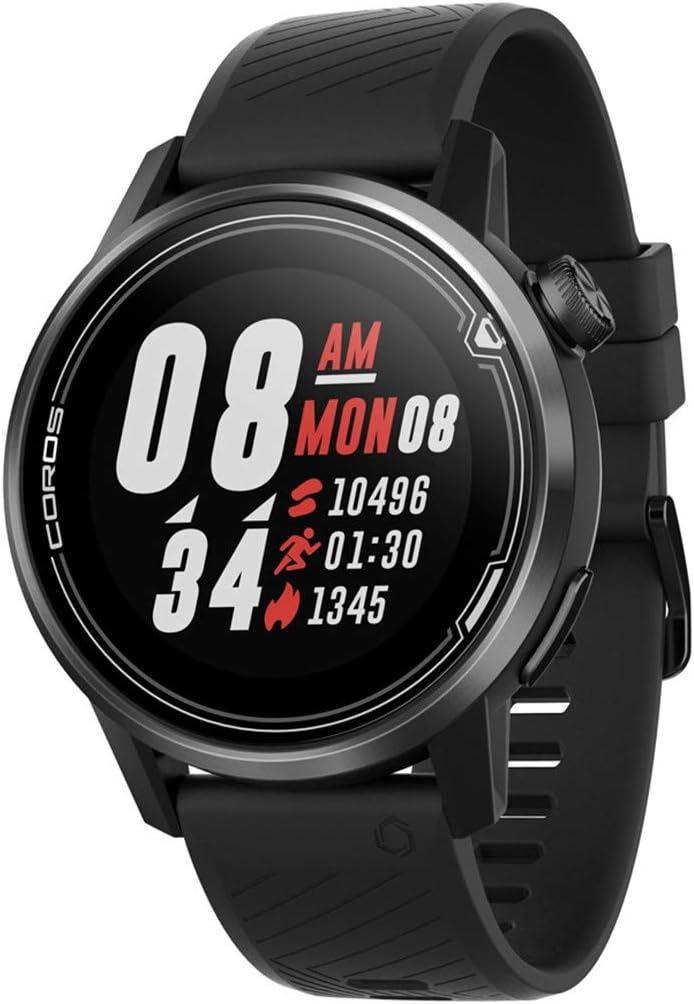
Abbildung 3.1: Vorderseite view of the COROS APEX watch.
3.1. Uhrenkomponenten
- Digitales Zifferblatt: Used for navigation through menus and data screens.
- Zurück-Schaltfläche: Returns to the previous screen or marks a lap during workouts.
- Sapphire Glass Screen: Highly scratch-resistant display for clear visibility.
- Lünette aus Edelstahl: Bietet verbesserte Haltbarkeit und Schutz.

Abbildung 3.2: Seite view highlighting the digital dial and back button.
3.2. Sensoren
The COROS APEX is equipped with multiple sensors for comprehensive data tracking:
- Optischer Herzfrequenzmonitor: Located on the back of the watch for continuous heart rate tracking.
- Barometrischer Höhenmesser: Measures altitude changes for accurate elevation data.
- Beschleunigungsmesser: Erkennt Bewegung und Orientierung.
- Kompass: Provides directional information.
- Gyroskop: Measures angular velocity and rotation.
- Thermometer: Misst die Umgebungstemperatur.

Abbildung 3.3: Zurück view showing the optical heart rate sensor.
4. Einrichtung
4.1. Aufladen Ihrer Uhr
Before first use, fully charge your COROS APEX watch. Connect the provided charging cable to the charging port on the back of the watch and plug the USB end into a power source (e.g., computer USB port or wall adapter). A full charge typically takes approximately 2 hours.
4.2. Initial Pairing with the COROS App
- Download the COROS app from your smartphone's app store (iOS or Android).
- Open the COROS app and create an account or log in.
- Turn on your COROS APEX watch by pressing and holding the digital dial.
- In the COROS app, navigate to the 'Device' tab and select 'Add New Device'.
- Follow the on-screen prompts in the app to pair your watch. This typically involves confirming a code displayed on both the watch and the phone.
- Once paired, the watch will synchronize settings and data with the app.
5. Bedienung Ihrer Uhr
5.1. Grundlegende Navigation
- Digitales Zifferblatt: Rotate to scroll through menus and data screens. Press to select an option or confirm an action.
- Zurück-Schaltfläche: Press to return to the previous screen. Hold to access the toolbox menu or to exit a workout.
5.2. Sportmodi
The COROS APEX supports a variety of sport modes to accurately track your activities:
- Running (Indoor Run, Trail Run)
- Radfahren
- Baden
- Herz-Kreislauf
- Stärke
- Wassersport
To start a workout, rotate the digital dial to select your desired sport mode and press the dial to confirm.
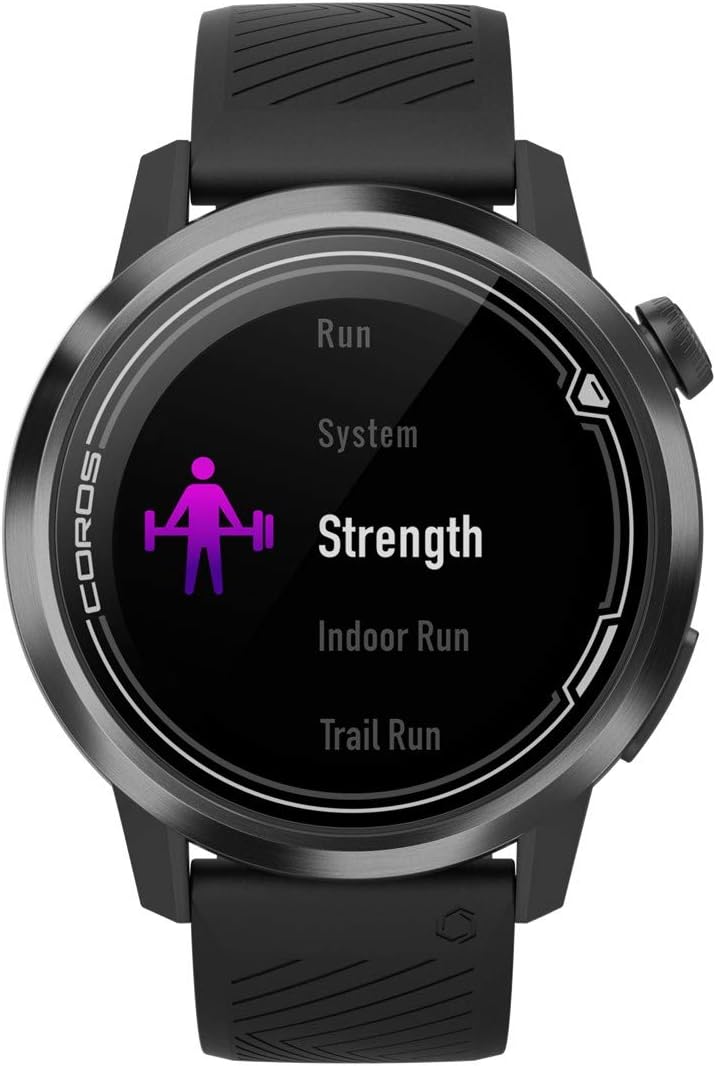
Figure 5.1: Selecting a sport mode on the COROS APEX.
5.3. GPS Functionality and Navigation
The watch utilizes GPS for accurate tracking of outdoor activities and offers route navigation features. Ensure you have a clear view des Himmels für optimalen GPS-Signalempfang.

Figure 5.2: Route navigation display on the COROS APEX.
5.4. Überwachung der Herzfrequenz
The optical heart rate monitor continuously tracks your heart rate throughout the day and during workouts. For accurate readings, ensure the watch is snug on your wrist.
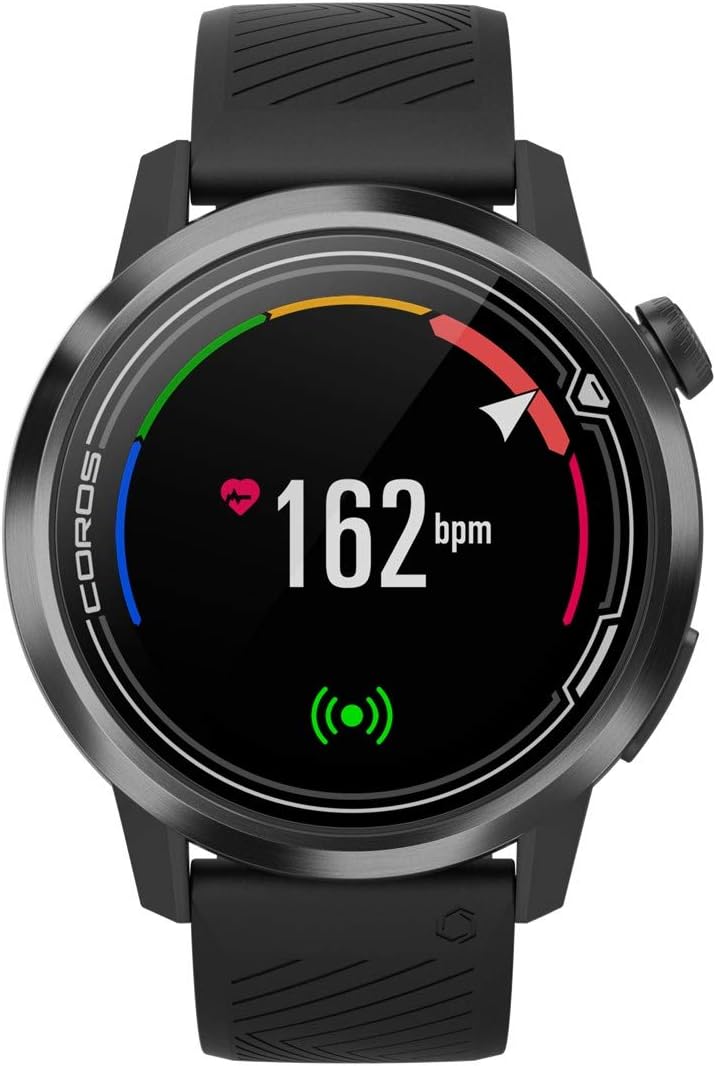
Figure 5.3: Heart rate monitoring display.
5.5. Daily Tracking
The COROS APEX automatically tracks daily metrics including steps, calories burned, and sleep patterns. This data can be viewed on the watch and in detail within the COROS app.
5.6. Benachrichtigungen
The watch can provide various alerts, such as nutrition alerts during long workouts, to help you maintain performance.

Figure 5.4: Nutrition alert example.
6. Wartung
6.1. Reinigen Sie Ihre Uhr
Reinigen Sie Ihre Uhr und Ihr Armband regelmäßig mit einem weichen, fusselfreien Tuch.amp cloth to prevent skin irritation and maintain device hygiene. Avoid using harsh chemicals or abrasive materials.
6.2. Batteriepflege
The COROS APEX is known for its extended battery life. To maximize battery longevity:
- Vermeiden Sie extreme Temperaturen während des Ladevorgangs und der Lagerung.
- Do not fully deplete the battery frequently.
- Laden Sie die Uhr ausschließlich mit dem mitgelieferten Kabel auf.

Figure 6.1: Battery usage display.
7. Fehlerbehebung
If you encounter issues with your COROS APEX watch, refer to the following common solutions:
- Uhr koppelt nicht: Ensure Bluetooth is enabled on your phone and the watch is within range. Restart both the watch and the phone. Verify the COROS app is updated to the latest version.
- GPS-Verbindung fehlgeschlagen: Begeben Sie sich in einen offenen Bereich mit freiem Blick view of the sky. Wait a few minutes for the watch to acquire a signal. Ensure GPS is enabled for your activity.
- Inaccurate Altimeter Readings: Ensure the altimeter port is clean and free of debris. Perform a manual calibration if available in the watch settings.
- Unresponsive ansehen: Perform a soft reset by holding down the digital dial and back button simultaneously until the COROS logo appears.
For persistent issues, consult the COROS support webWebsite oder wenden Sie sich an den Kundendienst.
8. Spezifikationen
| Besonderheit | Detail |
|---|---|
| Technische Daten | 1.77 x 1.77 x 0.57 Zoll |
| Artikelgewicht | 1.76 Unzen |
| Modellnummer | WAPXs-BLK-2 |
| Batterien | 1 Lithium-Polymer-Batterien erforderlich (im Lieferumfang enthalten) |
| Konnektivitätstechnologien | GPS, Bluetooth |
| Bildschirmgröße | 4 Zentimeter |
| Wasserbeständigkeit | 100m (Waterproof) |
| Battery Life (Full GPS Mode) | 25 Stunden |
| Akkulaufzeit (normale Nutzung) | Bis zu 24 Tage |
| Montagetyp | Handgelenkhalterung |
9. Garantie und Support
The COROS APEX Premium Multisport GPS Watch typically comes with a 2-year manufacturer's warranty, covering defects in materials and workmanship under normal use. For specific warranty terms and conditions, please refer to the official COROS webauf der Website oder in den mit Ihrem Produkt mitgelieferten Garantieinformationen.
For technical support, product inquiries, or warranty claims, please visit the official COROS support page or contact their customer service directly. Keep your proof of purchase for warranty validation.
Official COROS WebWebsite: www.coros.com
Ask a question about this manual
Ask about setup, troubleshooting, compatibility, parts, safety, or missing instructions. Manuals+ will review the question and use this page’s manual context to help answer it.