
Geeni GN-BW912-999
Geeni LUX Smart Floodlight User Manual
Model: GN-BW912-999 | Brand: Geeni
1. Einleitung
The Geeni LUX Smart Floodlight is an advanced outdoor LED bulb designed for intelligent lighting control. This PAR38-shaped bulb with an E26 base offers tunable white light from 2700K (warm white) to 6500K (cool white) and provides 1000 lumens of brightness while consuming only 11 watts. It connects directly to your 2.4 GHz Wi-Fi network, enabling control through the Geeni app, Amazon Alexa, and Google Assistant without the need for a separate hub.

Image 1.1: The Geeni LUX Smart Floodlight bulb, showcasing its PAR38 shape and E26 screw base.
2. Produktmerkmale
- Wi-Fi-Konnektivität: Control your floodlight from anywhere using the Geeni app (iOS/Android) or voice commands.
- Kein Hub erforderlich: Connects directly to your existing 2.4 GHz Wi-Fi network for simple setup.
- Abstimmbares weißes Licht: Adjust color temperature from 2700K (warm white) to 6500K (cool white) to suit your preference or environment.
- Dimmbar: Adjust brightness from 1% to 100% via the app or voice control.
- Sprachsteuerung: Kompatibel mit Amazon Alexa und Google Assistant für freihändige Bedienung.
- Terminplanung & Timer: Set daily schedules and countdown timers for automated lighting.
- Group Control & Share Access: Group multiple Geeni devices and share control with family members.
- Energieeffizient: 11-watt LED bulb provides 1000 lumens, equivalent to a 75-watt incandescent bulb.
- Langlebiges Design: Suitable for both indoor and outdoor use, with weatherproof construction.
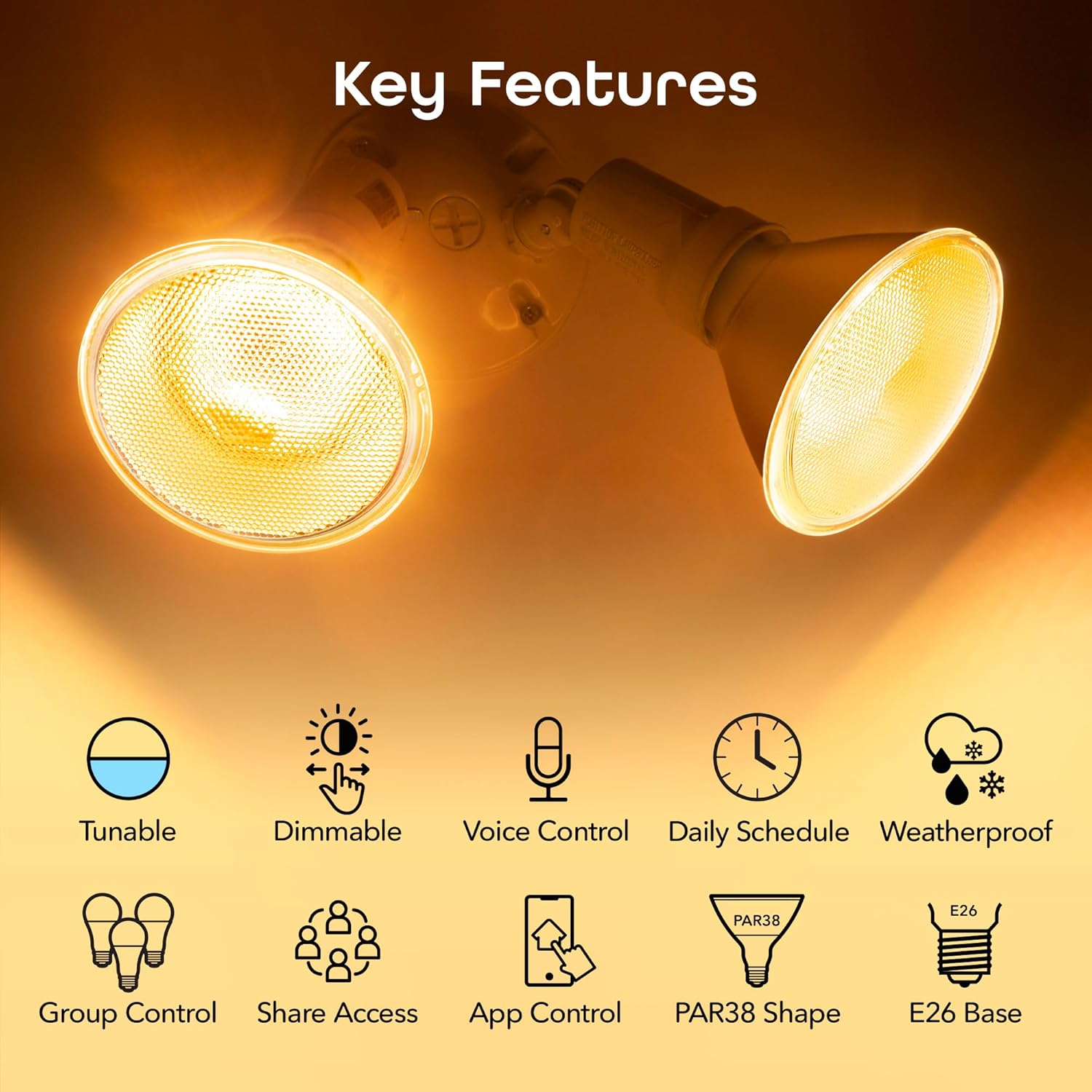
Abbildung 2.1: Ein überview of the Geeni Smart Floodlight's key features, including tunability, dimmability, voice control, daily scheduling, weatherproof design, group control, share access, app control, PAR38 shape, and E26 base.
3. Lieferumfang
- 1 x Geeni LUX Smart Wi-Fi LED Floodlight Bulb (Model: GN-BW912-999)
4. Einrichtungsanweisungen
Follow these steps to set up your Geeni LUX Smart Floodlight:
- Laden Sie die Geeni-App herunter: Suchen nach "Geeni" in the Apple App Store or Google Play Store and install the application on your smartphone or tablet.
- Installieren Sie die Glühbirne: Screw the Geeni LUX Smart Floodlight bulb into a standard E26 socket. Ensure the fixture is powered off before installation.
- Einschalten: Turn on the power to the light fixture. The bulb should begin to blink rapidly, indicating it is in pairing mode. If it does not blink, turn the bulb off and on three times to reset it.
- Per App verbinden: Open the Geeni app, register or log in, and follow the on-screen instructions to add a new device. Select the floodlight bulb from the device list. Ensure your mobile device is connected to a 2.4 GHz Wi-Fi network, as the bulb is not compatible with 5 GHz networks.
- Vollständige Kopplung: The app will guide you through connecting the bulb to your Wi-Fi network. Once connected, you can name your bulb and begin controlling it.

Image 4.1: A visual representation of the simple setup process: 1. Download App, 2. Power On, 3. Connect.
5. Bedienungsanleitung
5.1. App-Steuerung
The Geeni app provides comprehensive control over your smart floodlight:
- Ein/Aus: Schalten Sie die Glühbirne aus und wieder ein.
- Helligkeitsanpassung: Slide to adjust the light intensity from 1% to 100%.
- Farbtemperatur: Select desired white light from warm (2700K) to cool (6500K).
- Terminplanung: Create custom schedules for the bulb to turn on/off at specific times or days.
- Timer: Set countdown timers for automatic shut-off.
- Gruppierung: Combine multiple Geeni bulbs to control them simultaneously.
- Zugriff freigeben: Grant control access to other family members through the app.

Image 5.1: A smartphone displaying the Geeni app interface, showing controls for brightness and temperature adjustment for the smart floodlight.
5.2. Sprachsteuerung
Integrate your Geeni LUX Smart Floodlight with Amazon Alexa or Google Assistant for voice commands:
- Fähigkeit/Aktion aktivieren: In the Alexa or Google Home app, enable the Geeni skill or action and link your Geeni account.
- Geräte entdecken: Bitten Sie Ihren Sprachassistenten, neue Geräte zu entdecken.
- Sprachbefehle: Verwenden Sie Befehle wie:
"Alexa, turn on the floodlight."
"Hey Google, set floodlight brightness to 50 percent."
"Alexa, change floodlight to warm white."

Image 5.2: An Amazon Echo Dot device on a table, illustrating voice control functionality with the command bubble "Alexa, turn on the floodlight."
6. Wartung
To ensure optimal performance and longevity of your Geeni LUX Smart Floodlight:
- Reinigung: Disconnect power before cleaning. Wipe the bulb with a soft, dry cloth. Avoid using abrasive cleaners or solvents.
- Umgebungsbedingungen: While designed for outdoor use, ensure the bulb is installed in a fixture appropriate for its environment to protect it from direct exposure to extreme weather conditions if not rated for such.
- Firmware-Updates: Periodically check the Geeni app for firmware updates to ensure your bulb has the latest features and security enhancements.

Image 6.1: Two floodlight bulbs in an outdoor fixture, with water droplets visible, demonstrating the weatherproof design.
7. Fehlerbehebung
If you encounter issues with your Geeni LUX Smart Floodlight, refer to the following common solutions:
- Glühbirne schaltet sich nicht ein/blinkt:
- Ensure your Wi-Fi network is 2.4 GHz. The bulb does not support 5 GHz Wi-Fi.
- Perform a factory reset by turning the bulb off and on three times. It should then blink rapidly.
- Check your Wi-Fi signal strength at the bulb's location. Move the router closer or use a Wi-Fi extender if necessary.
- Confirm your phone is connected to the same 2.4 GHz Wi-Fi network during setup.
- Sprachsteuerung funktioniert nicht:
- Verify that the Geeni skill/action is enabled in your Amazon Alexa or Google Home app.
- Ensure your Geeni account is linked correctly to your voice assistant.
- Check the device name in the Geeni app and use that exact name in your voice commands.
- Bulb Offline in App:
- Überprüfen Sie Ihren WLAN-Router und Ihre Internetverbindung.
- Power cycle the bulb (turn off and on at the switch).
- If the issue persists, try re-pairing the bulb after a factory reset.
8. Spezifikationen
| Besonderheit | Spezifikation |
|---|---|
| Marke | Geeni |
| Modellnummer | GN-BW912-999 |
| Lichtart | LED |
| Wastage | 11 Watt (entspricht 75 W Glühlampe) |
| Größe der Glühbirnenform | PAR38 |
| Lampensockel | E26 |
| Helligkeit | 1000 Lumen |
| Farbtemperatur | 2700K - 6500K (einstellbares Weiß) |
| Bandtage | 120 Volts (Accepted: 100-240V, 50-60Hz) |
| Technische Daten | 4.8 Zoll B x 4.9 Zoll H |
| Material | Aluminium |
| Verwendung im Innen- und Außenbereich | Innenbereich, Außenbereich |
| Kontrollmethode | Sprache, App |
| Stromquelle | AC |
| Farbwiedergabeindex (CRI) | 80 |
| Abstrahlwinkel | 120 Grad |
| Artikelgewicht | 12.8 Unzen |
9. Garantie und Support
9.1. Garantieinformationen
The Geeni LUX Smart Floodlight comes with a 1 Jahr eingeschränkte Garantie Diese Garantie gilt ab Kaufdatum und deckt Herstellungsfehler bei normalem Gebrauch ab. Bitte bewahren Sie Ihren Kaufbeleg für Garantieansprüche auf.
9.2. Kundendienst
For technical assistance, troubleshooting, or warranty inquiries, please contact Geeni customer support:
- Via Geeni App: Access support options directly within the Geeni application.
- E-Mail: Support is available via email. Refer to the Geeni website for the current support email address.
- Live Chat: Live chat support is available 7 days a week on the official Geeni webWebsite.