
Einführung
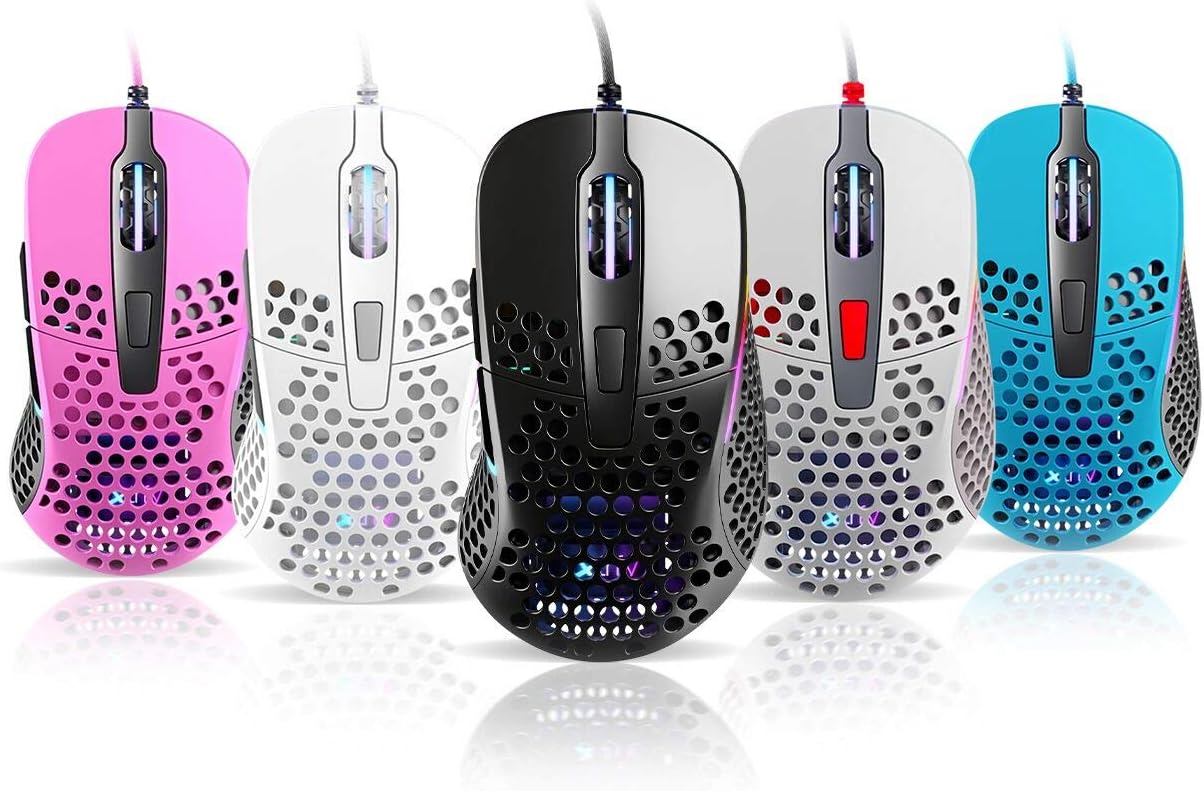
Thank you for choosing the Xtrfy M4 RGB Ultralight Gaming Mouse. This manual provides essential information for setting up, operating, and maintaining your new gaming mouse. The Xtrfy M4 is designed for high-performance gaming, featuring an ultralight design, customizable RGB illumination, and an ergonomic shape for comfortable use.
Bitte lesen Sie diese Bedienungsanleitung vor der Verwendung des Produkts sorgfältig durch, um eine optimale Leistung und Langlebigkeit zu gewährleisten.
Packungsinhalt
Stellen Sie sicher, dass alle Artikel im Paket vorhanden sind:
- Xtrfy M4 RGB Ultralight Gaming Mouse
- Benutzerhandbuch (dieses Dokument)

Installationsanweisungen
- Maus auspacken: Carefully remove the Xtrfy M4 mouse from its packaging.
- Mit Computer verbinden: Stecken Sie den USB-Stecker der Maus in einen freien USB-Port Ihres Computers.
- Treiberinstallation: The mouse is plug-and-play and typically does not require additional drivers. Your operating system should automatically detect and install the necessary drivers.
- Erster Test: Move the mouse and click the buttons to ensure it is functioning correctly.

Bedienungsanleitung
Tastenfunktionen
The Xtrfy M4 features 6 programmable buttons:
- Links Klick: Primäre Maßnahme.
- Rechtsklick: Sekundäraktion.
- Scrollrad (Klick): Mittelklick/universelles Scrollen.
- Vorwärts-Taste: Standardeinstellung für die Vorwärtsnavigation in web Browser/Anwendungen.
- Rückwärts-Taste: Standardeinstellung für die Rückwärtsnavigation in web Browser/Anwendungen.
- DPI-Taste: Cycles through DPI settings (located behind the scroll wheel).
DPI-Einstellungen
The DPI (Dots Per Inch) button allows you to adjust the mouse sensitivity on the fly. Press the DPI button to cycle through preset DPI levels. The RGB lighting on the mouse may change color to indicate the current DPI setting.
Refer to the official Xtrfy website or software (if available) for detailed information on specific DPI levels and their corresponding LED colors.
RGB-Beleuchtung
The Xtrfy M4 features customizable RGB lighting. Specific controls for lighting effects and colors are typically managed through dedicated software provided by Xtrfy. Please visit the official Xtrfy support page to download any available software for advanced customization.

Wartung
Proper maintenance ensures the longevity and performance of your Xtrfy M4 mouse.
- Reinigung: Verwenden Sie ein weiches, trockenes Tuch, um die Oberfläche der Maus abzuwischen. Bei hartnäckigem Schmutz leicht andrücken.ampBefeuchten Sie das Tuch mit Wasser oder einer milden Reinigungslösung. Vermeiden Sie scharfe Chemikalien oder scheuernde Materialien.
- Sensorwartung: Halten Sie den optischen Sensor an der Unterseite der Maus sauber und frei von Staub und Schmutz. Verwenden Sie gegebenenfalls ein Wattestäbchen oder Druckluft.
- Kabelpflege: Um Beschädigungen zu vermeiden, sollten Sie scharfe Knicke oder übermäßiges Ziehen am Mauskabel verhindern.
- Lagerung: Bewahren Sie die Maus bei Nichtgebrauch an einem sauberen, trockenen Ort fern von extremen Temperaturen auf.
Fehlerbehebung
If you encounter issues with your Xtrfy M4 mouse, try the following solutions:
- Maus reagiert nicht:
- Stellen Sie sicher, dass das USB-Kabel fest an einen funktionierenden USB-Anschluss angeschlossen ist.
- Versuchen Sie, die Maus an einen anderen USB-Anschluss anzuschließen.
- Starten Sie Ihren Computer neu.
- Die Cursorbewegung ist unregelmäßig oder sprunghaft:
- Reinigen Sie den optischen Sensor an der Unterseite der Maus.
- Verwenden Sie die Maus auf einer sauberen, nicht reflektierenden Oberfläche oder einem Mauspad.
- Check for any software conflicts or outdated drivers (though typically not required, ensure your OS is up to date).
- RGB-Beleuchtung funktioniert nicht:
- Stellen Sie sicher, dass die Maus ordnungsgemäß angeschlossen ist.
- If using Xtrfy software, check its settings to ensure lighting is enabled and configured correctly.
If these steps do not resolve the issue, please contact Xtrfy customer support for further assistance.
Technische Daten
| Besonderheit | Detail |
|---|---|
| Marke | xtrfy |
| Modell | M4 |
| Farbe | Blau (je nach Produktvariante) |
| Konnektivitätstechnologie | USB |
| Besonderheit | Ergonomic Design, Ultralight, RGB Illumination |
| Anzahl der Tasten | 6 |
| Gewicht | 69 grams (Ultralight) |
Garantie und Support
Xtrfy products are manufactured to the highest quality standards. For information regarding warranty coverage, please refer to the warranty card included with your product or visit the official Xtrfy webWebsite.
For technical support, FAQs, driver downloads, or further assistance, please visit the Xtrfy support page: