
1. Einleitung
This manual provides detailed instructions for the operation and maintenance of your Microware EZCAP230 Cassette to MP3 Converter. This device allows you to convert your old cassette tapes into digital MP3 format, preserving your audio memories. It can function as a standalone converter or connect to a computer for conversion and playback.
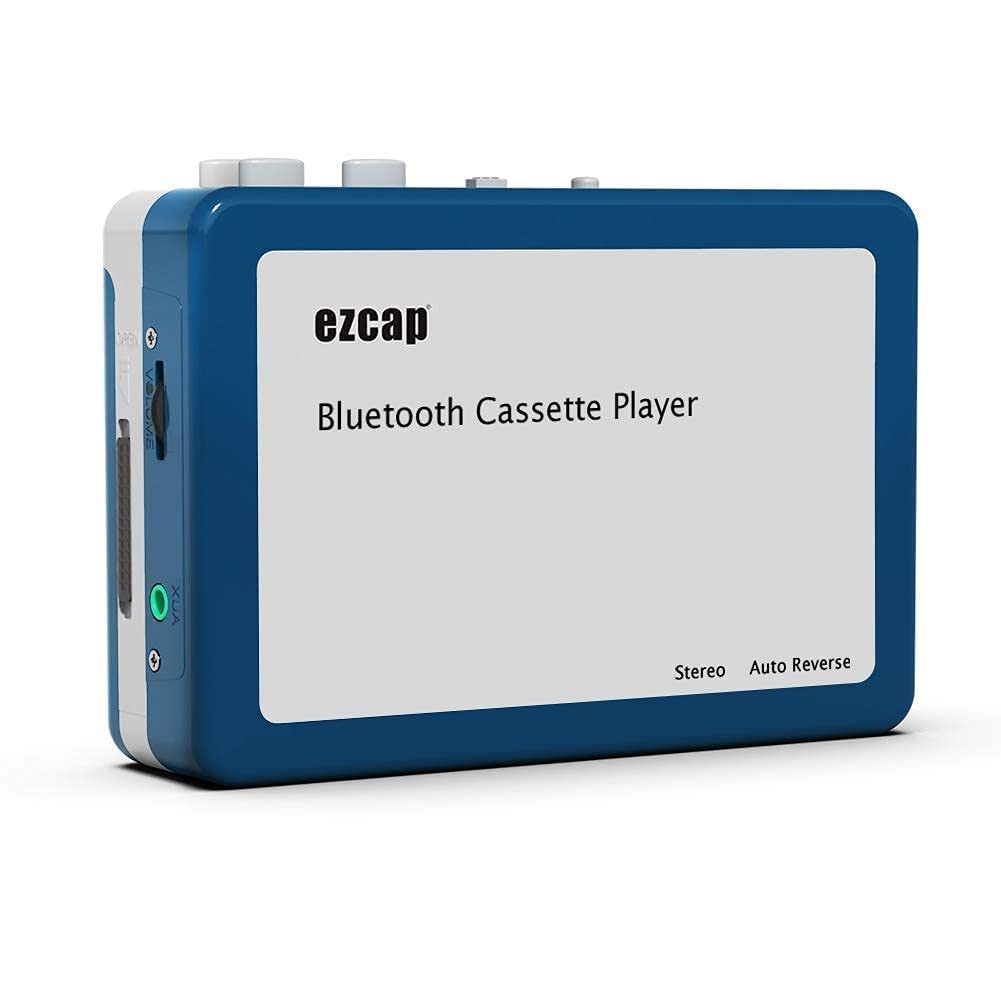
Image 1.1: The Microware EZCAP230 Cassette to MP3 Converter.
2. Produktüberschreitungview
2.1 Hauptmerkmale
- Converts cassette tapes to MP3 format.
- Standalone operation: No computer required for conversion.
- USB connectivity for power and data transfer.
- Playback function to check recorded music.
- Kompaktes und tragbares Design.
- Supports FAT, FAT32, exFAT USB formats up to 64GB. NTFS format is not supported.
2.2 Packungsinhalt
- Microware EZCAP230 Cassette to MP3 Converter
- USB-Kabel
- Kopfhörer
- Benutzerhandbuch (dieses Dokument)

Image 2.1: The converter unit, USB cable, and earphones.
3. Einrichtung
3.1 Netzteil
Das Gerät kann auf zwei Arten mit Strom versorgt werden:
- USB-Stromversorgung: Connect the provided USB cable to the device and a computer USB port or a 5V DC power adapter (not included).
- Batterieleistung: Insert 2 x AA batteries (not included) into the battery compartment.
3.2 Einlegen einer Kassette
- Öffnen Sie den Deckel des Kassettenfachs.
- Insert your cassette tape with the open side facing up.
- Close the cassette compartment cover securely.

Image 3.1: Proper insertion of a cassette tape.
3.3 Connecting Earphones/Speakers and USB Flash Drive
- Connect the earphones to the 3.5mm audio output jack for private listening.
- To save converted MP3 files, insert a USB flash drive into the USB port. The device supports FAT, FAT32, and exFAT formats up to 64GB.

Image 3.2: Connecting earphones and a USB flash drive to the converter.
4. Bedienungsanleitung
4.1 Standalone Cassette to MP3 Conversion
Follow these steps to convert your cassette tapes directly to MP3 format without a computer:
- Einschalten: Ensure the device is powered via USB or batteries.
- Kassette einlegen: Place a cassette tape into the compartment.
- USB-Laufwerk anschließen: Insert a USB flash drive into the USB port. A green light will flash, indicating it's ready.
- Wiedergabe starten: Press the "Play" button on top of the device to begin playing the tape.
- Aufnahme starten: Press the "Record" button to start recording. The default mode is manual division. To divide tracks, press the "Record/Stop" button each time you want a new MP3 file.
- Aufnahme beenden: Press the "Record" button again to stop recording. The MP3 files will be saved to your USB flash drive.

Image 4.1: Step-by-step guide for independent cassette to MP3 conversion.
4.2 Playing Cassette Tapes
To use the device as a cassette player:
- Legen Sie eine Kassette ein.
- Connect earphones or external speakers to the 3.5mm audio output jack.
- Press the "Play" button.
- Passen Sie die Lautstärke mit dem Lautstärkeregler an.
4.3 Anschließen an einen Computer
The device can be connected to a computer via USB for power and to transfer recorded MP3 files. While the device primarily functions for standalone conversion, you can manage the converted files auf Ihrem Computer.
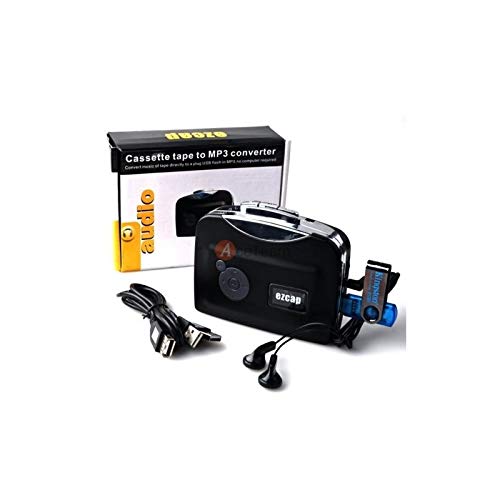
Image 4.2: The converter connected to a laptop, illustrating the digital conversion process.
4.4 Playback Function
The device includes a playback function to review the recorded MP3 files directly on the device. This allows you to verify the quality of your conversions.
Video 4.1: Ein überview of the Microware Cassette to MP3 Converter's features and operation, demonstrating its ease of use for digitizing old tapes.
5. Wartung
- Halten Sie das Gerät sauber und staubfrei. Verwenden Sie zum Reinigen ein weiches, trockenes Tuch.
- Setzen Sie das Gerät keinen extremen Temperaturen, Feuchtigkeit oder direkter Sonneneinstrahlung aus.
- Keine Scheuer- oder Lösungsmittel verwenden.
- Bei längerer Nichtbenutzung sollten die Batterien entfernt werden, um ein Auslaufen zu verhindern.
6. Fehlerbehebung
6.1 Kein Strom
- Check if the USB cable is securely connected to a power source.
- Wenn Sie Batterien verwenden, stellen Sie sicher, dass diese richtig eingelegt und nicht leer sind.
6.2 Poor Audio Quality During Playback/Recording
- Ensure the cassette tape is clean and in good condition.
- Check earphone connections.
- Clean the tape head and pinch rollers with a cotton swab lightly dampmit Isopropylalkohol gereinigt.
6.3 MP3 Files Not Saving to USB Drive
- Stellen Sie sicher, dass der USB-Stick ordnungsgemäß eingesteckt ist.
- Verify that the USB drive is formatted to FAT, FAT32, or exFAT. NTFS is not supported.
- Prüfen Sie, ob auf dem USB-Laufwerk ausreichend freier Speicherplatz vorhanden ist.
7. Spezifikationen
| Besonderheit | Spezifikation |
|---|---|
| Marke | MIKROWARE |
| Modell | EZCAP230 |
| Artikelgewicht | 150 g |
| Verpackungsabmessungen | 14 x 10.01 x 5.99 cm |
| Stromquelle | USB Power (5V DC) or 2 x AA Batteries |
| USB Format Support | FAT, FAT32, exFAT (up to 64GB). NTFS not supported. |
8. Garantie und Support
For warranty information and technical support, please refer to the official MICROWARE webBesuchen Sie unsere Website oder kontaktieren Sie Ihren Händler. Bewahren Sie Ihren Kaufbeleg als Kaufnachweis auf.
Hersteller: MIKROWARE
Datum der Erstveröffentlichung: 24. September 2019
Weitere Hilfe finden Sie unter MICROWARE Store on Amazon.