
Einführung
Thank you for choosing the CACTUS CAC-109-M01 Kids Digital LCD Watch. This manual provides essential information for setting up, operating, and maintaining your watch. This digital watch features a clear LCD display, stopwatch, alarm, and a backlight for visibility in low light conditions. It is also water resistant up to 10 ATM, making it suitable for various activities.
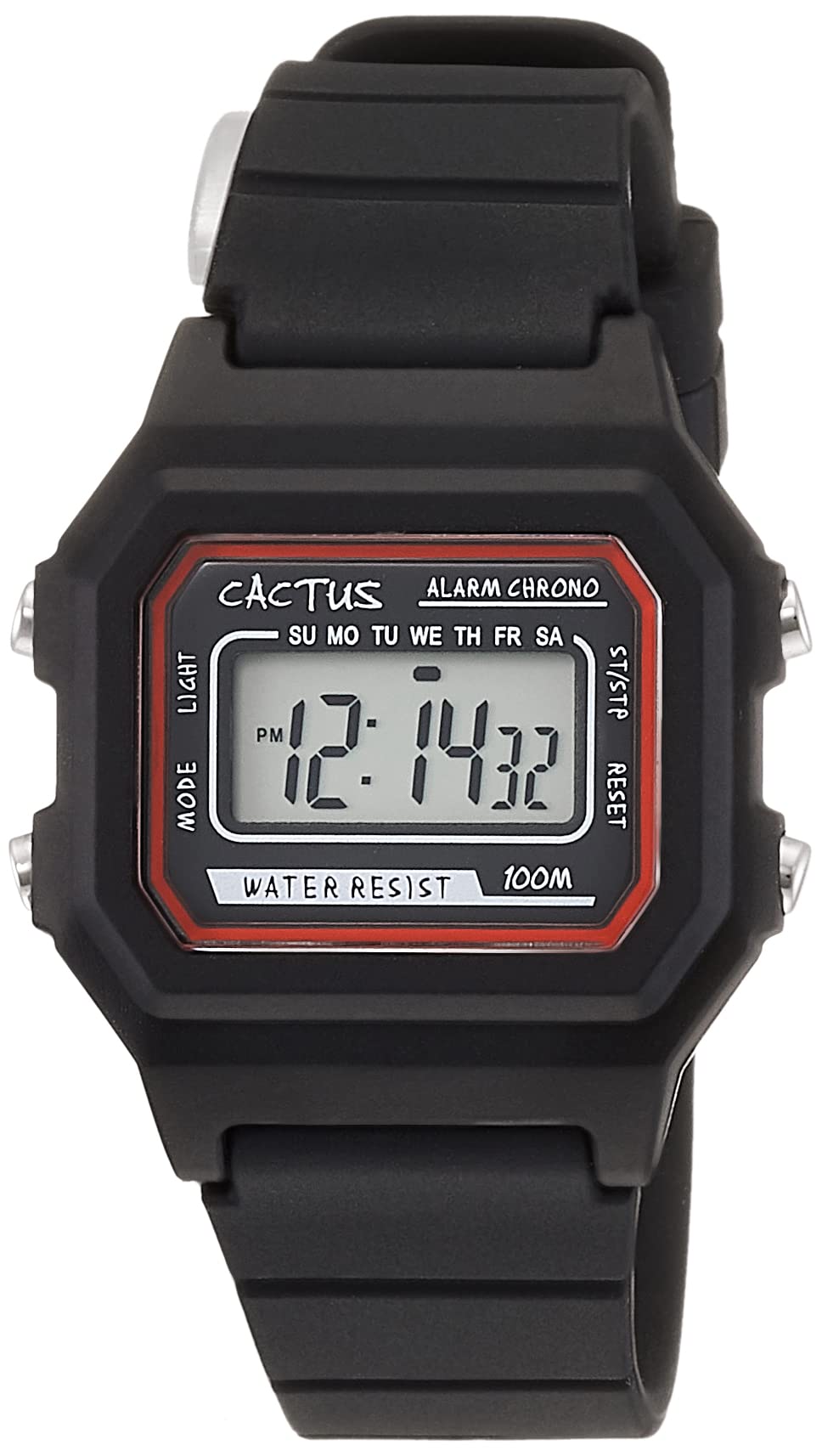
Abbildung 1: Vorderansicht view of the CACTUS CAC-109-M01 Digital Watch. This image shows the watch face with its digital display, buttons on the side, and the black silicone strap.
Aufstellen
Einstellen von Uhrzeit und Datum
Um eine genaue Zeitanzeige zu gewährleisten, befolgen Sie diese Schritte, um Uhrzeit und Datum an Ihrer Uhr einzustellen.

Abbildung 2: Nahaufnahme von vorn view of the watch display and control buttons. The buttons are labeled MODE (top left), LIGHT (bottom left), RESET (top right), and START (bottom right).
- Drücken Sie im normalen Zeitanzeigemodus die Taste MODUS button three times to enter the time setting mode. The seconds digits will flash.
- Drücken Sie die ZURÜCKSETZEN Taste, um die Sekunden auf Null zurückzusetzen.
- Drücken Sie die START button to advance to the next setting (hours, minutes, month, date, day of the week).
- Drücken Sie die Taste, während eine Ziffer blinkt. ZURÜCKSETZEN Taste, um den Wert anzupassen.
- Repeat step 3 and 4 until all desired settings (hours, minutes, month, date, day of the week) are adjusted.
- Drücken Sie die MODUS Durch einmaliges Drücken der Taste verlassen Sie den Einstellungsmodus und kehren zur normalen Zeitanzeige zurück.
Bedienungsanleitung
Tastenfunktionen
- MODUS-Taste (oben links): Cycles through display modes (Time, Alarm, Stopwatch, Time Setting).
- LICHT-Taste (unten links): Aktiviert die Hintergrundbeleuchtung für einige Sekunden.
- RESET Button (Top Right): Dient zum Zurücksetzen von Werten oder zum Auswählen von Elementen während der Konfiguration.
- START Button (Bottom Right): Used to start/stop functions or advance through settings.
Alarmfunktion
Your watch includes an alarm feature.
- Drücken Sie im normalen Zeitdisplay die Taste MODUS Durch einmaliges Drücken der Taste wird der Alarmmodus aktiviert. Die Alarmzeit wird angezeigt.
- Drücken Sie die ZURÜCKSETZEN Taste zum Ein- und Ausschalten des Alarms. Bei Aktivierung erscheint ein Alarmsymbol.
- Um die Weckzeit einzustellen, drücken Sie die Taste MODUS button twice from normal time display to enter alarm setting mode. The hour digits will flash.
- Drücken Sie die ZURÜCKSETZEN Taste, um die Stunde einzustellen.
- Drücken Sie die START Taste zum Umschalten auf Minuteneinstellung.
- Drücken Sie die ZURÜCKSETZEN Taste zum Einstellen der Minuten.
- Drücken Sie die MODUS Taste zum Verlassen des Alarmeinstellungsmodus.
Stoppuhrfunktion
The stopwatch allows you to measure elapsed time.
- Drücken Sie im normalen Zeitdisplay die Taste MODUS Drücken Sie die Taste zweimal, um in den Stoppuhrmodus zu wechseln. Das Display zeigt „00:00:00“ an.
- Drücken Sie die START Zum Starten der Zeitmessung drücken.
- Drücken Sie die START Durch erneutes Drücken der Taste kann die Zeitmessung pausiert werden.
- Drücken Sie die ZURÜCKSETZEN Drücken Sie die Taste im Pausenmodus, um die Stoppuhr auf „00:00:00“ zurückzusetzen.
- Drücken Sie die MODUS Taste zum Beenden des Stoppuhrmodus.
Lichtfunktion
Um das Display bei Dunkelheit zu beleuchten, drücken Sie die LICHT button (bottom left). The backlight will activate for a few seconds.
Wasserbeständigkeit
This watch is water resistant up to 10 ATM (100 meters). This means it is suitable for swimming, showering, and snorkeling. However, it is not recommended for diving. Avoid pressing buttons underwater, as this can compromise the water resistance seal.

Figure 3: The CACTUS CAC-109-M01 watch displayed on a wrist, showing its size and fit.
Pflege und Wartung
Reinigung
Um Ihre Uhr zu reinigen, wischen Sie sie vorsichtig mit einem weichen, fusselfreien Tuch ab.amp cloth. Avoid using harsh chemicals, solvents, or abrasive cleaners, as these can damage the watch's finish or internal components. For the silicone strap, mild soap and water can be used, ensuring it is thoroughly rinsed and dried.
Batteriewechsel
When the display becomes dim or the watch stops functioning, the battery may need replacement. Battery replacement should ideally be performed by a qualified watch technician to ensure the water resistance seal is maintained. Attempting to replace the battery yourself may void the warranty and compromise the watch's water resistance.
Lagerung
Store your watch in a cool, dry place away from direct sunlight, extreme temperatures, and strong magnetic fields.
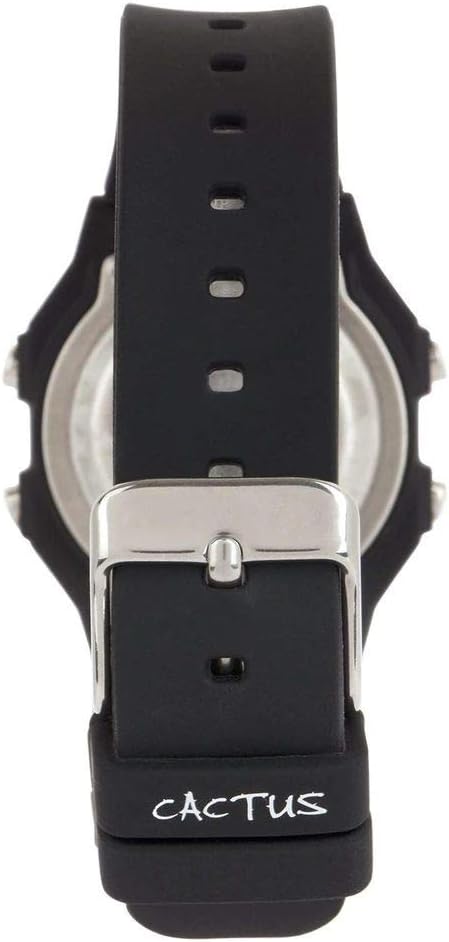
Abbildung 4: Zurück view of the watch, illustrating the stainless steel case back and the buckle mechanism of the silicone strap.
Fehlerbehebung
Sollten Sie Probleme mit Ihrer Uhr haben, beachten Sie bitte die folgenden häufig auftretenden Probleme und Lösungen:
- Das Display der Uhr ist leer oder schwach: This usually indicates a low battery. Refer to the "Battery Replacement" section.
- Tasten reagieren nicht: Ensure the watch is not in a locked mode (if applicable, though this model typically does not have one). If the issue persists, a battery replacement might be needed, or a soft reset by removing and reinserting the battery (recommended to be done by a professional).
- Die Zeitangabe ist falsch: Re-set the time and date following the "Setting Time and Date" instructions. Ensure you are in the correct time zone.
- Wasser in der Uhr: If water appears inside the watch, immediately stop using it and take it to a professional watch repair service. This indicates a compromised water resistance seal.
Produktspezifikationen
| Modellnummer | CAC-109-M01 |
| Bewegungstyp | Digitaler Quarz |
| Anzeigetyp | Digital LCD |
| Gehäusematerial | Harz |
| Armbandmaterial | Silikon |
| Wasserbeständigkeitstiefe | 100 Meter (10 ATM) |
| Zusätzliche Merkmale | Alarm, Stopwatch, Light |
| Gehäusedurchmesser | 32 Millimeter |
| Gehäusedicke | 11 Millimeter |
| Artikelgewicht | 24 Gramm |
Garantie und Support
For warranty information or technical support, please refer to the documentation provided with your purchase or contact the retailer where the watch was acquired. Keep your proof of purchase for warranty claims.


