
Einführung
This manual provides essential information for the proper setup, operation, and maintenance of your Midland T290VP4 GMRS Two-Way Radios. Please read this manual thoroughly before using your radios to ensure optimal performance and safety.
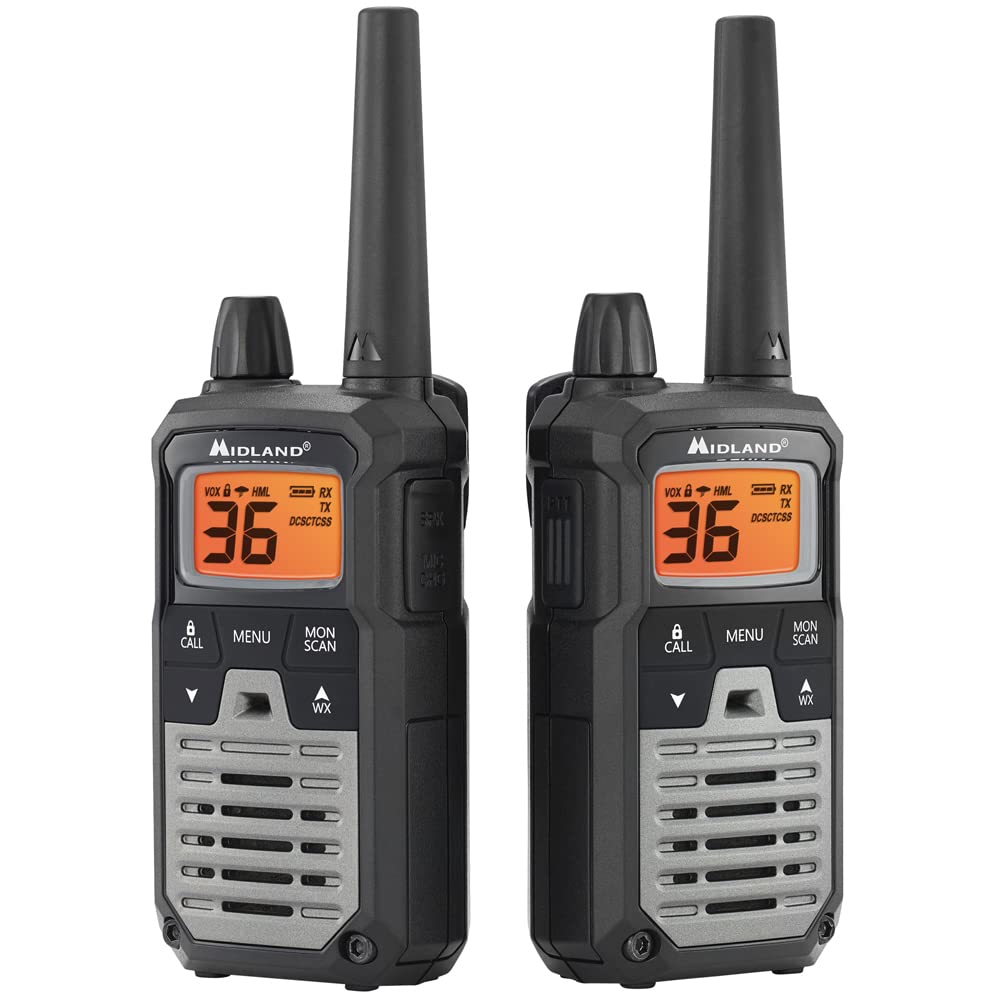
Image: A single Midland T290VP4 GMRS Two-Way Radio, showcasing its front panel with display and controls.
Aufstellen
Im Lieferumfang enthaltene Komponenten
The Midland T290VP4 package includes the following items:
- Four Midland X-TALKER T290 two-way radios with belt clips
- Four headsets with boom microphones
- Four 700 mAh NiMH rechargeable battery packs
- Two desktop chargers
- Two AC adapters
- Two micro USB charging cables
- Handbuch für den Eigner
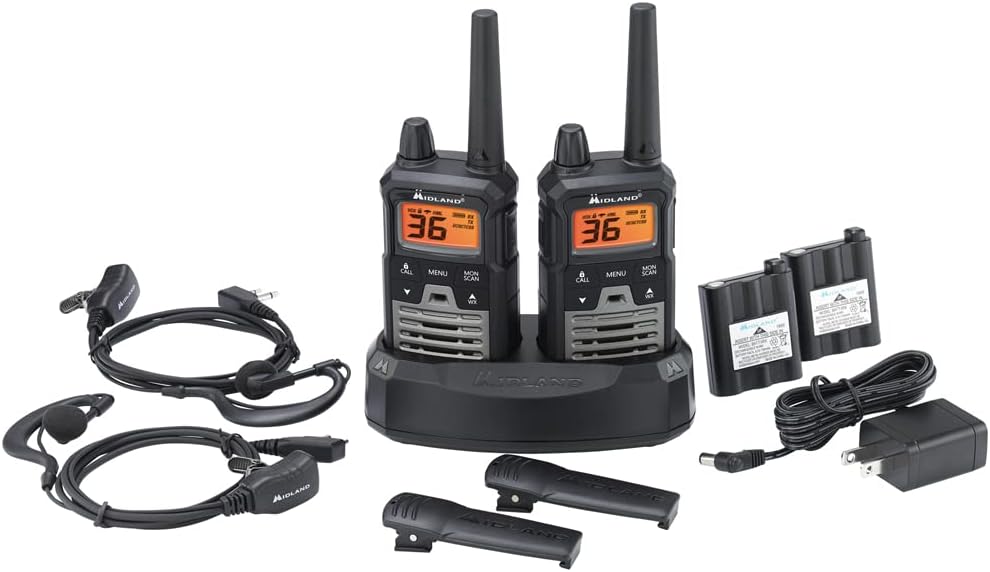
Image: All components of the Midland T290VP4 4-pack bundle, including four radios, headsets, battery packs, desktop chargers, AC adapters, and micro USB cables, laid out on a white surface.
Einsetzen und Aufladen der Batterie
- Open the battery compartment cover on the back of each radio.
- Insert the 700 mAh NiMH rechargeable battery pack, ensuring correct polarity.
- Schließen Sie den Batteriefachdeckel fest.
- Place the radios into the desktop chargers.
- Connect the AC adapters to the desktop chargers and plug them into a standard wall outlet.
- Allow the batteries to charge fully before first use. The charging indicator on the radio or charger will typically change color or turn off when charging is complete.
Anbringen von Gürtelclips
Align the belt clip with the grooves on the back of the radio and slide it down until it clicks into place. To remove, lift the tab on the belt clip and slide it upwards.
Bedienungsanleitung
Ein-/Ausschalten und Lautstärke
- Zum Einschalten drehen Sie den Ein-/Aus-/Lautstärkeregler im Uhrzeigersinn, bis Sie ein Klicken hören und das Display aufleuchtet.
- Zum Ausschalten drehen Sie den Knopf gegen den Uhrzeigersinn, bis Sie ein Klicken hören.
- Adjust the volume by rotating the On/Off/Volume knob.

Image: A hand holding a Midland T290VP4 GMRS Two-Way Radio, demonstrating its compact size and ergonomic design.
Kanalauswahl
- Drücken Sie die SPEISEKARTE , um das Menü aufzurufen.
- Verwenden Sie die UP or RUNTER arrow buttons to navigate to the channel selection option.
- Drücken SPEISEKARTE again to confirm, then use UP or RUNTER to select one of the 22 GMRS channels or 14 pre-programmed privacy code channels.
- Drücken SPEISEKARTE um den Kanal einzustellen.
Datenschutzrichtlinien (CTCSS/DCS)
The T290VP4 features 121 CTCSS (Continuous Tone-Coded Squelch System) privacy codes. These codes help filter out unwanted conversations on a channel. To use privacy codes, both transmitting and receiving radios must be set to the same channel and privacy code.
- Drücken SPEISEKARTE until the privacy code setting appears.
- Verwenden UP or RUNTER to select a CTCSS or DCS code.
- Drücken SPEISEKARTE zur Bestätigung.
Senden und Empfangen
- Zum Senden die Taste gedrückt halten PTT (Push-to-Talk) Die Taste befindet sich an der Seite des Funkgeräts. Sprechen Sie deutlich in das Mikrofon.
- Lassen Sie den PTT Taste zum Empfangen.
- Ensure all radios are on the same channel and privacy code for communication.
NOAA Wetterscan + Alarm
- Wetterübersicht: Drücken Sie die WX button to activate NOAA Weather Scan. The radio will automatically scan through 10 available weather (WX) band channels and lock onto the strongest weather channel to provide updates.
- Wetterwarnung: When Weather Alert is enabled, the radio will sound an alarm indicating a risk of severe weather in your area, even if the radio is on a GMRS channel.
Zusätzliche Merkmale
- e-VOX Voice Activation: Allows hands-free operation with 9 adjustable sensitivity levels.
- High/Medium/Low Power Settings: Passen Sie die Sendeleistung an, um den Akku zu schonen oder die Reichweite zu erhöhen.
- Kanalsuchlauf: Scans all channels for activity.
- Überwachungsmodus: Deaktiviert vorübergehend die Rauschsperre, um auch schwache Signale zu empfangen.
- Leiser Betrieb: Schaltet alle Töne für eine diskrete Nutzung aus.
- Tastensperre: Verhindert versehentliche Änderungen der Einstellungen.
- Ruftöne: Select from 5 different call tones.
Wartung
Allgemeine Pflege
- Reinigen Sie das Radio mit einem weichen Tuch.amp Tuch. Keine Scheuer- oder Lösungsmittel verwenden.
- Avoid exposing the radio to extreme temperatures, direct sunlight for extended periods, or moisture. The radio is not water resistant.
- Keep the radio away from dust and dirt.
Batteriepflege
- Always use the specified NiMH rechargeable battery packs and chargers provided by Midland.
- Versuchen Sie nicht, nicht wiederaufladbare Batterien aufzuladen.
- If the radio will not be used for an extended period, remove the battery pack.
- Lagern Sie Batterien an einem kühlen, trockenen Ort.
Fehlerbehebung
| Problem | Mögliche Ursache | Lösung |
|---|---|---|
| Kein Strom | Batterie schwach oder nicht richtig eingesetzt. | Charge battery pack or ensure it is properly installed. |
| Senden und Empfangen nicht möglich | Radios not on the same channel/privacy code; out of range. | Verify channel and privacy code settings. Move closer to the other radio. |
| Schlechte Audioqualität | Low battery; interference; out of range. | Charge battery. Move away from sources of interference. Move closer to the other radio. |
| Begrenzte Reichweite | Hindernisse (Gebäude, Gelände); Umweltfaktoren. | Radio range is highly dependent on terrain and conditions. Optimal range is achieved in open areas with clear line of sight. Reduce obstructions or move to higher ground. |
| Weather Alert not working | Weather Alert feature not enabled; no NOAA signal in area. | Ensure Weather Alert is activated in the menu. Check for NOAA signal availability. |
Technische Daten
| Besonderheit | Detail |
|---|---|
| Marke | Mittelland |
| Modellnummer | FBA-4PK-T290VP4 |
| Farbe | Silver (Radios are black with green accents) |
| Anzahl der Kanäle | 36 (22 GMRS + 14 Privacy Code Channels) |
| Frequenzbereich | 400–470 MHz |
| Datenschutzcodes | 121 CTCSS |
| Maximale Sprechreichweite | Bis zu 40 Meilen (unter optimalen Bedingungen) |
| Wasserbeständigkeit | Nicht wasserfest |
| Produktabmessungen (T x B x H) | 6.5" x 6.5" x 7.5" (Package dimensions, individual radio dimensions not specified) |
| Akku-Typ | NiMH Rechargeable Battery Packs (700 mAh) |
| Durchschnittliche Batterielebensdauer | 8 Stunden |
| Konnektivitätsprotokoll | GMRS |
| Besondere Merkmale | NOAA Weather Scan + Alert, e-VOX Voice Activation (9 levels), High/Medium/Low Power Settings, Channel Scan, Monitor Mode, Silent Operation, Keypad Lock, 5 Call Tones |
Garantie und Support
Herstellergarantie
The Midland T290VP4 GMRS Two-Way Radios come with a 3 Jahr Herstellergarantie from Midland. Please retain your proof of purchase for warranty claims.
Kundenservice
For technical assistance, warranty inquiries, or additional support, please contact Midland customer service. Refer to the official Midland webDie aktuellsten Kontaktinformationen finden Sie auf der Website oder der Verpackung.