
1. Produktüberschreitungview
The AULA S6 is an ultra-light wireless gaming headset designed for superior performance and comfort. Weighing only 180 grams, it ensures comfort during extended use. It features a 22-hour battery life, intelligent noise reduction, and an embedded microphone for clear communication. The headset supports three connection modes: 2.4GHz wireless, Bluetooth 5.3, and wired via a 3.5mm Aux connection. It also offers a dedicated game and music mode switch, call management buttons, and precise volume control.

Abbildung: Schräge Frontansicht view of the AULA S6 Wireless Gaming Headset, showcasing its white color and ear cup design.
2. Packungsinhalt
Bitte überprüfen Sie, ob alle Artikel in der Box vorhanden sind:
- 1 x AULA S6 Ultra Light Wireless Bluetooth Gaming Headset (White)
- 1 x 2.4GHz Wireless Dongle
- 1 x Type-C to 3.5mm Aux Audio Patch Cable (1.5 Meter)
- 1 x Typ-C Ladekabel
- 1 x Benutzerhandbuch
3. Einrichtungsanweisungen
3.1 Aufladen des Headsets
Before first use, fully charge the headset. Connect the provided Type-C charging cable to the headset's Type-C port and the other end to a compatible USB power source. The charging indicator light will provide status updates (e.g., red for charging, off/blue for fully charged).
3.2 Mit Geräten verbinden
The AULA S6 headset offers three connection methods:
- Drahtlose 2.4-GHz-Verbindung:
- Insert the 2.4GHz wireless dongle into a USB port on your computer or gaming console.
- Power on the headset. It should automatically connect to the dongle, indicated by a status light. This mode provides ultra-low latency for gaming.
- Bluetooth 5.3-Verbindung:
- Power on the headset and activate Bluetooth pairing mode (refer to the headset's control buttons for specific instructions, usually a long press on the power/mode button).
- On your device (phone, tablet, laptop), go to Bluetooth settings and search for 'AULA S6'.
- Select 'AULA S6' to pair. A successful connection will be indicated by a status light or audio prompt.
- Wired 3.5mm Aux Connection:
- Connect one end of the Type-C to 3.5mm Aux audio patch cable to the headset's Type-C port.
- Connect the other 3.5mm end to the audio jack of your device. This connection works without battery power.
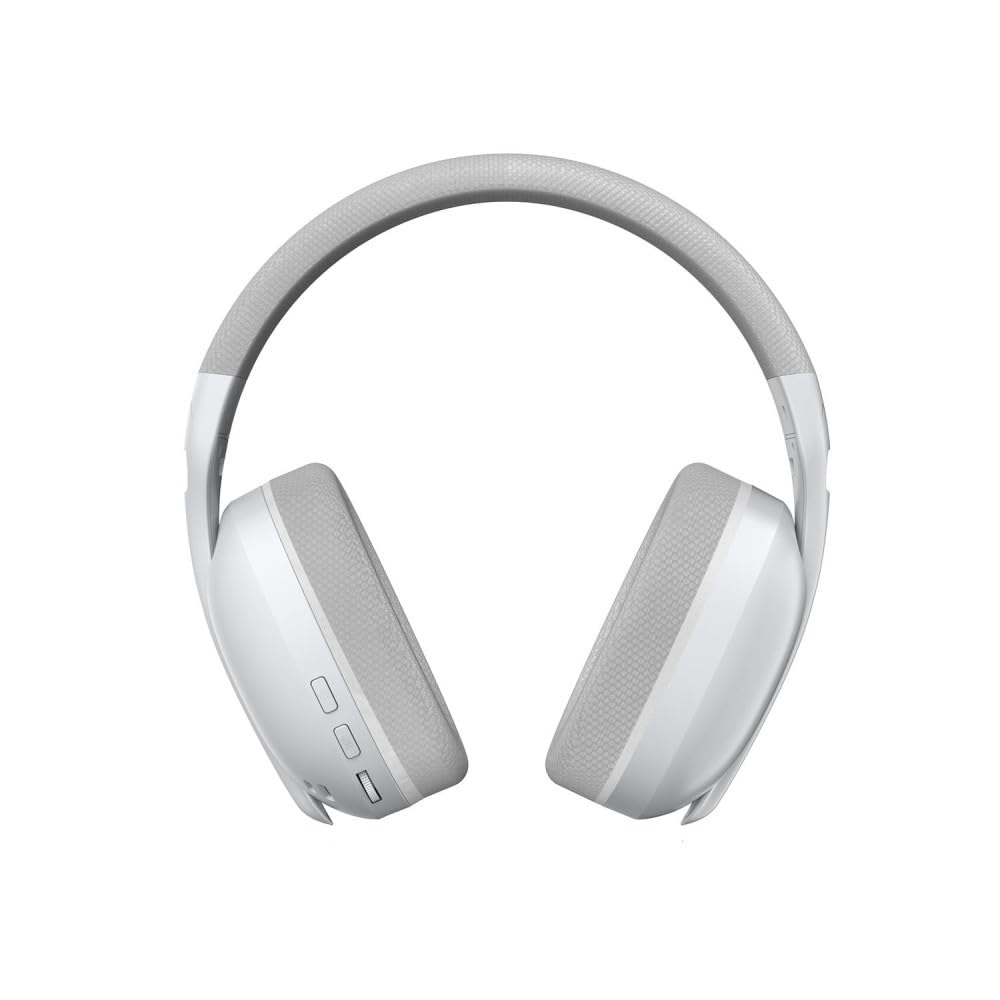
Bild: Vorderseite view of the AULA S6 Wireless Gaming Headset, showing the earcups and headband.
4. Bedienungsanleitung
4.1 Ein-/Ausschalten
Press and hold the Power button for approximately 3 seconds to turn the headset on or off. An audio prompt or LED indicator will confirm the status.
4.2 Mode Switching (Game/Music)
The headset features a dedicated switch to toggle between Game Mode and Music Mode. Select the appropriate mode for optimized audio experience based on your activity.
4.3 Mikrofonsteuerung
The embedded microphone can be activated or deactivated using the designated control button on the headset. Refer to the physical controls for the specific button.
4.4 Anrufmanagement
When connected via Bluetooth to a phone, you can accept or reject incoming calls using the buttons on the headphone. Consult the headset's controls for specific button functions (e.g., single press to accept, long press to reject).
4.5 Lautstärkeregelung
Adjust the audio volume precisely using the volume wheel located on the headset.
4.6 Verbindung mehrerer Geräte
The headset supports simultaneous wireless connection to two different devices, allowing for easy switching between them. Refer to the headset's controls for the specific method to switch between connected devices.
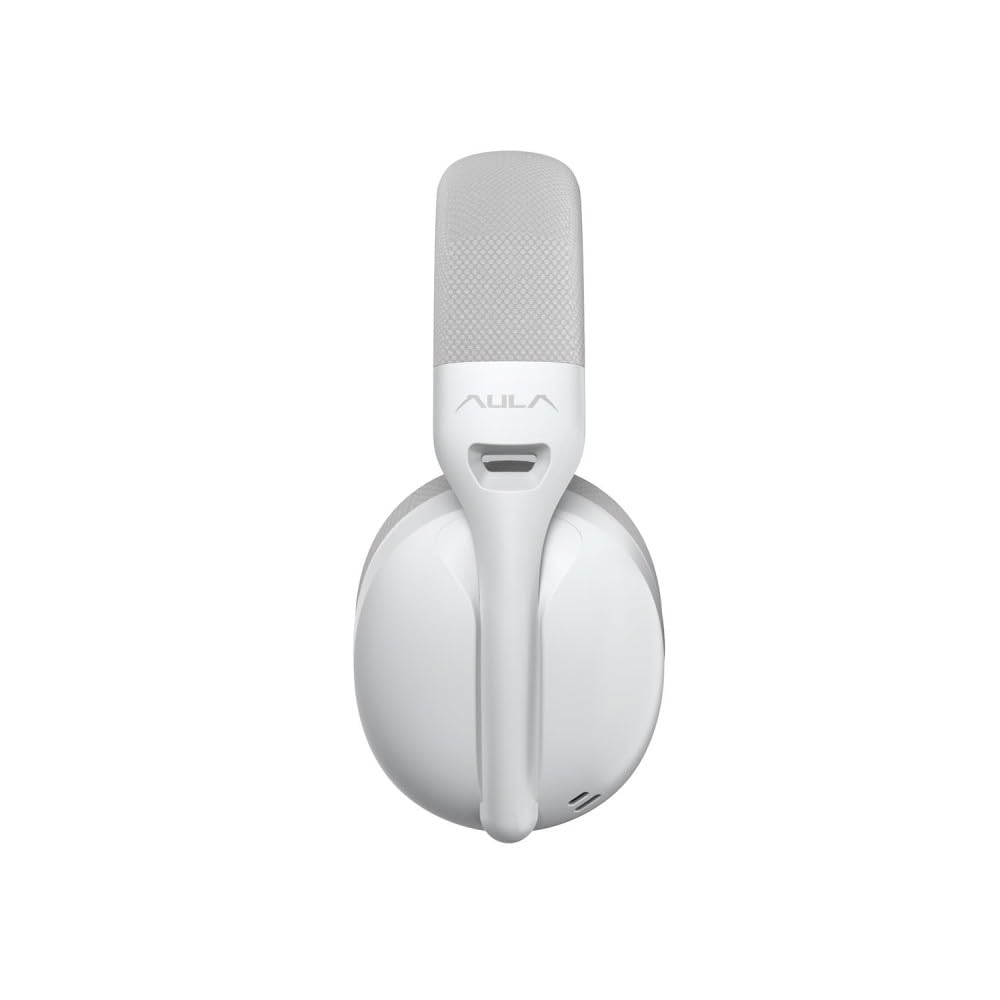
Abbildung: Seite view of the AULA S6 Wireless Gaming Headset in a folded position, highlighting its portability.
5. Wartung
To ensure the longevity and optimal performance of your AULA S6 headset, follow these maintenance guidelines:
- Reinigung: Use a soft, dry cloth to clean the headset. Avoid using harsh chemicals, solvents, or abrasive materials. For ear pads, gently wipe with a damp Tuch abwischen und vollständig an der Luft trocknen lassen.
- Lagerung: Store the headset in a cool, dry place away from direct sunlight and extreme temperatures. When not in use, consider storing it in a protective case to prevent dust accumulation and physical damage.
- Batteriepflege: Avoid fully discharging the battery frequently. For long-term storage, charge the headset to about 50% to prolong battery life.
- Kabelpflege: Behandeln Sie die Kabel vorsichtig. Vermeiden Sie scharfe Knicke oder starkes Ziehen, da dies die Stecker oder die Verkabelung beschädigen könnte.
6. Fehlerbehebung
If you encounter issues with your AULA S6 headset, refer to the following common troubleshooting steps:
- Kein Ton:
- Stellen Sie sicher, dass das Headset eingeschaltet und aufgeladen ist.
- Überprüfen Sie die Lautstärke sowohl am Headset als auch an Ihrem angeschlossenen Gerät.
- Vergewissern Sie sich, dass das richtige Audioausgabegerät an Ihrem Computer oder Ihrer Konsole ausgewählt ist.
- If using wireless, ensure the dongle is properly inserted or Bluetooth is paired correctly. Try re-pairing.
- If using wired, ensure the 3.5mm cable is fully inserted into both the headset and the device.
- Mikrofon funktioniert nicht:
- Stellen Sie sicher, dass das Mikrofon am Headset oder an Ihrem angeschlossenen Gerät nicht stummgeschaltet ist.
- Check microphone input settings on your computer or console.
- Ensure the headset is selected as the default communication device.
- Connection Issues (Wireless):
- Ensure the headset is within the operating range (up to 10 meters for Bluetooth).
- Um Störungen zu vermeiden, sollten Sie sich von anderen drahtlosen Geräten entfernen.
- Versuchen Sie, sowohl das Headset als auch das angeschlossene Gerät neu zu starten.
- For 2.4GHz, try a different USB port for the dongle.
- Akku lädt nicht:
- Stellen Sie sicher, dass das USB-C-Ladekabel sowohl mit dem Headset als auch mit der Stromquelle fest verbunden ist.
- Versuchen Sie es mit einem anderen USB-C-Kabel oder Netzteil.
- Stellen Sie sicher, dass die Stromversorgung funktionsfähig ist.
7. Spezifikationen
| Besonderheit | Spezifikation |
|---|---|
| Modell | S6 |
| Marke | AULA |
| Farbe | Weiß |
| Platzierung des Ohrs | Am Ohr |
| Formfaktor | Über dem Ohr |
| Impedanz | 120 Ohm |
| Konnektivität | Bluetooth 5.3, 2.4GHz Wireless, Wired (Type-C to 3.5mm Aux) |
| Bluetooth-Reichweite | 10 Meter |
| Mikrofon | Embedded Microphone |
| Treibergröße | 40 mm |
| Kopfhörerempfindlichkeit | 121 ± 1 dB |
| Mikrofonempfindlichkeit | -38±2dB |
| Reaktionsbereich | 20 Hz – 20 kHz |
| Gewicht | 180 Grams (0.31 Kilograms with packaging) |
| Material | Breathable Fabric and ABS Plastic |
| Kompatible Geräte | Cellphones, Desktops, Gaming Consoles, Laptops, Tablets, Telephones, Television |
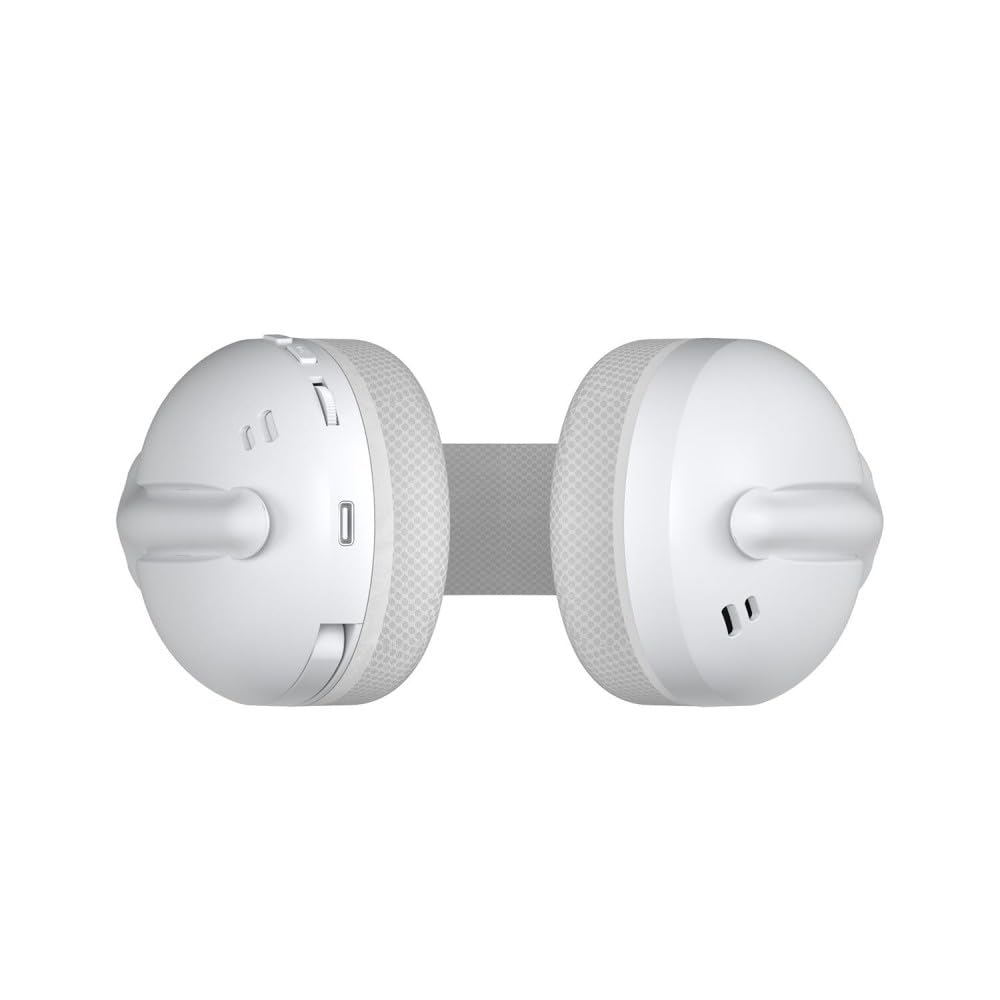
Bild: Draufsicht view of the AULA S6 Wireless Gaming Headset in a folded configuration.
8. Garantieinformationen
AULA products are manufactured to high-quality standards. For specific warranty terms and conditions, please refer to the warranty card included in your product packaging or visit the official AULA webBewahren Sie Ihren Kaufbeleg für Garantieansprüche auf.
9. Kundendienst
If you require further assistance or have questions not covered in this manual, please contact AULA customer support. Contact details can typically be found on the official AULA webauf der Website oder auf der Produktverpackung.

Image: Main product image of the AULA S6 Wireless Gaming Headset, showing its overall design.