
HOBOT HOBOT-388
HOBOT-388 Automatischer intelligenter Fensterreinigungsroboter – Benutzerhandbuch
Model: HOBOT-388
1. Einleitung
The HOBOT-388 is an automatic smart window cleaning robot designed to efficiently clean glass surfaces. It features an ultrasonic water spray nozzle, a brushless DC motor for quiet operation, and can be controlled via a smartphone application or remote control. This manual provides essential information for the safe and effective use, setup, operation, and maintenance of your HOBOT-388.
2. Wichtige Sicherheitshinweise
- The HOBOT-388 operates exclusively with its power cord connected. An embedded Un-interrupted Power System (UPS) prevents the robot from falling during a power interruption.
- Do NOT use the robot on windows with non-rectangular (rounded) edges, as this may compromise suction.
- Ensure the surface size is at least 13 x 13 inches (approximately 33 x 33 cm) for proper operation.
- The robot is suitable for glass thickness of 3 mm or more.
- Always attach the safety cord to a secure anchor point before operating the robot, especially on exterior windows.
- If the robot does not move upwards effectively, ensure cleaning cloths are adequately sprayed with cleaning solution. This can occur on very clean windows.
- Avoid using the robot in high humidity conditions or during rain, as moisture can affect suction and cleaning performance.
3. Packungsinhalt
Überprüfen Sie, ob alle Artikel im Paket vorhanden sind:
- HOBOT-388 Robot Unit
- 1 Bottle of Cleaning Solution
- Charging Adapter and Extension Cord (total length approximately 5 meters)
- Bedienungsanleitung (dieses Handbuch)
- Sicherheitskabel
- Set of 12 Cleaning Pads (microfiber)
- Fernbedienung
4. Produktüberschreitungview und Funktionen

Abbildung 4.1: Von oben nach unten view of the HOBOT-388 robot, showing its oval shape, cleaning pads, control buttons, and ultrasonic spray nozzle.

Abbildung 4.2: HOBOT-388 robot cleaning a large window, with a bookshelf visible through the glass, demonstrating its operation on a vertical surface.
- Ultrasonic Water Spray Nozzle: Atomizes water into a 15-micrometer dense mist to dissolve dust and polish windows without leaving watermarks.
- Bürstenloser Gleichstrommotor: Provides longer life and lower noise during operation.
- AI-Technology: Enables intelligent navigation and cleaning patterns.
- Kontrollmethoden: Operates via a dedicated smartphone application (iOS and Android) or the included remote control.
- One-Button Easy Start: Simplifies the initiation of cleaning cycles.
- Secure DC Power Connector: Ensures a stable and reliable power connection during operation.
- Embedded UPS: Provides backup power to prevent falls in case of a power outage.
- Two Specially Designed Cleaning Wheels: Rotate at up to 70 rpm, mimicking hand gestures for effective glass cleaning.
- Replaceable Water Tank: Allows for easy refilling and maintenance.

Abbildung 4.3: Close-up of the HOBOT-388's main control button, indicating an "easy start" function.
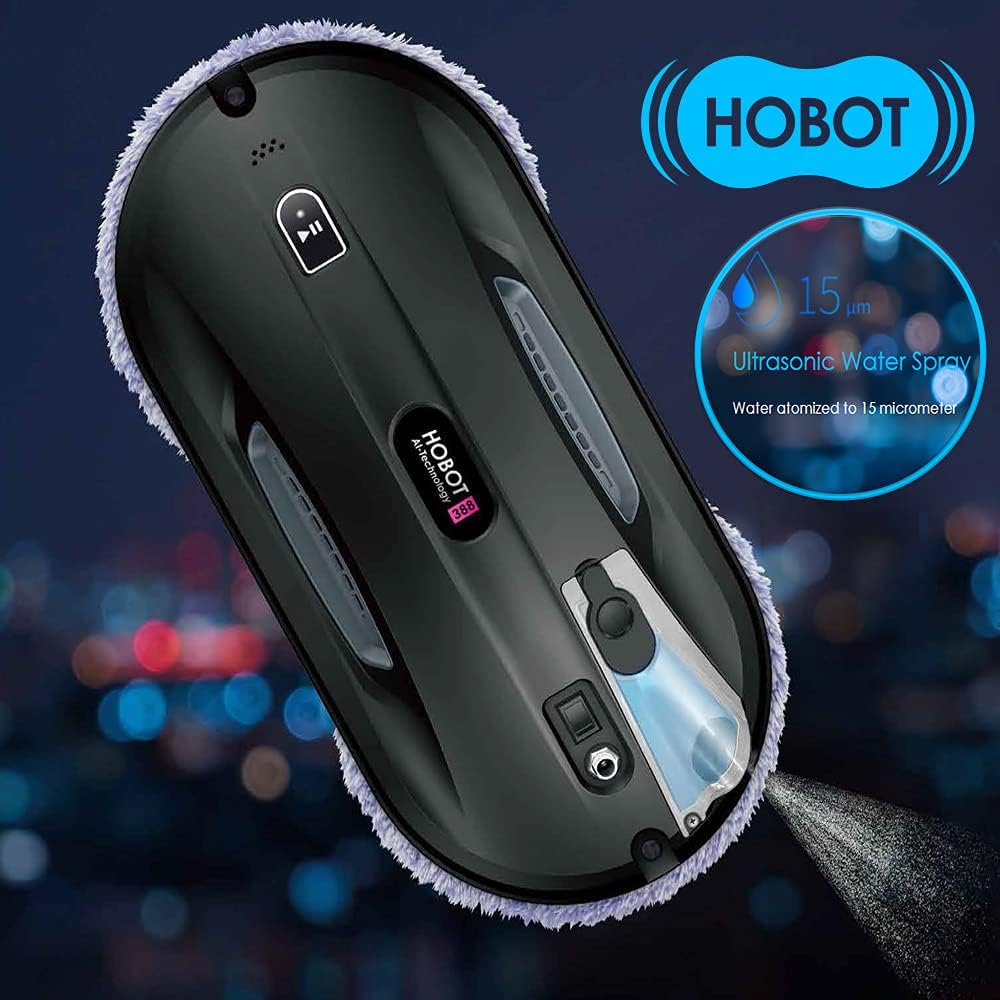
Abbildung 4.4: HOBOT-388 robot on a window, illustrating the ultrasonic water spray function atomizing water into a fine mist.

Abbildung 4.5: Close-up of the secure DC power connector being inserted into the HOBOT-388, highlighting the robust connection mechanism.

Abbildung 4.6: Image showing a smartphone displaying the HOBOT control app alongside a physical remote control, demonstrating multiple control options for the robot.

Abbildung 4.7: Unterseite view of the HOBOT-388, showing its two circular cleaning wheels with microfiber pads, designed for rotating wiping action.
5. Einrichtung
5.1 Anbringen der Reinigungspads
- Stellen Sie sicher, dass der Roboter ausgeschaltet ist.
- Align the microfiber cleaning pads with the two circular cleaning wheels on the underside of the robot.
- Press the pads firmly onto the hook-and-loop fasteners on the wheels.
5.2 Füllen des Wassertanks
- Suchen Sie den Wassertankdeckel am Roboter.
- Open the cap and carefully fill the tank with the provided HOBOT cleaning solution or distilled water. Do not overfill.
- Verschließen Sie die Kappe fest.
5.3 Anschluss von Strom- und Sicherheitsseil

Abbildung 5.1: Diagram illustrating the HOBOT-388's long power cord, showing the 4-meter extension and 1-meter adapter for extended reach.
- Connect the power adapter to the robot's secure DC power connector.
- Connect the extension cord to the power adapter, then plug the power cord into a wall outlet.
- Attach the safety cord to the designated attachment point on the robot.
- Secure the other end of the safety cord to a sturdy object indoors, such as a heavy piece of furniture or a window frame anchor. Ensure the cord is taut but allows the robot full range of motion on the window.
5.4 Initial Placement on Window
- Place the robot on the glass surface, ensuring it is flat against the window.
- Press the power button on the robot or use the remote/app to activate suction. The robot will adhere to the glass.
- Once suction is confirmed, you can release the robot.
6. Bedienungsanleitung
6.1 Empfehlung zum Reinigungsprozess
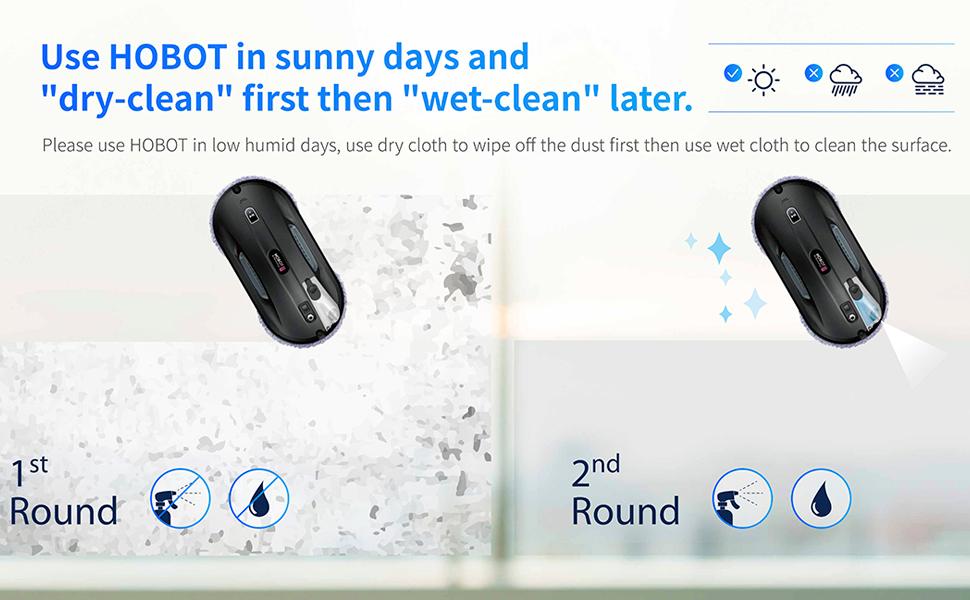
Abbildung 6.1: Diagram demonstrating the recommended two-step cleaning process: a first round with dry cloth to remove dust, followed by a second round with wet cloth for thorough cleaning.
For optimal results, especially on very dirty windows or in low humidity conditions, a two-step cleaning process is recommended:
- First Round (Dry Clean): Use dry cleaning pads to remove loose dust and dirt from the window surface. Do not activate the water spray during this cycle.
- Second Round (Wet Clean): Durch sauberes, leicht angetrocknetes Material ersetzen.ampened pads and activate the ultrasonic water spray for a thorough wet cleaning.
6.2 Starten eines Reinigungszyklus
- Verwendung der Robotertaste: Press the main power/start button on the robot once it is securely attached to the window. The robot will automatically select a cleaning path.
- Verwenden der Fernbedienung: Use the designated buttons on the remote control to start, stop, or select specific cleaning patterns (e.g., Z-path, N-path). Refer to the remote control's specific button functions.
- Verwendung der Smartphone-App: Download the HOBOT app from your device's app store. Connect to the HOBOT-388 via Bluetooth. The app allows for starting, stopping, manual control, and selection of cleaning modes.
6.3 Manuelle Steuerung
For specific areas or smaller windows (less than 13x13 inches), you can use the remote control or smartphone app for manual navigation. This allows you to guide the robot to desired cleaning spots.
7. Wartung
7.1 Reinigungspads
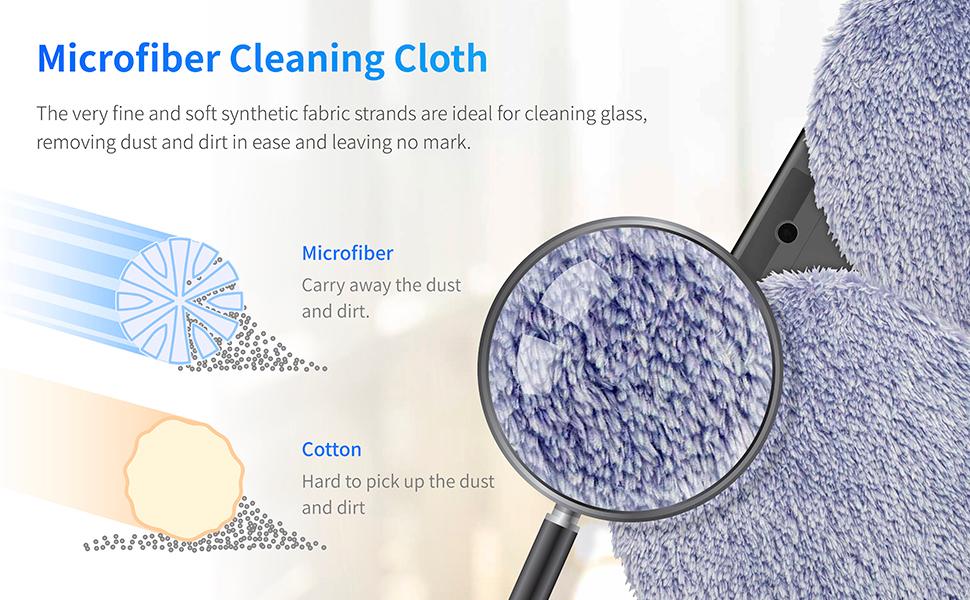
Abbildung 7.1: Vergrößert view of the microfiber cleaning cloth, comparing its structure to cotton to highlight its effectiveness in capturing dust and dirt.
- Entfernen Sie nach jedem Gebrauch die Reinigungspads vom Roboter.
- Wash the microfiber pads by hand or machine wash with mild detergent. Do not use fabric softener.
- Lassen Sie die Polster vollständig an der Luft trocknen, bevor Sie sie wieder anbringen oder verstauen.
- Replace pads when they show signs of wear or reduced cleaning effectiveness.
7.2 Wassertank
- Empty any remaining cleaning solution from the tank after use.
- Spülen Sie den Tank regelmäßig mit sauberem Wasser aus, um Ablagerungen zu vermeiden.
- Ensure the tank is dry before storing the robot.
7.3 Allgemeine Reinigung
- Wischen Sie die Außenseite des Roboters mit einem weichen, trockenen Tuch ab.
- Keep the suction vents clear of dust and debris.
8. Fehlerbehebung
| Problem | Mögliche Ursache | Lösung |
|---|---|---|
| Robot falls off window | Non-rectangular/beveled edges; insufficient suction; power outage (UPS should prevent this); high humidity. | Ensure window edges are square. Verify safety cord is attached. Check power connection. Avoid use in high humidity. |
| Robot leaves streaks | Dirty cleaning pads; insufficient cleaning solution; very dirty window requiring pre-cleaning. | Replace or wash cleaning pads. Ensure water tank is filled. Perform a dry cleaning cycle first on very dirty windows. |
| Robot does not move up or gets stuck | Cleaning pads too dry; surface too clean (lack of friction); software issue. | Ensure cleaning pads are slightly damp. Spray pads with cleaning solution. Restart the robot. For small windows, manual control may be necessary. |
| Robot stops prematurely | Obstruction detected; edge detection issue; low battery (if not connected to power). | Clear any obstructions. Ensure window size meets minimum requirements. Verify power connection. Relocate the robot and restart. |
| Remote control or app not responding | Batteries in remote are low; Bluetooth connection issue; app malfunction. | Replace remote batteries. Re-pair Bluetooth connection. Restart the app or robot. |
9. Spezifikationen
| Besonderheit | Spezifikation |
|---|---|
| Marke | HOBOT |
| Modellnummer | HOBOT-388 |
| Technische Daten | 11.6"L x 5.8"B x 3.7"H (29.5 cm L x 14.7 cm B x 9.4 cm H) |
| Artikelgewicht | 2 Pfund (0.9 kg) |
| Farbe | Schwarz |
| Stromquelle | Kabelgebundene Elektrik |
| Bandtage | 240 Volt |
| Akku-Typ | Lithium-Polymer (im Lieferumfang enthalten) |
| Akkulaufzeit (USV) | Approximately 20 minutes (backup) |
| Kontrollmethode | App, Fernbedienung |
| Minimum Surface Size | 13 x 13 Zoll (33 x 33 cm) |
| Filtertyp | Cloth (Microfiber) |
| Besonderheit | Automatic Dust Collection, Ultrasonic Water Spray |
10. Garantie und Support
For warranty information, please refer to the documentation included with your purchase or visit the official HOBOT website. If you encounter any issues or require technical assistance, please contact HOBOT customer support through their official channels. Keep your purchase receipt and product serial number handy for support inquiries.
Ask a question about this manual
Ask about setup, troubleshooting, compatibility, parts, safety, or missing instructions. Manuals+ will review the question and use this page’s manual context to help answer it.