
1. Einleitung
This manual provides detailed instructions for the setup, operation, and maintenance of your Explore Scientific WSX-1001 Professional WiFi 5-in-1 Weather Station. This advanced weather station is designed to provide accurate and detailed local weather data, including outdoor temperature, humidity, wind speed, wind direction, and rainfall. It features a vibrant color LCD display and WiFi connectivity for uploading data to online weather services like Weather Underground and Weathercloud.

Figure 1: Explore Scientific WSX-1001 Weather Station, showing the main display unit and the integrated 5-in-1 outdoor sensor array.
2. Packungsinhalt
Bitte vergewissern Sie sich, dass alle Komponenten vorhanden sind, bevor Sie mit der Installation fortfahren:
- Basisstation (Anzeigeeinheit)
- 5-in-1 Multi-Sensor Array (for outdoor measurements)
- Mounting Material (for sensor array)
- Power Supply (AC adapter)
- Benutzerhandbuch (dieses Dokument)
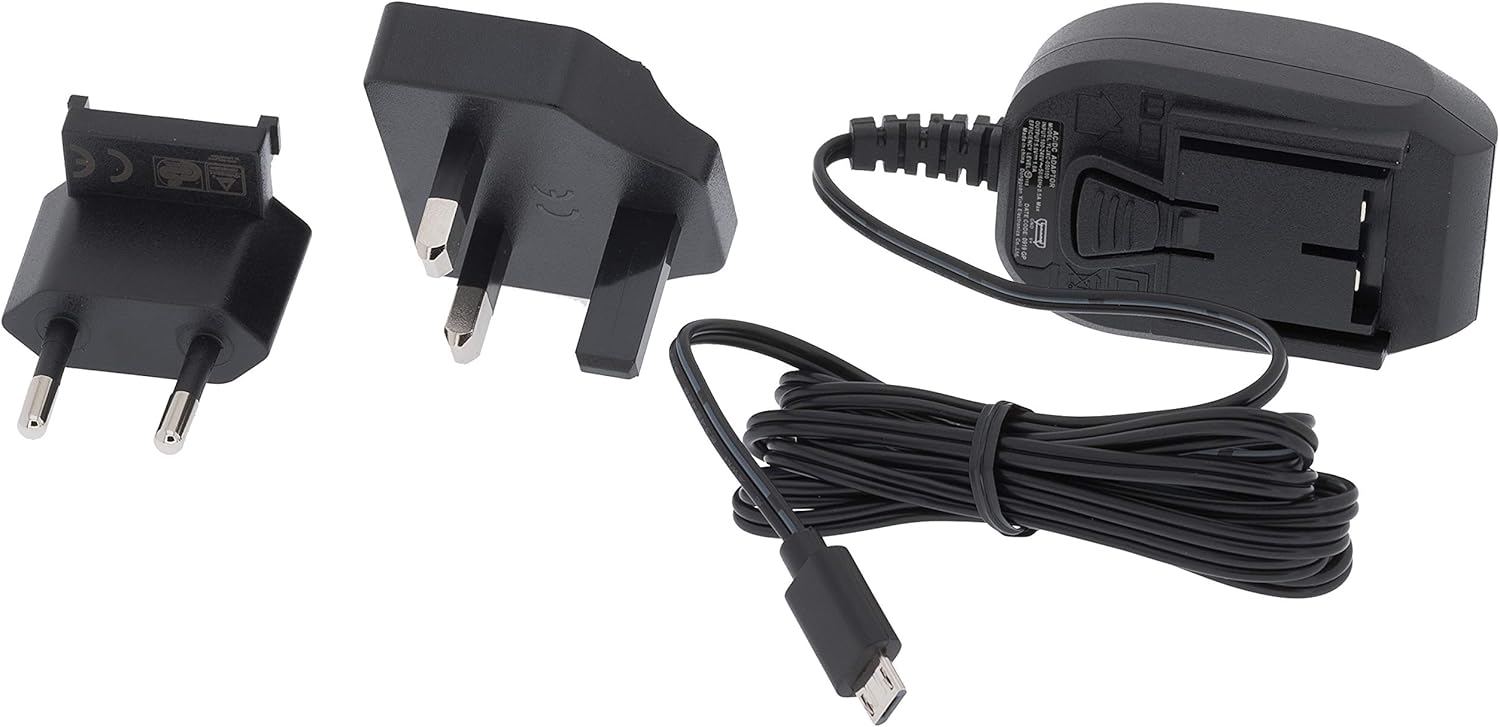
Figure 2: Included power supply and cable for the base station.
3. Sicherheitshinweise
Bitte lesen und verstehen Sie die folgenden Sicherheitsvorkehrungen, bevor Sie das Gerät benutzen:
- Die Basisstation darf keinen extremen Temperaturen, direkter Sonneneinstrahlung oder hoher Luftfeuchtigkeit ausgesetzt werden.
- Ensure the outdoor sensor array is mounted securely to prevent damage from wind or falling.
- Use only the specified power adapter for the base station.
- Batterien für Kinder unzugänglich aufbewahren. Gebrauchte Batterien umweltgerecht entsorgen.
- Versuchen Sie nicht, das Gerät selbst zu reparieren oder zu modifizieren. Wenden Sie sich an den Kundendienst, um Unterstützung zu erhalten.
4. Einrichtung
4.1. Installing the 5-in-1 Multi-Sensor Array
The 5-in-1 multi-sensor array measures wind speed, wind direction, rainfall, outdoor temperature, and humidity. For accurate readings, select an open location free from obstructions.
- Wählen Sie einen Standort: Select an elevated, open area, such as a rooftop or a pole in your yard, where wind, rain, and sunlight are not obstructed.
- Bauen Sie den Sensor zusammen: Attach the wind cups, wind vane, and mounting pole to the sensor body as per the diagrams in the quick start guide.
- Batterien installieren: Open the battery compartment on the sensor array and insert 3 AAA batteries (not included). Ensure correct polarity.
- Montieren Sie den Sensor: Use the provided mounting bracket and screws to securely attach the sensor array to a pole or flat surface. Ensure it is level for accurate rain measurements.

Figure 3: The 5-in-1 outdoor sensor array installed on a rooftop for optimal exposure.
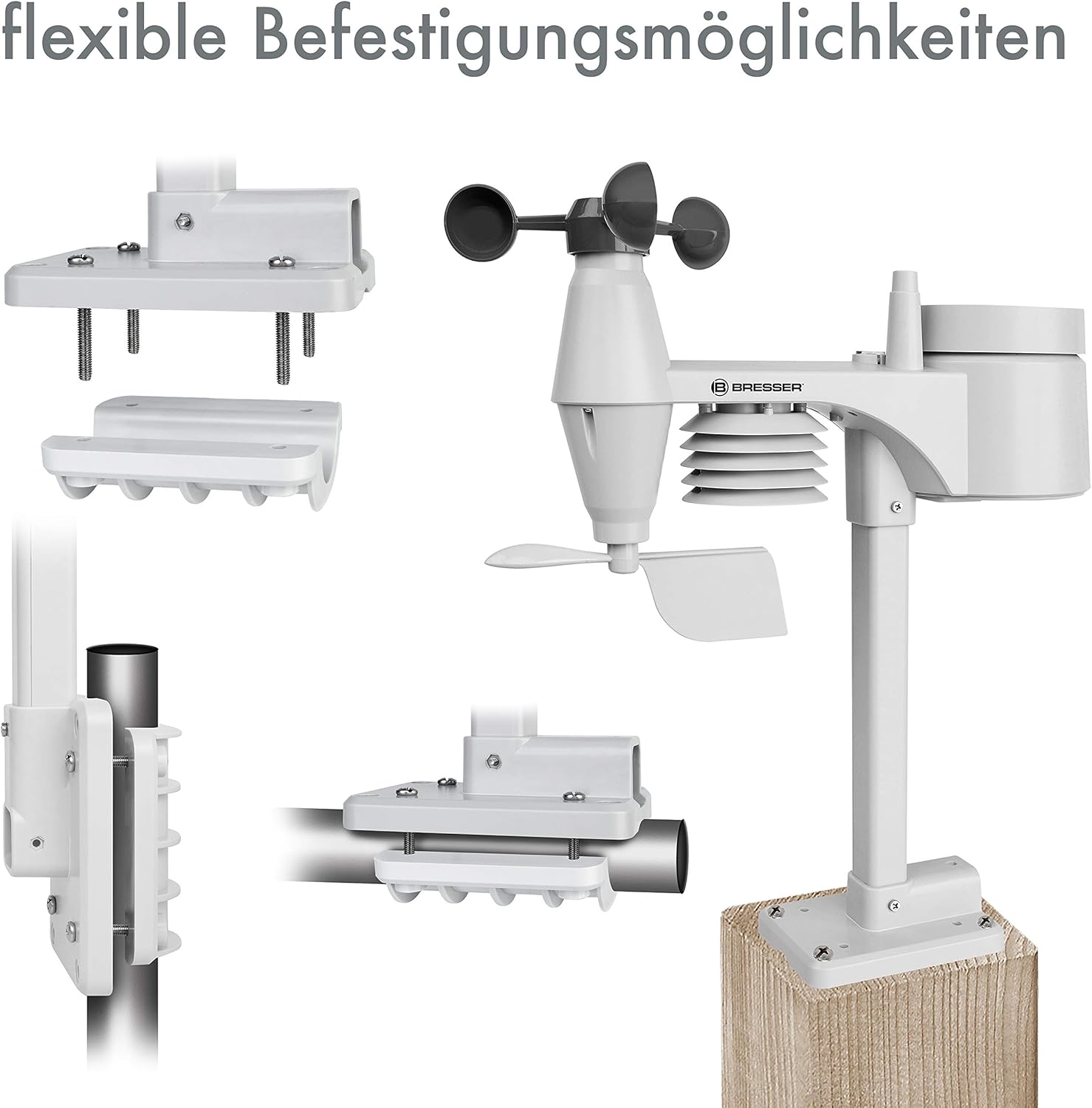
Abbildung 4: Bspamples of flexible mounting options for the outdoor sensor array.
4.2. Einrichtung der Basisstation
- Einschalten: Connect the provided AC adapter to the base station and plug it into a power outlet. The display will light up.
- Optionale Backup-Batterien: Für Machttage backup, insert 3 AAA batteries into the battery compartment on the back of the base station.
- Sensoranschluss: The base station will automatically search for and connect to the 5-in-1 multi-sensor array. This may take a few minutes. Ensure the sensor is within range.
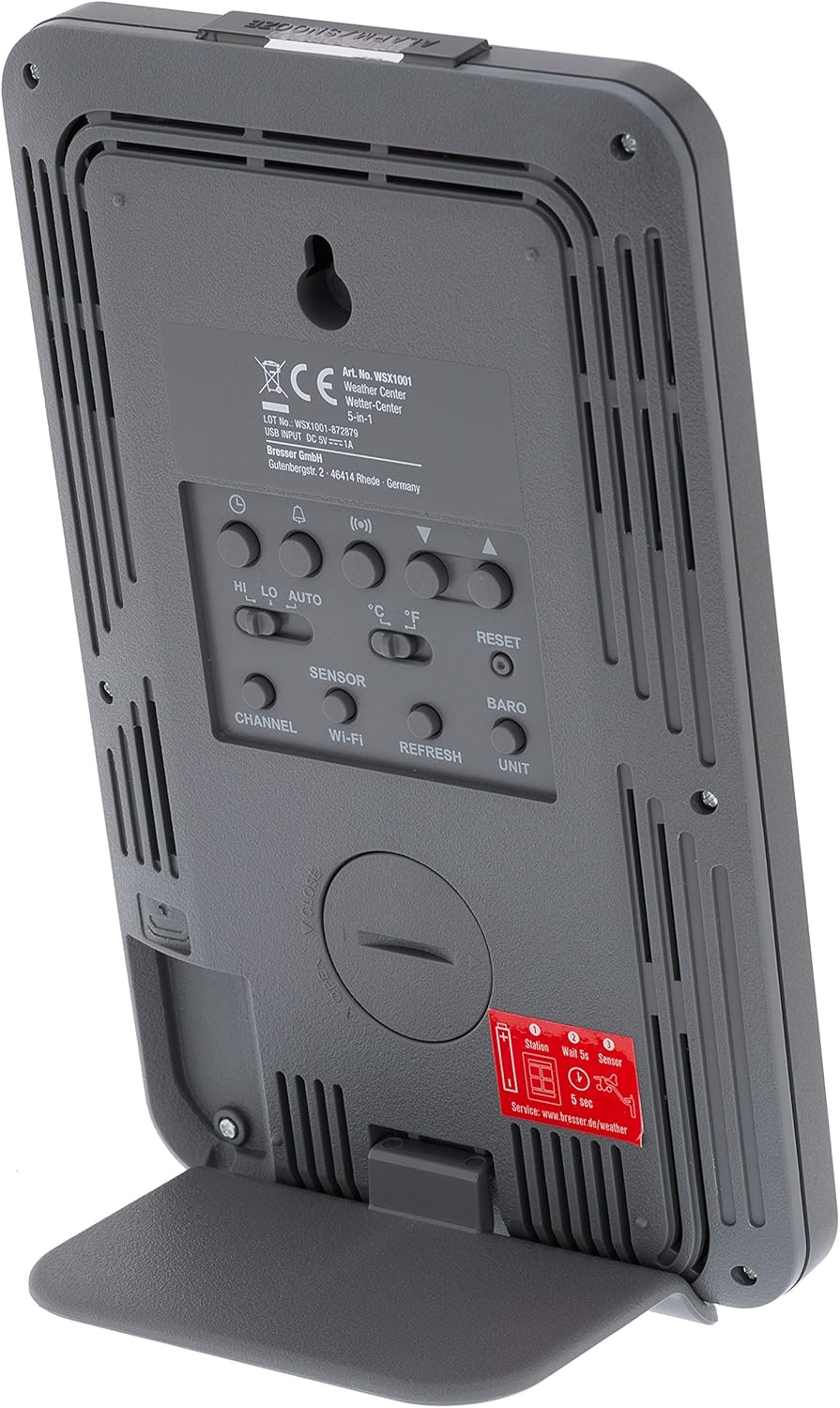
Abbildung 5: Rückseite view of the base station, highlighting the battery compartment and control buttons.
4.3. WiFi Connection and Online Services
The WSX-1001 allows you to upload your weather data to online platforms like Weather Underground and Weathercloud.
- Zugriffseinrichtungsmodus: Refer to the detailed instructions in the quick start guide for entering WiFi setup mode on your base station.
- Mit Netzwerk verbinden: Use a smartphone or computer to connect to the weather station's temporary WiFi network and configure it to join your home WiFi network.
- Online registrieren: Create an account on Weather Underground (www.wunderground.com) or Weathercloud (www.wetterwolke.net) and register your weather station. You will need your station ID and key.
- Daten hochladen: Once configured, your weather station will automatically upload data to the chosen online service, allowing you to view your data remotely via their webWebsites oder mobile Anwendungen.
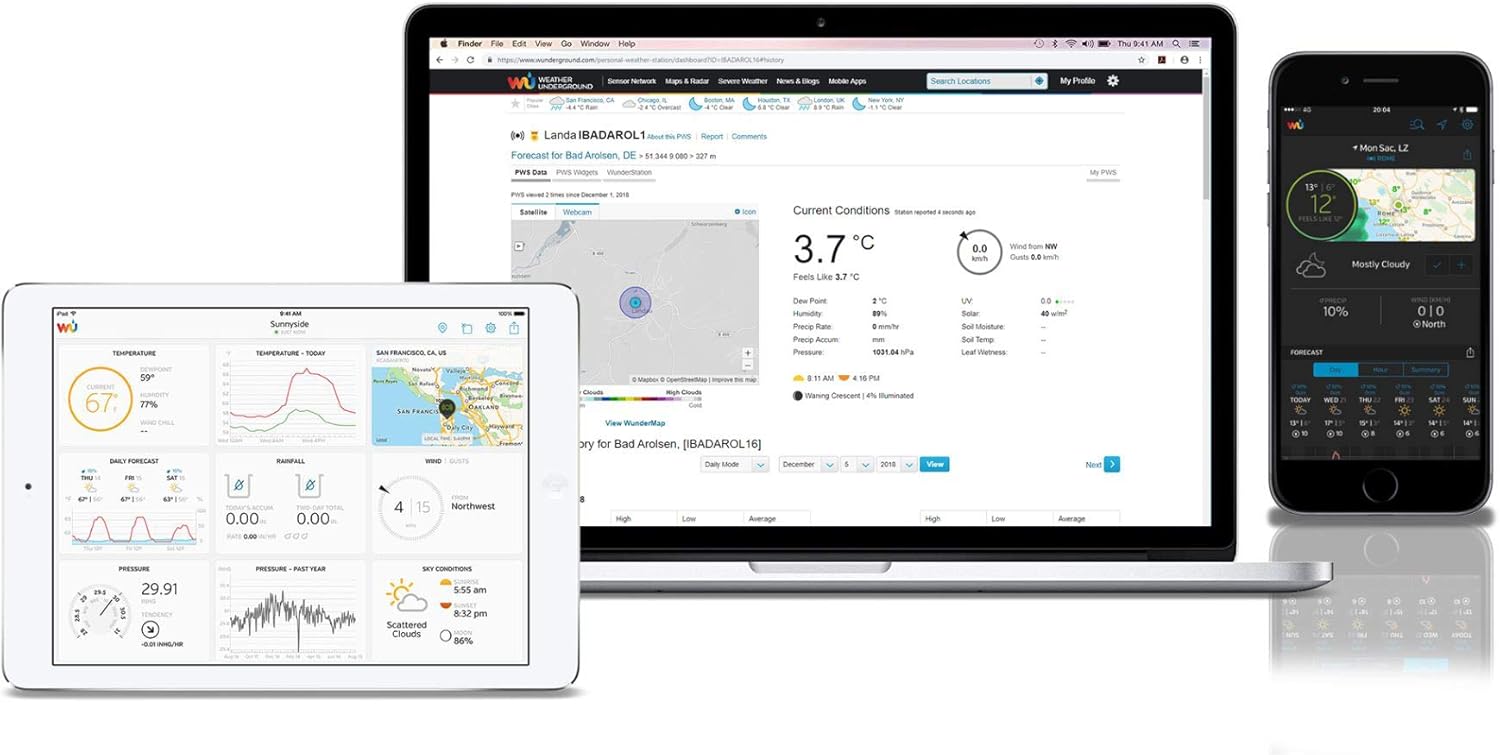
Abbildung 6: Bspample of the Weather Underground interface on different devices, displaying weather data.
5. Bedienung der Wetterstation
5.1. Anzeige überview
The color LCD display provides a comprehensive overview of current weather conditions. Key areas include:
- Lesungen im Freien: Temperature, humidity, and signal strength from the 5-in-1 sensor.
- Lesungen für drinnen: Temperature and humidity measured by the base station.
- Luftdruck: Current atmospheric pressure with historical trend.
- Wettervorhersage: Grafische Darstellung der bevorstehenden Wetterbedingungen.
- Winddaten: Wind speed (average and gust), wind direction (compass rose).
- Niederschlagsmenge: Daily, weekly, monthly, and total rainfall measurements.
- Zeit Datum: Synchronized via WiFi.

Abbildung 7: Ausführlich view of the color LCD display, showing outdoor/indoor temperature, humidity, pressure, wind, and rainfall data.
5.2. Data Interpretation and Features
- High/Low Records: The display shows daily high and low records for temperature and humidity.
- Alarme: Stellen Sie individuell anpassbare Alarme für verschiedene Wetterparameter ein (z. B. hohe Windgeschwindigkeit, niedrige Temperatur).
- Kalibrierung: The station supports calibration for certain measurements to fine-tune accuracy. Refer to the full manual for calibration procedures.
- Moon Phase & Sunrise/Sunset: Displays current moon phase and calculated sunrise/sunset times.
6. Wartung
6.1. Batteriewechsel
The outdoor sensor array requires 3 AAA batteries. It is recommended to replace these annually to ensure continuous operation, especially before winter. The base station uses 3 AAA batteries for backup power, which should also be checked periodically.
6.2. Sensorreinigung
Periodically inspect the outdoor sensor array for dirt, debris, or insect nests that could affect accuracy. Gently clean the rain collector funnel, wind cups, and wind vane with a soft, damp cloth. Ensure the solar panel (if present) is clean for optimal charging.
7. Fehlerbehebung
- Kein Display/Stromanschluss: Check the AC adapter connection to the base station and the power outlet. If using backup batteries, ensure they are correctly inserted and charged.
- Keine Daten von Außensensoren: Ensure the outdoor sensor has fresh batteries and is within range of the base station. Try resetting both units.
- Ungenaue Messwerte: Verify the outdoor sensor is mounted correctly and free from obstructions. Calibrate sensors if necessary (refer to the full manual).
- WLAN-Verbindungsprobleme: Ensure your home WiFi network is operational and the password is correct. Try restarting your router and the weather station.
- Daten werden nicht in Online-Dienste hochgeladen: Check your internet connection. Verify your station ID and key are correctly entered in the weather station's settings and on the online service's webWebsite.
8. Spezifikationen
| Besonderheit | Spezifikation |
|---|---|
| Modellnummer | WSX-1001 (WSX1001CM3LC2) |
| Marke | Entdecken Sie Wissenschaft |
| Konnektivitätstechnologie | W-lan |
| Stromversorgung (Basisstation) | AC Adapter, 3 AAA Batteries (backup) |
| Power Source (Multi-Sensor) | 3 AAA-Batterien |
| Technische Daten | 16.8 x 14.3 x 2.4 cm (Base Station) |
| Gewicht | 100 g (Base Station) |
| Sonderfunktion | Alarm |
| Temperaturgenauigkeit | Weniger als 1 °C |
| Empfohlene Verwendung | Heim |
9. Garantie und Support
For warranty information and technical support, please refer to the warranty card included with your product or visit the official Explore Scientific webBewahren Sie Ihren Kaufbeleg als Kaufnachweis auf.