
Einführung
Thank you for choosing the Kaidi KD903 Wireless Bluetooth Earphones. This manual provides essential information for the safe and optimal use of your device. Please read it carefully before use and retain it for future reference.
Was ist in der Box:
- 1 x Kaidi KD903 Wireless Earphones
- 2 x Pairs of Comfortable Ear Tips (different sizes)
- 1 x USB-Ladekabel
- 1 x Benutzerhandbuch

Image: Kaidi KD903 Wireless Earphones with included accessories, such as the charging cable and additional ear tips.
Produkt überview
The Kaidi KD903 earphones are designed for active lifestyles, offering a secure fit and resistance to sweat. They feature Bluetooth 4.1 for stable connectivity and clear audio.
Hauptmerkmale:
- Bluetooth 4.1: Gewährleistet eine stabile und effiziente drahtlose Verbindung.
- Schweißbeständigkeit: Ideal for sports and workouts.
- CVC Intelligent Noise Reduction: Minimizes wind noise for clearer calls.
- Mehrpunktverbindung: Verbindet sich gleichzeitig mit zwei Geräten.
- Spracherinnerung: Provides audio prompts for status updates.
- IOS Power Display: Shows battery level on iOS devices.
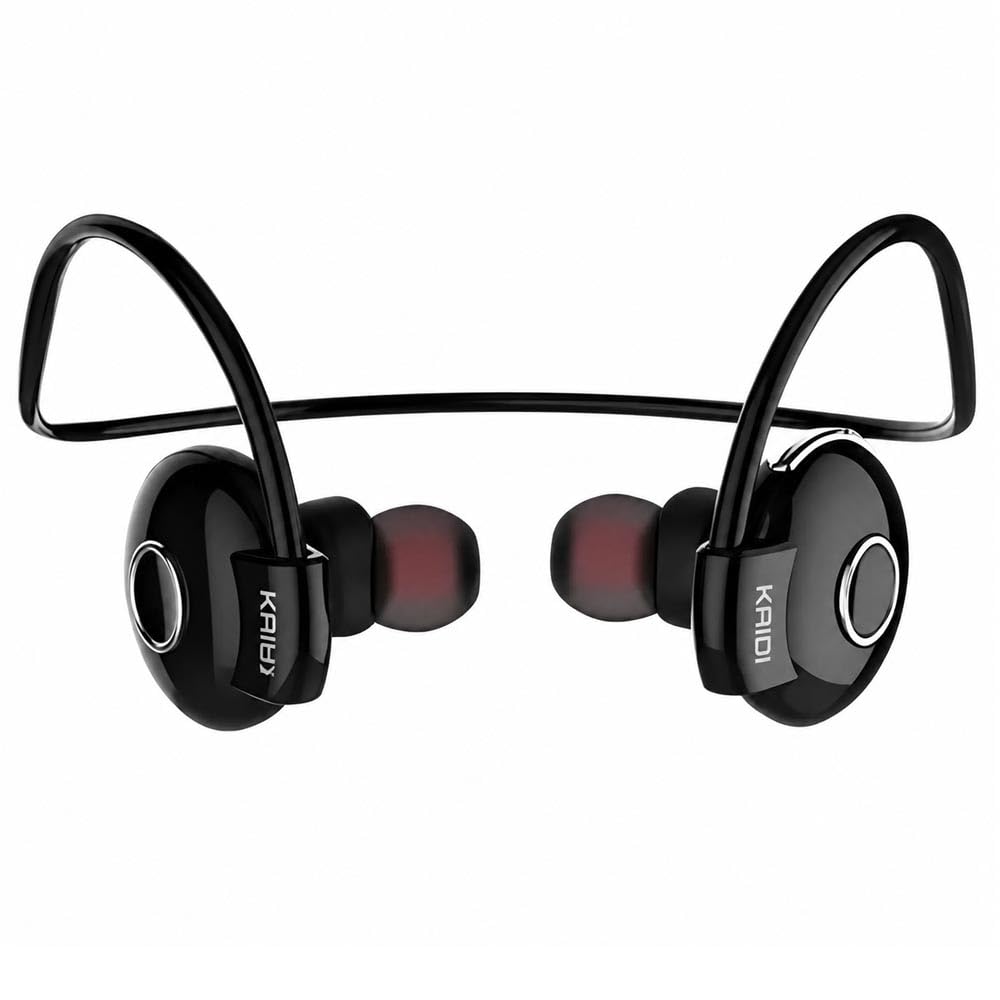
Bild: Eine explodierte view illustrating the internal components and design of the Kaidi KD903 earphone.
Aufstellen
1. Aufladen der Ohrhörer
- Connect the USB charging cable to the charging port on the earphones.
- Stecken Sie das andere Ende des USB-Kabels in eine kompatible USB-Stromquelle (z. B. Computer, Netzteil).
- The indicator light will illuminate to show charging status. A full charge typically takes approximately 2.5 hours.
- Sobald der Akku vollständig geladen ist, ändert sich die Kontrollleuchte oder erlischt. Trennen Sie das Ladekabel.
2. Kopplung mit einem Bluetooth-Gerät
- Stellen Sie sicher, dass die Kopfhörer ausgeschaltet sind.
- Press and hold the multi-function button (usually the main button on the earphone) for approximately 5-7 seconds until the indicator light flashes red and blue alternately. This indicates the earphones are in pairing mode.
- Aktivieren Sie Bluetooth auf Ihrem Smartphone oder einem anderen Bluetooth-fähigen Gerät und suchen Sie nach verfügbaren Geräten.
- Select 'KD903' from the list of found devices.
- Once connected, a voice prompt will confirm successful pairing, and the indicator light will typically flash blue slowly.

Image: A person wearing the Kaidi KD903 wireless earphones, highlighting their suitability for sports and active use.
Bedienungsanleitung
Ein-/Ausschalten
- Einschalten: Press and hold the multi-function button for approximately 3 seconds until the blue indicator light flashes and a voice prompt says "Power On".
- Ausschalten: Press and hold the multi-function button for approximately 3 seconds until the red indicator light flashes and a voice prompt says "Power Off".
Musikwiedergabe
- Abspielen/Pause: Drücken Sie einmal die Multifunktionstaste.
- Nächster Titel: Halten Sie die Lautstärketaste + gedrückt.
- Vorheriges Lied: Die Lautstärketaste - gedrückt halten.
- Lautstärke erhöhen: Drücken Sie kurz die Lautstärketaste +.
- Lautstärke runter: Drücken Sie kurz die Lautstärketaste -.
Anruf-Management
- Anruf annehmen/beenden: Drücken Sie einmal die Multifunktionstaste.
- Anruf ablehnen: Drücken und halten Sie die Multifunktionstaste etwa 2 Sekunden lang.
- Wahlwiederholung letzte Nummer: Drücken Sie die Multifunktionstaste zweimal.
Multipoint Connection (Connecting to Two Devices)
- Pair the earphones with the first device as described in the "Pairing" section.
- Nach erfolgreicher Kopplung deaktivieren Sie Bluetooth auf dem ersten Gerät.
- Put the earphones back into pairing mode (red and blue flashing light).
- Koppeln Sie die Ohrhörer mit dem zweiten Gerät.
- Once the second device is paired, re-enable Bluetooth on the first device. The earphones should now be connected to both devices simultaneously.
Wartung
Proper maintenance ensures the longevity and performance of your Kaidi KD903 earphones.
- Reinigung: Regularly clean the earphones with a soft, dry, lint-free cloth. Do not use abrasive cleaners, solvents, or harsh chemicals.
- Schweißbeständigkeit: While the earphones are sweat-resistant, avoid submerging them in water or exposing them to heavy rain. After intense workouts, wipe them dry.
- Lagerung: Bewahren Sie die Kopfhörer bei Nichtgebrauch an einem kühlen, trockenen Ort, fern von direkter Sonneneinstrahlung und extremen Temperaturen auf.
- Laden: Charge the earphones using only the provided USB cable or a certified equivalent. Avoid overcharging.
Fehlerbehebung
Sollten Sie Probleme mit Ihren Kopfhörern haben, beachten Sie bitte die folgenden häufig auftretenden Probleme und Lösungen:
- Die Kopfhörer lassen sich nicht einschalten:
Ensure the earphones are fully charged. Connect them to a power source and allow them to charge for at least 30 minutes before attempting to power on again. - Kein Ton oder geringe Lautstärke:
Check the volume levels on both the earphones and your connected device. Ensure the earphones are properly paired and connected to your device. Try re-pairing the earphones. - Kopplung mit einem Gerät nicht möglich:
Ensure the earphones are in pairing mode (red and blue indicator light flashing). Make sure Bluetooth is enabled on your device and it is within the 8-meter transmission range. Try restarting both the earphones and your device. - Connection is unstable or drops frequently:
Ensure there are no obstacles between the earphones and your device. Move closer to your device. Avoid environments with strong Wi-Fi or other wireless interference. - Ladeproblem:
Verify that the charging cable is securely connected to both the earphones and the power source. Try using a different USB port or charging adapter.
Technische Daten
| Besonderheit | Spezifikation |
|---|---|
| Bluetooth-Version | 4.1 |
| Profile Unterstützung | HSP/HFP/A2DP/AVRCP |
| Standby-Zeit | 200 Stunden |
| Gesprächszeit | 10 Stunden |
| Musikwiedergabezeit | 6 Stunden |
| Ladezeit | 2.5 Stunden |
| Frequenzbereich | RF 2.40 GHz (2.402 G – 2.480 G) |
| Umgebungstemperatur | -20°C bis +60°C |
| Übertragungsdistanz | Bis zu 8 Meter |
| Batteriekapazität | 100mAh wiederaufladbar |
| Abmessungen (L x B x H) | 12.2 x 10.3 x 4.4 cm |
| Steckertyp | USB Typ C |
| Farbe | Schwarz |
Garantie und Support
Garantieinformationen
This Kaidi KD903 product comes with a 30 Tage Garantie from the date of purchase. This warranty covers manufacturing defects. Please retain your proof of purchase (receipt or invoice) as it is required for any warranty claims.
Die Garantie deckt keine Schäden ab, die durch Missbrauch, Unfälle, nicht autorisierte Änderungen oder normale Abnutzung verursacht wurden.
Kundenservice
For technical assistance, troubleshooting not covered in this manual, or warranty inquiries, please contact the retailer from whom you purchased the product. You may also visit the official Kaidi webWeitere Support-Ressourcen finden Sie auf der Website.