
Abonnieren WebNocken
ToLuLu 1080P HD WebBedienungsanleitung der Kamera
Modell: WebNocken
1. Einleitung
Thank you for choosing the ToLuLu 1080P HD Webcam. This manual provides detailed instructions for the proper setup, operation, and maintenance of your webcam. Designed for professional-quality video calls, recording, conferencing, and gaming, this webcam delivers crisp images and clear video at 30 frames per second. It features automatic light correction, HDR technology, and a built-in noise-reduction microphone to ensure optimal performance in various lighting conditions.
2. Lieferumfang
- ToLuLu 1080P HD WebNocken
- Bedienungsanleitung
- Datenschutz-Abdeckung
- Stativ
3. Produktüberschreitungview
The ToLuLu 1080P HD Webcam is equipped with a full HD glass lens and an integrated digital stereo microphone. It features a flexible clip for mounting on various displays and a standard tripod thread for the included tripod stand. A privacy cover is also provided for enhanced security.

Image 3.1: ToLuLu 1080P Webcam with included privacy cover and tripod.

Bild 3.2: Webcam with privacy cover and tripod stand. The privacy cover can be closed when the webKamera wird nicht verwendet.
4. Einrichtungsanweisungen
- Montage der WebNocken:
Der webcam features an adjustable universal clip. You can place it securely on top of your laptop screen, desktop monitor, or any flat surface. For alternative placement, attach the webcam to the included tripod stand using the standard tripod thread at the bottom of the clip. - Anschließen an Ihren Computer:
Schließen Sie das USB-Kabel von dem webcam to an available USB port on your computer (laptop, desktop, Mac, PC). The webcam is designed for plug-and-play functionality, meaning no additional drivers are typically required for most operating systems. - Erste Erkennung:
Ihr Computer sollte die Software automatisch erkennen und installieren. webcam. A notification may appear indicating that the device is ready for use. - Softwarekonfiguration:
Open your preferred video conferencing or streaming application (e.g., Zoom, Skype, OBS, YouTube, Facetime). Navigate to the video and audio settings within the application and select the "ToLuLu Webcam" as your video input device and its integrated microphone as your audio input device.

Image 4.1: Connecting the webcam via USB for plug-and-play setup.
5. Bedienungsanleitung
- Videoqualität: The 1080P Full HD glass lens delivers clear video at 30 frames per second. The webcam features automatic light correction and HDR technology, which adjusts color and brightness for natural lighting, even in dim or poorly backlit environments.
- Audio Qualität: The built-in digital stereo microphone includes automatic noise reduction, ensuring your voice is captured clearly from up to 10 feet away.
- Breitbild View: The fixed-focus lens provides a 110-degree wide-angle view, suitable for individual use or group video conferencing.
- Datenschutzabdeckung: Use the included privacy cover to physically block the camera lens when not in use. This protects your privacy and prevents unauthorized access to your video feed.

Image 5.1: Comparison illustrating the clarity of the 1080P Full HD webNocken.

Abbildung 5.2: Die webcam's 110-degree wide-angle view, suitable for multiple participants.
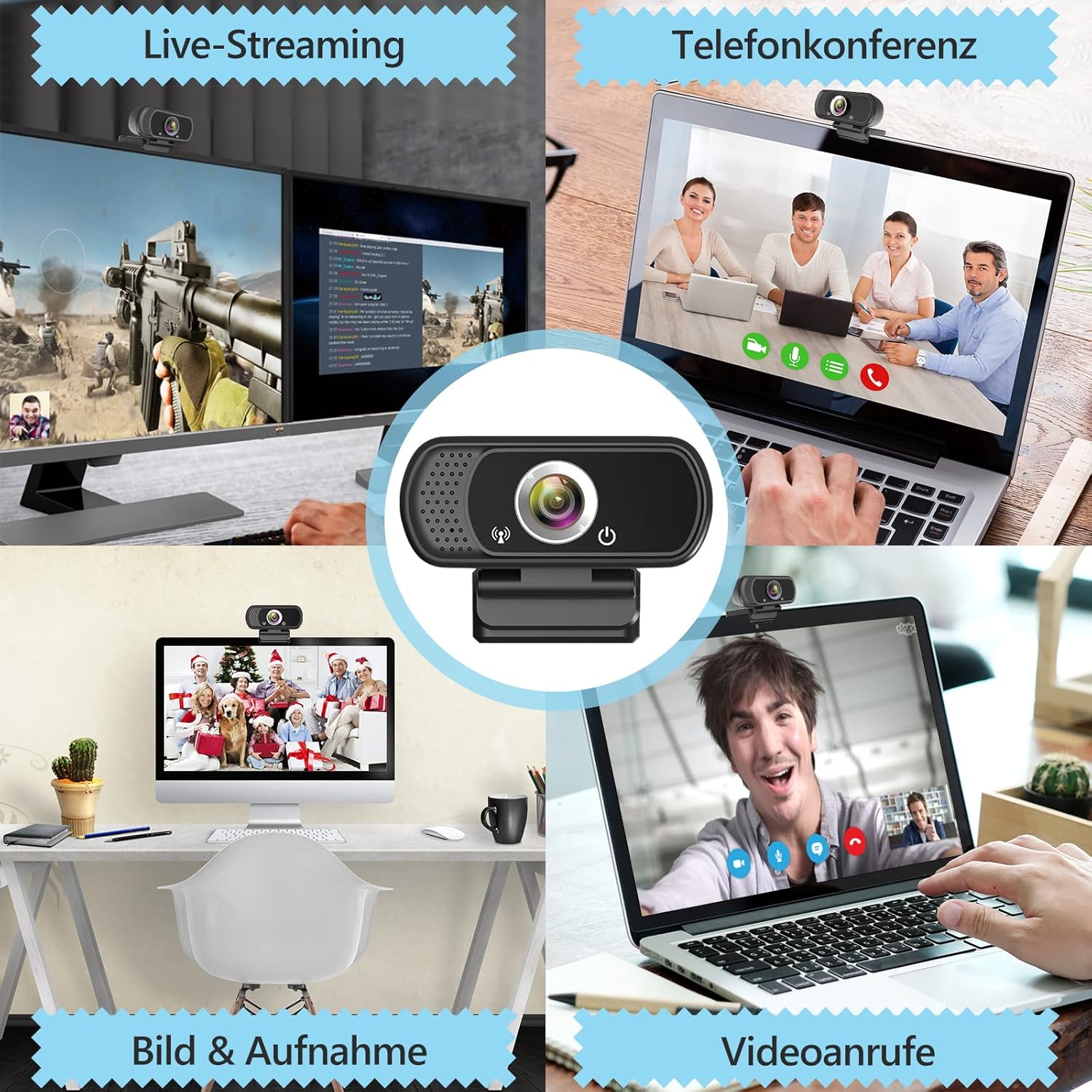
Abbildung 5.3: Beispielampweniger von webcam use in live streaming, teleconferencing, and video calls.
6. Kompatibilität
The ToLuLu 1080P HD Webcam offers broad compatibility with various operating systems and applications:
- Betriebssysteme: Windows 2000, XP, 7, 8, 10 and above; macOS 10.6 and above; Chrome OS 29.0.1547 or above; Android V5.0 or above; Smart TV.
- Hardwareplattformen: Mac, PC, Laptops, Desktops, Smart TVs.
- Kompatible Anwendungen: Skype, OBS, YouTube, Facebook, Twitch, Facetime, Zoom, Xbox One, Hangouts, and more.

Abbildung 6.1: Die webcam is compatible with multiple operating systems and popular communication platforms.
7. Wartung
- Reinigung der Linse: Verwenden Sie ein weiches, fusselfreies Tuch, das speziell für optische Linsen entwickelt wurde, um die Linsen vorsichtig abzuwischen. webcam lens. Avoid abrasive materials or harsh chemicals, which can scratch or damage the lens.
- Allgemeine Reinigung: Wischen Sie den Körper des webKamera mit weichem, damp cloth. Ensure no moisture enters the device.
- Lagerung: Bewahren Sie die . bei Nichtgebrauch auf webBewahren Sie die Kamera an einem sauberen, trockenen Ort auf. Verwenden Sie die Sichtschutzabdeckung, um die Linse vor Staub und Kratzern zu schützen.
- Kabelpflege: Um interne Schäden zu vermeiden, sollte das USB-Kabel nicht übermäßig gebogen oder verdreht werden.
8. Fehlerbehebung
| Problem | Mögliche Ursache | Lösung |
|---|---|---|
| WebKamera nicht erkannt / Kein Bild | USB connection issue, driver conflict, or incorrect software selection. |
|
| Poor image quality (blurry, dark, grainy) | Insufficient lighting, dirty lens, or software settings. |
|
| Microphone not working / Poor audio quality | Microphone not selected, system audio settings, or environmental noise. |
|
| Zeitweise Verbindungsprobleme | Loose USB connection, USB port power issues, or system resource conflicts. |
|
9. Spezifikationen
| Besonderheit | Detail |
|---|---|
| Auflösung der Videoaufnahme | 1080p Full HD (1920 x 1080) at 30fps |
| Objektivtyp | Full HD Glass Lens, Fixed Focus |
| Fachgebiet View | 110 Degrees Widescreen |
| Mikrofon | Built-in Digital Stereo Microphone with Automatic Noise Reduction |
| Lichtkorrektur | Automatic Light Correction, HDR Technology |
| Konnektivität | USB Plug & Play (1.8m / 6 feet USB cable) |
| Montage | Adjustable Universal Clip, Tripod Ready |
| Betriebssysteme | Windows 2000/XP/7/8/10+, macOS, Chrome OS, Android, Smart TV |
| Abmessungen (LxBxH) | 3.8 x 3.1 x 2.5 Zoll |
| Artikelgewicht | 6.3 Unzen |
10. Garantie und Support
ToLuLu is committed to providing quality products and customer satisfaction.
- Rückgaberecht: This product is eligible for return within 30 days for an exchange or refund, subject to the retailer's return policy.
- Technische Unterstützung: ToLuLu offers lifetime professional technical team support for this product.
For further assistance or inquiries, please refer to the contact information provided with your purchase or visit the official ToLuLu support channels.
Ask a question about this manual
Ask about setup, troubleshooting, compatibility, parts, safety, or missing instructions. Manuals+ will review the question and use this page’s manual context to help answer it.