
1. Einleitung
This manual provides detailed instructions for the safe and effective use of your Elecom LBT-TWS05BK True Wireless Bluetooth Earphones. Please read this manual thoroughly before using the product and retain it for future reference.
The Elecom LBT-TWS05BK earphones are designed for stable connectivity, superior comfort, and high usability, delivering rich audio performance. They feature an ergonomic design, advanced communication technology, and convenient smart features.
2. Sicherheitshinweise
Um einen sicheren Betrieb zu gewährleisten und Schäden zu vermeiden, beachten Sie bitte folgende Vorsichtsmaßnahmen:
- Die Ohrhörer und das Ladecase dürfen keinen extremen Temperaturen, hoher Luftfeuchtigkeit oder Flüssigkeiten ausgesetzt werden.
- Lassen Sie das Gerät nicht fallen und setzen Sie es keinen starken Stößen aus.
- Versuchen Sie nicht, das Produkt zu zerlegen oder zu verändern. Dadurch erlischt die Garantie.
- Außerhalb der Reichweite von Kindern und Haustieren aufbewahren.
- Um Gehörschäden zu vermeiden, achten Sie auf eine moderate Lautstärke.
- Be aware of your surroundings when using the earphones, especially in traffic or dangerous situations.
3. Packungsinhalt
Prüfen Sie, ob alle Artikel in Ihrer Produktverpackung enthalten sind:
- Elecom LBT-TWS05BK True Wireless Bluetooth Earphones (Left and Right)
- Ladeetui
- USB-Ladekabel (Typ-A auf Typ-C)
- Ear Caps (XS, S, M, L sizes; M size pre-installed)
- Bedienungsanleitung
4. Produktüberschreitungview
Familiarize yourself with the components of your Elecom LBT-TWS05BK earphones.

Bild: Nahaufnahme view of the Elecom LBT-TWS05BK true wireless earbuds, showcasing their sleek black design and the ELECOM branding.

Image: The Elecom LBT-TWS05BK earbuds placed inside their compact charging case, ready for storage or charging.
The earphones feature a compact design with a 6.0mm diameter external magnetic dynamic driver for clear sound. The charging case is designed for single-handed operation with a push-button lid.
5. Einrichtung
5.1. Aufladen der Kopfhörer und des Ladecase
- Connect the supplied USB Type-A to Type-C cable to the charging case's USB Type-C port and a USB power source.
- The LED indicators on the charging case will show the charging status. Four LEDs indicate a full charge.
- Legen Sie die Ohrhörer in das Ladecase. Der Ladevorgang startet automatisch.
- A 15-minute charge provides approximately 1 hour of music playback. A full charge of the earphones allows for about 5 hours of continuous music playback or 4.5 hours of talk time. The charging case can recharge the earphones up to 2.5 times, providing a total of about 17.5 hours of use.
5.2. Erstes Pairing
The Elecom LBT-TWS05BK supports auto-pairing and Google Fast Pair for compatible Android devices.

Image: An illustration demonstrating the Google Fast Pair feature, where simply opening the charging case near a compatible smartphone prompts a pairing notification. Also shows the one-push open mechanism of the case.
- Stellen Sie sicher, dass Bluetooth auf Ihrem Smartphone aktiviert ist.
- Öffnen Sie das Ladecase. Die Ohrhörer wechseln automatisch in den Kopplungsmodus.
- For Android devices with Google Fast Pair, a notification will appear on your screen. Tap to connect.
- For other devices, go to your device's Bluetooth settings and select "LBT-TWS05BK" from the list of available devices.
- Once paired, the earphones will automatically connect to the last paired device when removed from the case.
5.3. Einsetzen der Ohrhörer
The earphones feature an ergonomic design for optimal fit and stability.
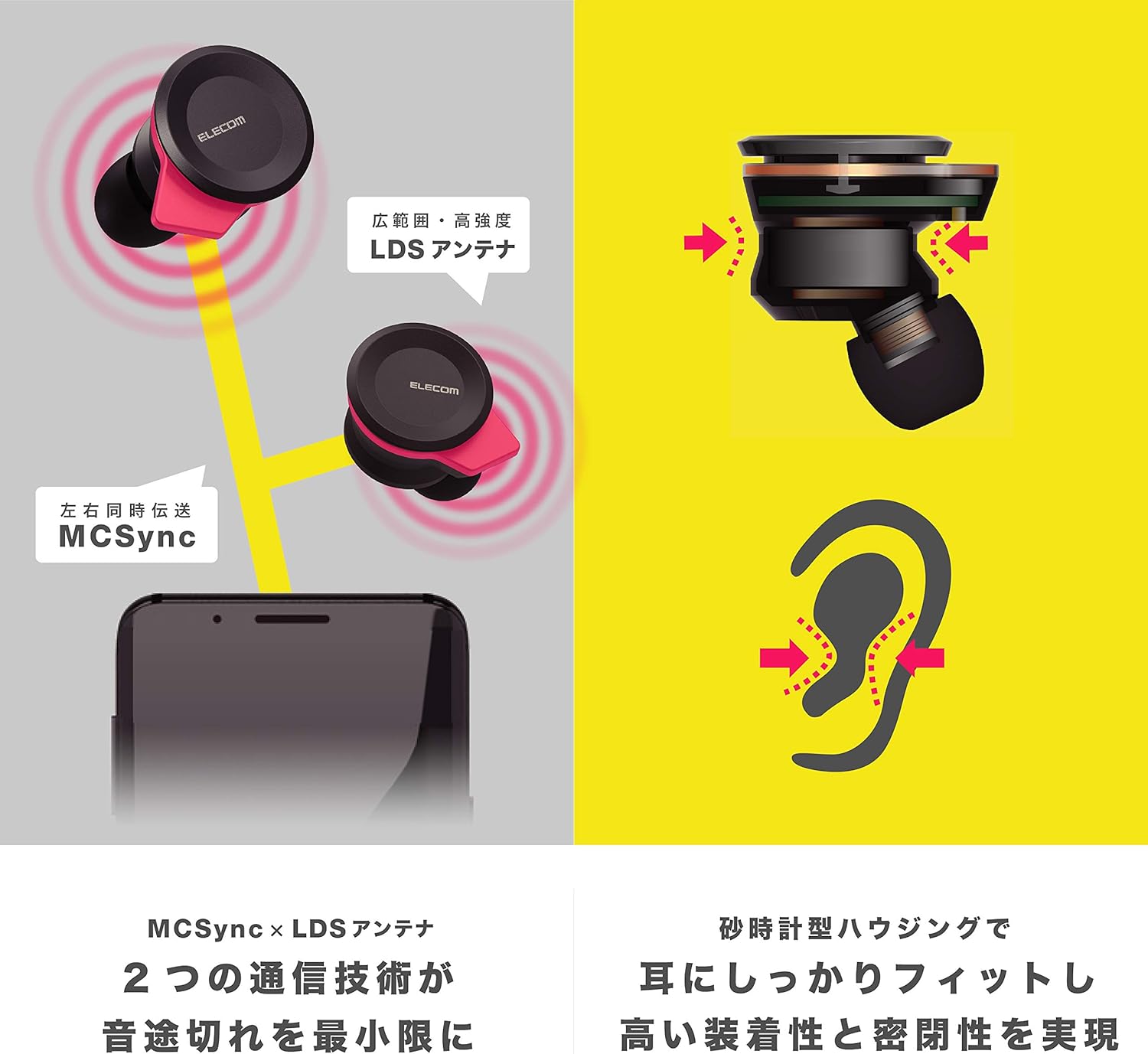
Image: An illustration showing the ergonomic hourglass shape of the earbud designed to fit securely in the ear, alongside a diagram explaining the MCSync and LDS antenna technologies for stable communication.
- Select the ear caps that provide the best seal and comfort from the four included sizes (XS, S, M, L). The M size is pre-installed.
- Führen Sie den Ohrhörer vorsichtig in Ihren Gehörgang ein.
- Adjust the earbud so that the hourglass shape is firmly seated between your ear tragus and anti-tragus for a stable fit.
6. Bedienungsanleitung
The Elecom LBT-TWS05BK earphones offer various functions for audio playback, calls, and smart assistant interaction.
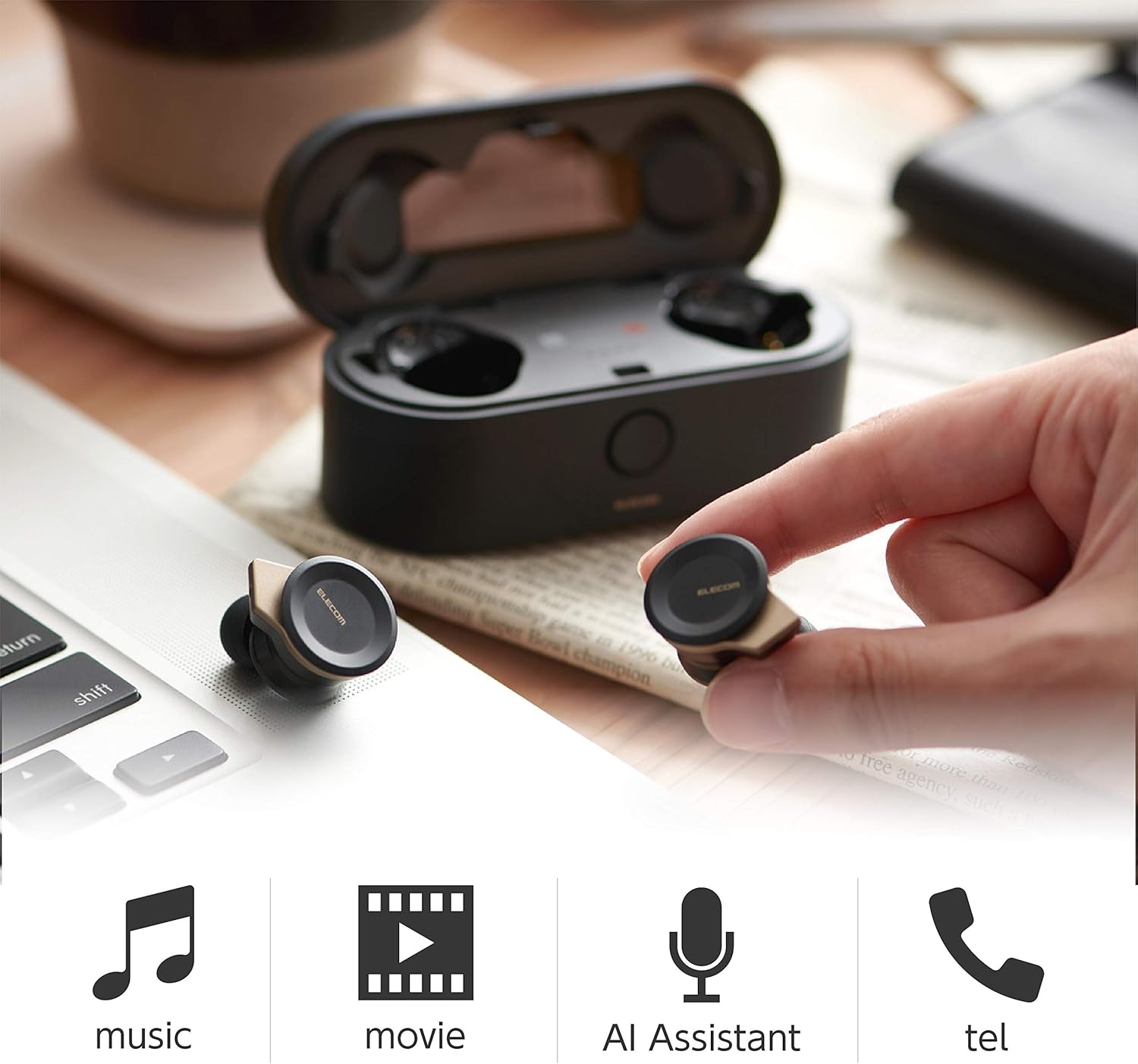
Image: The Elecom LBT-TWS05BK earbuds displayed with icons representing their versatile uses: music playback, movie watching, AI assistant activation, and phone calls.
6.1. Ein-/Ausschalten
- Einschalten: Nehmen Sie die Ohrhörer aus dem Ladecase. Sie schalten sich automatisch ein.
- Ausschalten: Legen Sie die Ohrhörer zurück in das Ladecase. Sie schalten sich automatisch aus.
6.2. Musikwiedergabe
Use the buttons on the earphones to control music playback (specific button functions may vary, refer to quick start guide for exact mapping):
- Abspielen/Pause: Einmaliges Drücken auf einen der Ohrhörer.
- Nächster Titel: Doppelklicken Sie auf den rechten Ohrhörer.
- Vorheriges Lied: Doppelklicken Sie auf den linken Ohrhörer.
- Lautstärkeregelung: Adjust via your connected device or voice assistant.
6.3. Anrufbearbeitung
The right earbud supports calls and voice AI functions.
- Anruf annehmen/beenden: Single press on the right earbud.
- Anruf ablehnen: Halten Sie den rechten Ohrhörer 2 Sekunden lang gedrückt.
6.4. Voice AI Activation
Compatible with voice AI assistants like Siri and Google Assistant.
- Activate Voice AI: Dreimaliges Drücken auf den rechten Ohrhörer.
6.5. External Sound Capture Function
This function allows you to hear surrounding sounds while wearing the earphones.
- Aktivieren/Deaktivieren: Halten Sie den linken Ohrhörer 2 Sekunden lang gedrückt.
7. Wartung
Durch sachgemäße Pflege werden die Langlebigkeit und Leistungsfähigkeit Ihrer Ohrhörer sichergestellt.
- Reinigung: Reinigen Sie die Ohrhörer und das Ladecase mit einem weichen, trockenen Tuch. Verwenden Sie keine Scheuermittel oder Lösungsmittel.
- Ohrkappen: Remove and clean ear caps regularly with water and mild soap. Ensure they are completely dry before reattaching.
- Lagerung: Bewahren Sie die Ohrhörer bei Nichtgebrauch im Ladecase auf, um sie vor Staub und Beschädigungen zu schützen.
- Batteriepflege: Vermeiden Sie häufiges vollständiges Entladen des Akkus. Laden Sie ihn regelmäßig auf, um seine Lebensdauer zu erhalten.
8. Fehlerbehebung
If you encounter issues with your Elecom LBT-TWS05BK earphones, refer to the following common solutions:
- Keine Ton-/Verbindungsprobleme:
- Stellen Sie sicher, dass die Kopfhörer geladen und eingeschaltet sind.
- Überprüfen Sie, ob Bluetooth auf Ihrem Gerät aktiviert ist.
- Versuchen Sie, die Kopfhörer erneut mit Ihrem Gerät zu koppeln.
- Ensure earphones are within the 10m transmission distance.
- Kopfhörer laden nicht:
- Vergewissern Sie sich, dass das Ladekabel sowohl mit dem Gehäuse als auch mit der Stromquelle fest verbunden ist.
- Prüfen Sie, ob das Ladecase über ausreichend Akku verfügt.
- Ensure the earphones are correctly seated in the charging case.
- Schlechte Tonqualität:
- Ensure ear caps provide a good seal in your ear.
- Entfernen Sie jegliche Verunreinigungen von den Ohrhörerdüsen.
- Um die Signalstärke zu verbessern, gehen Sie näher an Ihr verbundenes Gerät heran.
- Voice AI/Calls Not Working on Left Earbud:
- Note that calls and voice AI functions are only compatible with the right earbud.
9. Spezifikationen
| Besonderheit | Spezifikation |
|---|---|
| Modellnummer | LBT-TWS05BK |
| Kommunikationsmethode | Bluetooth-Standardversion 5.0 |
| Ausgabe | Bluetooth-Leistungsklasse 1 |
| Maximale Übertragungsdistanz | Ca. 10m |
| Frequenzband | 2.4 GHz |
| Modulationsmethode | FHSS (Frequency Hopping Spread Spectrum) |
| Unterstütztes Bluetooth Profiles | A2DP, AVRCP, HFP, HSP |
| A2DP Compatible Codec | SBC, AAC |
| A2DP Compatible Content Protection | SCMS-T |
| Maximum Registration Capacity | 8 Geräte |
| Multipoint (Simultaneous Standby) | Nicht kompatibel |
| Treibertyp | 6.0mm diameter external magnetic dynamic driver (ETEMDriver) |
| Kommunikationstechnologie | MCSync (MultiCast Synchronization), LDS Antenna |
| Mikrofon | High-quality MEMS microphone with HDVoice |
| Kontinuierliche Gesprächszeit | Ca. 4.5 Stunden |
| Continuous Music Playback Time | Ca. 5 Stunden |
| Gesamtwiedergabezeit (mit Ladecase) | Ca. 17.5 Stunden |
| Ladeanschluss | USB Typ C |
| Schnelles Laden | 15 Minuten Ladezeit für 1 Stunde Wiedergabe |
| Gewicht | 61 Gramm (Gesamtgewicht der Verpackung) |
| Material | Plastik |
| Wasserbeständigkeit | Wasserfest |
| Kompatible Geräte | Smartphones, Tablets, iOS Devices, Android Devices |
10. Garantie und Support
For warranty information and customer support, please refer to the official ELECOM webBesuchen Sie unsere Website oder wenden Sie sich an Ihren Händler vor Ort. Bewahren Sie Ihren Kaufbeleg für Garantieansprüche auf.