
Einführung
Thank you for choosing the Perixx PERIBOARD-317 Backlit USB Keyboard. This full-size wired keyboard is designed for comfortable daily typing, featuring large print keys and white LED backlighting for enhanced visibility in various lighting conditions. Its low-profile keys offer a quiet and responsive typing experience. This manual provides essential information for setting up, operating, maintaining, and troubleshooting your keyboard.
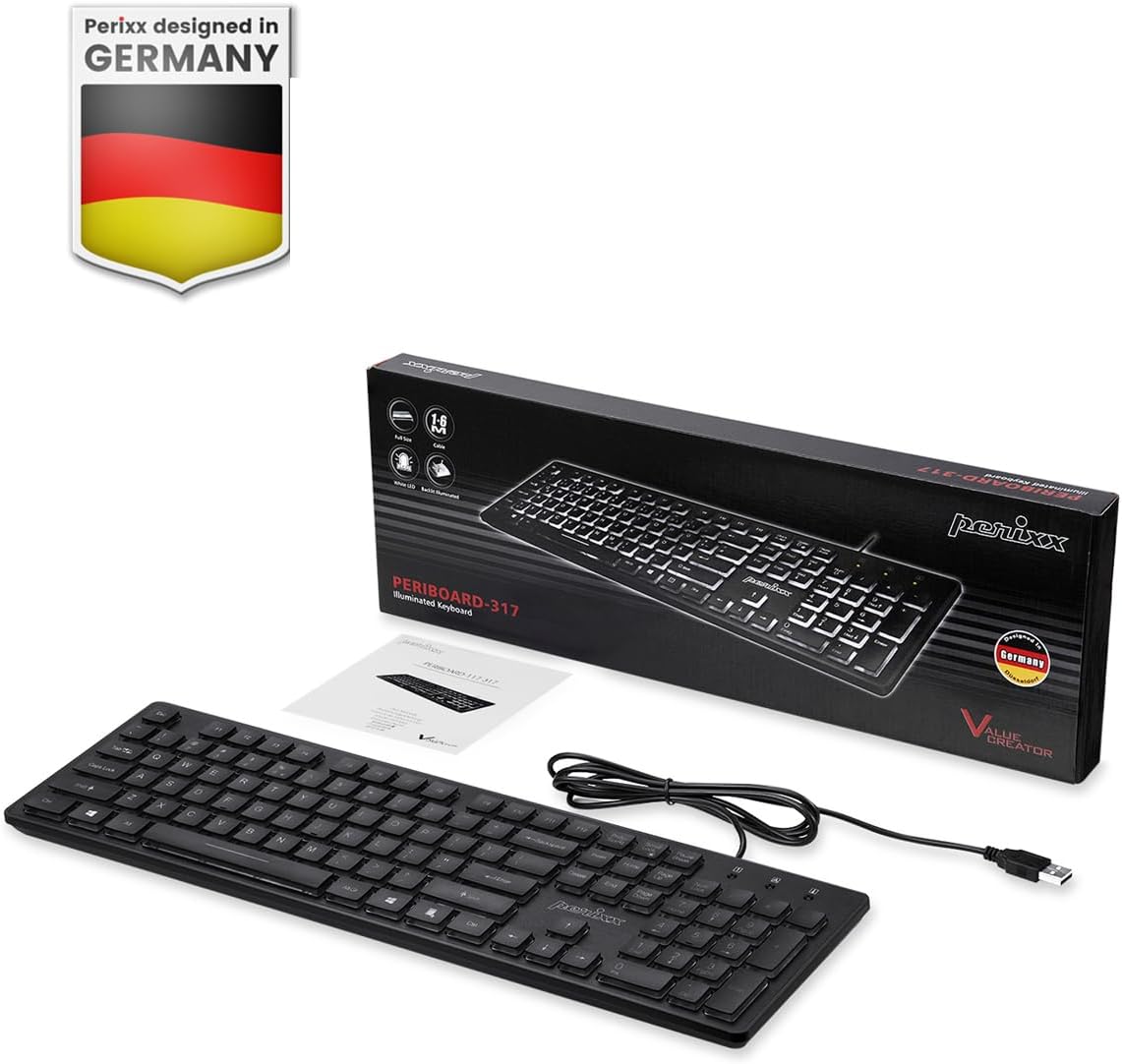
Image: Perixx PERIBOARD-317 keyboard and its contents.
1. Einrichtung
1.1 Packungsinhalt
- Perixx PERIBOARD-317 Tastatur
- Bedienungsanleitung
1.2 Systemanforderungen
- Compatible with Windows 7, 8, 10, and 11.
- Verfügbarer USB-A-Anschluss.
1.3 Anschließen der Tastatur
- Unpack the Perixx PERIBOARD-317 keyboard from its packaging.
- Suchen Sie einen verfügbaren USB-A-Anschluss an Ihrem Computer.
- Plug the USB-A cable of the keyboard into the USB-A port on your computer.
- The keyboard is plug-and-play; no additional drivers or software installation is required. Your computer will automatically detect and configure the device.

Image: Connecting the Perixx PERIBOARD-317 keyboard via USB.
2. Bedienungsanleitung
2.1 Grundlegendes Tippen
The Perixx PERIBOARD-317 features a standard full-size Italian QWERTY layout with 105 keys. The large print characters on the keys are designed for improved visibility, making typing easier for users with visual impairments or in low-light environments.

Image: Large print keys for enhanced visibility.
2.2 Hintergrundbeleuchtungssteuerung
The keyboard is equipped with a bright, uniformly distributed white LED backlight. This feature allows for comfortable typing in dimly lit conditions.
- Turning On/Off the Backlight: Locate the backlight control key (often indicated by a sun or light bulb icon, or a dedicated function key combination). Press this key to toggle the backlight on or off.
- Anpassen der Helligkeit: If available, use the designated brightness control keys (often function keys combined with Fn) to increase or decrease the backlight intensity.

Image: White LED backlighting for clear visibility.

Image: Easy typing in low-light conditions with the illuminated keys.
2.3 Scroll Lock and Backlight Interaction
Please note the interaction between the backlight and the Scroll Lock function:
- When the backlight is active, the Scroll Lock function is disabled.
- When the backlight is turned off, the Scroll Lock function is enabled.
2.4 Tipperfahrung
Der Low-Profifile keys with wider surfaces provide a responsive, quiet, and precise typing experience. The high-quality ABS key printing is designed to resist wear, and the membrane switches are rated for 5 million keystrokes.

Image: Quiet and responsive typing experience.

Bild: Niedrigprofilfile chiclet keys for comfortable typing.
3. Wartung
3.1 Reinigung der Tastatur
Um die Leistungsfähigkeit und das Aussehen Ihrer Tastatur zu erhalten:
- Trennen Sie die Tastatur vor der Reinigung vom Computer.
- Mit einem weichen, fusselfreien Tuch leichtampAnschließend mit Wasser oder einer milden Reinigungslösung abwischen, um die Tastenkappen und die Oberfläche zu reinigen.
- Vermeiden Sie es, Flüssigkeiten direkt auf die Tastatur zu sprühen.
- Für Staub und Schmutz zwischen den Tasten verwenden Sie Druckluft.
3.2 Speicherung
Store the keyboard in a dry environment, away from extreme temperatures and direct sunlight, when not in use for extended periods.
4. Fehlerbehebung
4.1 Tastatur reagiert nicht
- Stellen Sie sicher, dass das USB-Kabel sowohl an die Tastatur als auch an den USB-Anschluss des Computers fest angeschlossen ist.
- Versuchen Sie, die Tastatur an einen anderen USB-Anschluss Ihres Computers anzuschließen.
- Starten Sie Ihren Computer neu.
- Testen Sie die Tastatur an einem anderen Computer, um festzustellen, ob das Problem an der Tastatur oder am Computer liegt.
4.2 Hintergrundbeleuchtung funktioniert nicht
- Ensure the backlight is turned on using the dedicated backlight control key.
- Check if the brightness level is set too low. Adjust it using the brightness control keys.
- Verify that the Scroll Lock function is not interfering (refer to section 2.3).
4.3 Keys Not Registering or Repeating
- Clean the affected keys as described in the Maintenance section.
- Stellen Sie sicher, dass sich keine Fremdkörper unter der Tastenkappe befinden.
- If the issue persists, it may indicate a hardware problem. Refer to the Warranty and Support section.
5. Spezifikationen
| Besonderheit | Detail |
|---|---|
| Marke | Perixx |
| Modellname | PERIBOARD-317 IT B |
| Modellnummer | 11629 |
| Konnektivitätstechnologie | USB (kabelgebunden) |
| Tastaturbeschreibung | Full-size, Backlit |
| Empfohlene Verwendung | Daily use, study |
| Besonderheit | Backlit (White LED), Large Print Keys |
| Unterstützung für Tastatur-Hintergrundbeleuchtungsfarben | Monochromatisch |
| Produktabmessungen (L x B x H) | 44 L x 12.9 B x 2.7 H cm |
| Stromquelle | Kabelgebundene Elektrik |
| Schaltertyp | Linear (Membrane) |
| Tastaturlayout | QWERTY (Italienisch) |
| Anzahl der Schlüssel | 105 |
| Kompatible Betriebssysteme | Windows 7, 8, 10, 11 |
| Gehäusematerial | ABS-Kunststoff |
| Artikelgewicht | 530 Gramm |
| Hersteller | Perixx |
| Herstellerteilenummer | PB-317IT-11629 |
| Ursprungsland | China |
6. Garantie und Support
6.1 Garantieinformationen
The Perixx PERIBOARD-317 keyboard is covered by a limited 24-month warranty from the date of purchase. This warranty covers manufacturing defects and workmanship under normal use.
6.2 How to Obtain Support
For warranty claims, technical assistance, or product inquiries, please visit the official Perixx website. Warranty replacement requests (RMA) are generally processed within 48-72 hours.
Weitere Informationen finden Sie unter: www.perixx.com

Image: Perixx - Designed in Germany.