
1. Produktüberschreitungview
The Billboard BB425 Gaming Headset is designed for an immersive audio experience across various gaming platforms. It features a boom microphone for clear communication, enhanced bass for rich sound, and convenient in-line controls for volume adjustment and instant muting. The headset is lightweight and adjustable, ensuring a comfortable fit during extended use, and comes with a durable fabric cord.
- Boom-Mikrofon: Für klare Sprachkommunikation.
- Verbesserter Bass: Bietet ein reichhaltiges Klangerlebnis.
- Inline-Steuerung: Easily adjust volume and mute the microphone.
- Einstellbares Design: Lightweight and comfortable for prolonged gaming sessions.
- Durable Fabric Cord: Designed for longevity.
2. Einrichtungsanweisungen
Follow these steps to connect your Billboard BB425 Gaming Headset to your device.
- Identifizieren Sie die Anschlüsse: The headset features a single 3.5mm TRRS jack for combined audio and microphone functionality. An included Y-splitter cable separates this into two 3.5mm TRS jacks: one for audio output (typically green) and one for microphone input (typically pink).
- For Devices with a Single 3.5mm Port (e.g., most laptops, gaming controllers, smartphones):
- Plug the headset's single 3.5mm TRRS jack directly into your device's combined audio/microphone port.
- For Devices with Separate Audio and Microphone Ports (e.g., most desktop PCs):
- Connect the headset's single 3.5mm TRRS jack into the female end of the Y-splitter cable.
- Plug the audio output jack (often green) of the Y-splitter into your device's audio output port.
- Plug the microphone input jack (often pink) of the Y-splitter into your device's microphone input port.
- Passform anpassen: Place the headset over your ears and adjust the headband for a comfortable and secure fit. Position the boom microphone near your mouth for optimal voice pickup.
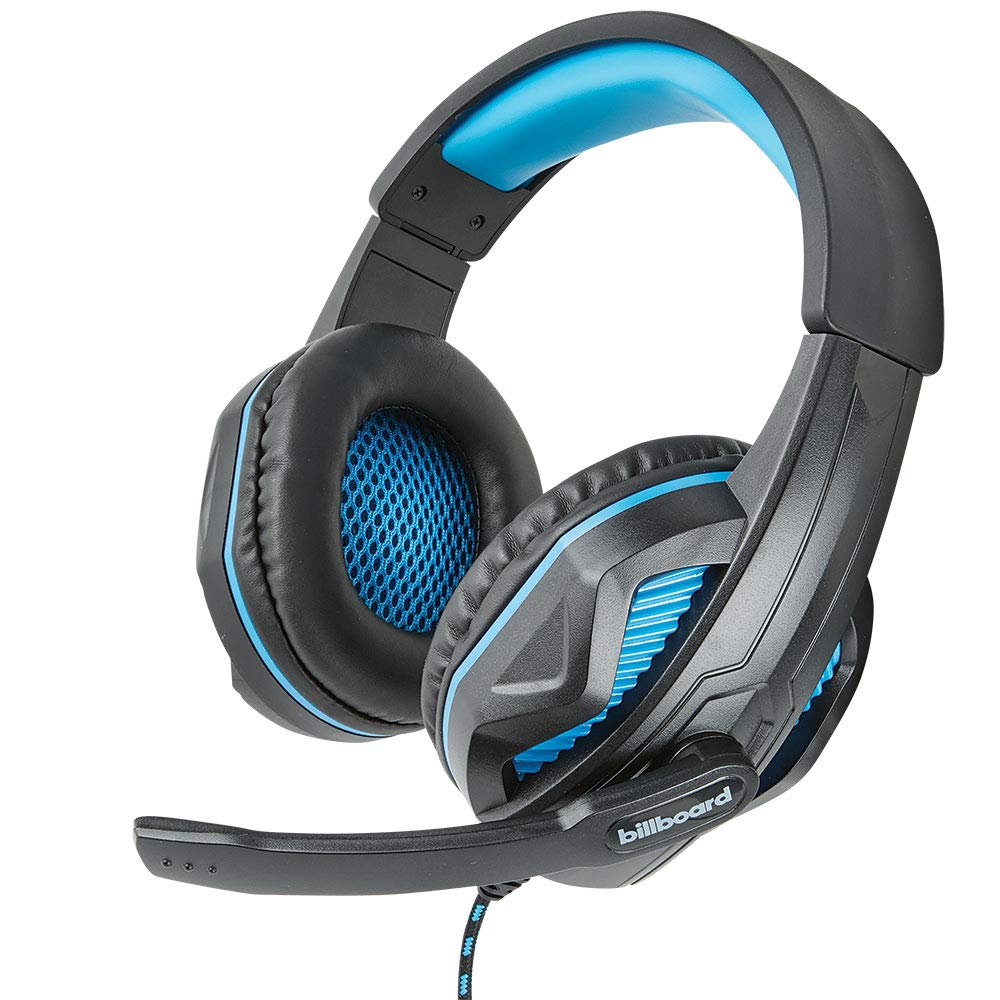
Image: The Billboard BB425 Gaming Headset's braided cable, in-line control unit, and the included Y-splitter cable with two 3.5mm TRS jacks for separate audio and microphone connections.
3. Bedienungsanleitung
The in-line control unit provides easy access to essential audio functions.
- Lautstärkeregelung: Use the scroll wheel on the in-line control unit to adjust the audio volume. Scroll up to increase volume and down to decrease it.
- Mikrofonstummschaltung: The in-line control unit features a switch to mute or unmute the microphone. Slide the switch to the "OFF" position to mute your microphone, and to the "ON" position to enable it.
- Boom Microphone Adjustment: The flexible boom microphone can be positioned closer or further from your mouth to optimize voice clarity.
4. Wartung und Pflege
Durch die richtige Pflege verlängern Sie die Lebensdauer Ihres Headsets.
- Reinigung: Verwenden Sie ein weiches, trockenes Tuch, um das Headset abzuwischen. Für die Ohrpolster ein leicht trockenes Tuch verwenden.amp Ein Tuch mit milder Seife kann verwendet werden, muss aber vor Gebrauch vollständig trocken sein. Verwenden Sie keine scharfen Chemikalien oder Scheuermittel.
- Lagerung: Bewahren Sie das Headset an einem sauberen, trockenen Ort fern von extremen Temperaturen und direkter Sonneneinstrahlung auf. Achten Sie darauf, dass sich das Kabel nicht verheddert.
- Handhabung: Ziehen Sie nicht am Kabel, um das Headset zu trennen. Fassen Sie den Stecker immer fest an. Vermeiden Sie es, das Headset fallen zu lassen oder starken Stößen auszusetzen.
5. Fehlerbehebung
If you encounter issues with your Billboard BB425 Gaming Headset, refer to the following common solutions.
- Kein Ton oder geringe Lautstärke:
- Ensure the headset's 3.5mm jack(s) are fully inserted into the correct port(s) on your device.
- Check the in-line volume control wheel and adjust it to an audible level.
- Verify your device's audio output settings. Ensure the headset is selected as the default playback device.
- Testen Sie das Headset mit einem anderen Gerät, um ein gerätespezifisches Problem auszuschließen.
- Mikrofon funktioniert nicht:
- Ensure the microphone mute switch on the in-line control unit is in the "ON" position.
- If using the Y-splitter, ensure the microphone jack (typically pink) is correctly plugged into your device's microphone input port.
- Check your device's microphone input settings. Ensure the headset microphone is selected as the default recording device and that its input volume is not muted or set too low.
- Testen Sie das Mikrofon mit einer anderen Anwendung oder einem anderen Gerät.
- Statisches oder verzerrtes Audio:
- Stellen Sie sicher, dass alle Verbindungen fest sitzen und frei von Staub und Schmutz sind.
- Try connecting the headset to a different audio port or device to check if the issue persists.
- Vermeiden Sie es, das Kabel in der Nähe starker elektromagnetischer Störquellen zu verlegen.
6. Spezifikationen
| Besonderheit | Detail |
|---|---|
| Modellname | BB425 |
| Marke | Plakatwand |
| Konnektivitätstechnologie | Verdrahtet |
| Kopfhöreranschluss | 3.5 mm Klinke |
| Platzierung des Ohrs | Über dem Ohr |
| Formfaktor | Am Ohr |
| Kompatible Geräte | Gaming Consoles, Desktops, Laptops, Telephones |
| Besondere Merkmale | Enhanced bass |
| Steuerungstyp | In-line control (Volume, Mute) |
| Kabelfunktion | Retractable, Durable Fabric Cord |
| Material | Plastik |
| Farbe | Schwarz |
| Technische Daten | 25.15 x 22.86 x 8.89 cm |
| Artikelgewicht | 386 g |
| Batterien erforderlich | NEIN |
7. Garantieinformationen
This product is covered by a manufacturer's warranty. For specific details regarding warranty coverage, duration, and terms, please refer to the warranty card included with your product or visit the official Billboard webBewahren Sie Ihren Kaufbeleg als Kaufnachweis für eventuelle Garantieansprüche auf.
8. Kundendienst
If you require further assistance or have questions not addressed in this manual, please contact Billboard customer support. Contact information can typically be found on the product packaging or the official Billboard webWebsite.
Hersteller: ESI Koffer & Zubehör