
1. Einleitung
Vielen Dank für Ihren Einkauf.asing the HOMPOW Mini Projector. This projector is designed to provide a high-quality viewing experience with its 1080P Full HD support and 6500 lumens brightness. It includes a 100-inch projection screen for immediate use. This manual will guide you through the setup, operation, and maintenance of your new projector.
Packungsinhalt
- HOMPOW Mini Projector
- 100-inch Projection Screen
- Fernbedienung
- HDMI-Kabel
- Netzteil
- Bedienungsanleitung
2. Sicherheitshinweise
Bitte lesen Sie vor der Benutzung des Projektors alle Sicherheitshinweise sorgfältig durch. Die Nichtbeachtung dieser Hinweise kann zu Bränden, Stromschlägen oder anderen Verletzungen führen.
- Schauen Sie nicht direkt in die Projektorlinse, wenn der lamp ist eingeschaltet. Das helle Licht kann Augenschäden verursachen.
- Do not block the ventilation openings. Proper airflow is essential to prevent overheating.
- Halten Sie den Projektor von Wasser und anderen Flüssigkeiten fern. Betreiben Sie ihn nicht in feuchter Umgebung.
- Place the projector on a stable, flat surface to prevent it from falling.
- Verwenden Sie ausschließlich das mit dem Projektor gelieferte Netzteil.
- Bei Gewittern oder längerer Nichtbenutzung sollte der Projektor vom Stromnetz getrennt werden.
- Versuchen Sie nicht, den Projektor selbst zu reparieren. Überlassen Sie alle Wartungsarbeiten qualifiziertem Fachpersonal.
3. Produktüberschreitungview
Projektorkomponenten
Familiarize yourself with the main parts of your HOMPOW Mini Projector.


Eingangs-/Ausgangsanschlüsse
- HDMI-Anschluss: Connect to devices like laptops, gaming consoles (PS3/PS4), Fire TV Stick, and TV boxes.
- USB-Anschluss: Schließen Sie USB-Laufwerke für die Medienwiedergabe oder die Stromversorgung für Streaming-Geräte an.
- SD-Kartensteckplatz: Insert SD cards for direct media playback.
- AV-Anschluss: Verbinden Sie ältere Geräte über ein AV-Kabel.
- VGA-Anschluss: Anschluss an Computer mit VGA-Ausgang.
- Audioausgang (3.5-mm-Klinkenbuchse): Schließen Sie externe Lautsprecher oder Kopfhörer an.
- Gleichstromeingang: Stromanschluss für den Projektor.
4. Einrichtung
Erstplatzierung
Stellen Sie den Projektor auf eine stabile Oberfläche. Für optimale Ergebnisse viewing, ensure the projector is positioned directly in front of the projection surface (wall or screen). The recommended projection distance is approximately 3 meters for a clear image.
Stromanschluss
- Schließen Sie das Netzteil an den DC-In-Anschluss des Projektors an.
- Stecken Sie das Netzteil in eine Steckdose.
- Drücken Sie den Netzschalter am Projektor oder an der Fernbedienung, um ihn einzuschalten.
Anschließen von Geräten
The projector supports various input sources. Below are common connection methods:
HDMI Connection (e.g., Fire TV Stick, Laptop, Gaming Console)
- Connect the HDMI output cable from your device (e.g., Fire TV Stick) to the HDMI input port on the projector.
- If using a streaming stick like Fire TV Stick, connect its USB power cable to the projector's USB port for power.
- On the projector's main menu, select the "HDMI" input source.
Smartphone/Tablet Connection
To connect a smartphone or tablet, an HDMI conversion adapter (not included) is required. Connect your device to the adapter, then connect the adapter to the projector's HDMI port.

USB Drive/SD Card Playback
Insert a USB drive into the USB port or an SD card into the SD card slot. Select the corresponding input source from the main menu to browse and play media files.
5. Bedienungsanleitung
Fokuseinstellung
Drehen Sie den Fokusring am Projektorobjektiv, bis das Bild auf der Leinwand klar und scharf erscheint.
Keystone-Korrektur
The projector features a ±15-degree keystone correction function. Adjust the keystone dial to correct distorted images (trapezoidal shape) if the projector is not perfectly perpendicular to the screen.
Quellenauswahl
Use the remote control or the buttons on the projector to navigate the main menu and select your desired input source (HDMI, USB, SD, AV, VGA).
Audioausgang
The projector has two built-in speakers for immersive sound. For a different audio experience, you can connect external speakers or headphones via the 3.5mm audio jack.
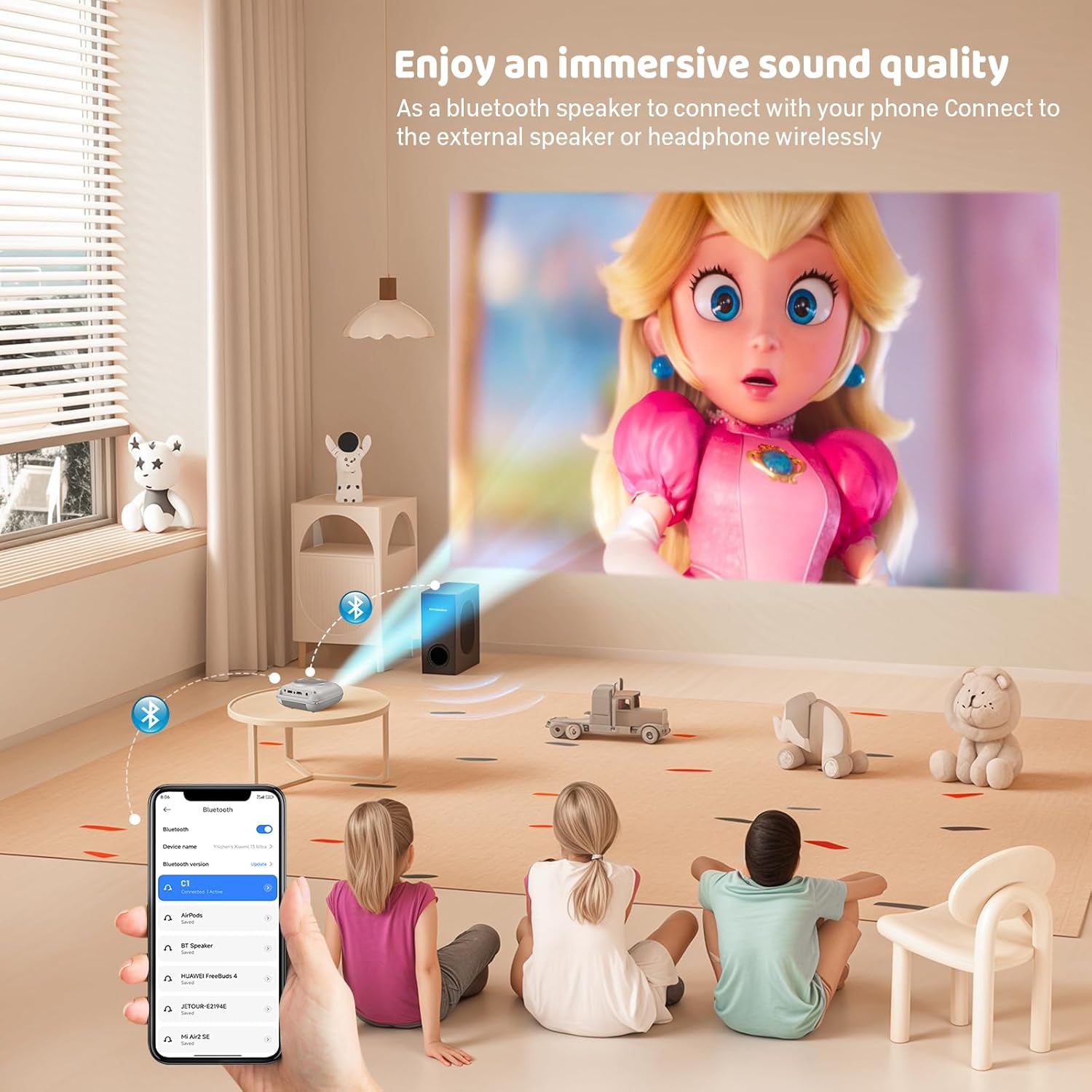
Bildschirmspiegelung
The projector supports screen mirroring for compatible devices. Refer to the on-screen instructions or the projector's menu for specific steps to enable screen mirroring from your smartphone or tablet.
6. Wartung
Reinigen der Linse
Verwenden Sie ein weiches, fusselfreies Tuch, das speziell für optische Linsen entwickelt wurde, um die Projektorlinse vorsichtig abzuwischen. Vermeiden Sie die Verwendung von Scheuermitteln oder Tüchern, die die Linse zerkratzen könnten.
Reinigung des Projektorgehäuses
Reinigen Sie die Außenseite des Projektors mit einem weichen, trockenen Tuch. Verwenden Sie keine flüssigen Reinigungs- oder Lösungsmittel.
Belüftung
Ensure the ventilation openings are clear of dust and debris. The projector features a dual-fan cooling system to maintain optimal operating temperature and extend lamp life. Do not obstruct these vents.
Lamp Leben
Die LED lamp in your HOMPOW projector has a lifespan of approximately 60,000 hours, providing long-term use without frequent lamp Ersatz.
7. Fehlerbehebung
| Problem | Mögliche Ursache | Lösung |
|---|---|---|
| Kein Bild oder unscharfes Bild | Focus not adjusted; incorrect input source; cable not connected properly. | Adjust the focus ring; select the correct input source; check all cable connections. |
| Kein Ton | Volume too low; audio cable not connected; device audio settings. | Increase projector volume; ensure audio cables are connected; check audio output settings on the connected device. |
| Das Bild ist trapezförmig | Projektor nicht senkrecht zur Leinwand. | Adjust the keystone correction dial or reposition the projector. |
| Fernbedienung funktioniert nicht | Batteries low or dead; obstruction between remote and projector. | Batterien austauschen; freie Sichtlinie zum Infrarotempfänger des Projektors sicherstellen. |
| Projektor überhitzt | Ventilation ports blocked. | Ensure all ventilation ports are clear and unobstructed. |
8. Spezifikationen
- Anzeigetechnologie: LCD
- Native Auflösung: 1280 x 720 Pixel
- Unterstützte Auflösung: Bis zu 1080P Full HD
- Helligkeit: 6500 Lumen
- Kontrastverhältnis: 3000:1
- Lamp Leben: 60,000 Stunden
- Projektionsgröße: 32-176 inches (Recommended: 100 inches)
- Projektionsabstand: 1m - 5.2m (Recommended: 3m)
- Trapezkorrektur: ±15 degrees manual
- Konnektivität: HDMI, USB, SD, AV, VGA
- Audio: Built-in dual speakers, 3.5mm audio out
- Energieverbrauch: 48 W
- Produktabmessungen: 19 x 15 x 8 cm
- Produktgewicht: 1.71 kg
9. Garantie und Support
The HOMPOW Mini Projector comes with a manufacturer's warranty. Please refer to the warranty card included in your package for specific terms and conditions. For any product inquiries, technical support, or warranty claims, please contact HOMPOW customer service through the contact page on their official website or the platform where you purchased the product. Our customer support team aims to respond promptly during business hours.