
1. Einrichtungsanweisungen
1.1 Packungsinhalt
- Srihome SH004 USB WebNocken
- USB-Kabel (integriert)
1.2 Anschließen der WebNocken
The Srihome SH004 webcam is designed for plug-and-play operation, requiring no additional driver installation on most compatible systems.
- An USB-Anschluss anschließen: Legen Sie den webcam's USB cable into an available USB 2.0 or USB 3.0 port on your computer (PC, laptop, or desktop).
- Systemerkennung: Your operating system (Windows 7/8/10, LINUX, Mac OS, Android TV) should automatically detect and configure the webcam. A notification may appear indicating successful device installation.
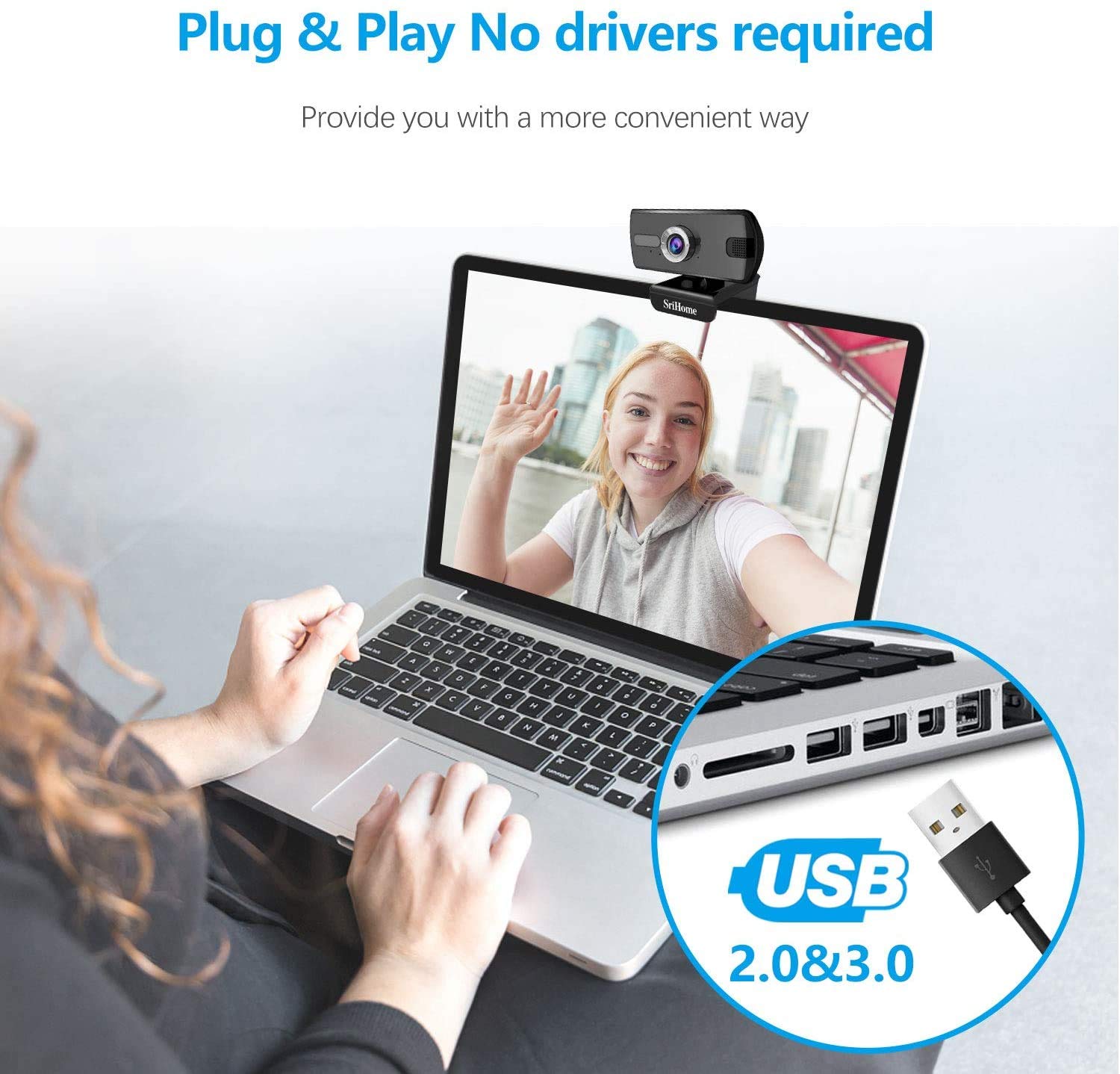
Abbildung 1: Anschluss der webcam to a USB port. The device is plug-and-play, requiring no driver installation.
1.3 Montage der WebNocken
Der webcam features a versatile clip that allows it to be securely mounted on various devices, such as laptop screens, desktop monitors, or placed on a flat surface.
- Passen Sie den Clip an: Open the clip to fit over the top edge of your monitor or laptop screen.
- Positionieren Sie den WebNocken: Stellen Sie sicher, dass webcam is centered and stable.
- Rotate for Optimal Angle: Der webcam's bracket allows for 360-degree rotation, enabling you to adjust the camera angle as needed.

Abbildung 2: Die webcam features a 360-degree rotatable bracket for flexible positioning.
1.4 Fokuseinstellung
For optimal image clarity, the webcam features a manual focus adjustment. If the image appears blurred, gently rotate the silver-colored ring around the lens until the picture becomes sharp.
2. Bedienungsanleitung
2.1 Video Calls and Conferencing
The Srihome SH004 webcam is suitable for various communication platforms and applications.
- Anwendungskompatibilität: Use with popular applications such as Skype, Yahoo, FaceTime, Hangouts, YouTube, Zoom, and other video conferencing software.
- Durch Auswahl des WebNocken: In your chosen application's settings, ensure "Srihome SH004" is selected as the primary video and audio input device.

Figure 3: Key features of the Srihome SH004 webcam, including HD video, 3MP resolution, wide-angle lens, built-in microphone, and plug-and-play functionality.
2.2 Bild- und Tonqualität
- Video in hoher Auflösung: Der webcam provides a maximum resolution of 3 Megapixels (2048x1536) with H.264 video compression, ensuring clear and detailed images.
- Weites Feld von View: A 110° wide-angle lens captures a broad perspective, ideal for group calls or presentations.
- Eingebautes Mikrofon: The integrated stereo microphone features noise cancellation, designed to capture your voice clearly even in moderately noisy environments.

Figure 4: The 110-degree wide-angle field of view provides extensive coverage.

Figure 5: The built-in microphone with noise cancellation enhances audio clarity.
3. Wartung
To ensure the longevity and optimal performance of your Srihome SH004 webBefolgen Sie bei der Wartung Ihrer Kamera diese einfachen Richtlinien:
- Reinigung der Linse: Gently wipe the camera lens with a soft, lint-free cloth. Avoid using harsh chemicals or abrasive materials that could scratch the lens.
- Reinigung des Körpers: Verwenden Sie ein trockenes oder leichtamp soft cloth to clean the webcam's body. Do not immerse the device in water or any other liquid.
- Lagerung: Bewahren Sie die . bei Nichtgebrauch auf webDie Kamera sollte an einem sauberen, trockenen Ort ohne direkte Sonneneinstrahlung und extreme Temperaturen aufbewahrt werden.
- Kabelpflege: Um interne Schäden zu vermeiden, sollte das USB-Kabel nicht übermäßig gebogen oder verdreht werden.
4. Fehlerbehebung
If you encounter issues with your Srihome SH004 webCam, beachten Sie die folgenden häufigen Probleme und Lösungen:
- Problem: The system does not detect the webNocken.
Lösung:
- Trennen Sie das USB-Kabel und schließen Sie es wieder an.
- Versuchen Sie, die Verbindung herzustellen. webSchließen Sie die Kamera an einen anderen USB-Anschluss Ihres Computers an.
- Restart the application you are trying to use with the webcam (e.g., Skype, Zoom).
- Starten Sie Ihren Computer neu.
- Stellen Sie sicher, dass Ihr Betriebssystem auf dem neuesten Stand ist.
- Problem: The image appears blurred or out of focus.
Lösung:
- Gently rotate the silver-colored ring around the webcam lens to manually adjust the focus until the image is clear.
- Stellen Sie sicher, dass die Linse sauber und frei von Fingerabdrücken oder Staub ist.
- Problem: Die webcam frequently disconnects during use.
Lösung:
- Stellen Sie sicher, dass das USB-Kabel fest mit beiden Geräten verbunden ist. webKamera und Computer.
- Try a different USB port, preferably a USB 3.0 port if available, to ensure sufficient power and stable connection.
- Avoid using long USB extension cables, which can sometimes cause connectivity issues.
- Problem: The built-in microphone is not working or audio quality is poor.
Lösung:
- Check your computer's sound settings to ensure the "Srihome SH004" is selected as the default recording device.
- Verify microphone settings within your video conferencing application (e.g., Zoom, Skype).
- Ensure there are no physical obstructions blocking the microphone on the webNocken.
- Test the microphone in a quieter environment to rule out excessive background noise.
5. Produktspezifikationen
| Besonderheit | Detail |
|---|---|
| Marke | Srihome |
| Modellname | SH004 |
| Effektive Standbildauflösung | 3 Megapixel |
| Auflösung der Videoaufnahme | 2048x1536 (3MP), also supports 1080p, 720p, 480p |
| Bildaufnahmegeschwindigkeit | 30 fps |
| Fotosensor-Technologie | CMOS |
| Objektivtyp | Wide Angle (3.6mm) |
| Fachgebiet View | 110° |
| Fokustyp | Manueller Fokus |
| Konnektivitätstechnologie | USB 2.0 / 3.0 |
| Eingebautes Mikrofon | Yes, with Noise Cancellation |
| Kompatible Geräte | PC, Laptop, Desktop, Android TV |
| Betriebssysteme | Windows 7 / Win8 / Win10 / LINUX / Mac OS / Android TV |
| Besonderheit | Nachtsicht |
| Farbe | Schwarz |
| Artikelgewicht | 250 Gramm |
6. Garantie und Support
6.1 Garantieinformationen
The Srihome SH004 webcam comes with a standard manufacturer's warranty. Please refer to the warranty card included with your purchase or contact your retailer for specific terms and conditions regarding warranty coverage and duration.
6.2 Kundendienst
For technical assistance, product inquiries, or support, please contact Srihome customer service through their official website or the contact information provided in your product packaging. When contacting support, please have your product model (SH004) and purchase details ready.