
Micool 52161554
Micool Bluetooth Headset V5.0 Instruction Manual
Modell: 52161554
1. Einleitung
Thank you for choosing the Micool Bluetooth Headset V5.0. This manual provides detailed instructions for setting up, operating, and maintaining your new headset. Designed for clear communication and comfort, this headset features advanced noise cancellation, long-lasting battery life, and multi-device connectivity.
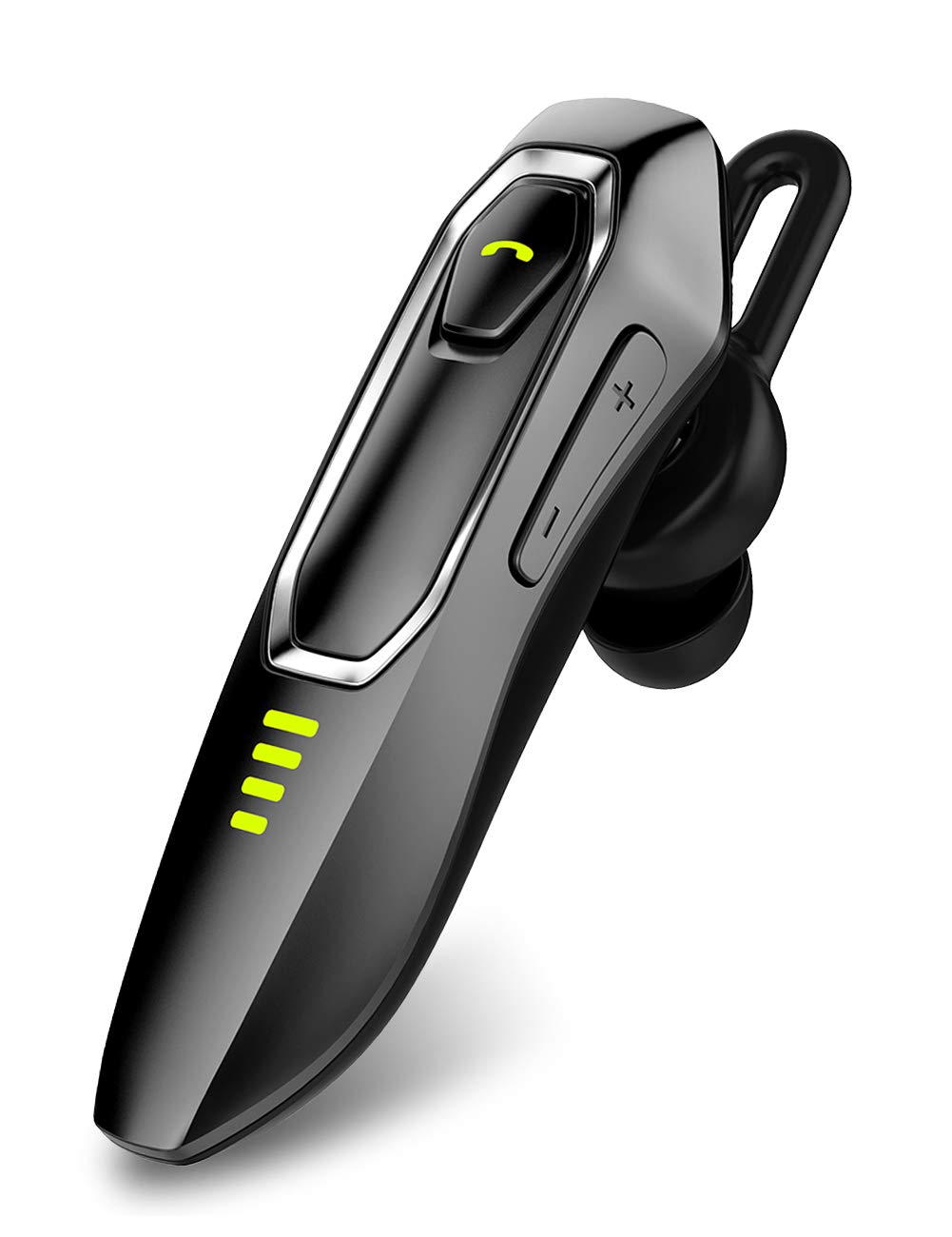
Image: Micool Bluetooth Headset V5.0, showcasing sein elegantes Design.
2. Lieferumfang
Upon opening your Micool Bluetooth Headset package, you should find the following items:
- 1 x Micool DY20 Headset
- 1 x USB-Ladekabel
- 1 x Ohrhaken
- 3 x EarGels (S/M/L sizes)
- 1 x Schnellstartanleitung (dieses Handbuch)
- 2 x Flat EarGels
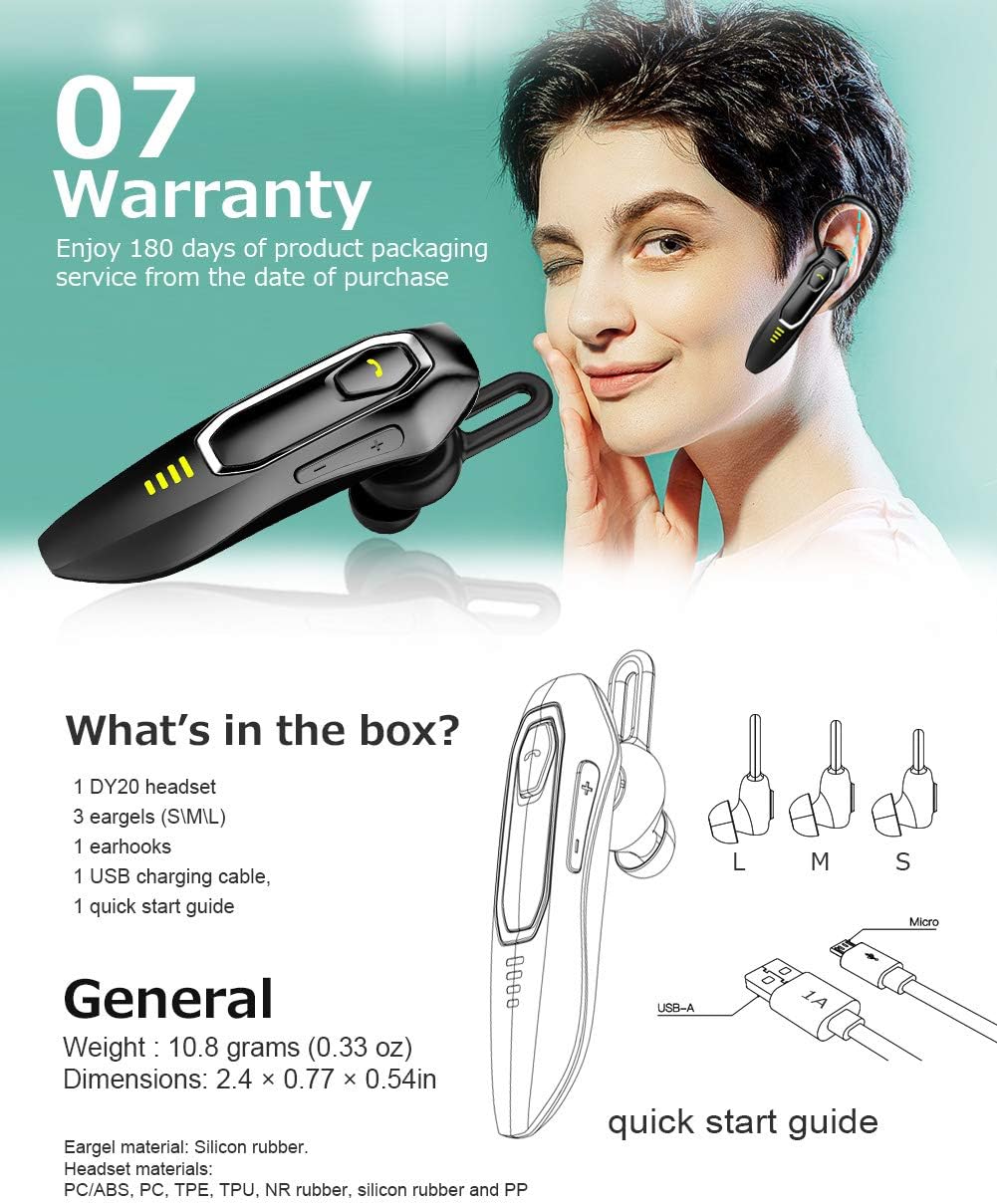
Image: All components included in the Micool Bluetooth Headset package, including the headset, charging cable, ear hook, and various EarGels.
3. Produktmerkmale
- Verlängerte Gesprächszeit: Built-in 220mAh battery provides up to 30 hours of talk time and 48 hours of music playback on a single charge. Standby time is up to 15 days.
- HD Voice & Powerful Noise Cancellation: Features CVC8.0 noise cancellation and an omnidirectional silicon microphone for clear calls in noisy environments. The 10mm dynamic speaker ensures stereo sound quality.
- Sprachassistent-Unterstützung: Easily activate Siri or Google Assistant with a dedicated button for hands-free control.
- Konnektivität mehrerer Geräte: Connect to two devices simultaneously, allowing you to listen to music on one and answer calls on another.
- Komfortables Design: Ergonomically designed and weighing only 10.8g, the headset offers a secure and comfortable fit for all-day wear. Includes professional ear cap type ear canal mouth design for optimized bass.
Funktionsdetails:
HD Voice & Noise Cancellation

The headset utilizes CVC8.0 noise cancellation and an omnidirectional MEMS silicon microphone for superior call clarity. A 10mm dynamic speaker delivers rich audio.
Langlebige Batterie

Enjoy up to 30 hours of talk time and 48 hours of music. The 220mAh battery charges in approximately 2-3 hours via the included Micro USB cable, offering up to 15 days of standby time.
Siri/Google Assistant & Multi-Use

Activate your preferred voice assistant with ease. The headset also supports connecting to two devices simultaneously for seamless switching between calls and media.
Bequeme Passform

The ergonomic design allows for comfortable wear throughout the day, with or without the ear hook. Multiple EarGel sizes ensure a perfect fit for optimal sound and comfort.
4. Einrichtung
4.1 Aufladen des Headsets
Before first use, fully charge the headset. Connect the provided USB charging cable to the headset's charging port and to a USB power source (e.g., computer, wall adapter). The charging indicator light will show the charging status. A full charge typically takes 2-3 hours.
4.2 Bluetooth-Kopplung
- Stellen Sie sicher, dass das Headset ausgeschaltet ist.
- Press and hold the Multi-function button until the indicator light flashes red and blue alternately, indicating pairing mode.
- Aktivieren Sie auf Ihrem Mobilgerät Bluetooth und suchen Sie nach verfügbaren Geräten.
- Select "Micool DY20" from the list of devices.
- Sobald die Verbindung hergestellt ist, blinkt die Kontrollleuchte langsam blau.
To connect to a second device, disable Bluetooth on the first device after successful pairing. Put the headset back into pairing mode and connect to the second device. Then, re-enable Bluetooth on the first device; the headset should automatically connect to both.
5. Bedienungsanleitung
5.1 Grundlegende Bedienelemente
| Funktion | Aktion |
|---|---|
| Ein-/Ausschalten | Multifunktionstaste gedrückt halten |
| Musik abspielen/pausieren | Multifunktionstaste mit einem Klick |
| Anruf annehmen/beenden | Multifunktionstaste mit einem Klick |
| Anruf ablehnen | Multifunktionstaste gedrückt halten |
| Siri/Google Assistant aktivieren | Double-click Multi-function button |
| Lautstärke erhöhen/verringern | Click Volume + / - button |
| Nächstes/Vorheriges Lied | Press and hold Volume + / - button for 3 seconds |
| Verbleibende Leistung prüfen | Double-click Volume + button |
6. Wartung
To ensure the longevity and optimal performance of your Micool Bluetooth Headset, follow these maintenance guidelines:
- Reinigung: Use a soft, dry cloth to wipe the headset. Do not use harsh chemicals or abrasive materials.
- Lagerung: Bewahren Sie das Headset an einem kühlen, trockenen Ort fern von extremen Temperaturen und direkter Sonneneinstrahlung auf.
- Laden: Always use the provided USB charging cable. Avoid overcharging the battery.
- EarGels: Regularly clean or replace EarGels for hygiene and optimal sound quality.
7. Fehlerbehebung
Sollten Sie Probleme mit Ihrem Headset haben, beachten Sie bitte die folgenden gängigen Lösungsansätze:
| Problem | Lösung |
|---|---|
| Kopplung mit dem Gerät nicht möglich | Ensure the headset is in pairing mode (red and blue flashing light). Turn off and on your device's Bluetooth. Try restarting both devices. |
| Geringe Lautstärke | Adjust the volume on both the headset (Volume + button) and your connected device. Ensure the EarGel is properly seated in your ear. |
| Intermittierende Verbindung | Ensure the headset is within the 10-15m wireless range of your device. Avoid obstacles between the headset and device. Re-pair the headset. |
| Das Headset ist unbequem | Try different sizes of EarGels to find the best fit. Adjust the ear hook for optimal comfort and stability. |
| Cannot activate voice assistant | Ensure your device's voice assistant (Siri/Google Assistant) is enabled and configured. Double-click the Multi-function button firmly. |
8. Spezifikationen
| Besonderheit | Detail |
|---|---|
| Marke | Micool |
| Modellnummer | 52161554 |
| Konnektivität | Bluetooth V5.0 |
| Batteriekapazität | 220 mAh |
| Ladezeit | Ca. 2-3 Stunden |
| Gesprächszeit | Bis zu 30 Stunden |
| Musikwiedergabezeit | Bis zu 48 Stunden |
| Standby-Zeit | Bis zu 15 Tage |
| Lärmschutz | Aktive Geräuschunterdrückung (CVC8.0) |
| Mikrofon | Omnidirectional Silicon Microphone |
| Lautsprecher | Dynamischer 10-mm-Lautsprecher |
| Gewicht | 10.8 Gramm (0.33 Unzen) |
| Maße | 2.4 × 0.77 × 0.54 Zoll |
| Material | PC/ABS, PC, TPE, TPU, NR rubber, silicon rubber and PP |
9. Garantie und Support
The Micool Bluetooth Headset comes with a 180 Tage Garantie Diese Garantie gilt ab Kaufdatum und deckt Herstellungsfehler ab. Sie gewährleistet die Produktqualität.
If you experience any issues or have questions regarding your headset, please refer to the troubleshooting section of this manual. For further assistance, contact Micool customer support through the retailer's platform or the official Micool webWebsite.
Bitte bewahren Sie Ihren Kaufbeleg für Garantieansprüche auf.
Ask a question about this manual
Ask about setup, troubleshooting, compatibility, parts, safety, or missing instructions. Manuals+ will review the question and use this page’s manual context to help answer it.