
Einführung
The Bietrun UMKF01 is a versatile USB condenser microphone designed for clear audio capture across various applications, including gaming, streaming, podcasting, and studio recording. Its plug-and-play functionality ensures easy setup, while features like noise cancellation, a cardioid pickup pattern, and integrated controls enhance the user experience. This manual provides detailed instructions for setting up, operating, and maintaining your microphone.
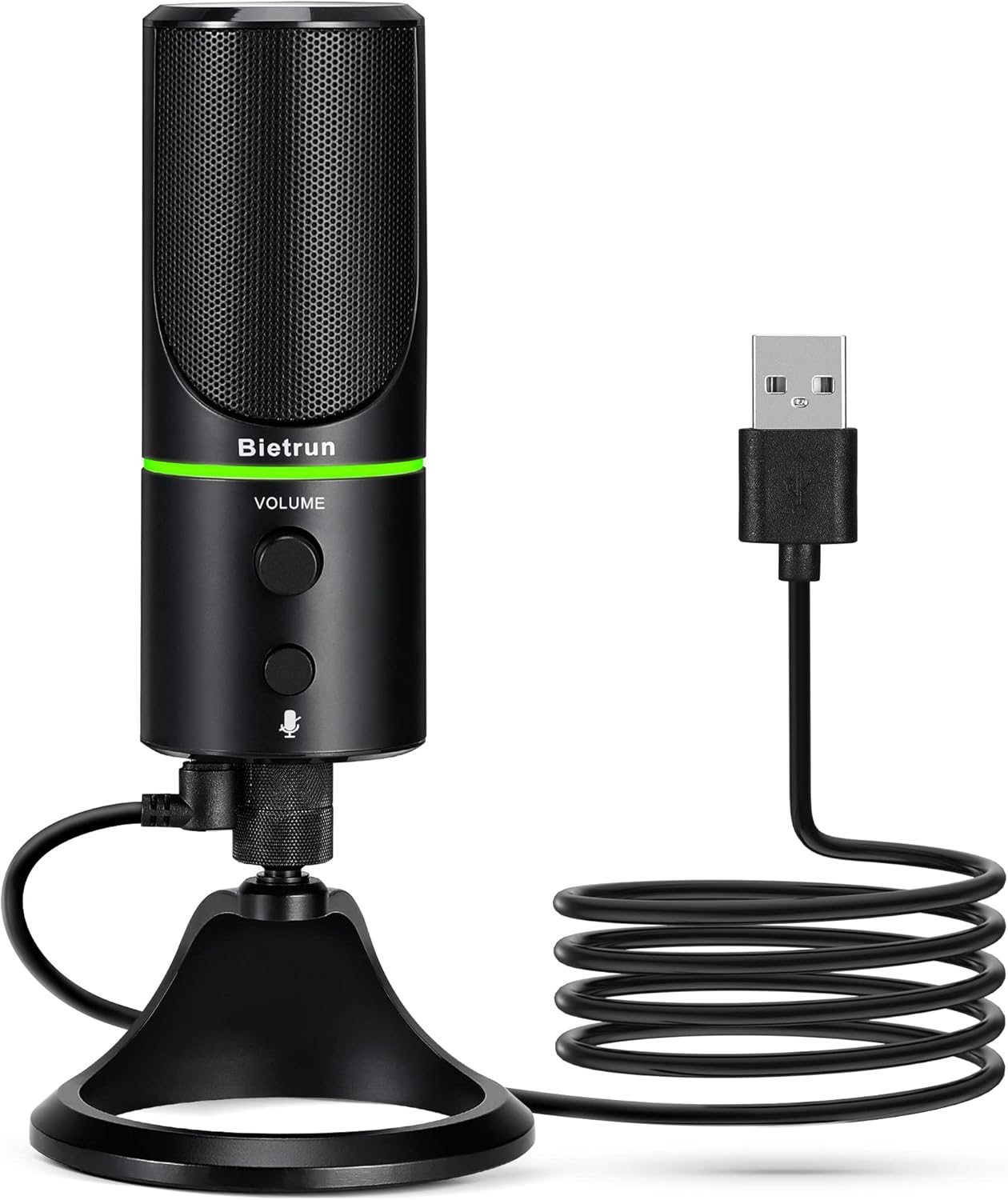
Figure 1: Bietrun UMKF01 USB Condenser Microphone
Packungsinhalt
Überprüfen Sie, ob alle Artikel in Ihrem Paket vorhanden sind:
- USB-Mikrofon
- USB-Kabel
- Garantiekarte

Abbildung 2: Packungsinhalt
Produkteigenschaften
- Plug and Play USB Microphone: Comes with a 59-inch (1.5m) USB cable, requiring no additional driver or software. Ideal for gaming, streaming, podcasting, recording, and online meetings.
- Rauschunterdrückung: Effectively reduces background noises such as typing, clicking, and ambient sounds, ensuring clear and crisp audio.
- Nierencharakteristik: Features a cardioid pickup pattern and a 16mm condenser capsule, providing focused vocal sound and minimizing off-axis noise.
- Headphone Jack & Mute Button: Allows for real-time voice monitoring via a headphone jack with adjustable volume. A dedicated button toggles between normal (green), noise-canceling (yellow), and mute (red) modes, indicated by an LED.
- Adjustable Heavy-Duty Stand: Ensures microphone stability and offers flexible angle adjustment. The microphone can also be detached and mounted on a boom arm with a 3/8" thread.
Aufstellen
- Befestigen Sie das Mikrofon am Stativ: Screw the microphone onto the included desktop stand. Ensure it is securely fastened. The stand allows for 360° rotation for optimal positioning.
- Schließen Sie das USB-Kabel an: Plug the micro-USB end of the provided cable into the port at the bottom of the microphone.
- Mit Gerät verbinden: Plug the USB-A end of the cable into an available USB port on your computer (Desktop/Laptop), PS4, or PS5. The microphone is plug-and-play and should be recognized automatically by your operating system.
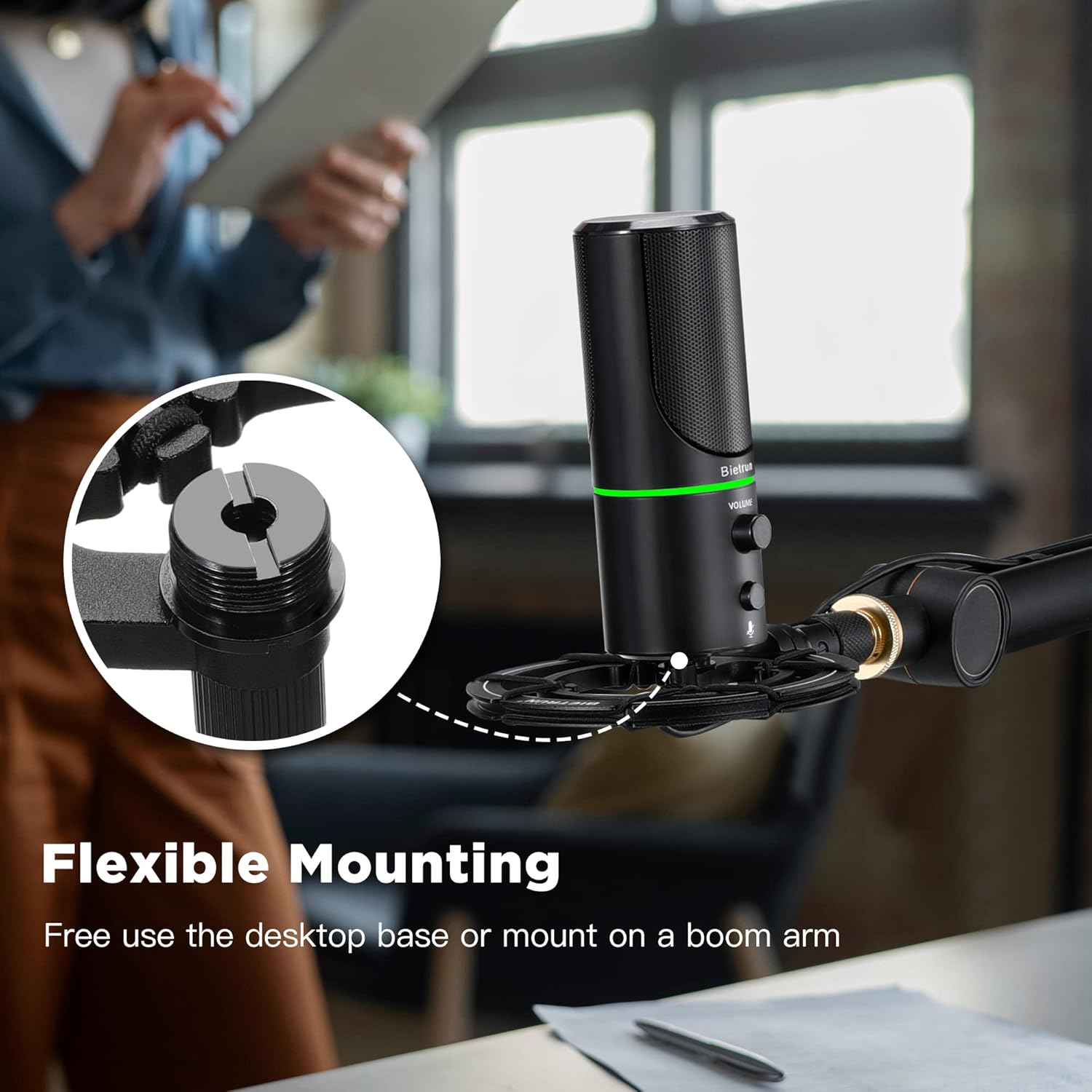
Abbildung 3: Flexible Montageoptionen

Figure 4: Plug & Play Multi-system Compatibility
Bedienungsanleitung
- Ein-/Ausschalten und Modusauswahl: The microphone features an LED indicator that shows its status. Press the mute button (microphone icon) to cycle through modes:
- Grüne LED: Normaler Betriebsmodus.
- Gelbe LED: Noise-canceling mode.
- Rote LED: Muted mode.
- Lautstärkeregelung: Rotate the 'VOLUME' knob on the microphone to adjust the output volume of your headphones connected to the microphone.
- Kopfhörerüberwachung: Plug your headphones into the 3.5mm audio jack located at the bottom of the microphone to monitor your audio in real-time.

Figure 5: Microphone Controls and LED Indicators

Figure 6: Headphone Monitoring Jack
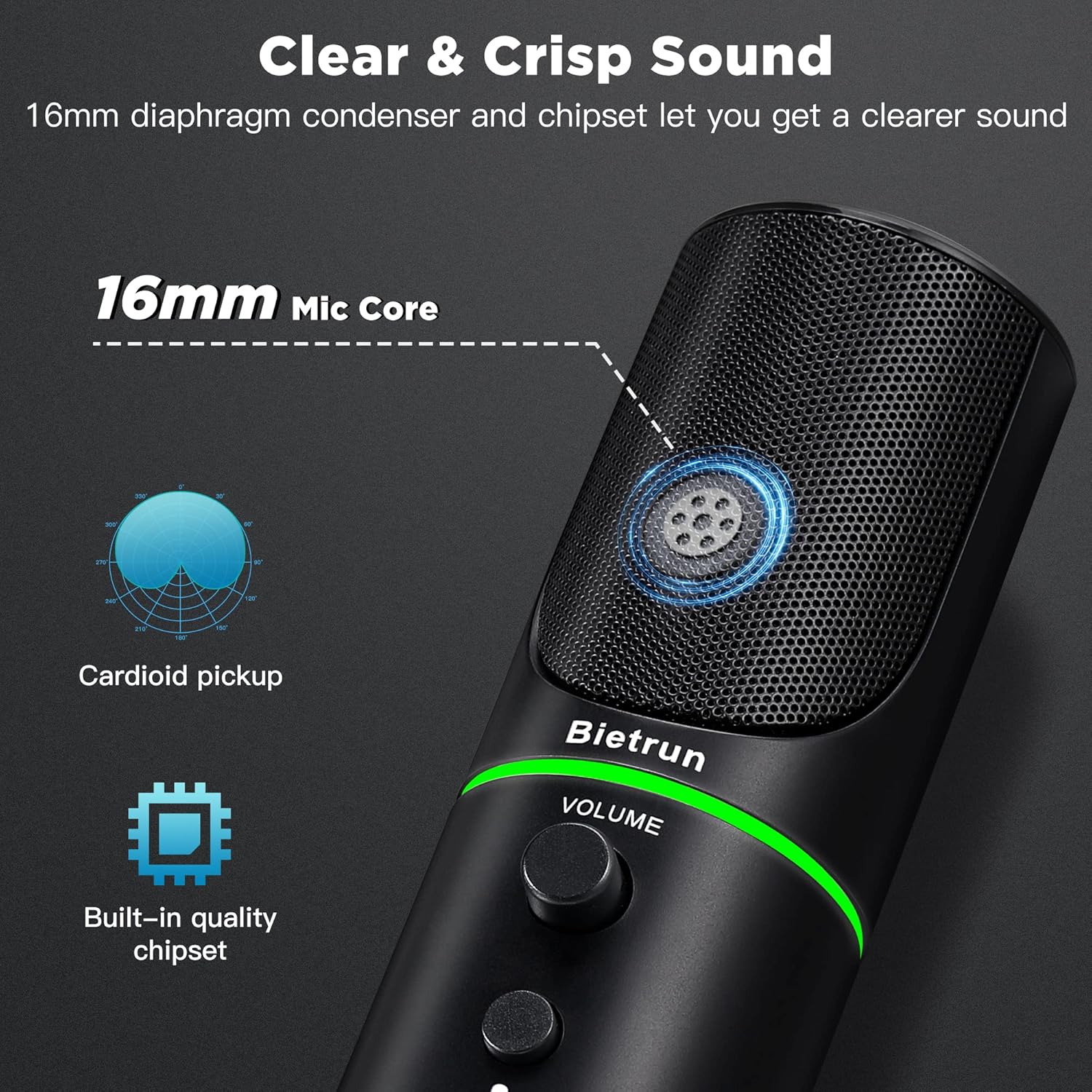
Figure 7: Cardioid Pickup Pattern for Clear Audio
Video 1: Demonstration of Noise Cancelling Feature
This video demonstrates the noise-canceling capabilities of the Bietrun UMKF01 USB Microphone, highlighting its effectiveness in reducing ambient sounds for clearer recordings and communication.
Wartung
- Reinigung: Wischen Sie die Oberfläche des Mikrofons mit einem weichen, trockenen Tuch ab. Vermeiden Sie die Verwendung von flüssigen Reinigungsmitteln oder scheuernden Materialien.
- Lagerung: Bewahren Sie das Mikrofon bei Nichtgebrauch an einem kühlen, trockenen Ort fern von direkter Sonneneinstrahlung und extremen Temperaturen auf.
- Kabelpflege: Um Beschädigungen zu vermeiden, sollten Sie scharfe Biegungen oder Knicke im USB-Kabel vermeiden.
Fehlerbehebung
| Ausgabe | Mögliche Lösung |
|---|---|
| Mikrofon wird vom Gerät nicht erkannt. | Ensure the USB cable is securely connected to both the microphone and your device. Try a different USB port. Check your device's sound settings to ensure 'Bietrun UMKF01' is selected as the input device. |
| Kein Ton oder geringe Lautstärke | Check if the microphone is muted (red LED). Adjust the volume knob on the microphone. Verify input levels in your device's sound settings. Ensure headphones are properly connected if monitoring. |
| Poor sound quality or background noise | Ensure the microphone is in noise-canceling mode (yellow LED). Position the microphone closer to your mouth. Minimize ambient noise in your environment. |
Technische Daten
| Besonderheit | Detail |
|---|---|
| Modellname | UMKF01 |
| Konnektivitätstechnologie | USB |
| Steckertyp | USB Typ-A |
| Richtcharakteristik | Unidirektional (Niere) |
| Mikrofon-Formfaktor | Tabellenarray |
| Audio Empfindlichkeit | 110 Dezibel |
| Signal-Rausch-Verhältnis | 49 dB |
| Frequenzgang | 48 KHz |
| Kompatible Geräte | Laptop, PS4/5, Personal Computer |
| Besondere Merkmale | Mute Function, Volume Control, Noise Cancellation |
| Farbe | Schwarz |
| Material | Acrylnitril-Butadien-Styrol, Metall |
| Artikelgewicht | 10.9 Unzen (310 Gramm) |
| Produktabmessungen (L x B x H) | 3.54 x 3.54 x 7.68 Zoll |

Figure 8: Microphone Dimensions
Garantie und Support
Your Bietrun UMKF01 USB Condenser Microphone comes with a warranty. Please refer to the included Warranty Card for specific terms and conditions. For technical support, troubleshooting assistance, or any inquiries regarding your product, please contact Bietrun customer service through their official channels.