
Einführung
Thank you for choosing the SLuB Bone Conduction Headphones F806. These open-ear wireless earphones utilize advanced bone conduction technology and Bluetooth 5.0 connectivity to provide a unique audio experience while keeping you aware of your surroundings. This manual provides detailed instructions for setup, operation, maintenance, and troubleshooting to ensure optimal performance and longevity of your device.
Produkt überview
Hauptmerkmale
- Knochenleitungstechnologie: Delivers audio through your cheekbones, leaving your ears open to ambient sounds.
- Offenes Ohr-Design: Enhances situational awareness, ideal for outdoor activities.
- Bluetooth 5.0: Bietet eine stabile und effiziente drahtlose Verbindung.
- Ultraleicht: Weighs approximately 35 grams for comfortable extended wear.
- IPX5 Wasserdicht: Resistant to sweat and light rain, suitable for sports.
- Lange Akkulaufzeit: Up to 8 hours of continuous playback.
Produktkomponenten

Abbildung 1: Überview of SLuB Bone Conduction Headphones F806, highlighting features such as 180 mAh battery, 9h talk time, 8h play time, 180h standby time, and 25g weight, suitable for cycling, climbing, working, gym, and running.

Abbildung 2: Illustration of the open-ear design, allowing users to hear surroundings and avoid potential dangers while enjoying music.

Abbildung 3: Explanation of bone conduction technology, which delivers audio to the auditory nerve via the cheekbone, keeping both ears open.

Abbildung 4: Demonstration of the headphones' resilient and durable titanium wire skeleton, capable of 360° bending without deformation.

Abbildung 5: Visual representation of the IPX5 waterproof rating, indicating nano-coating protection against sweat and water.
Installationsanweisungen
1. Aufladen der Kopfhörer
- Locate the USB charging interface on the headphones.
- Connect the provided USB charging cable to the headphones and a compatible USB power source (e.g., computer USB port, wall adapter).
- The indicator light will illuminate during charging. Once fully charged, the light will change color or turn off, depending on the model. A full charge typically takes approximately 2 hours.
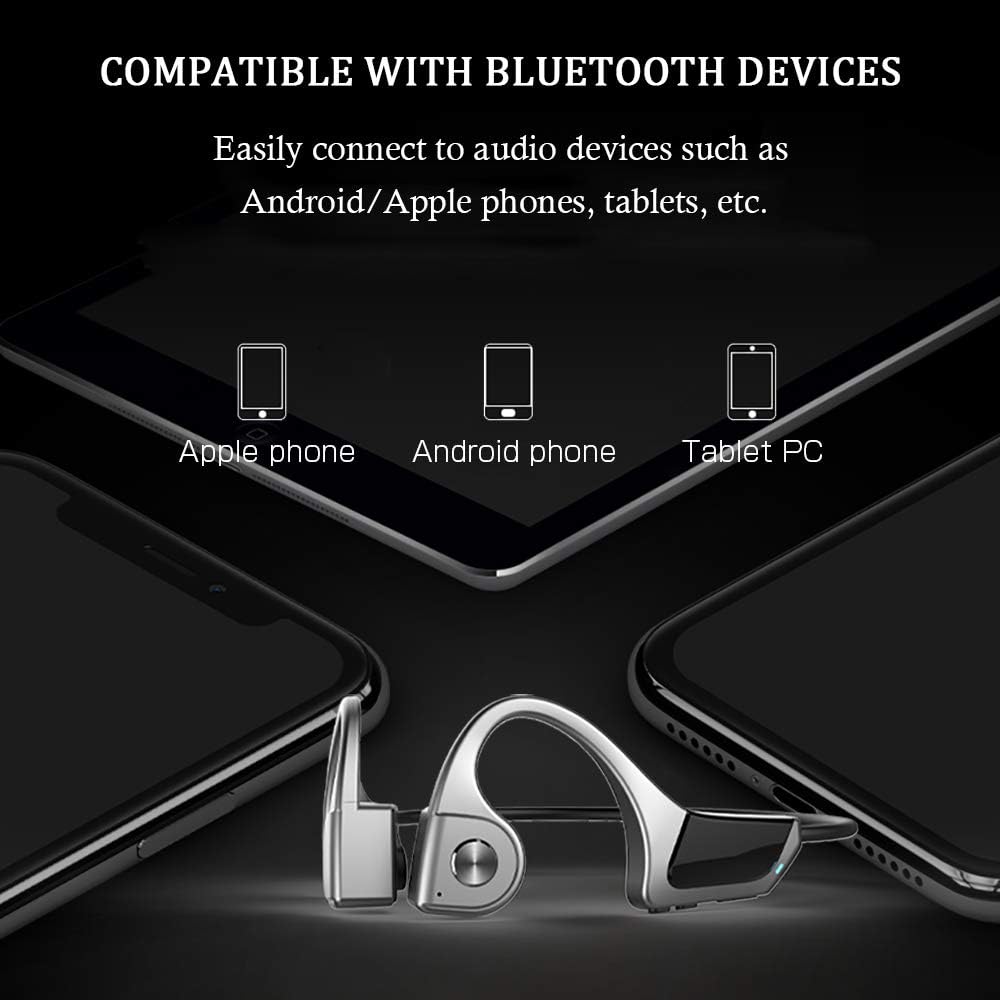
Abbildung 6: Location of the USB Charging Interface, Indicator Light, and Volume controls.
2. Bluetooth-Kopplung
- Einschalten: Press and hold the multifunction button (Power Button) for 2 seconds until the indicator light flashes, indicating pairing mode.
- Bluetooth aktivieren: Aktivieren Sie Bluetooth auf Ihrem Gerät (Smartphone, Tablet usw.).
- Gerät auswählen: Suchen nach "SLuB F806" or a similar name in the list of available Bluetooth devices and select it to connect.
- Bestätigung: Once successfully paired, the indicator light will stop flashing or show a steady light, and you may hear an audio prompt.

Abbildung 7: Compatibility with various Bluetooth devices, including Apple phones, Android phones, and Tablet PCs.
Bedienungsanleitung
Tastenfunktionen

Abbildung 8: Detailed functions of the micro raised buttons for easy control.
| Funktion | Aktion |
|---|---|
| Ein-/Ausschalten | Halten Sie die Multifunktionstaste 2 Sekunden lang gedrückt. |
| Sprachwahl | Press and hold the multifunction button for 2 seconds (when powered on). |
| Lautstärke erhöhen (+) / Lautstärke verringern (-) | Click the +/- key. |
| Anruf annehmen/auflegen | Click the multifunction button. |
| Musik abspielen / pausieren | Click the multifunction button. |
| Vorheriger / Nächster Titel | Long press the +/- key. |
Wartung
- Reinigung: Wischen Sie den Kopfhörer mit einem weichen,amp Tuch. Verwenden Sie keine scharfen Chemikalien oder scheuernden Materialien.
- Lagerung: Bewahren Sie die Kopfhörer an einem kühlen, trockenen Ort fern von direkter Sonneneinstrahlung und extremen Temperaturen auf.
- Laden: Stellen Sie sicher, dass der Ladeanschluss trocken ist, bevor Sie das Ladekabel anschließen.
- Wassereinwirkung: While IPX5 rated, avoid submerging the headphones in water. Dry thoroughly if exposed to sweat or rain.
Fehlerbehebung
| Problem | Mögliche Lösung |
|---|---|
| Die Kopfhörer lassen sich nicht einschalten. | Ensure the headphones are fully charged. Press and hold the multifunction button for 2 seconds. |
| Kopplung mit dem Gerät nicht möglich. |
|
| Kein Ton oder geringe Lautstärke. |
|
| Schlechte Gesprächsqualität. |
|
Technische Daten
| Besonderheit | Detail |
|---|---|
| Modellnummer | F806 |
| Marke | SLuB |
| Konnektivitätstechnologie | Bluetooth 5.0, kabellos |
| Platzierung des Ohrs | Offenes Ohr |
| Wasserbeständigkeit | IPX5 Wasserdicht |
| Artikelgewicht | 35 Gramm |
| Material | Plastik |
| Steuerungstyp | Mediensteuerung |
| Kontrollmethode | Berührung (bezogen auf Tastendrücke) |
| Spezifische Verwendungen | Sport und Bewegung |
Garantie und Support
Informationen zur Garantie und zum Kundendienst finden Sie in der Ihrer Bestellung beiliegenden Dokumentation oder wenden Sie sich an Ihren Händler. Bewahren Sie Ihren Kaufbeleg für eventuelle Garantieansprüche auf.