
Produkt überview
The FLEXISPOT EN2 Electric Standing Desk is designed to provide a versatile and ergonomic workspace. This whole-piece standing desk features a motorized height adjustment system, programmable memory presets, and integrated power solutions to enhance productivity and comfort.

Bild: The FLEXISPOT EN2 Electric Standing Desk in a home office, showcasing its spacious black tabletop and black frame. Two computer monitors are set up on the desk, with a chair positioned for sitting. A water cooler is visible to the left.
Sicherheit und wichtige Informationen
- Befolgen Sie die Montageanleitung immer sorgfältig.
- Use the desk on a stable surface.
- Halten Sie den Schreibtisch von Wärmequellen fern.
- Die maximale Gewichtsempfehlung von 154 Pfund (55 kg) für die Tischplatte darf nicht überschritten werden.
- Keep children and pets away from the desk when it is in motion.
- Assembly may require an electric drill, which is not included.
Einrichtung und Montage
The FLEXISPOT EN2 desk is designed for straightforward assembly. Ensure all parts are present and refer to the detailed instructions provided in the packaging. An electric drill may be required for certain steps.
Montageschritte überview:
- Packen Sie alle Komponenten aus und überprüfen Sie sie anhand der Stückliste.
- Assemble the desk frame, attaching the feet and crossbeam.
- Attach the desktop to the assembled frame using the provided screws.
- Install the control panel and connect all necessary cables.
- Attach the removable desktop power outlet and cable management device.
Eine visuelle Montageanleitung finden Sie im folgenden Video:
Video: A seller-provided video demonstrating the assembly process of a FLEXISPOT electric standing desk, showing the frame construction and desktop attachment.
Bedienungsanleitung
Höhenverstellung:
The desk features a 6-button digital controller for easy height adjustment. Use the up and down arrows to manually adjust the desk height. The motorized system adjusts smoothly from 28.1 inches to 45.7 inches.
Speichervoreinstellungen:
The controller includes four programmable memory presets (buttons 1, 2, 3, 4). To set a preset:
- Stellen Sie den Schreibtisch mithilfe der Auf-/Ab-Pfeile auf die gewünschte Höhe ein.
- Press and hold one of the number buttons (1-4) until the display flashes or beeps, indicating the height is saved.
- Um eine gespeicherte Höhe abzurufen, drücken Sie einfach die entsprechende Zifferntaste.
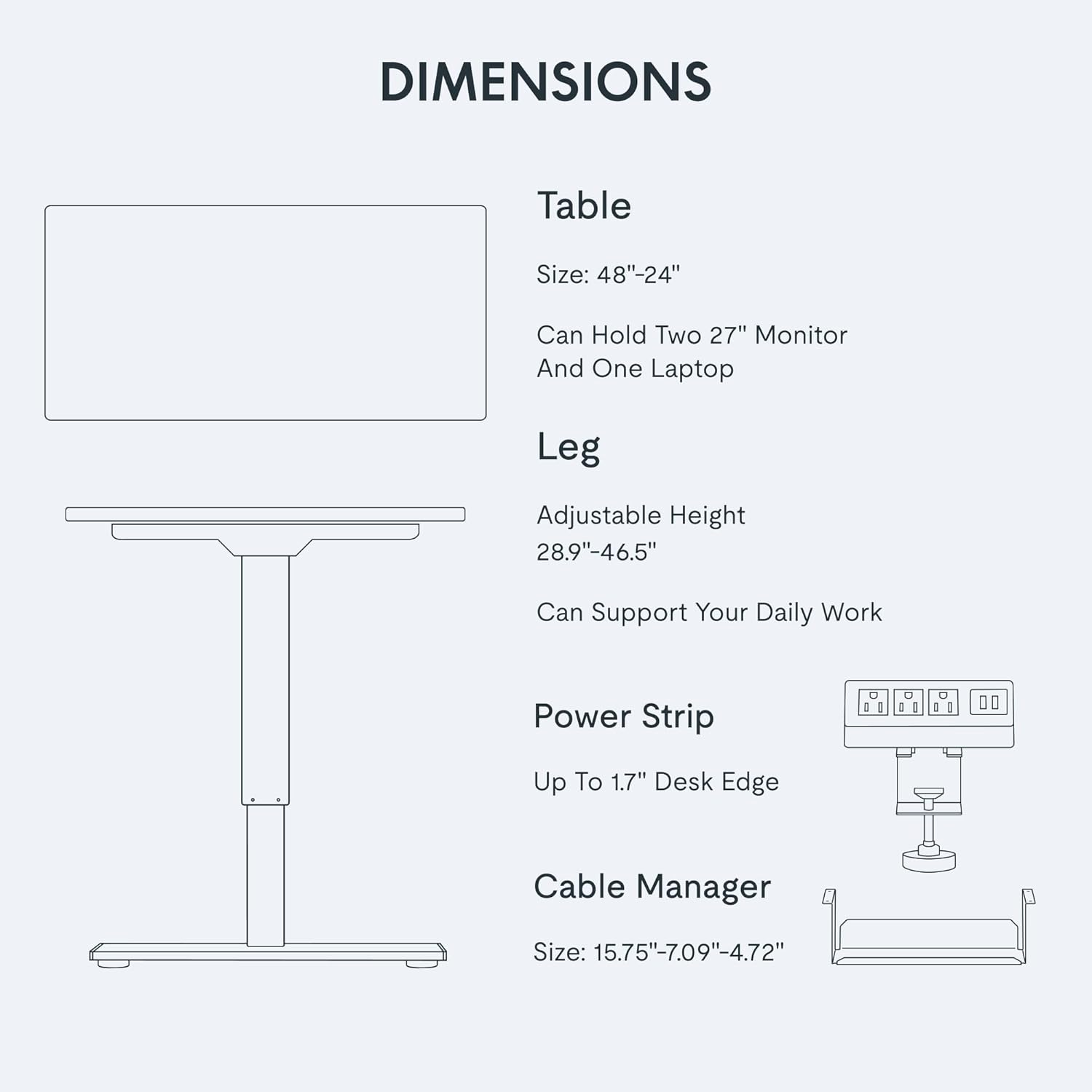
Bild: Eine Nahaufnahme view of the FLEXISPOT EN2's digital control panel, highlighting the LED display, up/down arrows, and four height setting buttons.
Removable Desktop Power Outlet:
The desktop is equipped with 3 AC power outlets and 2 USB charging ports. This unit can be clipped to the back or side of your desk for convenient access to power for your electronic devices.
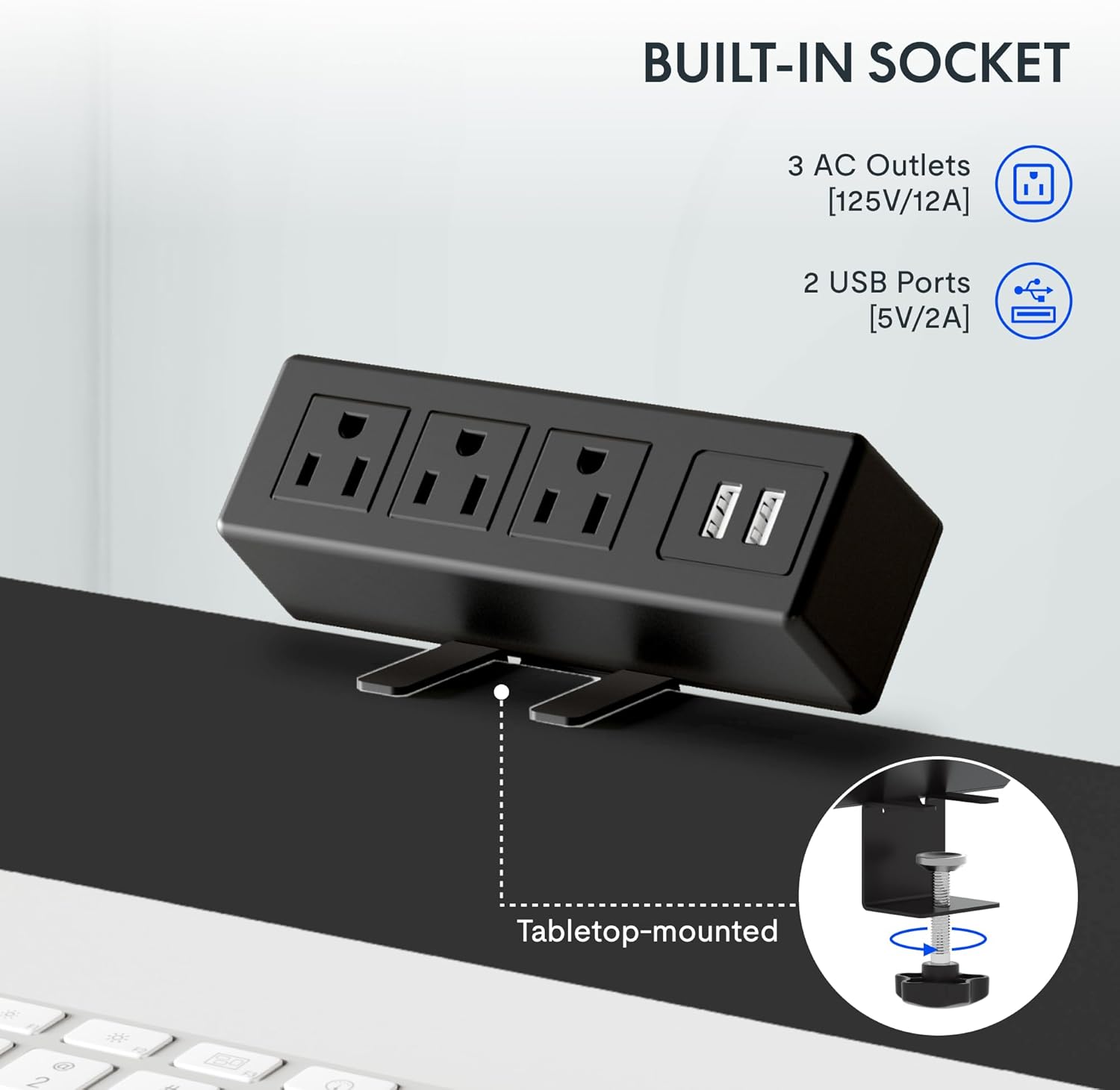
Bild: A detailed shot of the removable desktop power outlet, showing its three AC outlets and two USB ports, designed to clamp onto the desk edge.
Wartung
Um die Langlebigkeit und optimale Leistung Ihres FLEXISPOT EN2 Schreibtisches zu gewährleisten, beachten Sie bitte folgende Wartungshinweise:
- Reinigung: Wischen Sie die Tischoberfläche mit einem weichen, fusselfreien Tuch ab.amp Tuch. Vermeiden Sie Scheuermittel oder aggressive Chemikalien, die die Oberfläche beschädigen könnten.
- Motorpflege: The motor is designed for quiet operation. Avoid obstructing the motor or lifting mechanisms.
- Kabelmanagement: Regularly check and organize cables using the provided cable management device to prevent tangles and damage.
- Gewichtsverteilung: Distribute weight evenly across the desktop to prevent strain on the motor and frame.
Fehlerbehebung
If you encounter any issues with your FLEXISPOT EN2 desk, refer to the following common troubleshooting tips:
- Schreibtisch bewegt sich nicht:
- Prüfen Sie, ob das Netzkabel sowohl am Schreibtisch als auch an der Wandsteckdose fest eingesteckt ist.
- Stellen Sie sicher, dass keine Hindernisse das Heben oder Senken des Schreibtisches verhindern.
- Reset the system by unplugging the desk for 10 seconds and then plugging it back in.
- Ungleichmäßige Bewegung:
- Vergewissern Sie sich, dass der Schreibtisch auf einer ebenen Fläche steht.
- Achten Sie darauf, dass das Gewicht gleichmäßig auf dem Schreibtisch verteilt ist.
- Geräusche während des Betriebs:
- A quiet motor operation (less than 50 dB) is normal. Excessive noise may indicate an obstruction or loose component. Inspect the moving parts for any issues.
Sollten die Probleme weiterhin bestehen, wenden Sie sich bitte an den Kundendienst.
Technische Daten
| Besonderheit | Detail |
|---|---|
| Marke | FLEXISPOT |
| Modellnummer | EN 2-Norm |
| Desktop-Abmessungen | 48 Zoll B x 24 Zoll T |
| Höhenverstellbereich | 28.1" bis 45.7" |
| Maximale Gewichtskapazität | 154 Pfund (55 kg) |
| Desktop-Material | FSC-zertifiziertes Holz |
| Rahmenmaterial | Stahl in Industriequalität |
| Geräuschpegel | Weniger als 50 dB |
| Steckdose | 3 AC outlets, 2 USB charging ports |
| Controllertyp | 6-button digital with 4 memory presets |
Garantie und Support
FLEXISPOT provides the following warranty for your EN2 Electric Standing Desk:
- 5 Jahr Garantie: Deckt Rahmen, Motoren und andere mechanische Geräte ab.
- 2 Jahr Garantie: Beinhaltet Steuerungen, Schalter und Elektronik.
For technical support, warranty claims, or any questions regarding your product, please visit the official FLEXISPOT webBesuchen Sie die Website oder kontaktieren Sie den Kundendienst. Bewahren Sie Ihren Kaufbeleg zur Überprüfung der Garantie auf.
Weitere Informationen und Unterstützung finden Sie auf der FLEXISPOT Store auf Amazon.