
1. Einleitung
This manual provides detailed instructions for the safe and effective use of the Walfront PM6508 Digital Temperature Humidity Meter. This device is designed for high-precision measurement of ambient temperature and relative humidity, offering features such as data hold, backlight display, and wet bulb/dew point temperature calculations. It is suitable for various applications including home, office, industrial settings, and environmental monitoring.
2. Sicherheitshinweise
Please read and understand all safety warnings and operating instructions before using this instrument. Failure to follow these instructions may result in electric shock, fire, or injury.
- Das Messgerät darf nicht bedient werden, wenn es beschädigt erscheint oder der Batteriedeckel nicht ordnungsgemäß geschlossen ist.
- Avoid exposing the meter to extreme temperatures, direct sunlight, or high humidity for prolonged periods.
- Do not attempt to repair or modify the meter. Refer all servicing to qualified personnel.
- Um ein Auslaufen zu verhindern, entfernen Sie die Batterien, wenn das Messgerät längere Zeit nicht benutzt wird.
- Keep the sensor area clean and free from obstructions to ensure accurate readings.
3. Produktüberschreitungview
The Walfront PM6508 is a compact and portable digital meter designed for accurate environmental measurements. It features an easy-to-read LCD display with backlight and intuitive button controls.

Abbildung 3.1: Front view of the Walfront PM6508 meter with key components labeled. This includes the temperature and humidity sensor at the top, the HD display, various control buttons (Power, Max/Min, Data Hold, Data Storage, Unit Switch, Backlight), and an anti-fall protective sleeve.
3.1 Hauptmerkmale
- Hochpräziser Sensor: Liefert genaue Temperatur- und Feuchtigkeitsmesswerte.
- LCD-Display mit Hintergrundbeleuchtung: Gewährleistet gute Lesbarkeit unter verschiedenen Lichtverhältnissen.
- Datenhaltefunktion: Friert den aktuellen Messwert auf dem Display ein.
- Datenspeicherung: Speichert bis zu 100 Gruppen von Messdaten.
- Wet Bulb & Dew Point Temperature: Calculates and displays these critical environmental parameters.
- Einheitenwechsel: Einfacher Wechsel zwischen Celsius (°C) und Fahrenheit (°F).
- Automatische Abschaltung: Verlängert die Batterielebensdauer.
- Low-Power-Anzeige: Meldet, wenn die Batterien ausgetauscht werden müssen.
3.2 Packungsinhalt

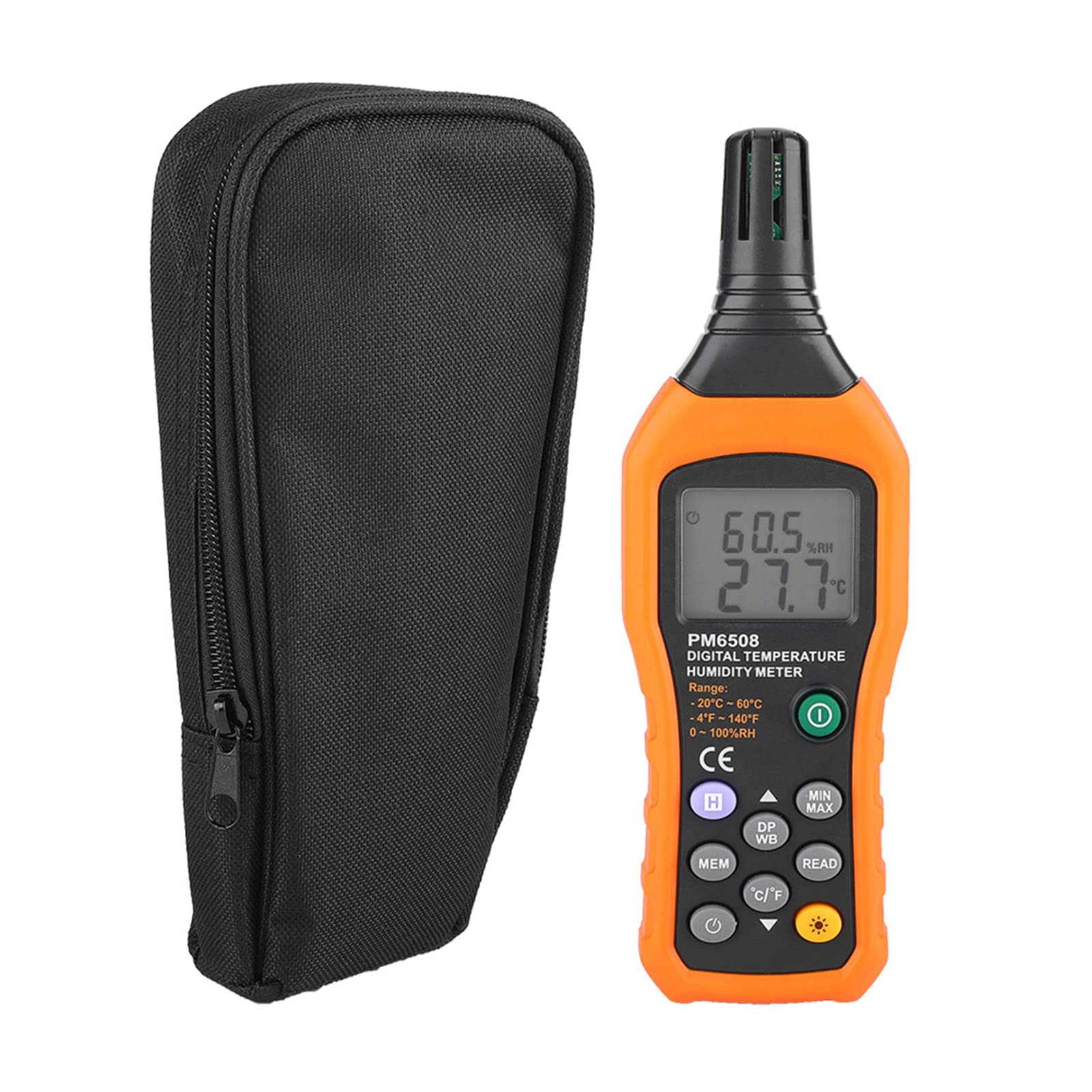
Abbildung 3.2: The Walfront PM6508 meter shown alongside its portable storage bag, indicating typical package contents.
- Walfront PM6508 Digital Temperature Humidity Meter
- Tragbare Aufbewahrungstasche
- Bedienungsanleitung
4. Einrichtung
4.1 Einlegen der Batterie
The PM6508 meter requires 4 x 1.5V AAA batteries (not included) for operation.
- Suchen Sie den Batteriefachdeckel auf der Rückseite des Messgeräts.
- Schieben Sie die Batterieabdeckung nach unten, um sie zu öffnen.
- Insert four AAA batteries, ensuring correct polarity (+ and -) as indicated inside the compartment.
- Setzen Sie die Batterieabdeckung wieder ein, indem Sie sie zurückschieben, bis sie sicher einrastet.
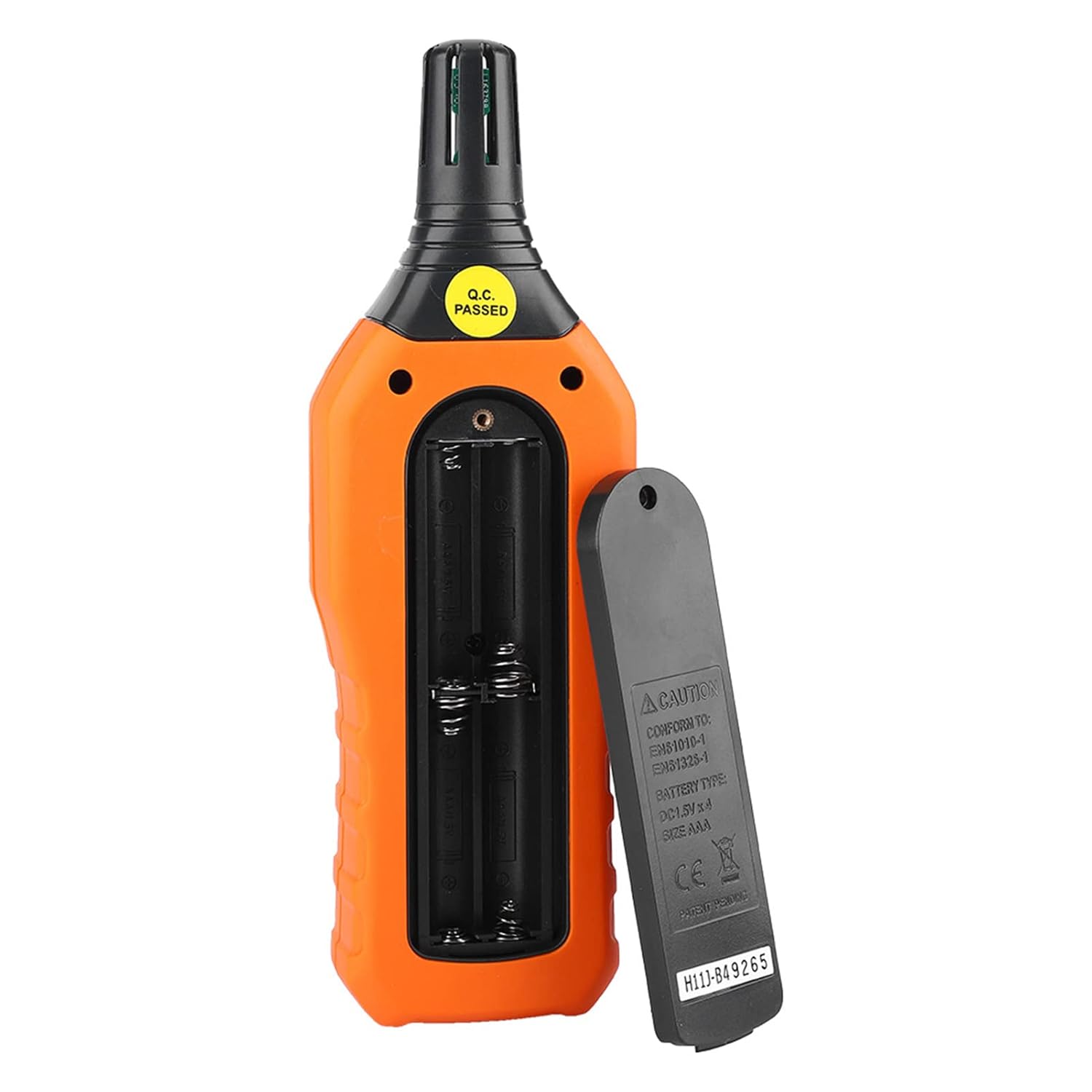
Abbildung 4.1: Hinteren view of the meter showing the open battery compartment for AAA battery installation.
5. Bedienungsanleitung
5.1 Ein-/Ausschalten
- Drücken Sie die green power button (
 ) um den Zähler einzuschalten.
 - Halten Sie die gray power button () for approximately 2 seconds to turn the meter off. The meter also features an automatic shut-down function to conserve battery life.
5.2 Messungen durchführen
Once powered on, the meter will immediately begin displaying real-time temperature and humidity readings on the LCD screen. Ensure the sensor at the top of the device is exposed to the environment you wish to measure.

Abbildung 5.1: The meter in use, displaying temperature and humidity readings on its LCD screen.
5.3 Einheitenumschaltung (°C/°F)
So schalten Sie zwischen den Temperatureinheiten Celsius (°C) und Fahrenheit (°F) um:
- Drücken Sie die °C/°F-Taste () located on the keypad. The display will update to show readings in the selected unit.
5.4 Hintergrundbeleuchtungsfunktion
To activate or deactivate the display backlight:
- Drücken Sie die Taste für Hintergrundbeleuchtung () to toggle the backlight on or off. This is useful for reading in low-light conditions.
5.5 Datenhaltefunktion (H)
Um die aktuellen Messwerte auf dem Display einzufrieren:
- Drücken Sie die H-Taste (). The "H" icon will appear on the display, indicating that the data is held.
- Drücken Sie die H-Taste again to release the data hold and resume real-time measurements.
5.6 Maximum/Minimum (MIN/MAX) Measurement
Zu view die maximal oder minimal aufgezeichneten Werte:
- Drücken Sie die MIN/MAX-Taste () once to display the maximum temperature and humidity recorded since the meter was powered on or the function was reset.
- Drücken Sie die MIN/MAX-Taste again to display the minimum temperature and humidity.
- Drücken Sie die MIN/MAX-Taste a third time to exit the MIN/MAX mode and return to real-time readings.
5.7 Data Storage (MEM) and Retrieval (READ)
The meter can store up to 100 groups of measurement data.
- To Store Data: Drücken Sie die MEM-Taste () to save the current temperature and humidity readings. The display will briefly show a memory location number.
- To Retrieve Data: Drücken Sie die LESEN-Taste () to enter data retrieval mode. Use the MEM-Taste to scroll through stored data records.
- To Exit Retrieval: Drücken Sie die LESEN-Taste again to exit data retrieval mode.
5.8 Wet Bulb (WB) and Dew Point (DP) Temperature
To display Wet Bulb or Dew Point temperatures:
- Drücken Sie die DP/WB button () once to display the Dew Point temperature.
- Drücken Sie die DP/WB button again to display the Wet Bulb temperature.
- Drücken Sie die DP/WB button a third time to return to standard temperature and humidity display.
6. Wartung
6.1 Reinigung
- Wischen Sie die Oberfläche des Zählers ab.asing mit einem weichen, damp Tuch. Keine Scheuer- oder Lösungsmittel verwenden.
- Keep the sensor area clean and free from dust or debris to ensure accurate readings. Do not insert any objects into the sensor opening.
6.2 Speicherung
- When not in use for extended periods, remove the batteries to prevent leakage and damage to the device.
- Bewahren Sie das Messgerät an einem kühlen, trockenen Ort auf, geschützt vor direkter Sonneneinstrahlung und extremen Temperaturen.
- Utilize the provided portable storage bag for protection during storage and transport.
7. Fehlerbehebung
| Problem | Mögliche Ursache | Lösung |
|---|---|---|
| Das Messgerät lässt sich nicht einschalten. |
|
|
| Ungenaue Messwerte. |
|
|
| Das Display ist dunkel oder flackert. |
|
|
| Cannot store or retrieve data. |
|
|
8. Spezifikationen
The following table outlines the technical specifications for the Walfront PM6508 Digital Temperature Humidity Meter.


Abbildung 8.1: Detailed technical specifications including ranges, resolution, and precision for temperature, humidity, wet bulb, and dew point measurements, along with general parameters.
| Parameter | Wert |
|---|---|
| Modell | PM6508 |
| Umgebungstemperaturbereich | -20 bis 60 °C (-4 bis 140 °F) |
| Genauigkeit der Umgebungstemperatur | ±1.5 °C (-20 to 0 °C, 45 to 60 °C), ±0.5 °C (0 to 45 °C) |
| Relativer Feuchtigkeitsbereich | 0 % - 100 % relative Luftfeuchtigkeit |
| Relative Humidity Precision | ±4.0% (0-20%, 80-100%), ±3.0% (20-80%) |
| Feuchtkugeltemperaturbereich | -20 bis 60 °C (4 bis 140 °F) |
| Feuchtkugeltemperaturgenauigkeit | ±1.5 °C (-20 to 0 °C, 45 to 60 °C), ±0.5 °C (0 to 45 °C) |
| Taupunkttemperaturbereich | -50 bis 60 °C (-58 bis 140 °F) |
| Taupunkttemperaturgenauigkeit | ±1.5 °C (-50 to 0 °C, 45 to 60 °C), ±0.5 °C (0 to 45 °C) |
| Auflösung | 0.1 °C / °F / %RH |
| Datenspeicherung | 100 Gruppen |
| Stromversorgung | 4 x 1.5V AAA-Batterie (nicht im Lieferumfang enthalten) |
| Abmessungen (L x B x H) | 180 x 60 x 29 mm (7.1 x 2.4 x 1.1 Zoll) |
| Gewicht | 254 g |
| Luftfeuchtigkeit bei Betrieb | 0 % - 100 % (nicht kondensierend) |
9. Anwendungen
The Walfront PM6508 is suitable for a wide range of applications requiring accurate temperature and humidity monitoring.

Abbildung 9.1: Examples of environments where the PM6508 meter can be effectively used for temperature and humidity monitoring.
- Residential and Office Environments: Monitoring indoor climate for comfort and health.
- Industrial Production: Ensuring optimal conditions for manufacturing processes.
- Warehousing and Storage: Protecting goods sensitive to temperature and humidity, such as in wine cellars or general storage.
- Landwirtschaft: Monitoring conditions in planting sheds, greenhouses, and aquaculture.
- Research and Development Laboratories: Maintaining precise environmental controls for experiments.
- HVAC-Systeme: Assisting in the evaluation and maintenance of heating, ventilation, and air conditioning systems.
10. Garantie und Support
Walfront products are designed for reliability and performance. For warranty information, technical support, or service inquiries, please refer to the contact information provided with your purchase or visit the official Walfront webBitte bewahren Sie Ihren Kaufbeleg für Garantieansprüche auf.