
Bluenin T30
Bluenin T30 True Wireless Ohrhörer – Benutzerhandbuch
Modell: T30
Einführung
Thank you for choosing the Bluenin T30 True Wireless Earbuds. These earbuds are designed to provide a superior audio experience with advanced features such as Bluetooth 5.0 connectivity, CVC8.0 noise-canceling microphone, and IPX7 waterproofing, making them ideal for various activities including sports and travel. This manual will guide you through the setup, operation, and maintenance of your new earbuds.
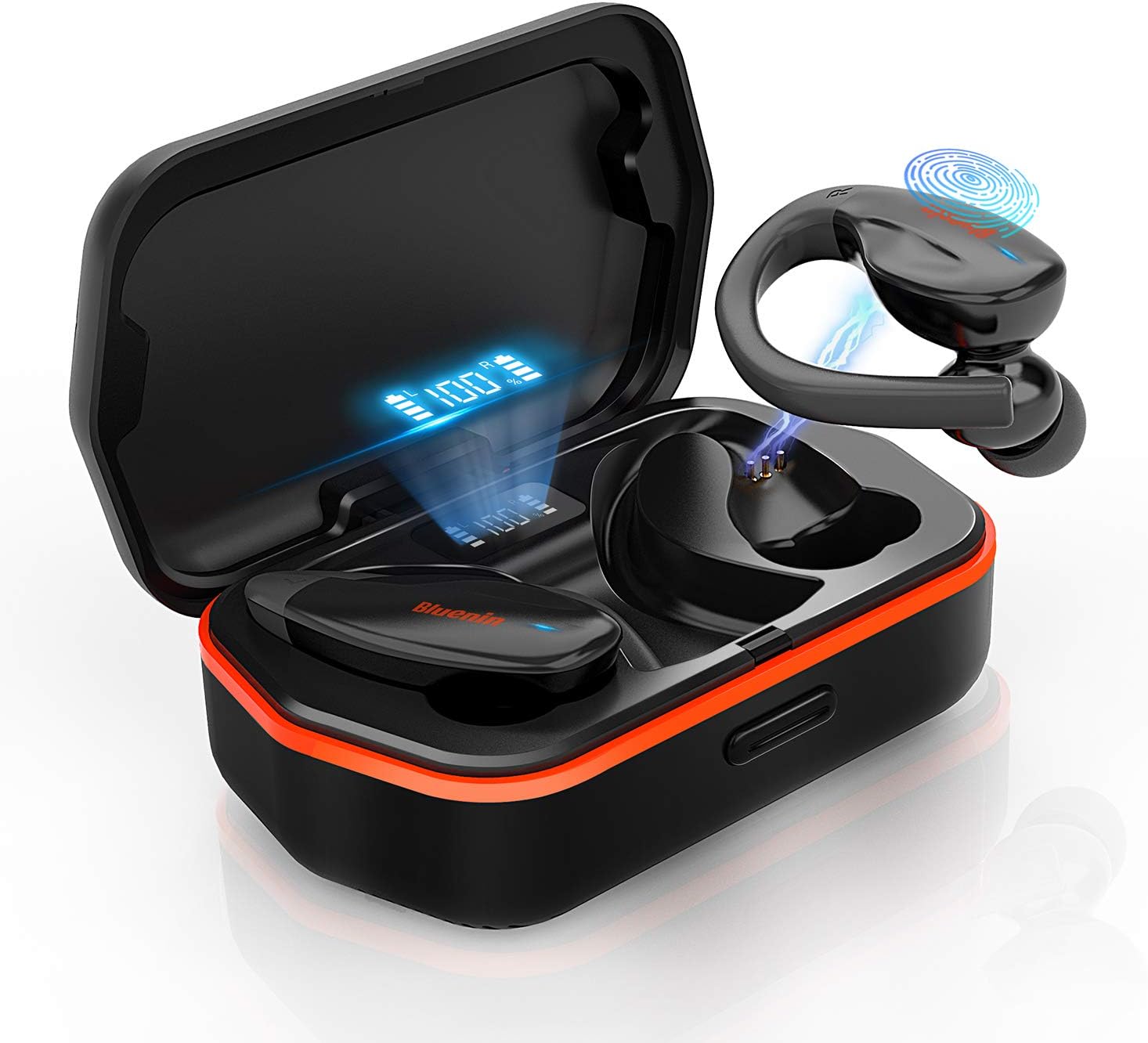
Image: The Bluenin T30 True Wireless Earbuds, showcasing their design and the charging case with a digital battery display.
Aufstellen
Auspacken und erste Ladung
Upon receiving your Bluenin T30 earbuds, carefully open the packaging. Inside, you will find the earbuds, the charging case, and a USB charging cable. It is recommended to fully charge the earbuds and the charging case before first use.
Tragen der Ohrhörer
The Bluenin T30 earbuds feature an ergonomic anti-fall earhook design for a secure and comfortable fit, especially during active use. Gently insert the eartips into your ears and adjust the earhook to rest comfortably around your ear.

Image: A person demonstrating the secure and comfortable fit of the Bluenin T30 earbuds with their ergonomic anti-fall earhook design.
Kopplung in einem Schritt
The T30 earbuds utilize Bluetooth 5.0 technology for stable and fast connections. To pair them with your device:
- Stellen Sie sicher, dass Bluetooth auf Ihrem Gerät aktiviert ist.
- Nehmen Sie beide Ohrhörer aus dem Ladecase. Sie schalten sich automatisch ein und wechseln in den Kopplungsmodus.
- On your device, search for Bluetooth devices and select "Bluenin T30" from the list.
- Sobald die Verbindung hergestellt ist, hören Sie eine Bestätigungsansage, und die Ohrhörer sind einsatzbereit.

Abbildung: Eine visuelle Darstellung des einstufigen Kopplungsvorgangs, die zeigt, wie die Ohrhörer über Bluetooth mit einem Smartphone verbunden werden.
Betrieb
Touch-Bedienelemente
The Bluenin T30 earbuds feature sensitive touch controls for easy management of your audio and calls. The touch sensitive area is located on the outer surface of each earbud.
| Aktion | Kontrolle |
|---|---|
| Lautstärke +/- | Specific touch gesture (refer to quick start guide for exact gesture) |
| Abspielen / Pause | Tippen Sie einmal auf einen der Ohrhörer |
| Nächster / Vorheriger Titel | Double tap (right for next, left for previous) |
| Anruf annehmen/abweisen | Single tap to answer, long press to reject |
| Einschalten / Ausschalten | Long press or place in/remove from case |

Image: An illustration detailing the various touch control functions available on the Bluenin T30 earbuds for media and call management.
Audioqualität und Geräuschunterdrückung
The T30 earbuds deliver premium HiFi sound with deep bass and crystal clear treble. They are equipped with CVC 8.0 Noise Cancellation technology, which helps to reduce ambient noise for clearer calls and a more immersive listening experience.

Image: Highlighting the premium HiFi sound, Bluetooth 5.0, and CVC 8.0 Noise Cancellation features of the Bluenin T30 earbuds.
Wartung
Aufladen der Ohrhörer und des Gehäuses
The Bluenin T30 earbuds offer a long-lasting playtime of up to 6 hours on a single charge, with the charging case providing an additional 23 recharges, totaling up to 136 hours of playtime. The charging case also functions as a backup power bank for your personal devices.
- To charge the earbuds, place them back into the charging case. The digital display on the case will show their charging status.
- To charge the case, connect it to a power source using the provided USB cable. The display will indicate the case's battery level.

Image: The Bluenin T30 charging case acting as a power bank, illustrating its long-lasting playtime capabilities and ability to charge other devices.
Wasserbeständigkeit (IPX7)
The T30 earbuds are IPX7 waterproof, meaning they are resistant to sweat, water, and rain. This makes them suitable for workouts and outdoor activities. While they can withstand splashes and brief immersion, they are not designed for swimming or prolonged submersion.
- After exposure to sweat or water, ensure the earbuds are dry before placing them back into the charging case to prevent damage to the charging contacts.
- Clean the earbuds regularly with a soft, dry cloth to remove any earwax or debris.

Image: The Bluenin T30 earbuds submerged in water, illustrating their IPX7 waterproof rating, making them resistant to sweat, water, and rain.
Fehlerbehebung
Häufige Probleme und Lösungen
- Ohrhörer lassen sich nicht koppeln: Ensure both earbuds are out of the case and fully charged. Turn off and on your device's Bluetooth. If issues persist, try forgetting the device in your Bluetooth settings and re-pairing.
- Nur ein Ohrhörer funktioniert: Legen Sie beide Ohrhörer zurück in das Ladecase, schließen Sie den Deckel, warten Sie einige Sekunden und nehmen Sie sie dann wieder heraus. Dadurch werden sie oft neu synchronisiert.
- Kein Ton: Überprüfen Sie die Lautstärke sowohl an Ihrem Gerät als auch an den Ohrhörern. Stellen Sie sicher, dass die Ohrhörer ordnungsgemäß mit Ihrem Gerät verbunden sind.
- Probleme beim Aufladen: Clean the charging contacts on both the earbuds and inside the case with a dry cotton swab. Ensure the charging cable is securely connected and the power source is active.
- Schlechte Tonqualität: Ensure the earbuds are securely fitted in your ears. Check for any debris blocking the speaker mesh. Move closer to your connected device to avoid interference.
Technische Daten
| Besonderheit | Detail |
|---|---|
| Modellname | T30 |
| Marke | Blau |
| Konnektivitätstechnologie | Kabellos (Bluetooth 5.0) |
| Formfaktor | In-Ear-Kopfhörer mit Ohrhaken |
| Lärmschutz | CVC 8.0-Rauschunterdrückung |
| Wasserbeständigkeit | IPX7 Wasserdicht |
| Kontrollmethode | Berühren |
| Akkulaufzeit (Ohrhörer) | Bis zu 6 Stunden |
| Gesamtspielzeit (mit Hülle) | Bis zu 136 Stunden |
| Ladecase-Funktion | Powerbank als Backup |
| Material | Silikon |
| Technische Daten | 4.72 x 2.36 x 1.97 Zoll |
| Artikelgewicht | 8.8 Unzen |
Garantie und Support
Bluenin products are designed for reliability and performance. For warranty information, technical support, or service inquiries, please refer to the contact details provided in your product packaging or visit the official Bluenin webBitte bewahren Sie Ihren Kaufbeleg für Garantieansprüche auf.
Für weitere Unterstützung können Sie sich auch direkt über die Plattform, auf der das Produkt gekauft wurde, an den Verkäufer wenden.
Ask a question about this manual
Ask about setup, troubleshooting, compatibility, parts, safety, or missing instructions. Manuals+ will review the question and use this page’s manual context to help answer it.