
1. Einleitung
Thank you for choosing the NETVUE Indoor Camera NI-3421. This manual provides essential information for setting up, operating, and maintaining your camera. Please read it thoroughly before use and retain it for future reference.

Image 1: NETVUE Indoor Camera NI-3421, a compact white and black security camera.
2. Produktüberschreitungview
The NETVUE Indoor Camera NI-3421 is a versatile 1080P FHD security camera designed for indoor use, offering features such as 2.4GHz Wi-Fi connectivity, two-way audio, night vision, and AI human detection. It is suitable for monitoring pets, babies, or general home security.
Hauptmerkmale:
- 1080P Full HD-Video: Liefert klare und scharfe Videoaufnahmen.tage.
- 2.4-GHz-WLAN-Konnektivität: Gewährleistet eine stabile drahtlose Verbindung.
- Schwenk- und Neigefunktion: Bietet eine horizontale Drehung von 360° und eine vertikale Drehung von 100° für eine umfassende Abdeckung.
- Zweiwege-Audio: Ermöglicht die Echtzeitkommunikation über die Kamera.
- Erweiterte Nachtsicht: Provides clear monitoring in low-light conditions up to 32 feet.
- KI-Menschenerkennung: Erkennt intelligent menschliche Bewegungen, um Fehlalarme zu reduzieren.
- Mehrere Speicheroptionen: Supports AWS Cloud storage (up to 30 days) and local MicroSD card storage (up to 128GB, not included).
- Alexa-Integration: Kompatibel mit Amazon Alexa für Sprachsteuerung und Live-Übertragung view auf kompatiblen Geräten.

Image 2: The NETVUE Indoor Camera demonstrating its 360-degree pan and tilt capabilities, showing a wide view of a living room.
3. Packungsinhalt
Bitte überprüfen Sie den Packungsinhalt nach dem Auspacken:
- NETVUE Indoor Camera NI-3421
- Netzteil
- USB-Kabel
- Montagehalterung und Schrauben
- Benutzerhandbuch (dieses Dokument)
4. Einrichtung
4.1 Physische Einrichtung
- Packen Sie die Kamera und sämtliches Zubehör aus.
- Place the camera on a flat surface or mount it to a wall/ceiling using the provided mounting kit. Ensure it is within range of your 2.4GHz Wi-Fi network.
- Schließen Sie die Kamera mithilfe des mitgelieferten USB-Kabels und Netzteils an eine Stromquelle an. Die Kamera schaltet sich automatisch ein.
4.2 App-Installation & Verbindung
- Laden Sie die NETVUE-App aus dem App Store (iOS) oder dem Google Play Store (Android) herunter.
- Registrieren Sie sich für ein neues Konto oder melden Sie sich an, falls Sie bereits eines besitzen.
- Follow the in-app instructions to add your new camera. This typically involves scanning a QR code on the camera or in the manual.
- Stellen Sie sicher, dass Ihr Mobilgerät während des Einrichtungsvorgangs mit einem 2.4-GHz-WLAN-Netzwerk verbunden ist.
4.3 Wi-Fi-Verbindung
The camera supports 2.4GHz Wi-Fi networks only. During app setup, the app will generate a QR code. Present this QR code to the camera lens (10-30cm distance) for the camera to scan and connect to your Wi-Fi network. If connection fails, ensure your Wi-Fi password is entered correctly and try resetting the camera using the reset pin (usually located near the SD card slot).
5. Bedienungsanleitung
5.1 Live View
Once connected, open the NETVUE app and select your camera to view the live video feed. You can switch between different cameras if you have multiple devices.
5.2 Pan & Tilt
Use the directional controls within the app to remotely pan (horizontal) and tilt (vertical) the camera lens, allowing you to monitor different areas of your room.
5.3 Zwei-Wege-Audio
Tap the microphone icon in the app to speak through the camera's built-in speaker. This feature is useful for communicating with pets, family members, or deterring intruders.

Image 3: A visual representation of the two-way audio feature, where a child is seen interacting with a dog via the camera's speaker and microphone.
5.4 Fortschrittliche Nachtsicht
The camera automatically switches between day and night vision modes. Infrared LEDs provide clear black-and-white video in complete darkness up to 32 feet.

Image 4: A split image illustrating the camera's automatic day/night vision switching, highlighting its 32ft infrared night vision capability.
5.5 Motion Detection & AI Human Detection
The camera features motion detection and advanced AI human detection. You will receive instant notifications on your mobile device when motion or a human figure is detected. Sensitivity levels can be adjusted in the app settings.

Image 5: A graphic demonstrating the camera's human and motion detection capabilities, with a smartphone displaying a motion alert notification.
5.6 Speichermöglichkeiten
Choose between two storage methods for your video recordings:
- Cloud-Speicher: AWS Cloud provides up to 30 days of storage. Subscription services are available for AI detection and continuous/event video recording.
- MicroSD-Karte: Supports local storage up to 128GB (card not included). Both options allow replaying 14 days of videos.
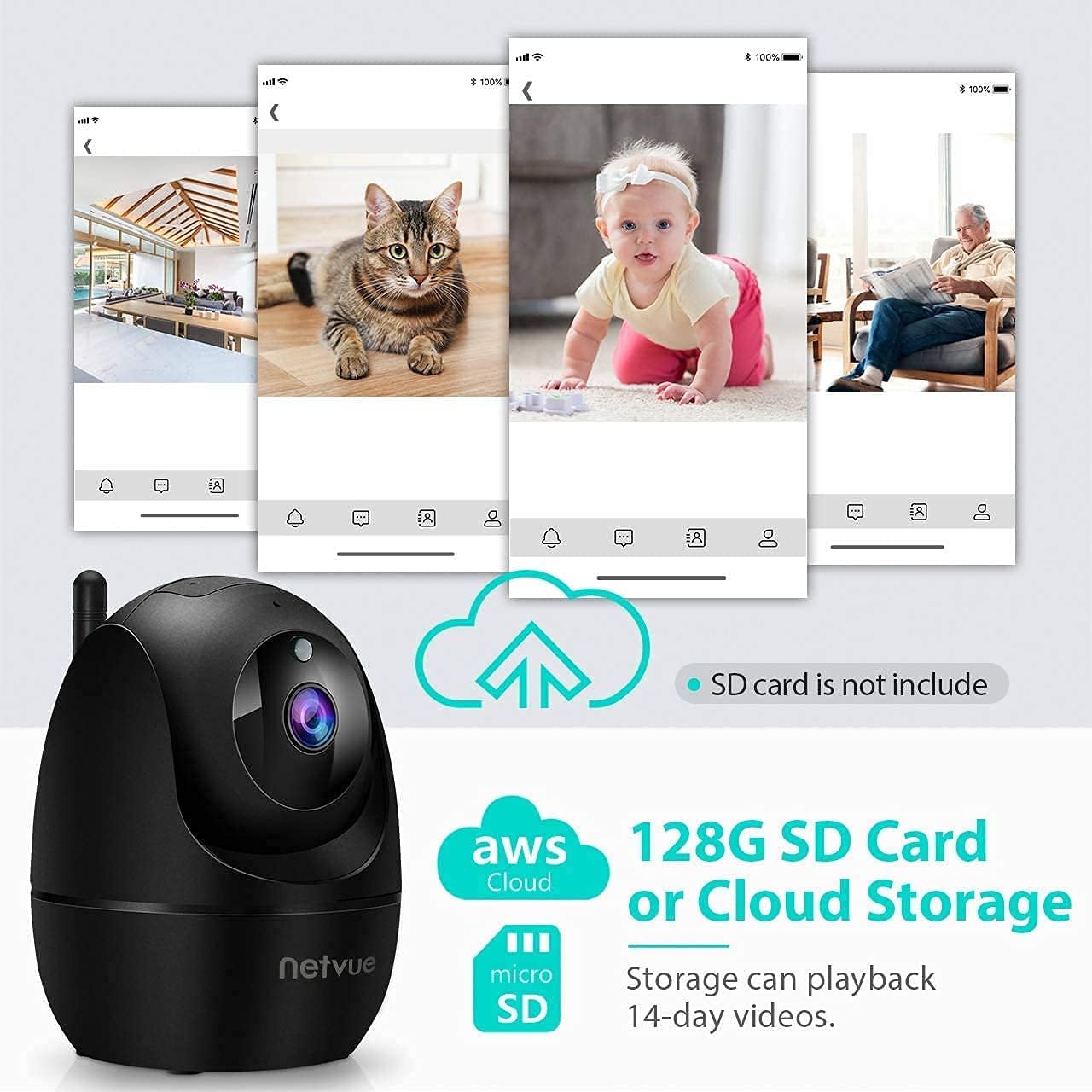
Image 6: The NETVUE Indoor Camera highlighting its compatibility with both AWS Cloud storage and MicroSD card storage for video recordings.
5.7 Alexa-Integration
The NETVUE camera can be integrated with Amazon Alexa for convenient voice control. You can ask Alexa to show live video feeds on compatible devices like the Echo Show.
Video 1: This video demonstrates the NETVUE camera's integration with Amazon Alexa, showing how to use voice commands to view camera feeds on an Echo Show device.
6. Wartung
- Reinigung: Verwenden Sie ein weiches, trockenes Tuch, um das Kameraobjektiv und das Kameragehäuse zu reinigen. Vermeiden Sie aggressive Chemikalien.
- Firmware-Updates: Regularly check the NETVUE app for firmware updates to ensure optimal performance and security.
- Platzierung: Stellen Sie sicher, dass die Kamera an einem stabilen Ort aufgestellt ist, fern von direkter Sonneneinstrahlung, Wärmequellen und Feuchtigkeit.
7. Fehlerbehebung
- Verbindungsprobleme: Ensure your Wi-Fi network is 2.4GHz. Verify the Wi-Fi password. Try resetting the camera and re-pairing it with the app.
- Offline-Status: Check power supply and Wi-Fi signal strength. Reboot your router and the camera.
- Echoing Audio: This can occur if the camera's speaker output is picked up by its microphone. Adjust volume or distance between the camera and any audio output devices.
- Bewegungserkennung funktioniert nicht: Check app settings for motion detection sensitivity and ensure it's enabled. Verify camera's field of view.
8. Spezifikationen
| Besonderheit | Spezifikation |
|---|---|
| Videoauflösung | 1080p FHD |
| Konnektivität | 2.4 GHz WLAN |
| Nachtsichtbereich | 32 Fuß (Infrarot) |
| Fachgebiet View | 100 Degrees (Digital Zoom) |
| Schwenken/Neigen | 360 ° Horizontal, 100 ° Vertikal |
| Speicheroptionen | AWS Cloud (up to 30 days), MicroSD Card (up to 128GB) |
| Audio | 2-Wege-Audio |
| Erkennung | KI-Personenerkennung, Bewegungssensor |
| Stromquelle | Corded Electric (4.5V AC, 6W) |
| Maße | 3 x 3 x 3 Zoll |
| Artikelgewicht | 11.7 Unzen |
9. Garantie und Support
NETVUE products typically come with a limited warranty. Please refer to the warranty card included in your package or visit the official NETVUE website for detailed warranty information and terms. For technical support, FAQs, or to contact customer service, please visit the NETVUE support page or use the support features within the NETVUE app.

Image 7: A graphic illustrating NETVUE's 24/7 online customer support, showing a customer service representative with a headset.
Datenschutz und Sicherheit:
NETVUE ensures the highest protection of data and privacy via bank-level AES 256-bit encryption and TLS Encryption Protocol.

Image 8: A graphic emphasizing NETVUE's commitment to privacy and security, featuring a house protected by a shield icon.


