
1. Einleitung
Thank you for choosing the KSIX Thermometer HR Fitness Band. This device is designed to help you monitor your physical activity, body temperature, heart rate, and sleep patterns. Please read this manual carefully before using the product to ensure proper operation and maintenance.
2. Packungsinhalt
- KSIX Thermometer HR Fitness Band
- Bedienungsanleitung
- Ladekabel
3. Produktüberschreitungview
The KSIX Thermometer HR Fitness Band features a 1.4-inch TFT color display and a durable design. It includes sensors for continuous body temperature and heart rate monitoring. The band is also water-resistant up to 1 meter for 30 minutes.

Abbildung 3.1: Vorderseite view of the KSIX Thermometer HR Fitness Band with a clock display.
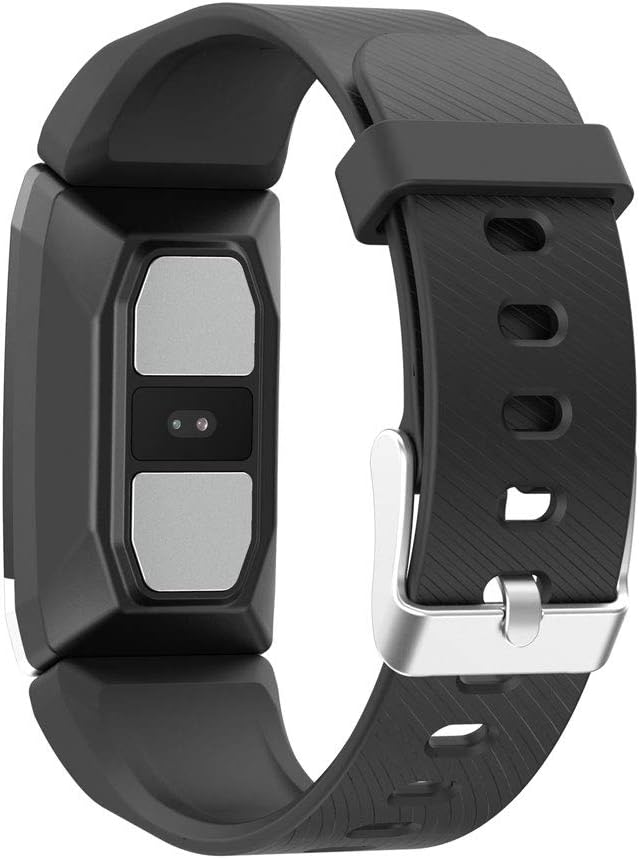
Abbildung 3.2: Rückseite view of the fitness band, highlighting the integrated sensors for health monitoring.
Hauptmerkmale:
- Körpertemperaturüberwachung: Integrated sensor for continuous temperature tracking.
- Dynamic Heart Rate Monitoring: Kontinuierliche Herzfrequenzmessung über 24 Stunden.
- Multi-Sport-Modus: Records duration, steps, and heart rate during various sports activities.
- Schlaf-Tracking: Monitors sleep duration and quality.
- Wasserbeständigkeit: IP67 rated, submersible up to 1 meter for 30 minutes.
- Benachrichtigungen: Receive alerts for calls and messages when connected to your smartphone.
4. Einrichtung
4.1 Aufladen des Geräts
Before first use, fully charge your fitness band. Connect the charging cable to the designated port on the band and to a USB power source. The battery icon on the screen will indicate charging status. A full charge typically takes approximately 2 hours.
4.2 App-Installation und -Kopplung
- Laden Sie die Tragen Sie 2.0 App aus dem App Store Ihres Smartphones (kompatibel mit Android 5.1+ und iOS 8.0+).
- Stellen Sie sicher, dass Bluetooth auf Ihrem Smartphone aktiviert ist.
- Open the Wearfit 2.0 app and follow the on-screen instructions to create an account or log in.
- Navigate to the device pairing section within the app and search for your KSIX Thermometer HR Fitness Band.
- Select your device from the list to establish a Bluetooth 4.0 connection.
- Once paired, the band will synchronize with your smartphone, and you can customize settings and view Daten.
5. Bedienungsanleitung
5.1 Navigation auf der Benutzeroberfläche
The fitness band features a touch-sensitive screen. Swipe up, down, left, or right to navigate through different functions and menus. Tap to select an option or confirm an action.
5.2 Monitoring Body Temperature
The band continuously monitors your body temperature. To view your current temperature, navigate to the temperature screen on the device. Historical data and trends can be viewed in the Wearfit 2.0 app.
5.3 Herzfrequenzüberwachung
The dynamic heart rate monitor tracks your pulse 24 hours a day. Access the heart rate screen on the band to see your real-time heart rate. Detailed graphs and average readings are available in the Wearfit 2.0 app.
5.4 Multi-Sport-Modus
Activate multi-sport mode from the device menu to track specific activities. This mode records duration, step count, and heart rate during your workout. End the activity to save the data, which will then sync to the Wearfit 2.0 app.
5.5 Schlafüberwachung
Wear the band while sleeping to automatically track your sleep patterns. The device records sleep duration and quality. View detailed sleep analysis in the Wearfit 2.0 app.
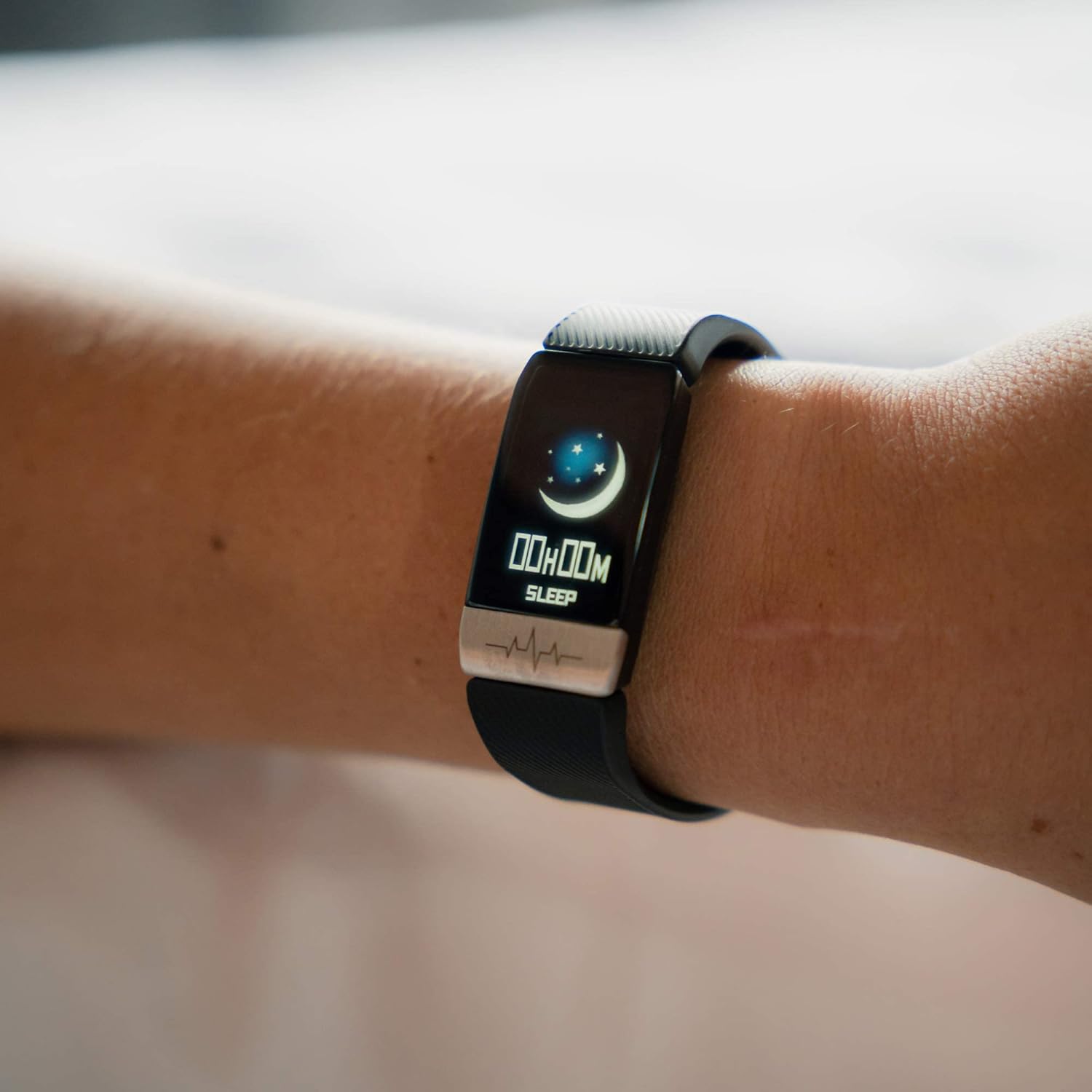
Figure 5.1: The fitness band displaying sleep tracking information on the user's wrist.
5.6 Benachrichtigungen
Once paired with your smartphone, the band can display notifications for incoming calls, messages, and app alerts. Ensure notification permissions are enabled in the Wearfit 2.0 app and your phone's settings.
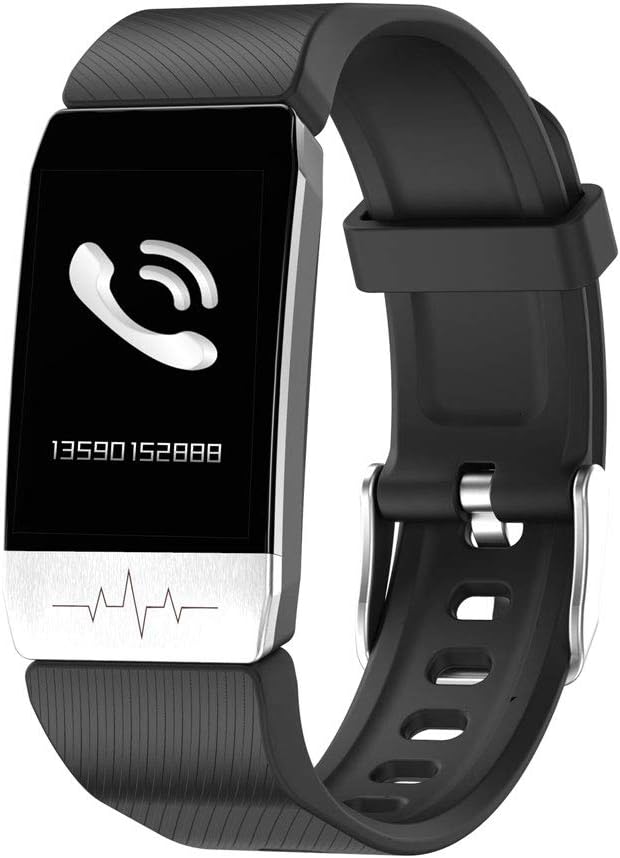
Figure 5.2: The fitness band showing an incoming call notification.
6. Wartung
6.1 Reinigung
Regularly clean your fitness band with a soft, damp Verwenden Sie kein Tuch. Vermeiden Sie aggressive Chemikalien oder Scheuermittel, da diese das Gerät beschädigen können. Stellen Sie sicher, dass die Ladekontakte vor dem Laden sauber und trocken sind.
6.2 Wasserbeständigkeit
The KSIX Thermometer HR Fitness Band is IP67 water-resistant, meaning it can be submerged in water up to 1 meter deep for a maximum of 30 minutes. It is suitable for daily use, such as washing hands or showering. However, it is not recommended for diving, high-pressure water activities, or prolonged submersion.

Figure 6.1: The fitness band submerged in water, showcasing dank seines wasserabweisenden Designs.
7. Fehlerbehebung
- Gerät lässt sich nicht einschalten: Stellen Sie sicher, dass das Gerät vollständig aufgeladen ist. Schließen Sie es an das Ladegerät an und warten Sie einige Minuten, bevor Sie versuchen, es wieder einzuschalten.
- Kopplung mit Smartphone nicht möglich:
- Stellen Sie sicher, dass Bluetooth auf Ihrem Telefon aktiviert ist.
- Make sure the Wearfit 2.0 app is installed and running.
- Check if the band's battery is not critically low.
- Try restarting both your phone and the fitness band.
- Ensure the band is not already paired with another device.
- Inaccurate readings (temperature/heart rate):
- Ensure the band is worn snugly on your wrist, but not too tight.
- Reinigen Sie die Sensoren auf der Rückseite des Armbands.
- Avoid extreme temperatures or rapid changes in environment.
- Note that these devices are not medical instruments and readings are for reference only.
- Benachrichtigungen werden nicht angezeigt:
- Verify that the band is successfully paired with your phone.
- Check notification settings within the Wearfit 2.0 app.
- Ensure your phone's system settings allow the Wearfit 2.0 app to send notifications.
8. Spezifikationen
| Besonderheit | Detail |
|---|---|
| Modellnummer | TP-8427542106342_BXSTBAND_Vendor |
| Anzeige | 1.4-Zoll-TFT-Farbdisplay |
| Batteriekapazität | 90 mAh |
| Akkulaufzeit | Bis zu 5 Tage |
| Konnektivität | Bluetooth 4.0 |
| Wasserbeständigkeit | IP67 (bis zu 1 m für 30 Minuten) |
| Kompatibilität | Android 5.1+ / iOS 8.0+ |
| Sensoren | Body Temperature, Heart Rate, Micro Vibration |
| Armbandmaterial | Edelstahl |
| Gehäusematerial | Edelstahl |
| Abmessungen (Paket) | 13.2 x 10.1 x 4.8 cm |
| Gewicht | 60 g |
9. Garantie und Support
The KSIX Thermometer HR Fitness Band comes with a 2 Jahr Garantie Die Garantie gilt ab Kaufdatum und deckt Herstellungsfehler ab. Schäden durch Missbrauch, Unfälle, unbefugte Änderungen oder normale Abnutzung sind von dieser Garantie ausgeschlossen.
For technical support, warranty claims, or further assistance, please contact your retailer or visit the official KSIX webWebsite für Kontaktinformationen.
Hersteller: ATLANTIS INTERNACIONAL